
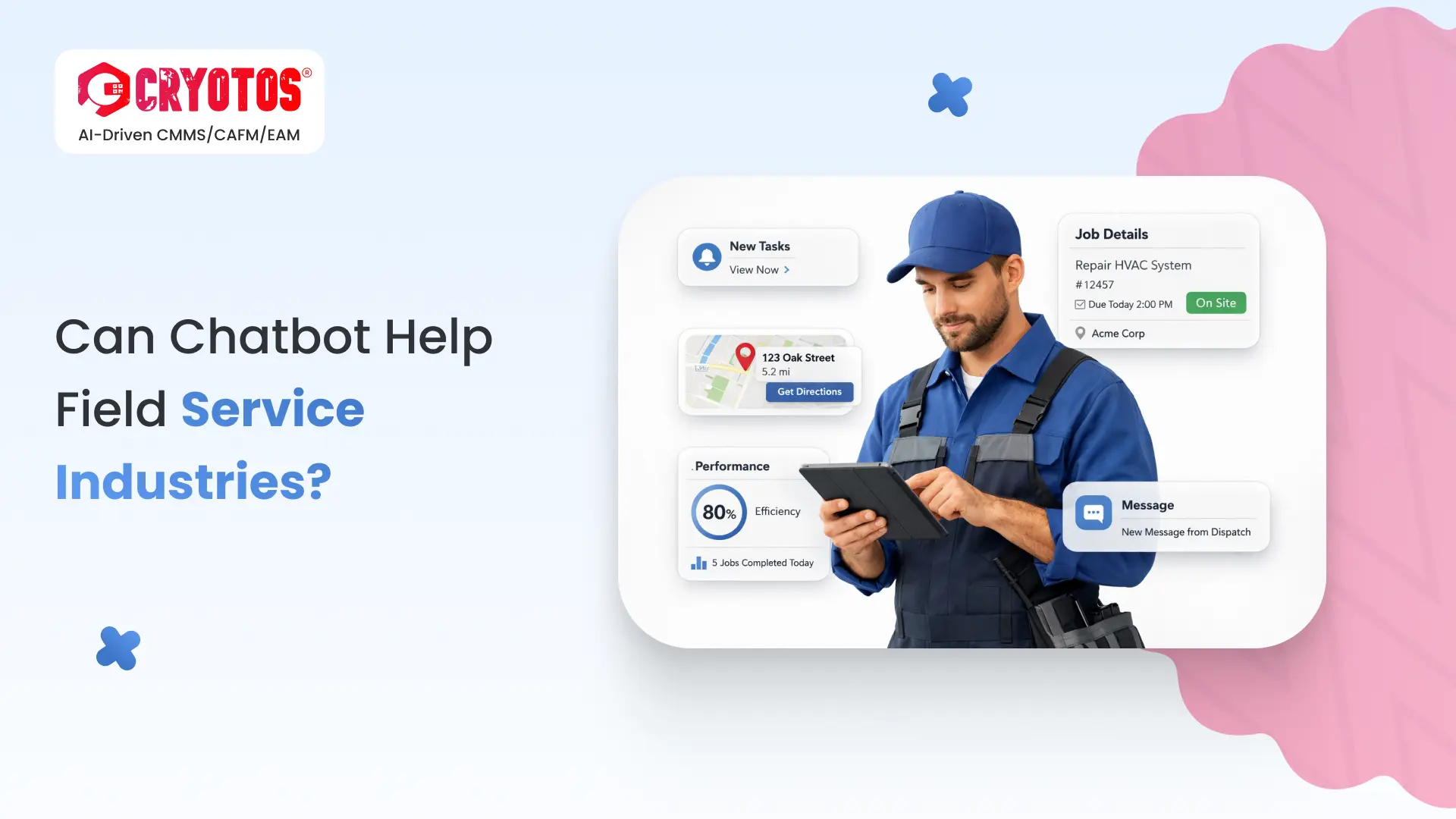
Yes — chatbots can meaningfully help field service industries, but only for the right set of tasks. The teams getting real value from chatbots use them to handle the predictable 70% of customer interactions — service request intake, status updates, basic troubleshooting, appointment scheduling — and keep human technicians focused on the diagnostic, hands-on work where they add the most value. Used that way, field service operations have seen first-response times drop from hours to seconds, technician dispatch efficiency improve 25-40%, and after-hours coverage expand without adding headcount.
Used the wrong way — as a full replacement for human support, or without integration into the CMMS that holds the asset and work order data — chatbots frustrate customers and create more rework than they save. This guide walks through where chatbots clearly help in field service, where they fail, the task split that consistently works, and the practical considerations before deploying one. According to a 2023 Gartner customer service research note, organisations that scope chatbot deployments narrowly to high-volume routine interactions see 4x higher ROI than those that try to automate complex technical support.
The first place chatbots earn their keep in field service is at the front door — the moment a customer realises something is broken. Traditional intake channels (phone queue, email, web form) impose friction that customers tolerate during business hours and resent at 11pm on a Saturday. A well-built chatbot eliminates that friction entirely.
The interactions that consistently work well for chatbots in field service share three traits: predictable structure, finite answer space, and clear escalation paths when complexity exceeds the bot's training. The strongest use cases are:
A concrete example: a manufacturing plant's HVAC system fails at midnight. Instead of leaving a voicemail that gets returned at 8am, the customer chats with the bot, confirms the asset's model number, runs through three reset steps that work 30% of the time, and — if those fail — books an emergency dispatch for first light. The dispatcher arrives at work with the ticket already qualified and scheduled.
The connection between the chatbot and the work order management system is where field service chatbots either generate value or generate noise. A standalone chatbot that creates tickets in its own database, separate from the CMMS, just shifts the manual data-entry problem one step down the workflow.
The right integration pattern is bi-directional and real-time:
The multi-channel notification engine in Cryotos supports this directly — chatbot conversations on WhatsApp, email, or the customer portal feed the same work order pipeline, and updates from technicians on the floor reach customers through whichever channel they originally used.
The second high-value use of chatbots in field service is technician-facing — not customer-facing. A technician arriving at a job site rarely has the full equipment history at their fingertips, and the cost of looking it up on a laptop in a van is meaningful over a day of jobs. A chatbot integrated with the CMMS gives the technician a conversational interface to the data they need.
The interactions that compress technician time-on-site the most are also the ones easiest to handle through a chat interface:
The AI-powered knowledge base in Cryotos is built for exactly this — every work order, manual, SOP, and historical repair note becomes searchable through natural language, accessible from a phone in the field.
The biggest mistake in field service chatbot deployments is trying to make the bot do work it cannot do well. The teams getting real value draw a clear line between the routine, structured tasks the bot handles end-to-end and the diagnostic, hands-on tasks the human owns. Here is how that split breaks down in practice:
| Task | Chatbot | Human Technician |
|---|---|---|
| Service request intake (after-hours) | ✅ Owns end-to-end | ❌ Not needed |
| Urgency classification and triage | ✅ Handles via scripted questions | ⚠️ Override on edge cases |
| Appointment scheduling and reminders | ✅ Owns end-to-end | ❌ Not needed |
| Basic troubleshooting (top 5-10 known fixes) | ✅ Walks customer through | ⚠️ Step in if scripted fixes fail |
| Status updates on open work orders | ✅ Owns end-to-end | ❌ Not needed |
| Complex diagnostic on intermittent faults | ❌ Escalates immediately | ✅ Owns end-to-end |
| Hands-on repair and parts replacement | ❌ Cannot do this | ✅ Owns end-to-end |
| Safety-critical decisions (LOTO, hot work) | ⚠️ Surface checklist only | ✅ Owns the decision |
| Customer relationship recovery after a bad job | ❌ Escalates immediately | ✅ Owns end-to-end |
| Compliance and audit documentation | ✅ Captures structured data | ✅ Validates and signs off |
The takeaway: chatbots earn their place at the front door and as a technician's data lookup tool. Anything diagnostic, hands-on, or judgement-driven still belongs to the human. Treat the bot as a force multiplier for your service team, not a replacement.
Field service chatbots fail in predictable ways. Knowing the failure modes up front lets you design around them instead of discovering them in production.
According to Harvard Business Review research on AI-assisted customer service, the highest-rated chatbot deployments are not the ones that handle the most interactions — they are the ones that escalate to humans at the right moment, with full context preserved.
The most advanced application of chatbots in field service is no longer reactive. Integrated with IoT sensor data and the CMMS, a chatbot can initiate the service conversation before the customer even notices a problem.
The IoT meter reading integration in Cryotos feeds exactly this kind of telemetry into the work order pipeline — turning a chatbot from a reactive helpdesk tool into a proactive maintenance partner.
The teams that deploy chatbots successfully follow a deliberate sequence. Skipping any of these stages produces the disappointing results that give field service chatbots a bad reputation. According to McKinsey research on AI-enabled customer service, field service organisations that follow a structured rollout sequence achieve 2-3x higher first-contact resolution rates than those that deploy broadly from day one.
Three shifts are reshaping what chatbots can do in field service over the next two to three years. None of them are speculative — they are already in production at the most mature operations.
The chatbots that win in field service over the next few years will not be the ones with the cleverest language model. They will be the ones with the deepest integration into the CMMS, the asset data, and the dispatch workflow.
No. Chatbots can replace routine customer interactions like service request intake, status updates, scheduling, and basic troubleshooting — but the hands-on diagnostic and repair work that defines a field service technician's role cannot be automated. The realistic outcome is that one technician supported by a chatbot can handle more jobs per day, with less time lost to administrative tasks, while customers get faster first responses.
Field service management (FSM) software is the system of record that holds work orders, asset data, dispatch schedules, and technician resources. A chatbot is one of the channels through which customers and technicians interact with that system. The chatbot does not replace FSM software — it complements it by adding a conversational interface to the same underlying data.
A narrowly scoped chatbot handling 3-5 high-volume routine interactions can be live in 6-10 weeks when the underlying CMMS data is clean and the integration patterns are well-defined. Broader deployments covering multiple service lines, languages, or complex troubleshooting trees can take 4-6 months. Most of the time is spent on integration and training data preparation, not on the chatbot platform itself.
Industries with high-volume routine service requests benefit the most: HVAC, plumbing, electrical, facilities management, telecom, IT support, and equipment-as-a-service businesses. Industries with low service volume but high complexity per call (specialised industrial repair, regulated medical equipment) see less direct benefit at the customer interface but can still gain value from technician-facing chatbots that surface manuals and repair history.
The integration is typically bi-directional through APIs: the chatbot writes new work orders into the CMMS with asset and customer details pre-populated, pulls live status and schedule data to answer customer queries, and surfaces asset history and manuals to technicians on demand. Cryotos provides API-level integration points for work orders, asset data, scheduling, and the IoT telemetry stream — making it possible to plug in a chatbot front-end without rebuilding the underlying maintenance system.
Chatbots help field service industries when they are scoped to the right tasks — front-door customer interactions, routine triage, technician data lookup, and proactive maintenance outreach — and integrated tightly with the CMMS that holds the asset and work order data. Used that way, they extend a service team's reach without diluting the quality of the work technicians do in the field.
If your field service operation is ready to add a chatbot-driven channel on top of a real maintenance system rather than alongside one, Cryotos CMMS provides the integrated platform — work orders, asset data, IoT telemetry, knowledge base, and multi-channel notifications all in one place. Book a free demo today and see how Cryotos handles the full field service workflow from chatbot intake to technician sign-off.


Cryotos AI predicts failures, automates work orders, and simplifies maintenance—before problems slow you down.



