

Work order time data is reliable only when you record three separate values: active time, paused time, and elapsed time. Active time is hands-on work, paused time is every stop with a reason, and elapsed time is the full clock span, which always equals active plus paused.
Most systems store only elapsed time, so MTTR, labor cost, and wrench time drift away from reality. This guide shows how the three values differ, where equipment troubleshooting fits, and how clean data points to the real delay.
Key Takeaways
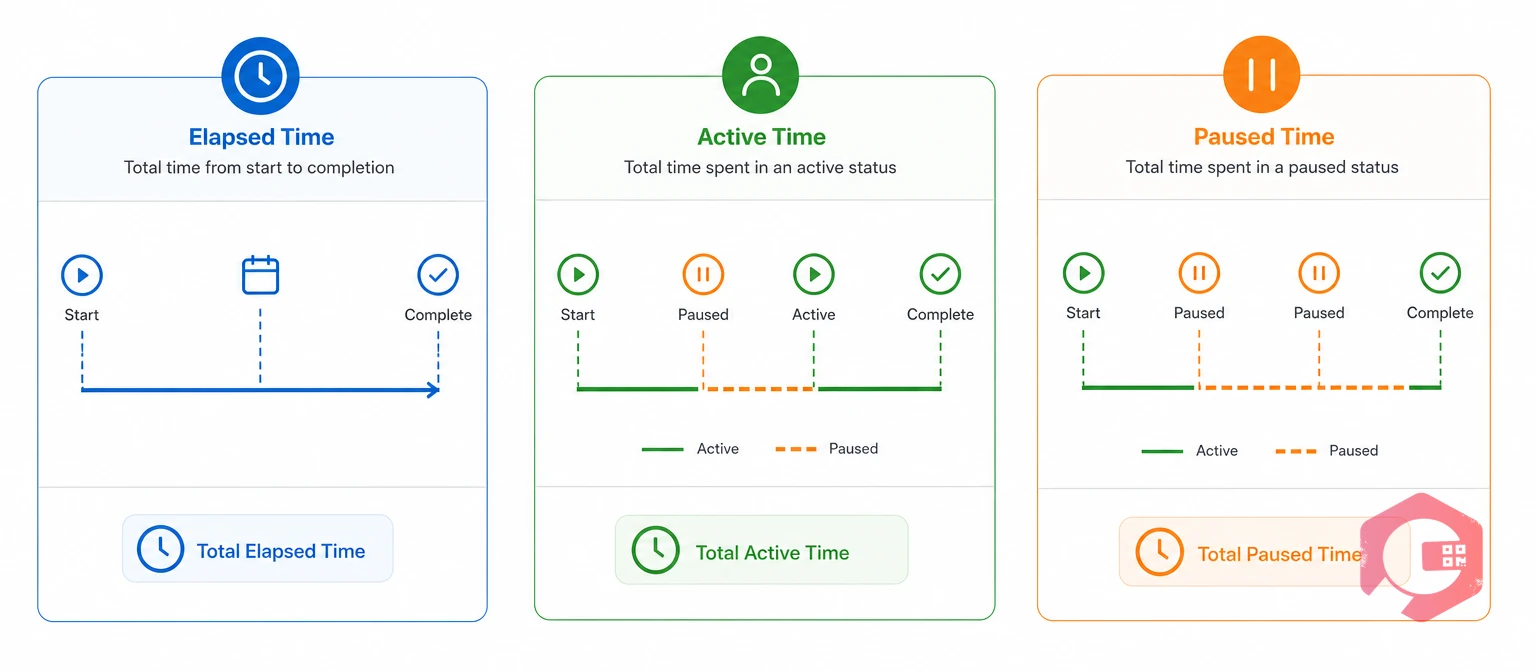
Elapsed time is the clock time from first timer start to work order closure. It includes every stop along the way, while active time counts only the minutes the timer runs and paused time counts the minutes it is stopped.
Metrics such as MTTR and wrench time only make sense when hands-on time is separated from waiting time, which is why bodies like SMRP publish standard metric definitions.
| Measure | What it records | Timer state | Best use |
|---|---|---|---|
| Elapsed time | The full clock span from first start to closure | Runs from start to close | Cycle-time and response reporting |
| Active time | Hands-on diagnosis, repair, and testing | Running | MTTR, labor cost, and wrench time |
| Paused time | Waits, travel, approvals, and handovers | Stopped, with a reason | Finding system delays to fix |
Each measure answers a different question, so storing only one forces you to guess the other two.
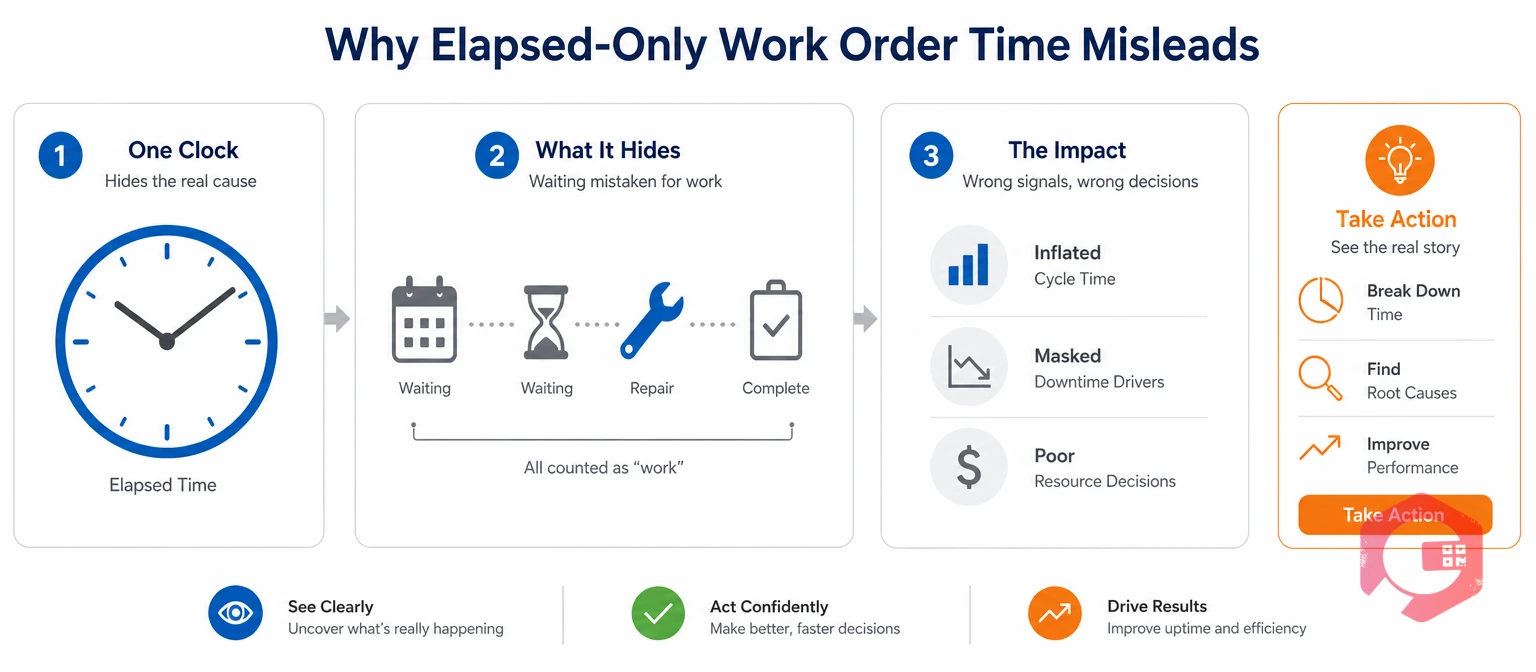
Elapsed-only work order time data misleads because it counts every wait as repair effort. Maintenance teams then chase technician speed when the real delay sits in parts, permits, or travel.
Consider an illustrative scenario with example numbers, not a named customer. A conveyor motor fails during the evening shift, and the work order closes with 240 minutes elapsed. The manager reads a four-hour MTTR and opens a technician performance review.
At a $60 hourly rate, elapsed time shows $240 of labor while active time shows $85. Elapsed MTTR looks nearly three times worse than the hands-on repair, and the real problem is a missing bearing, not the technician.
Capturing all three values on every job is a core task of work order management, not a side report. One clock hides the cause, and three clocks point to it.

Paused time is any period after work starts when the timer is stopped and a reason is recorded. It is not wasted effort; it is system delay that you can measure and reduce.
Equipment troubleshooting is active time, because the technician is doing diagnostic work: checking asset history, testing signals, and isolating the fault. Waiting for an OEM engineer to return with troubleshooting advice is paused time. Keeping that line clear shows how long diagnosis really takes for each failure type.
Free text cannot be grouped into a report, but a dropdown used by every technician can. When the same reason keeps repeating on one asset, run a five whys analysis to find the cause. A reason on every pause turns waiting into a fix list.
Before changing anything, record your baseline with the MTTR calculator, then compare it with active-time MTTR after a month of clean data.
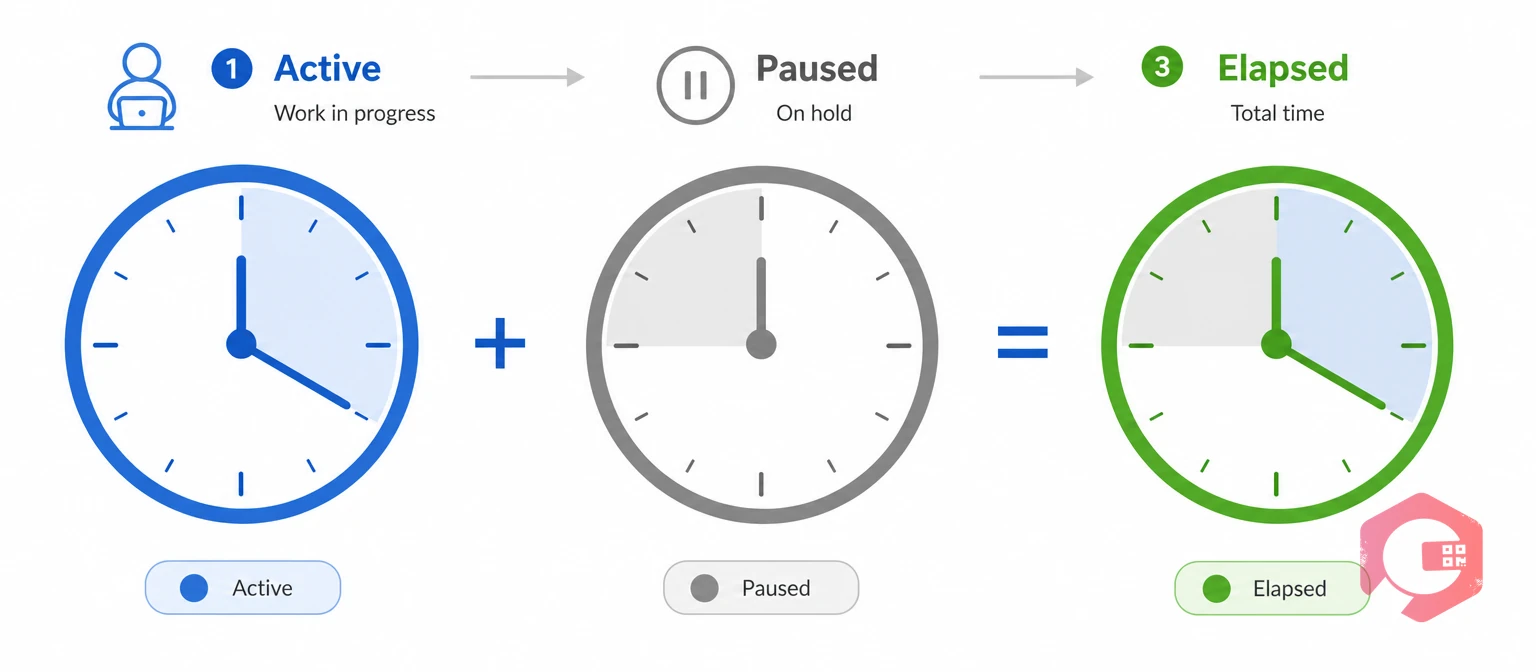
The Three-Clock Framework gives every work order three clocks that must reconcile with each other. It is the simplest way to audit work order time data before you trust a report.
The Three-Clock Framework:
Add the active and paused values for each closed work order and compare the total with elapsed time. A gap of more than a few minutes usually means a forgotten resume, a timer left running overnight, or time entered after the fact.
Gaps tend to cluster around shift changes, because that is when a timer is most easily left running. Review them weekly and fix the habit before you trust any MTTR or labor cost report built on the data.
Active time changes three metrics: MTTR, wrench time, and labor cost per job. Each one becomes more accurate, even when the numbers look less flattering.
Mean time to repair (MTTR) is the average time needed to restore an asset to working order. Calculated from elapsed time, it includes every pause, so a parts delay looks like a slow repair. When MTTR falls after the switch to active time, repairs did not get faster; the metric started measuring the repair.
Wrench time is the share of technician hours spent on hands-on work. A commonly cited industry range for average wrench time is 25% to 35%, though it varies by site and by how it is measured. Elapsed time inflates the figure because waiting counts as working, so use the wrench time calculator with active hours to see where you really stand.
Labor cost per job should reflect hands-on hours for charge-backs, contractor comparisons, and staffing cases. In the conveyor example, elapsed time shows $240 while active time shows $85. The other $155 is still real money if the technician was paid while waiting, but it belongs to the parts and permit process, not to the repair.
A Computerized Maintenance Management System (CMMS) should store elapsed, active, and paused time on every work order. Cryotos does this with a timer that technicians control from the mobile app.
With a pause-and-resume timer, the same job records 85 active minutes and 155 paused minutes, and 110 of them carry a parts-wait reason. The manager sees a stockout instead of a slow technician, and the MRO team gets a concrete reason to adjust reorder levels.
Maintenance teams using Cryotos have reported up to 30% reduction in unplanned downtime and 25% faster repair turnaround, and results vary by site. Clean time data also supports downtime tracking, where MTTR and availability depend on accurate repair minutes.
The goal is simple: one work order, three clocks, and no guessing.
Active time is the minutes the timer runs during hands-on work. Paused time is the minutes it is stopped with a recorded reason, and elapsed time is the full span from first start to closure. Elapsed time always equals active time plus paused time.
It is active time while the technician is diagnosing the fault, such as checking history, testing signals, or isolating the cause. It becomes paused time when work stops to wait for outside input, such as an OEM engineer’s advice or a part. Recording the reason on each pause keeps the two apart.
If MTTR is calculated from elapsed time, it includes every pause, such as parts waits, permits, travel, and shift gaps. A slow parts process then looks like slow repairs. Switching MTTR to active time shows how long the repair itself takes.
Start with parts wait, permit or lockout/tagout wait, travel, approval wait, specialist wait, shift handover, and safety wait. Use a fixed dropdown, so every technician records the same categories. Add or merge reasons only after a month of data shows what you actually need.
Yes, if the mobile app stores timer events on the device and syncs them when the signal returns. The Cryotos mobile app has an offline mode with automatic sync, so timer events do not need a live connection. A browser-only interface can leave gaps whenever the signal drops.
Clean work order time data starts with three clocks that add up. Schedule a free demo to see how Cryotos records active, paused, and elapsed time on every work order.



Cryotos AI predicts failures, automates work orders, and simplifies maintenance—before problems slow you down.



