
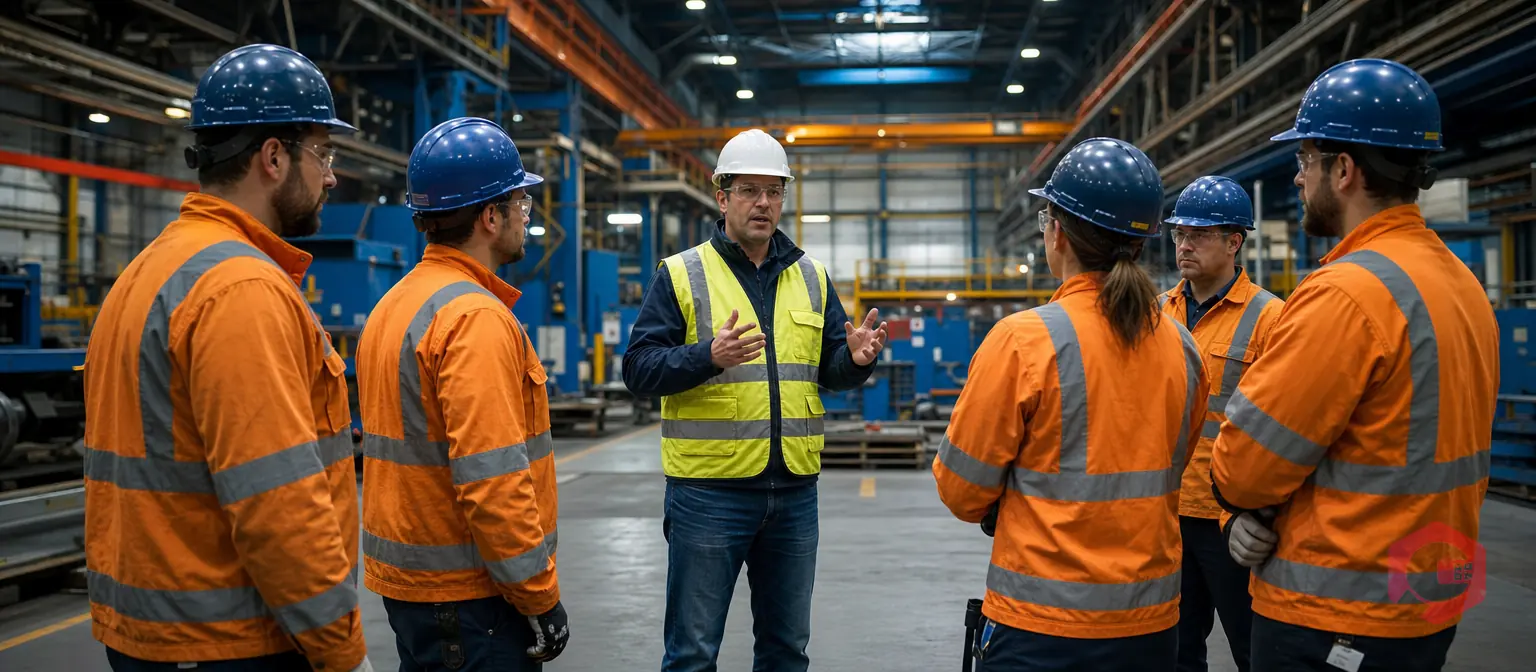
Behaviour-Based Safety (BBS) toolbox talks are short, focused safety briefings held daily before shift start to reinforce safe work practices, identify hazards, and build a proactive safety culture. A toolbox talk that highlights actual workplace behaviours—not just policies—turns safety from a compliance checkbox into a team habit. In this guide, we'll share practical toolbox talk scripts you can use immediately, explain how to make them effective, and show how digital safety management tools amplify their impact across your organization.
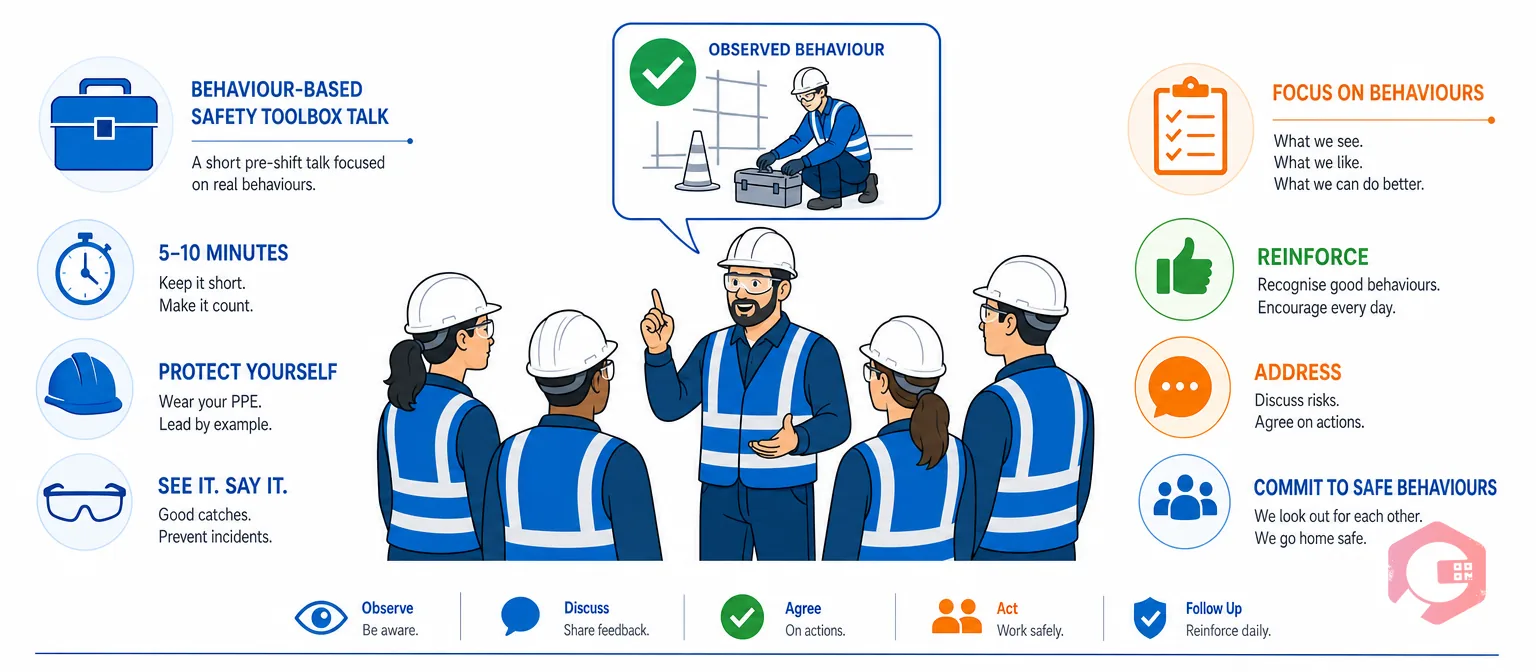
A behaviour-based safety toolbox talk is a 5–10 minute meeting held before work begins that focuses on how employees actually work—not just what rules say they should do. Rather than reciting regulations, BBS toolbox talks use real examples, near misses, and observations from the job site to help teams recognize unsafe behaviours and commit to safer practices.
Unlike generic safety talks, BBS is grounded in observation. A supervisor might say, "I noticed three people yesterday wearing gloves inconsistently in the chemical area. Here's why that matters—and how we'll all do it right today." This approach is far more memorable and actionable than reading from a handbook.
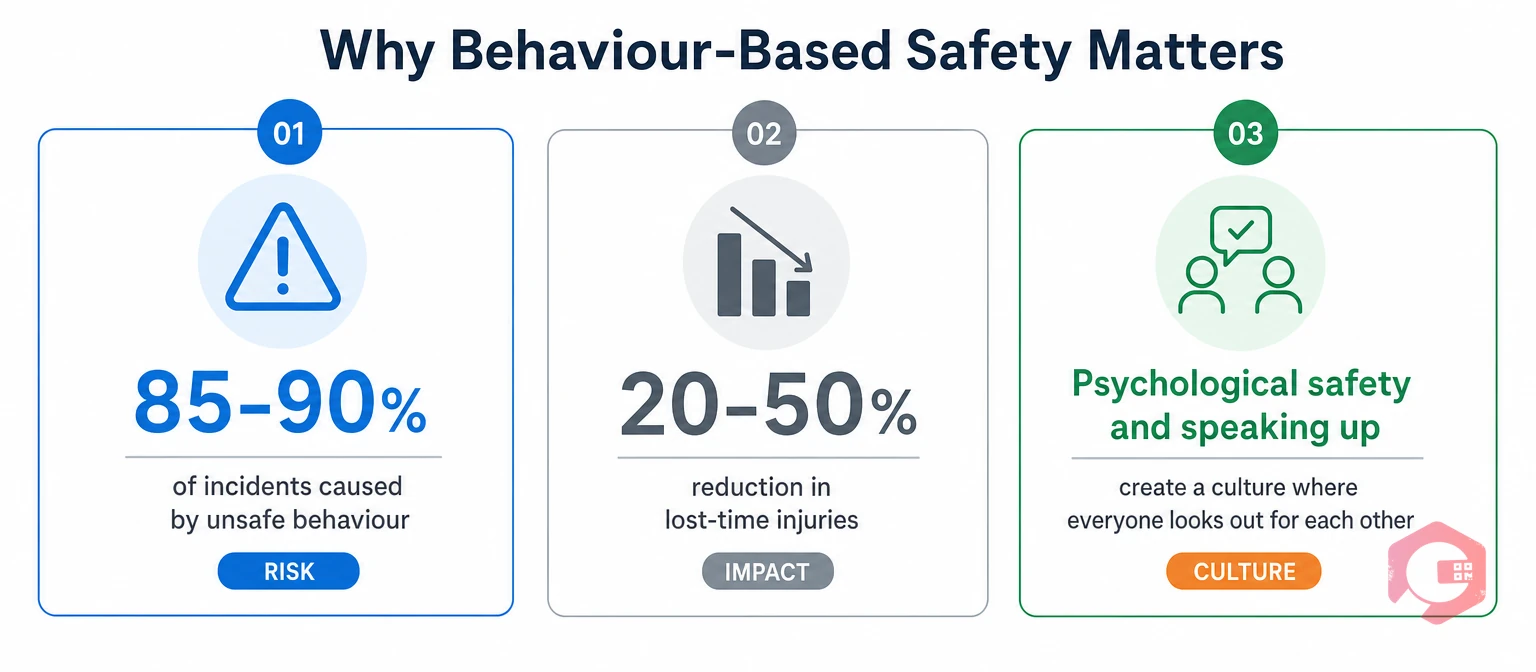
Industry research consistently shows that 85–90% of workplace incidents stem from unsafe behaviours, not equipment failure. Organizations using behaviour-based safety programs report 20–50% reductions in lost-time injuries. The reason is simple: toolbox talks make safety visible, relatable, and immediate—not abstract.
When your team sees a peer being recognized for following lockout/tagout (LOTO) correctly, or when a supervisor mentions a near miss they witnessed, it's far more persuasive than a laminated poster. BBS also builds psychological safety—team members feel empowered to speak up about hazards, not punished for reporting them.
Below are five practical scripts organized by industry and hazard type. Each is designed to be delivered in under 10 minutes and includes a call-to-action at the end.
Opening (1 minute): "Today we're talking about Permit to Work. PTW isn't just paperwork—it's your safety net before you enter confined spaces, hot zones, or locked-out equipment. Last week, a maintenance team almost started work on a reactor without confirming the air quality was safe. The supervisor caught the missing PTW signatures, and nobody got hurt. Here's how we do it right."
Key Points (5 minutes):
Closing (2 minutes): "I want each of you to picture the PTW in your mind. When you see that form, it means someone ahead of you already thought through what could go wrong. Respect that process. If a PTW is missing, stop and flag it to your supervisor. We go home safe every day—that's non-negotiable."
Opening (1 minute): "A near miss is a gift. It's a warning that something almost went wrong—and we have a chance to fix it before someone gets hurt. On Monday, a forklift operator honked his horn just as a team member stepped into his blind spot. He didn't get hit. But he reported it, and we've now repainted the walkway. That's how near miss reporting saves lives."
Key Points (5 minutes):
Closing (2 minutes): "Each one of you has sharp eyes. You see what could go wrong before it happens. Use your phone or your supervisor to report it. No judgment, no blame—just solutions. That's how we protect each other."
Opening (1 minute): "PPE isn't about feeling uncomfortable—it's about protecting your hands, eyes, lungs, and ears from damage that can't be undone. Yesterday, I saw someone in the chemical area without safety glasses. Chemicals splash fast and silently. Thirty seconds of discomfort wearing glasses now beats months of eye damage later."
Key Points (5 minutes):
Closing (2 minutes): "PPE is your armour. Your safety glasses aren't negotiable. Your gloves aren't optional. Wear them, inspect them, replace them. End of shift, you still have all your fingers, eyes, and hearing. That's the goal."
Opening (1 minute): "LOTO is the difference between maintenance and murder. When you lock out equipment, you're declaring to the whole team, 'This machine is dead until I say it's alive.' No exceptions. Two weeks ago, a technician skipped the lock and just turned off the machine. A coworker didn't see the off switch and restarted it. The technician got his hand caught. He's still in physical therapy."
Key Points (5 minutes):
Closing (2 minutes): "LOTO takes two extra minutes. The guy in physical therapy wishes he'd taken those two minutes. Lock it, tag it, test it. No shortcuts."
Opening (1 minute): "The most common injury on our site isn't a dramatic accident—it's a slip on a wet floor or a trip over a cable. Falls cause more lost-time injuries than machinery, chemicals, or electrical hazards combined. The good news? Most are preventable in the next 30 seconds."
Key Points (5 minutes):
Closing (2 minutes): "Slips and trips are boring compared to exciting maintenance failures, but they hurt just as much. Keep your eyes up, your walkways clean, and your footwear solid. Most injuries never happen if we just slow down for 30 seconds."
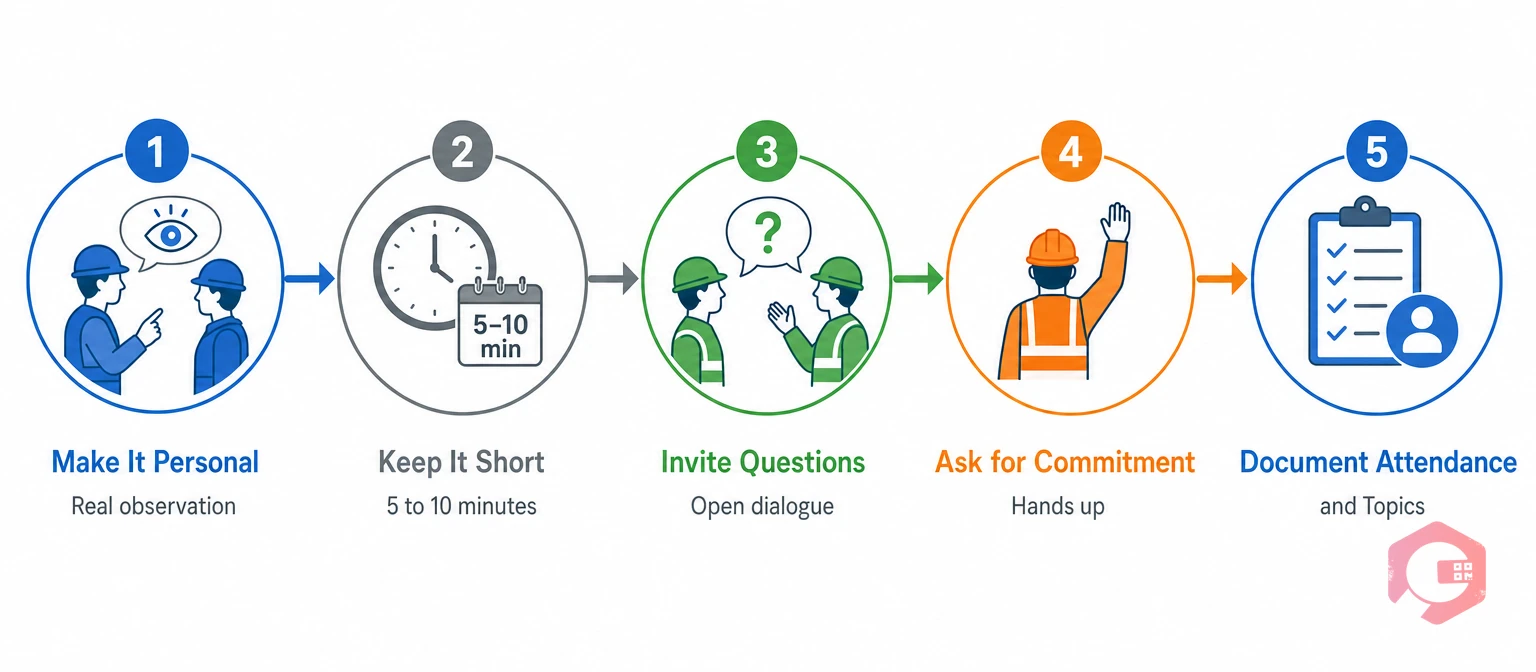
A script is a starting point, not a speech to read robotically. Here's how to make a toolbox talk land:
Make it personal. Reference a real near miss, incident, or positive behaviour you've observed. "I noticed Ahmed always adjusts his grip before he lifts a heavy part" is far more powerful than "lift with your legs, not your back."
Keep it short. 5–10 minutes maximum. If you go longer, attention drops and the message gets lost in noise.
Invite questions. Leave 1–2 minutes for the team to ask clarifying questions or share their own observations. Safety is a conversation, not a lecture.
Ask for commitment. End with a specific, actionable commitment: "Today, every person here will double-check their LOTO before starting work. Who's with me?" Hands up, nods, verbal yes—get visible buy-in.
Document it. Capture who attended, the date, topic, and summary of any safety issues raised. This creates an audit trail and helps you spot patterns over time.
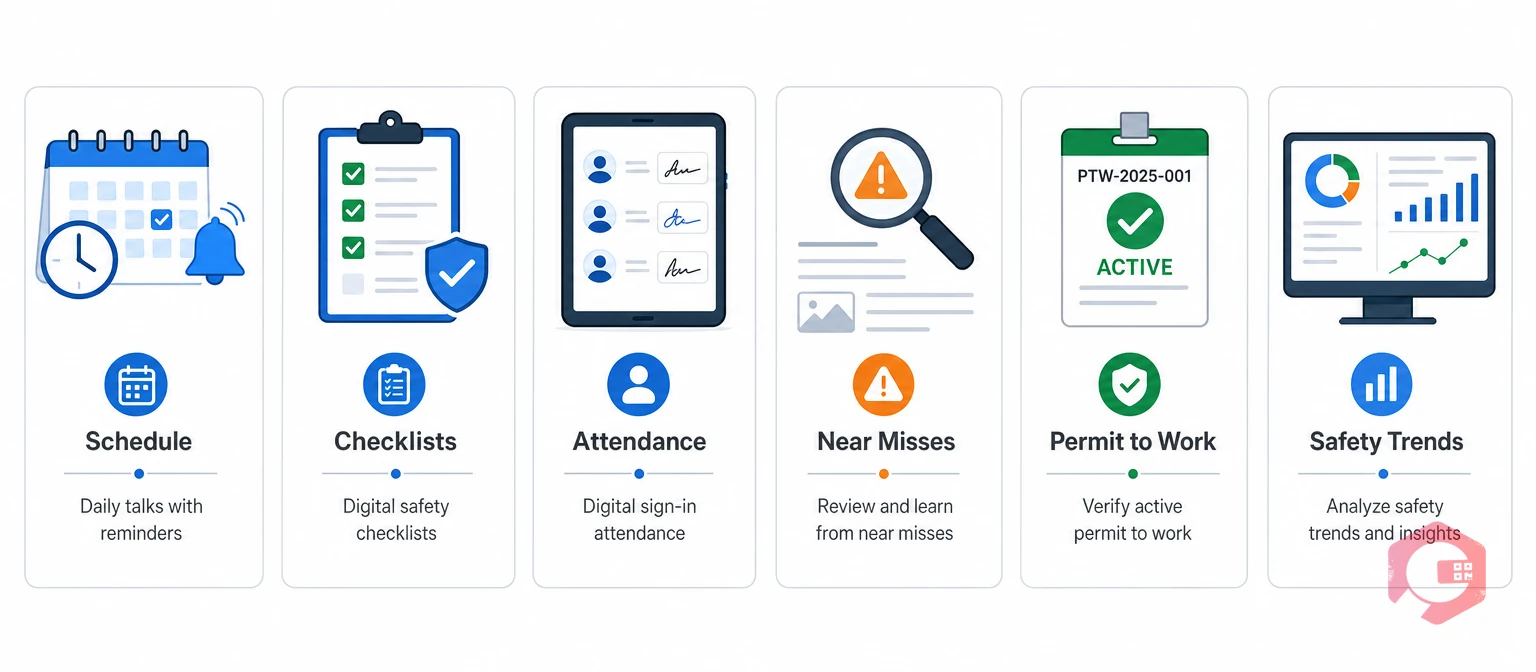
Scheduling and tracking toolbox talks manually—spreadsheets, printed sign-in sheets—creates gaps and makes it hard to analyze trends. A digital safety management platform like Cryotos simplifies the entire process.
Cryotos CMMS enables organizations to:
Permit to Work management software in Cryotos also ensures that hazards discussed in toolbox talks are formally controlled before work begins, creating a closed loop from discussion to action.
Daily is the gold standard for high-risk environments like manufacturing, oil and gas, and construction. Weekly is acceptable for lower-risk offices and facilities. The key is consistency—missing talks sends the message that safety isn't urgent.
Typically a supervisor or team lead, but rotating the role among trained safety champions keeps talks fresh and builds ownership across the team. Ensure the leader has 15 minutes to prepare and understands the day's specific hazards.
They should receive a brief recap from their supervisor or team lead before starting work. Digital systems can flag which employees were absent and prompt a supervisor to brief them one-on-one, ensuring no one starts their shift without the day's safety message.
No. Toolbox talks reinforce and complement formal safety training but don't replace it. Employees need comprehensive training on their role-specific hazards, emergency procedures, and equipment use. Toolbox talks keep that training fresh and contextual.
Track incident rates, near miss frequency, safety observation trends, and employee engagement. A strong BBS program typically shows a 20–30% drop in incident rates within the first six months. Digital dashboards make it easy to see these trends and share progress with leadership.
If you're running toolbox talks today, you're already ahead of most organizations—and your team will notice the difference in near misses and lost-time injuries within a few months. To supercharge that effort with automated scheduling, real-time incident integration, and trend analysis, schedule a free demo of Cryotos and see how thousands of maintenance and safety teams are embedding safety into daily workflows.


Cryotos AI predicts failures, automates work orders, and simplifies maintenance—before problems slow you down.



