
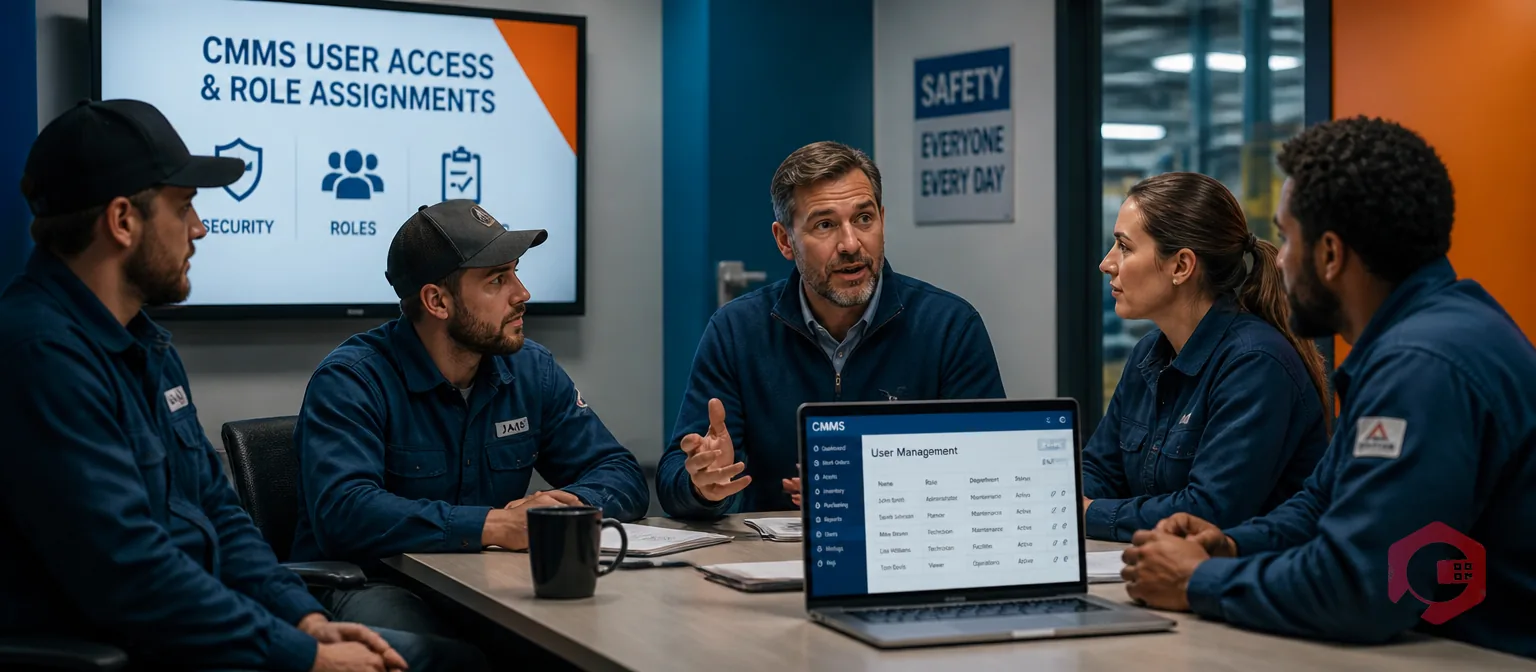
How many CMMS users should you have? The right number depends on your team size, shift structure, number of sites, and how deeply the system integrates into daily operations. Under-license it and technicians lose real-time access to work orders, asset history, and PM schedules. Over-license it and you pay for seats nobody uses.
This guide gives you a practical sizing framework — role-by-role benchmarks, a five-step calculation formula, and the common mistakes maintenance teams make when buying CMMS licenses for the first time.
Key Takeaways
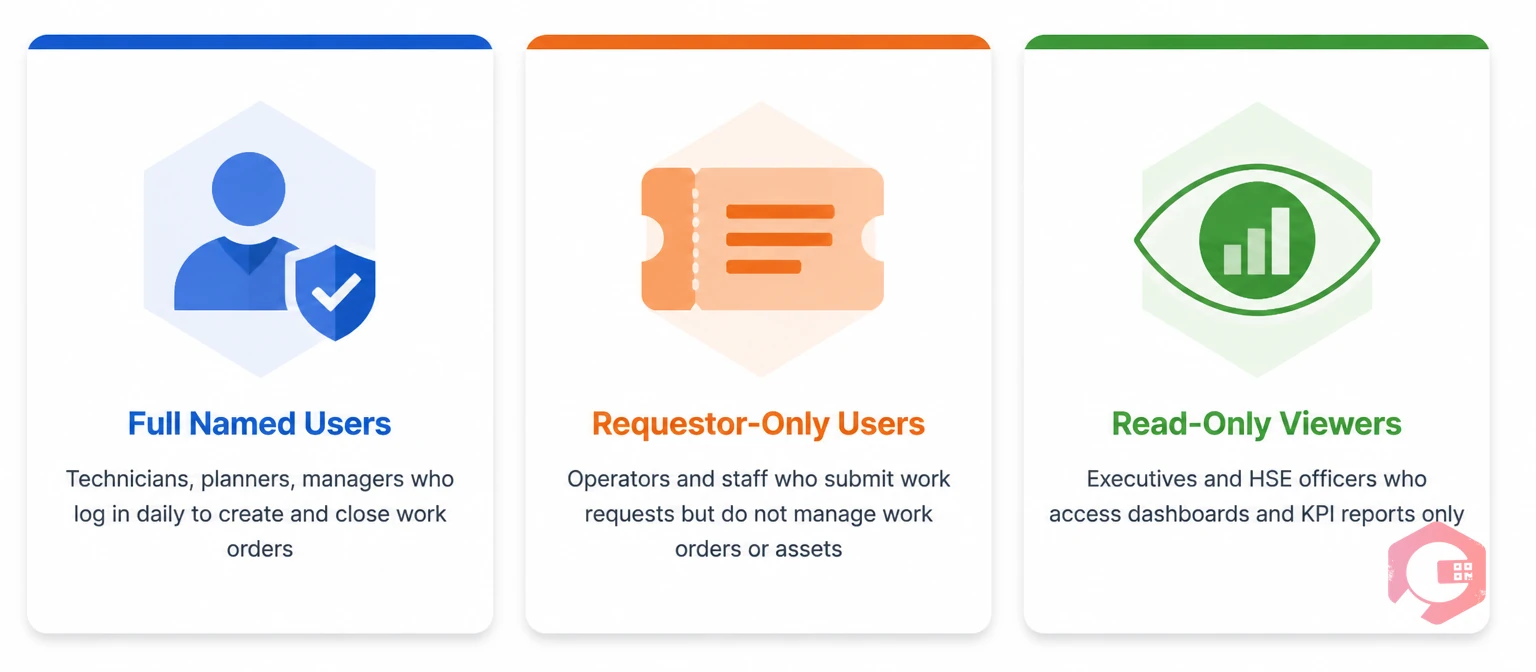
Not every person in your maintenance ecosystem needs the same level of access — or even a named license. Most CMMS platforms support three distinct access tiers, and buying the wrong mix is where organizations waste the most money.
Mapping each person to the right tier before you negotiate pricing prevents both over-licensing (paying full rates for people who only need read access) and under-licensing (giving planners requestor access when they need full editing rights).
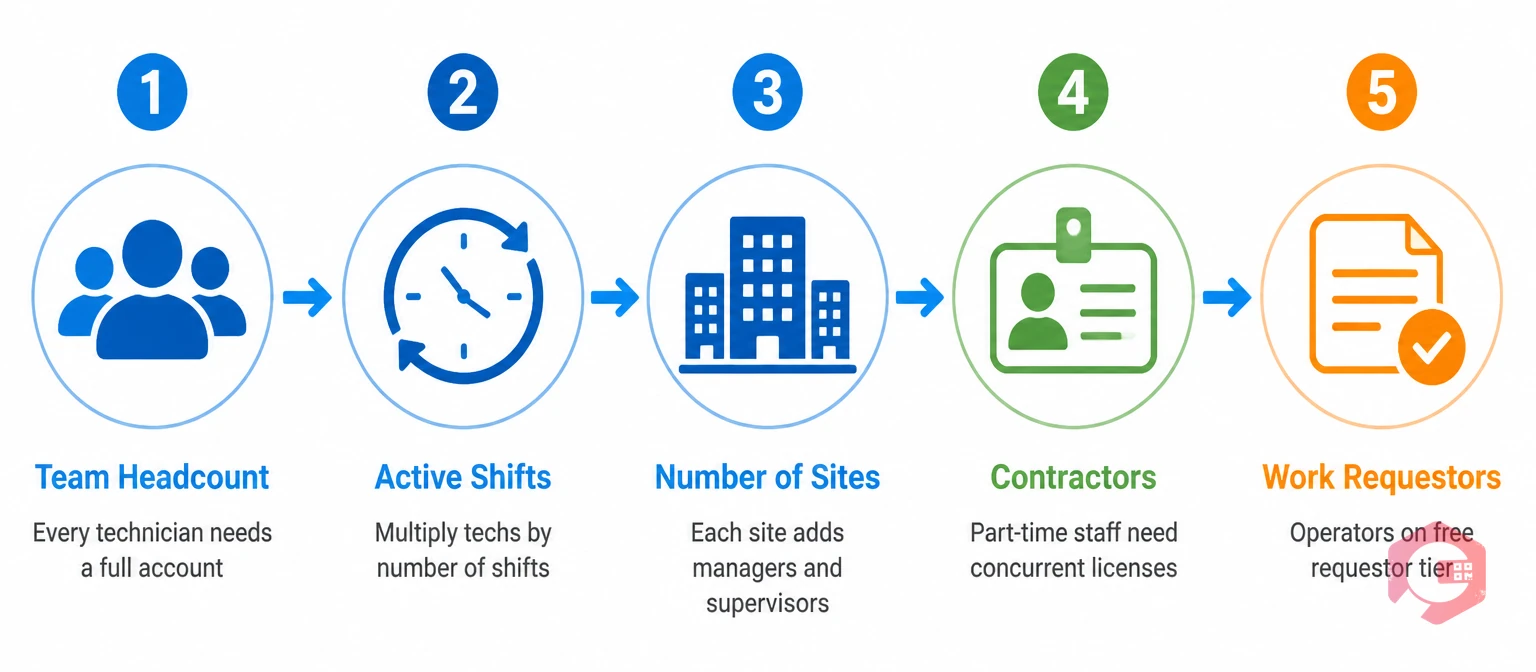
Several operational variables drive the correct number. Work through each one before you arrive at a total.
The clearest driver is headcount. Every technician who closes work orders needs a full user account — no exceptions. Add your planners, supervisors, and maintenance managers. A team of 10 field technicians, 2 planners, and 1 manager needs at minimum 13 full licenses before you account for shifts.
If you run two or three shifts, technicians on each shift need independent logins. Shared credentials are a CMMS anti-pattern: they break ISO 55001 asset management audit trail requirements and make it impossible to track who completed which job. Multiply your per-shift technician count by the number of active shifts to get your full-user floor.
Multi-site operations add site managers and local supervisors to your count. A regional maintenance manager overseeing three plants typically needs a full license with cross-site reporting access — not a read-only viewer account — since they reassign work orders and approve PM schedules across locations. Cryotos supports role-based access control at the facility level so each site manager sees only what they need.
Contract maintenance staff who close work orders in your system need their own accounts — even if they're on-site only two days a week. Many platforms support concurrent user licensing (where a pool of named users shares a fixed number of simultaneous login slots), which works well for part-time contractors who don't overlap with your full-time shifts.
Operators and production staff who submit breakdown requests are often overlooked entirely. Count everyone who will ever need to submit a request. With Cryotos work requests, unlimited requestors can submit tickets without consuming a full user license — significantly reducing your per-seat cost for large facilities where hundreds of operators interact with the system.
Use the wrench time calculator to understand how much productive maintenance time your current team structure is actually delivering before you finalize your user count.
Here are practical benchmarks based on typical maintenance team structures. These are starting points — adjust up if you have complex multi-shift or multi-site operations.
| Operation Size | Typical Scope | Full User Range | Who to Include |
|---|---|---|---|
| Small | 1 site, <20 assets | 2–5 | Maintenance manager, 1–2 senior technicians, requestor pool for operations |
| Mid-size | 1–3 sites, 20–200 assets | 10–30 | All shift technicians, planner/scheduler, site supervisors, maintenance manager |
| Large | 5+ sites, 200+ assets | 50–200+ | Regional leads, reliability engineers, HSE officers, procurement staff (spare parts) |
| Enterprise / Multi-national | 10+ sites, campus ops | 200–500+ | All above plus centralized oversight users; negotiate concurrent licensing |
According to Plant Engineering, organizations that right-size their CMMS user count at initial deployment reach full adoption significantly faster than those who start minimal and expand reactively — largely because technicians don't work around a system they can't fully access.
Matching access level to actual job function is the fastest way to cut unnecessary license spend without compromising operations. Here's how the standard maintenance roles map to access tiers.
| Role | Access Level | Why |
|---|---|---|
| Maintenance Technician (all shifts) | Full | Creates, updates, and closes work orders; logs labor and parts usage |
| Maintenance Planner / Scheduler | Full | Builds PM schedules, assigns work orders, manages backlogs — requestor-only cripples this role |
| Maintenance Supervisor / Manager | Full | Approves work, runs KPI reports, manages team performance |
| Reliability Engineer | Full | Conducts RCA, reviews failure trends, updates asset health scores |
| Storeroom / Spare Parts Manager | Full | Manages inventory, issues parts to work orders, processes purchase requests |
| Production Operator | Requestor-only | Submits breakdown requests only; doesn't manage work orders or assets |
| HSE / Compliance Officer | Read-only | Views audit logs, inspection records, and compliance reports without editing |
| Finance / Procurement | Read-only | Accesses cost reports and PO histories without touching maintenance workflows |
| Executive / C-Level | Read-only | Dashboard-level KPI visibility; full editing access is wasted at this level |
Separating these groups correctly is the single biggest lever for reducing your CMMS license cost without compromising operational capability. Getting planners stuck on requestor access — a common procurement mistake — is what forces teams to revert to spreadsheets within 90 days of go-live.
Use this five-step formula to arrive at a number you can take into a vendor conversation with confidence. Run it for each site independently if you have multiple locations, then sum the totals.
Add a 10–15% buffer to your full-user total for new hires and temporary staff spikes during planned shutdowns or turnaround events. The cost of an unused license is always lower than an emergency seat purchase mid-breakdown.
Teams that have gone through this before consistently flag the same errors. Avoid all of these before you sign a licensing agreement.

Cryotos is built with flexible user tiers that match how real maintenance teams are structured. Full users — technicians, planners, and managers — get complete access to preventive maintenance scheduling, asset management, and BI reporting dashboards. Work requestors can submit breakdown requests at no additional per-seat cost.
The mobile-first interface means technicians on the shop floor can log completions, attach photos, and scan QR codes without a desktop login — reducing friction and improving data accuracy across every shift. If you're sizing a new deployment or migrating from a legacy system, book a call with the Cryotos team to map your current team structure to the right license configuration before you commit.
A team of 50 technicians across all shifts typically needs 50–60 full user licenses, plus 5–10 additional licenses for planners, supervisors, and managers. Add a buffer for contractors and new hires, and budget for 70–80 total full licenses. Work requestors (operators) can usually be added at no extra cost depending on your vendor's pricing model.
Shared logins are strongly discouraged. They destroy accountability in work order records, break audit trail requirements for ISO 55001 and regulatory compliance, and make it impossible to measure individual technician performance or run accurate maintenance KPIs. Every user should have their own named account.
A named license is assigned to one person — only that person can log in. A concurrent license allows any user from a shared pool to log in, up to the number of simultaneous sessions purchased. Named licenses suit full-time staff; concurrent licenses work well for part-time contractors or shift workers with minimal overlap.
This depends entirely on the vendor. Some platforms charge for every account regardless of access level. Others — including Cryotos — allow unlimited requestors at no additional cost since they don't consume workflow capacity. Always clarify this before finalizing your license count or comparing vendor quotes.
Review your user roster at least once a year, and also after any significant headcount changes, site expansions, or organizational restructuring. Removing inactive accounts and reallocating licenses reduces costs and keeps your user directory accurate for performance reporting.
In most CMMS platforms, mobile access is included in the full user license — it's a different interface, not a different account. A technician who logs into Cryotos from both a desktop and a mobile device uses a single license. You don't need to purchase additional seats for mobile-only users, but those users still need a full license if they're closing work orders or updating asset records.
Right-sizing your CMMS user count upfront prevents the two most expensive mistakes in maintenance software buying: paying for idle seats and scrambling for emergency access during critical breakdowns. Schedule a free demo to see how Cryotos helps you configure the right license mix for your team size, shift structure, and growth plan.



Cryotos AI predicts failures, automates work orders, and simplifies maintenance—before problems slow you down.



