
Inventory management vs warehouse management comes down to one split. Inventory management tracks what stock you have and when to reorder it. Warehouse management controls where that stock sits and how it moves. One is a data function. The other is a physical, spatial function. Most maintenance teams run both at once without treating them as separate jobs. That mix-up is often where stock-outs and missing parts start.
Key Takeaways
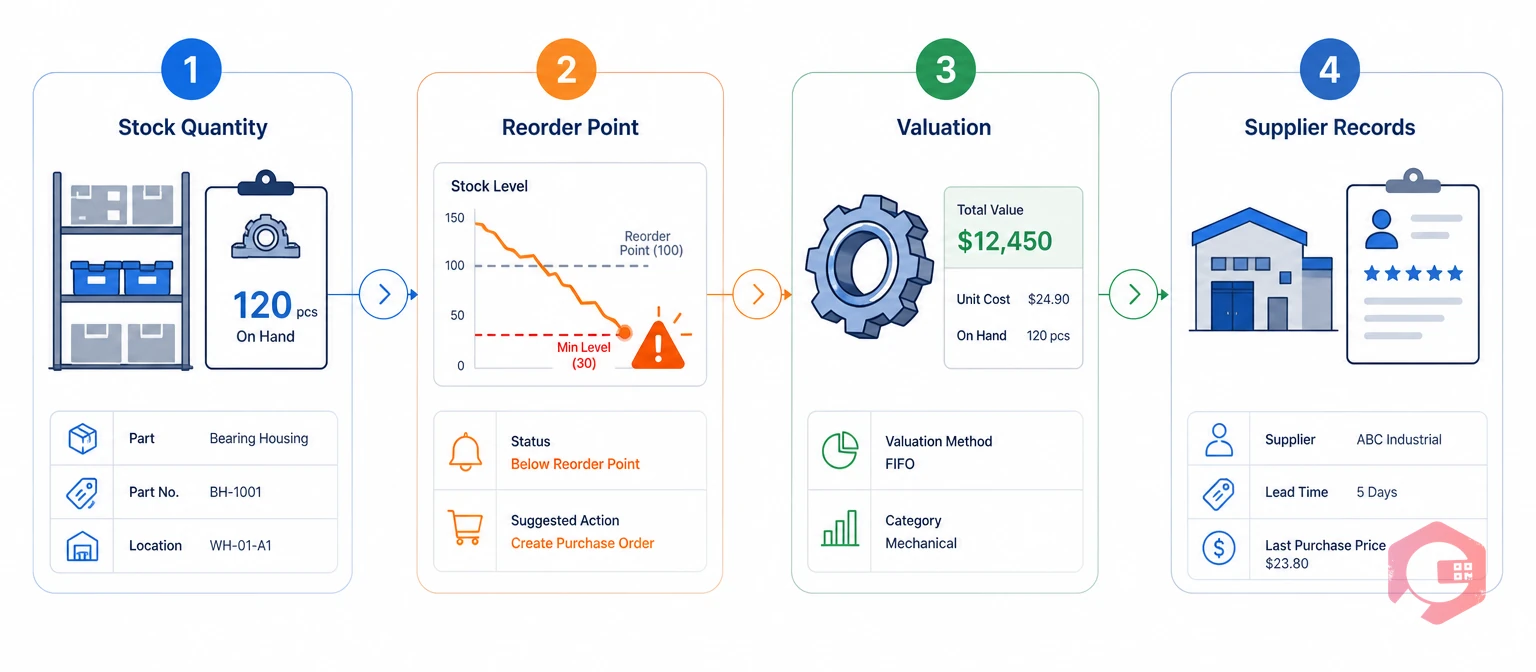
Inventory management is tracking stock quantity, value, and reorder timing. It covers stock counts, cost tracking, and supplier records. It can work in a single storage cabinet or across a whole plant.
For maintenance teams, this usually means spare parts. Industry teams often call this MRO stock, short for maintenance, repair, and operations supplies. ISO 55000, the international asset management standard, treats spare-parts availability as a direct driver of asset uptime. A technician can't fix a machine on time if the part isn't in stock.
Most operations that get inventory management right treat it as a cost and planning job first. Storage comes second. The real goal is having the right part on hand at the lowest carrying cost, not just having more parts.
Poor inventory management shows up fast on a maintenance floor. A technician opens a work order, checks the parts screen, and finds a quantity that doesn't match reality. That single gap can turn a 20-minute repair into a half-day wait for a rush order.
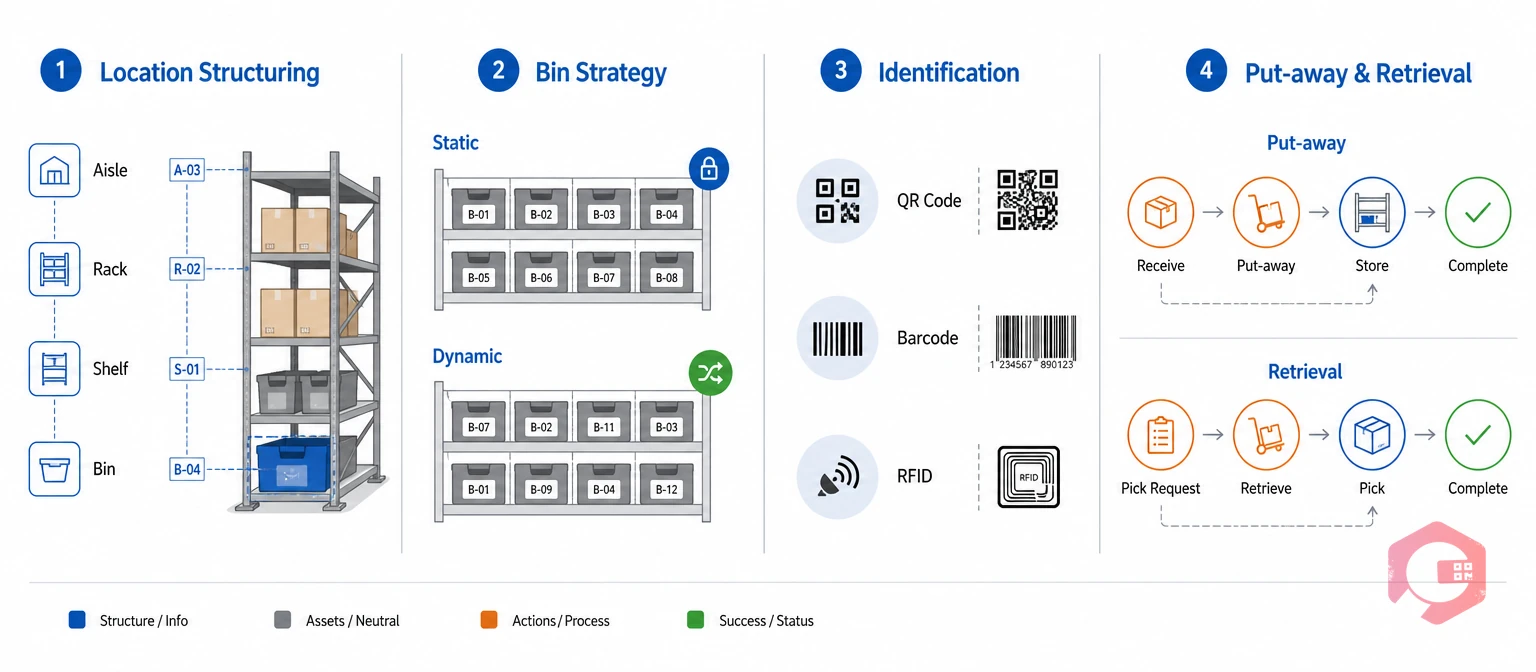
Warehouse management is organizing storage space and controlling how goods move through it. This covers receiving, put-away, and retrieval. Unlike inventory management, it rarely stands alone. A warehouse with no inventory data behind it is just empty shelving.
Wikipedia's entry on the warehouse management system notes that a basic WMS is "almost indistinguishable" from a basic inventory system. The two only pull apart once a site needs detailed aisle, rack, and bin control.
Most facilities that grow past one storage room need this layer eventually. "Where is it" becomes a harder question than "how much do we have" once parts spread across rooms or sites.
A well-run warehouse layer also speeds up training. New hires can learn a bin-numbering system in a day. Learning where 500 unlabeled parts sit from memory can take months, and that knowledge often leaves the building when one person quits.
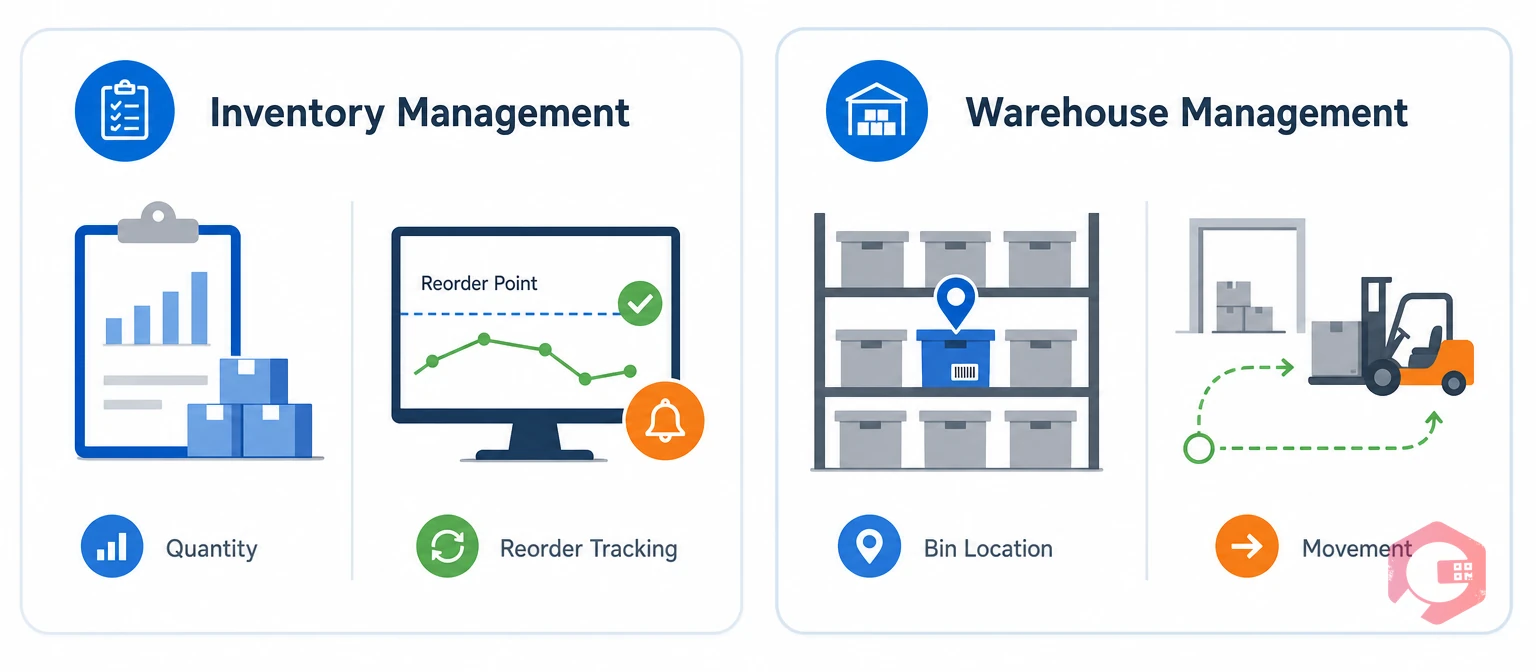
The clearest way to compare inventory management vs warehouse management is side by side. The table below lines up what each one measures and does.
| Dimension | Inventory Management | Warehouse Management |
|---|---|---|
| Primary focus | Quantity, value, and availability of stock | Physical location and movement of stock |
| Core question | What do we have, and when do we reorder? | Where is it, and how do we move it? |
| Key activities | Reorder points, valuation, classification, supplier tracking | Bin setup, put-away, picking, scanning |
| Typical metrics | Stock-out rate, carrying cost, turnover | Pick accuracy, space use, put-away time |
| Can it stand alone? | Yes, even with one storage cabinet | Rarely, without inventory data behind it |
Neither discipline replaces the other. Inventory management without warehouse structure gives you accurate counts of parts nobody can find fast. Warehouse management without inventory discipline gives you a tidy shelf holding the wrong parts.
See how a connected system handles both sides with spare parts inventory software built for maintenance teams.
Picture two plants with the exact same parts on the shelf. Plant A tracks quantity in a spreadsheet and stores parts wherever there's room. Plant B tracks the same quantity and assigns every part a fixed bin. A technician at Plant B finds the part in under a minute. A technician at Plant A checks three shelves first.
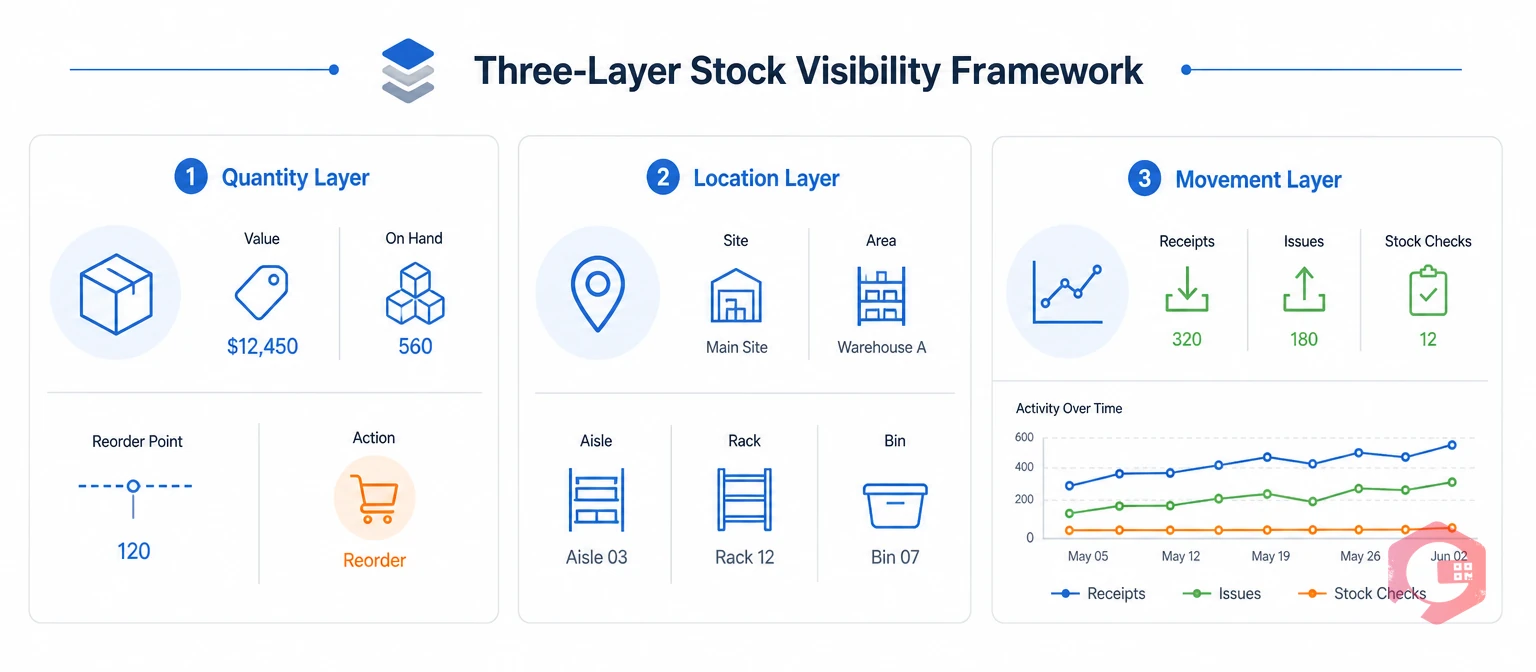
Inventory management and warehouse management share one part record viewed through two lenses. One lens tracks quantity. The other tracks location. A part created in the inventory system is the same physical unit sitting in a bin in the warehouse system.
The Three-Layer Stock Visibility Framework:
Most delays blamed on "no inventory system" are really a missing Location Layer. The part exists on paper, but nobody can find the bin. Most delays blamed on "poor warehouse setup" are really a missing Quantity Layer. The bin is labeled and empty.
Facilities that run both layers in one system close this gap. Teams on a shared Computerized Maintenance Management System can check a part's quantity, cost, and bin location on one screen. That beats checking a spreadsheet against a paper warehouse map.
This matters most during a breakdown. Nobody wants to hunt for a bearing or a gasket while a production line sits idle. A shared system turns that hunt into a two-second lookup, which is where most of the reported downtime gains actually come from.
Most operations that struggle with parts availability have mixed up inventory management with warehouse management somewhere in their process. They treat one as a stand-in for the other instead of a partner to it.
Most facilities fix this with one habit: confirm every part has both a quantity record and a bin location before calling the setup done. A structured MRO inventory checklist catches these gaps before they cause a missed repair.
These mistakes rarely show up as one big failure. They show up as a slow drip of small delays: a five-minute search here, a duplicate order there. Most facilities only notice the pattern after totaling up a quarter of wasted technician hours.
Choosing between inventory management vs warehouse management software comes down to the size of your storage setup. It has nothing to do with which term sounds more advanced.
| Scenario | Recommended Focus | Why |
|---|---|---|
| Single storeroom, one site | Inventory management | Quantity tracking alone solves most problems at this scale |
| Multiple bins, one warehouse | Inventory plus basic bin structure | A location layer becomes needed once parts spread across shelves |
| Multiple warehouses or sites | Full warehouse management | Seeing stock across sites stops duplicate orders |
| High-value or regulated parts | Both, tightly linked | Accurate value and physical tracking both matter for audits |
A simple rule works well here. Start with inventory management. Add warehouse structure once "where did we put that part" becomes a daily question on your team.
Facility size isn't the only signal to watch. A small site holding a handful of high-cost, safety-critical parts may need tight bin control long before it needs a big storage footprint. Risk, not square footage, often decides the timing.
Cryotos ships inventory management and warehouse management as two linked modules built on one shared parts catalog. It doesn't blend them into a single feature. This keeps the Quantity Layer and Location Layer separate but connected.
Maintenance teams using warehouse management alongside the Inventory module have reported up to 30% reduction in unplanned downtime and 25% faster repair turnaround. Most of that gain comes from technicians spending less time hunting for parts the system already knows exist somewhere in the building.
Schedule a free demo to see how Cryotos connects your parts inventory to your warehouse layout on one screen.
Warehouse management is a separate but connected discipline. Inventory management tracks quantity and value. Warehouse management tracks physical location and movement. Many platforms, including Cryotos, deliver both as linked modules on one parts catalog.
Yes. A single storeroom usually only needs quantity tracking, reorder alerts, and basic valuation. Warehouse-specific tools like aisle and bin structuring become useful once stock spreads across several storage areas.
The warehouse ends up well organized but blind to value and reorder timing. Bins stay tidy while stock-outs and dead stock go unnoticed, because nobody tracks quantity trends or costs behind the layout.
They often share the same identification tools, like QR codes, barcodes, and RFID tags. Inventory management uses these to track item counts. Warehouse management uses the same tags to confirm bin locations during put-away.
Watch for the moment technicians spend more time searching for parts than counting them. Once "where is it" comes up more than "do we have it," that's the signal to add structured bins, aisles, and location scanning.
No. Some facilities start with simple bin labels and a spreadsheet before moving to dedicated software. The shift to a full system usually happens once manual tracking can't keep pace with how often parts move.
Getting inventory management vs warehouse management right means treating them as two connected layers, not picking one over the other. Schedule a free demo to see how Cryotos keeps your spare parts stock and warehouse layout working from the same data.



Cryotos AI predicts failures, automates work orders, and simplifies maintenance—before problems slow you down.



