

Multi-factor authentication (MFA) for CMMS is a login security method that requires users to verify their identity through two or more independent steps before accessing your maintenance platform. Instead of relying on a password alone, MFA combines something the user knows (password), something they have (a one-time code on their phone), and sometimes something they are (a fingerprint). For maintenance teams managing work orders, asset data, and compliance records in a CMMS, MFA is the single most effective control you can add to stop unauthorized access.
The stakes are real. According to a Verizon Data Breach Investigations Report, over 80% of hacking-related breaches involve compromised or weak credentials. Maintenance platforms hold sensitive operational data — asset histories, work order records, permit-to-work authorizations, inventory values, and ERP-linked financial data. A single stolen password can expose all of it. This guide walks maintenance managers through everything they need to know: how MFA works, what types are available, how to roll it out without disrupting technicians, and how Cryotos CMMS supports it natively.
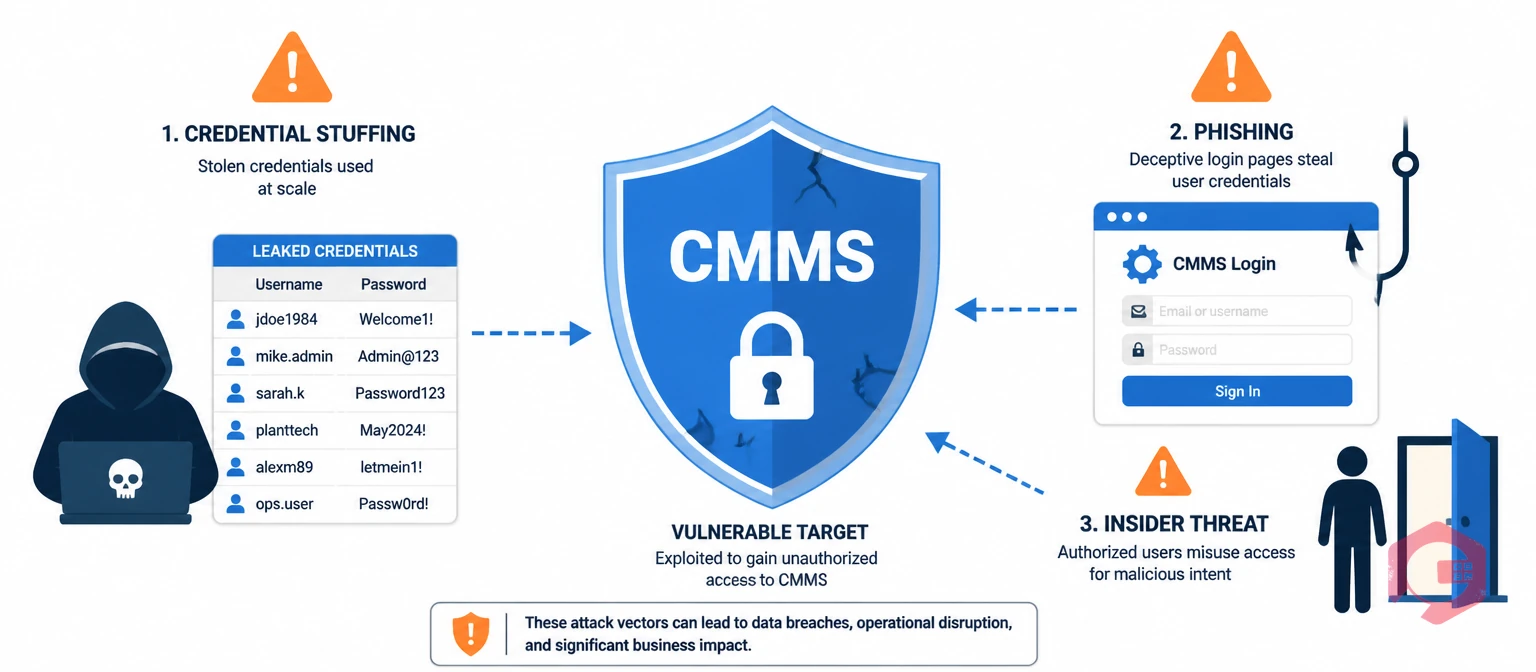
Many organizations treat CMMS security as a lower priority than their ERP or finance systems. That is a mistake. Your CMMS sits at the intersection of operational technology and business data. It contains real-time asset locations, maintenance histories that affect regulatory compliance, work authorizations that govern who is allowed to perform safety-critical tasks, and in many cases a direct API integration with SAP or Microsoft Dynamics.
For a manufacturing plant, a hospital, or a utility, unauthorized access to the CMMS is not just a data privacy incident. It is an operational safety risk. An attacker who can create, modify, or close work orders can falsify maintenance records, bypass permit-to-work controls, or manufacture the appearance of completed inspections that never happened.
Three specific threat vectors make CMMS platforms vulnerable without MFA:
The NIST Cybersecurity Framework identifies identity management and access control as foundational security controls — exactly the capabilities MFA directly strengthens in a CMMS environment.
The mechanics of MFA are simpler than most maintenance managers expect. When a user attempts to log in, the system first validates their username and password as usual. If those are correct, instead of immediately granting access, it triggers a second verification step. The user must pass that step within a short window — typically 30 to 60 seconds — before access is granted.
In a CMMS context, this second step is usually one of three types:
For field technicians logging in on a tablet inside a plant with limited connectivity, TOTP is the best option because it works entirely offline once the app is set up. For supervisors and managers logging in from a desktop at the start of each shift, push notifications or SMS work well. A well-configured CMMS lets you set different MFA policies by user role, so you can match the method to how each group actually works.
Choosing the right MFA type for your maintenance team means thinking about how your technicians log in, not just what's most secure in theory. A method that adds three minutes to every shift login will face pushback — and workarounds that undermine the security you're trying to achieve.
For most maintenance teams, the practical answer is a combination: TOTP for plant floor users, push notifications for supervisors, and hardware keys for system administrators. This tiered approach balances security strength with the login experience each user group actually faces. Cryotos CMMS supports user role level access controls that align directly with this kind of tiered MFA policy.
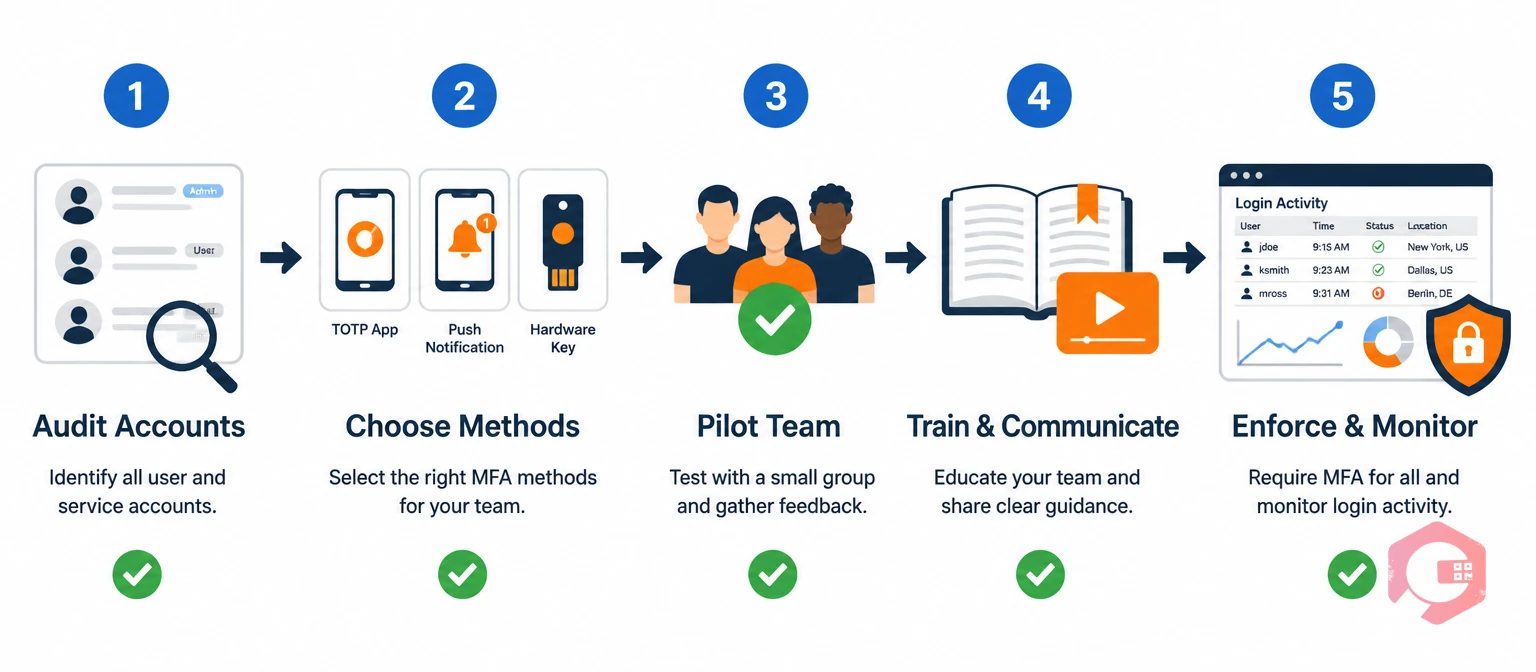
A phased rollout prevents the two biggest MFA deployment failures: user resistance from a confusing launch and operational disruption from locking out technicians mid-shift. The following five-step approach works for maintenance teams of any size.
For maintenance teams in regulated industries, MFA is increasingly not just best practice — it is a compliance requirement. Understanding how MFA intersects with the regulatory frameworks your operation is subject to helps build the business case internally and ensures your implementation is audit-ready.
ISO 27001: The international standard for information security management systems explicitly requires organizations to implement access controls that prevent unauthorized access to information systems. MFA directly satisfies the identity management and authentication controls outlined in Annex A of ISO 27001:2022. Organizations pursuing or maintaining ISO 27001 certification will be asked to demonstrate MFA or equivalent controls on systems holding sensitive operational data.
NIST SP 800-63B: The National Institute of Standards and Technology's digital identity guidelines classify authentication methods by assurance level. For systems holding sensitive data — which includes maintenance records with safety and regulatory implications — NIST recommends Authenticator Assurance Level 2 (AAL2) or higher. TOTP and hardware security keys both meet AAL2. Password-only login does not.
SOC 2: If your organization undergoes SOC 2 audits, the Security trust service criteria include requirements for logical and physical access controls. MFA on your CMMS is a direct, documentable control that auditors will look for.
Industry-specific regulations: Healthcare organizations subject to HIPAA, pharmaceutical manufacturers under FDA 21 CFR Part 11, and utilities under NERC CIP all face access control requirements that MFA satisfies. Documenting your CMMS MFA configuration as part of your compliance evidence package is straightforward once the system is set up.
According to IBM's Cost of a Data Breach Report, organizations that have deployed MFA reduce the average cost of a data breach by over $1 million compared to those that haven't. For compliance-focused maintenance organizations, the ROI case is as financial as it is regulatory.
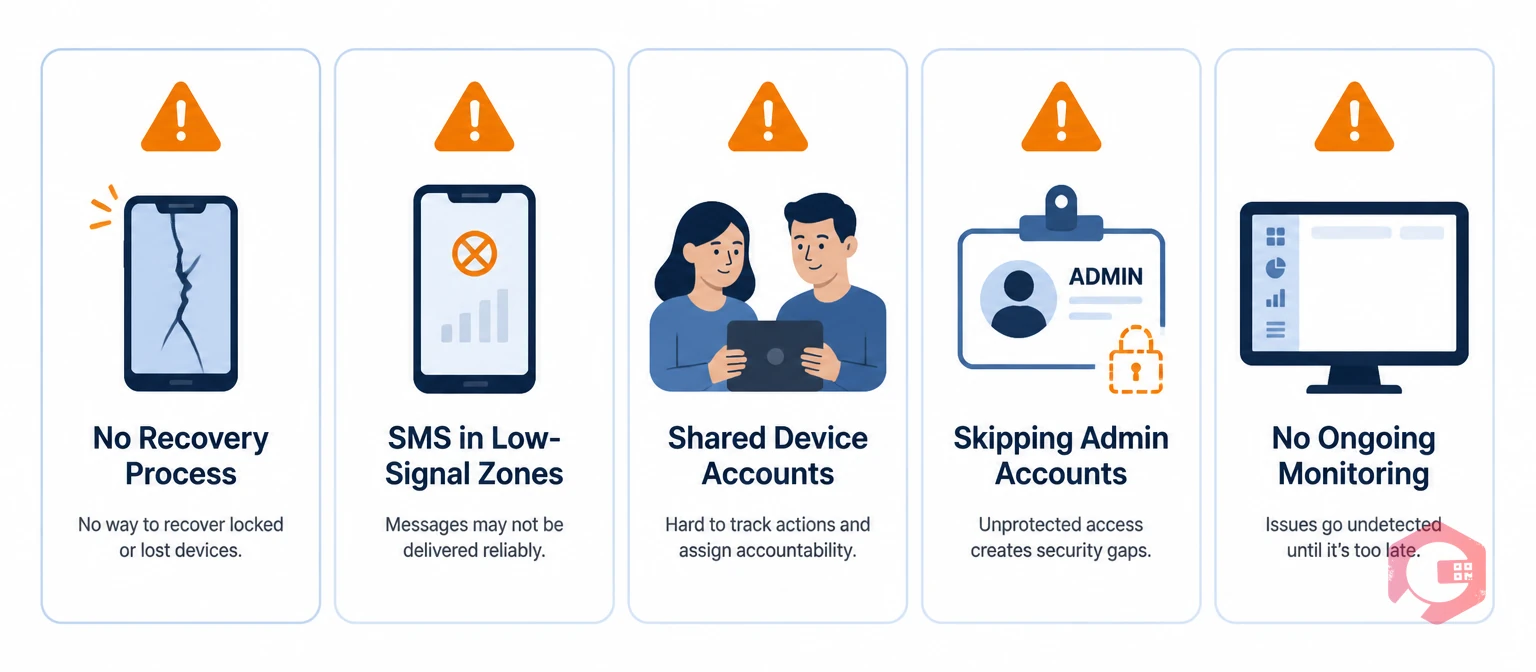
Most MFA failures in maintenance environments are not technical — they are process failures. These are the most common mistakes to avoid.
Cryotos CMMS is built with the access security requirements of industrial maintenance teams in mind. The platform's security architecture combines native MFA support with role-based access controls, audit logging, and single sign-on integration to give maintenance managers complete control over who accesses what — and a full record of every action taken.
The multi-organization management and role-based access module allows administrators to configure distinct permission sets for different roles: technicians see and act on work orders assigned to them; supervisors can create, reassign, and close work orders for their team; managers have read access to all maintenance data and reporting; administrators can modify system configuration. MFA can be enforced at the role level, meaning you can require TOTP for field users while allowing push notifications for managers, all within a single configuration.
Cryotos also supports single sign-on (SSO) integration with enterprise identity providers. Organizations that already have Microsoft Azure Active Directory or Okta in place can route all Cryotos logins through their existing SSO infrastructure — which already enforces corporate MFA policies. This means your IT team maintains one MFA policy that covers every application in your stack, including Cryotos, without needing to configure MFA separately in each tool.
The mobile app includes biometric authentication support on iOS and Android, allowing technicians to log in using the fingerprint or face ID already configured on their device. Combined with the app's offline mode for connectivity dead zones, this means technicians get a fast, convenient login experience that is still protected by a true second factor. The platform's work order management and permit-to-work workflows generate full audit trails where every action — creating a work order, approving a safety permit, closing a task — is attributed to a verified individual identity. That attribution only means something if the accounts themselves are secured. MFA is what makes the audit trail trustworthy.
For organizations with complex compliance requirements, Cryotos's built-in workflow automation can enforce access-related steps — like requiring a supervisor's digital sign-off before a high-risk work order can progress to execution. Combined with MFA, this creates a layered access control model that satisfies both operational and regulatory requirements without adding manual overhead to the maintenance team's day.
If your CMMS is currently protected only by passwords, the gap between your current security posture and what MFA delivers is significant — and closing it takes less time than most maintenance managers expect. Cryotos gives your team the tools to secure your maintenance platform without slowing down the work that keeps your facility running. Book a demo to see how Cryotos handles access security in your specific environment.
MFA in a CMMS is a login security method that requires users to verify their identity through two or more independent steps before accessing the maintenance platform. Typically this means entering a password (something you know) plus a one-time code from an authenticator app or SMS (something you have). MFA prevents unauthorized access even when a user's password has been stolen or guessed, because the attacker would also need physical access to the user's enrolled device.
MFA is not universally mandated for CMMS platforms by law, but it is required or strongly recommended by multiple compliance frameworks that industrial maintenance operations must follow. ISO 27001, NIST SP 800-63B, SOC 2, HIPAA, FDA 21 CFR Part 11, and NERC CIP all include access control requirements that MFA satisfies. Beyond compliance, MFA is the single highest-impact access security control available — it blocks over 99% of automated credential attacks according to Microsoft security research.
With the right method for each user group, MFA adds 5 to 15 seconds to a login. TOTP apps on a smartphone, biometric login on a mobile device, and push notifications for office-based managers are all fast enough that technicians adapt within a day or two. The main source of friction is poor method selection — requiring a push notification on a device with no signal, for example. Match the MFA method to how each user group actually logs in, and the impact on daily workflow is minimal.
This is the most common practical concern in CMMS MFA deployments, and the answer is a pre-defined recovery process. Before enabling MFA, designate supervisors as account recovery approvers for their teams. When a technician can't complete MFA, their supervisor authenticates, logs a recovery request in the CMMS, and the technician is given a temporary bypass or backup code. The bypass is logged automatically. Best practice is to also enroll a backup MFA method (such as SMS as a backup to TOTP) so single-device loss doesn't result in a full lockout.
Yes, if you use TOTP-based authentication. TOTP apps like Google Authenticator or Microsoft Authenticator generate their codes using a time-based algorithm that runs entirely on the device without any network connection. The code is generated locally and requires no SMS, internet, or cell signal. This makes TOTP the correct choice for field technicians working in areas with unreliable connectivity, while push notifications remain suitable for office-based users who are always connected.

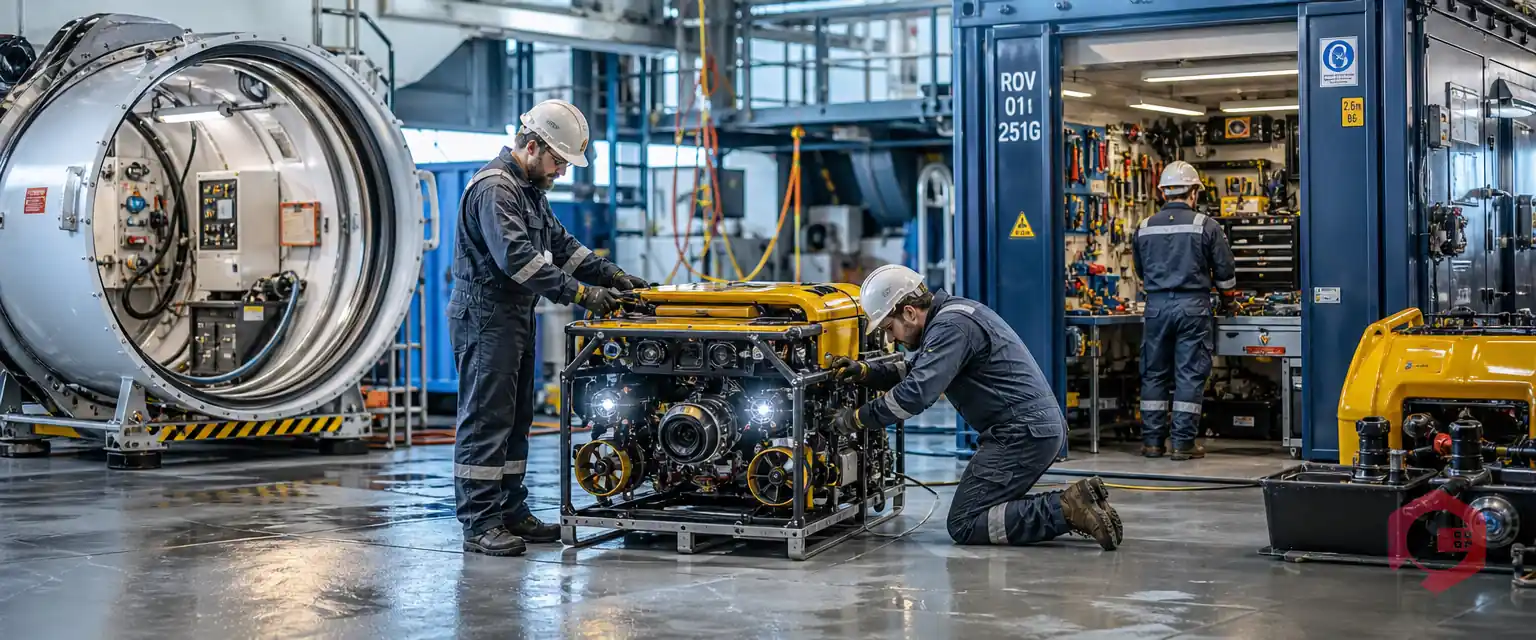


Cryotos AI predicts failures, automates work orders, and simplifies maintenance—before problems slow you down.



