

When a technician completes a work order, what happens next? In many maintenance teams, the answer is: significant manual work. Someone has to look up the hourly labour rate, calculate materials used, factor in equipment hire, and then raise an invoice. It takes time, invites errors, and regularly leads to billing disputes with clients or internal cost centres. A Schedule of Rates (SoR) in a CMMS changes this entirely. Instead of manual calculation after every job, the system applies pre-agreed rates automatically when a work order closes — turning a completed task directly into an accurate invoice, every time.
A Schedule of Rates defines a pre-agreed list of unit prices for labour, materials, and equipment used in maintenance and facility management work. Instead of quoting individually for every task, service providers and clients agree on a rate card upfront.
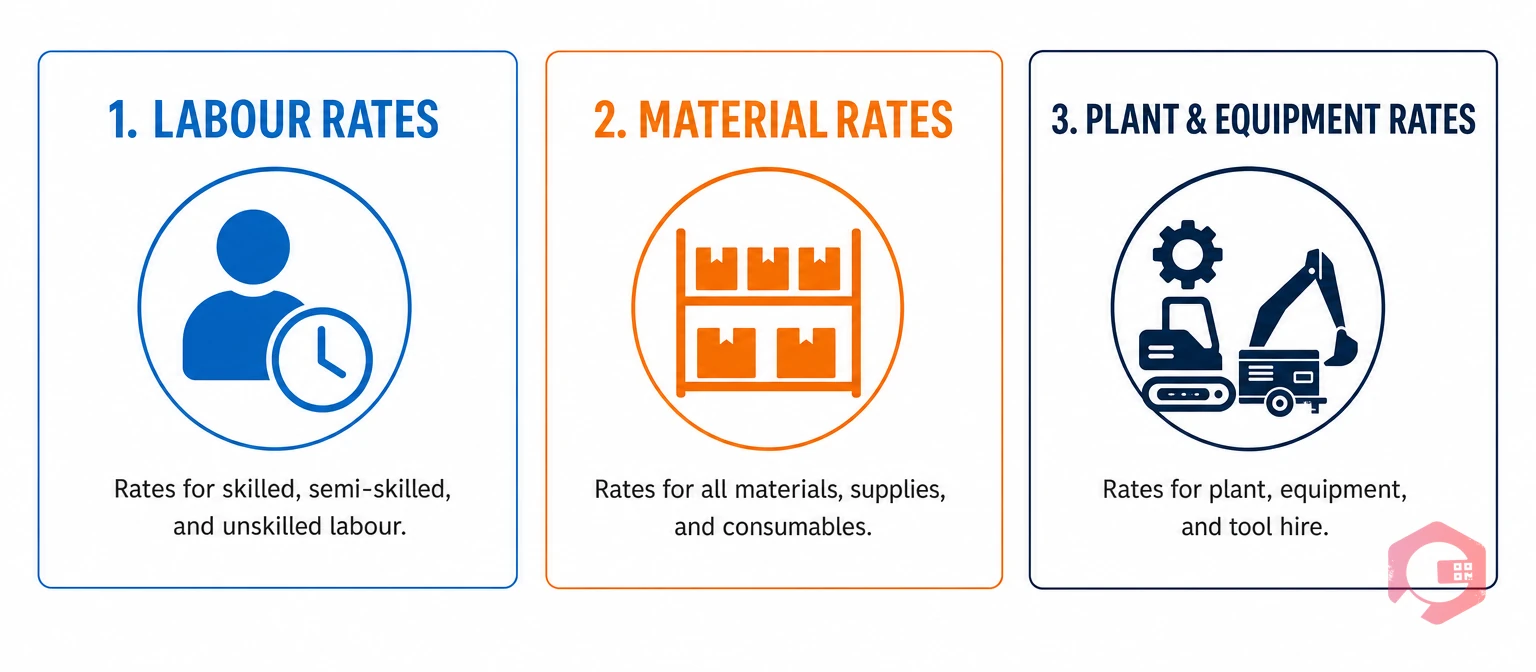
SoR is widely used in facilities management, property maintenance, field service, oil and gas, and manufacturing — wherever ongoing maintenance work is delivered under a contract or SLA.
Without a Schedule of Rates, every completed job has to go through a manual costing process. In a team handling dozens or hundreds of work orders per week, manual costing creates a serious administrative bottleneck.
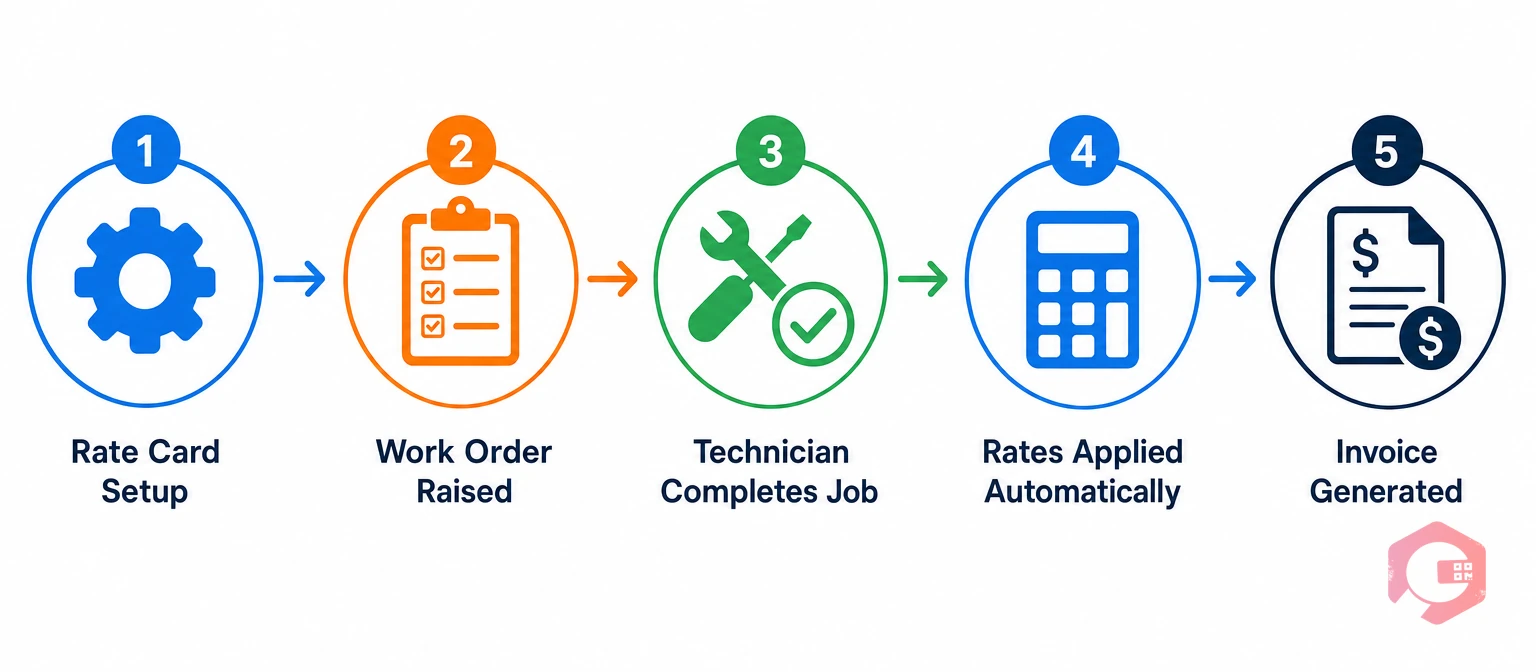
When a Schedule of Rates is configured inside a work order management system, the entire costing and billing process becomes automatic.
An administrator creates the SoR inside the CMMS: defining labour codes, building a materials catalogue, and setting equipment hire rates — configurable per client, site, or asset category.
A maintenance request comes in via client portal, QR code scan, or scheduled PM trigger. The CMMS creates a work order and assigns it to the right technician.
The technician logs time, materials, and equipment hired directly from the mobile app in the field — data captured at the point of work, not reconstructed later from memory.
When the work order closes, the CMMS cross-references the logged data against the SoR, applies the correct rates, calculates totals, and generates a costed work record — instantly, without human intervention.
An accurate billing summary is produced, ready for approval. With ERP integration, this data can be pushed directly to SAP or Microsoft Dynamics 365 without rekeying.


Cryotos includes a Schedule of Rates feature as part of its Data and Reporting module, giving maintenance teams full visibility into cost trends across assets, sites, and service categories.
Every work order in Cryotos captures time, materials, and equipment usage at the point of completion. The system applies the correct rates automatically — zero manual input from the admin team.
Cryotos’s BI Dashboard lets you drill down from organisation-level spending to individual assets or sites, track cost trends over time, and identify which areas are consuming the most maintenance budget.
Cryotos integrates with SAP and Microsoft Dynamics 365. When a costed work order closes, billing data flows directly to your ERP — eliminating manual rekeying and delays.
Cryotos’s field service mobile app allows technicians to log time, materials, and equipment in real time. The moment a job is completed in the field, it is costed against the SoR — accurate at source.
A fixed-price contract sets a single total price for a defined scope of work. A Schedule of Rates sets unit prices for individual items, and the final cost depends on the actual quantities used. For ongoing maintenance contracts where work volume varies, SoR provides more flexibility and transparency.
Yes. Most contracts include provisions for periodic SoR reviews — typically annually — to account for inflation or changes in labour costs. In a CMMS, updating the rate card takes effect immediately for all subsequent work orders.
Absolutely. Many manufacturing plants use SoR to recover maintenance costs internally — charging back to the production department or cost centre that requested the work.
Each technician’s time is logged against their individual labour code, and the system applies the correct hourly rate to each. The total is aggregated into a single work order cost, accurately reflecting the blended labour cost.
A Schedule of Rates in your CMMS transforms maintenance billing from a manual, error-prone process into an automated workflow. Pre-agreed rates are applied the moment a work order closes, producing accurate cost records and invoices without manual calculation.
Explore Cryotos Work Order Management to see how automatic rate-based billing can eliminate the admin burden from your maintenance operations — and give you the cost data you need to manage contracts, budgets, and assets more effectively.




Cryotos AI predicts failures, automates work orders, and simplifies maintenance—before problems slow you down.



