
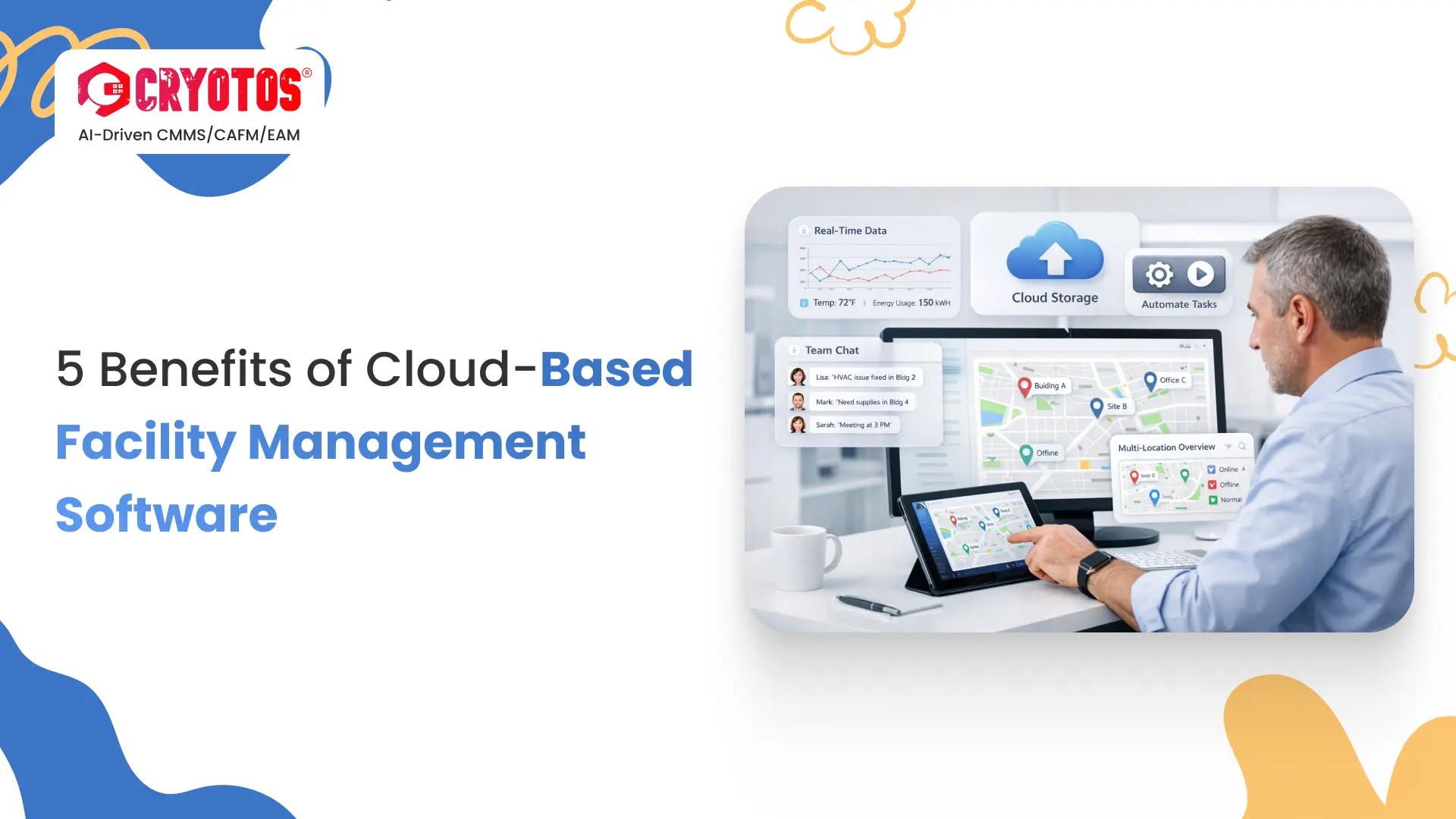
Cloud-based facility management software is a SaaS platform that centralizes work orders, assets, preventive maintenance schedules, and compliance records in one system — accessible from any device, anywhere, without local servers. IFMA defines facility management as "an organizational function which integrates people, place and process within the built environment with the purpose of improving the quality of life of people and the productivity of the core business." Cloud software is now the standard delivery model for that function.
If you're evaluating a switch from spreadsheets or an on-premises system, this guide covers everything you need to make a confident decision: how cloud-based facility management software works, how it compares to on-premises, the seven benefits that drive real operational outcomes, which features to evaluate in any cloud-based facility management software platform, a step-by-step implementation path, and the mistakes that slow most teams down. By the end, you'll have a clear framework to choose the right platform for your facility operation.
Key Takeaways
Cloud-based facility management software is a web-hosted SaaS platform that manages the full lifecycle of a facility's operations — work orders, assets, preventive maintenance, space management, and compliance — without requiring any server infrastructure on-site. The vendor hosts the platform, handles security, and pushes updates automatically. You log in via browser or mobile app and your team starts working.
The ISO 41001:2018 standard specifies the requirements for a facility management system. Modern cloud FM platforms are designed to help organizations meet those requirements at scale — without the hardware investment, IT staffing, and maintenance cycles that on-premises systems demand.
This model differs from a traditional on-premises CMMS in a fundamental way: instead of buying a perpetual software license, installing it on local servers, and maintaining it yourself, you subscribe to the platform as a service. The vendor's infrastructure team handles uptime, data redundancy, compliance certifications (SOC 2, ISO 27001), and feature development.
Cloud-based FM software is sometimes called Computer-Aided Facility Management (CAFM) when its scope extends beyond maintenance into space planning, real estate data, and workplace occupancy. For most facility teams, the practical distinction matters less than whether the platform covers your actual workflow — work orders through compliance reporting.
Cloud FM software serves a wide range of facility types: commercial office buildings, manufacturing plants, healthcare facilities, retail chains, educational campuses, and multi-site industrial operations. The common thread is complexity — managing multiple assets, multiple technicians, and multiple compliance requirements across one or more buildings.
Single-site operations with fewer than 10 assets and one technician can often run on a simple work order tool. As soon as you add more assets, more sites, or regulatory compliance requirements, you need the structure that a full cloud FM platform provides.
A building occupant reports a broken HVAC unit by scanning a QR code on the equipment with their phone. The work order appears instantly in the FM platform, auto-assigned to the on-call technician based on your routing rules. The technician receives a push notification, opens the mobile app, reviews the asset's full maintenance history, completes the repair, attaches photos, and closes the ticket — all from their phone, on-site.
The FM manager sees the status update in real-time on their dashboard, whether they're in the building or working remotely. The asset's history is updated automatically. No email chains. No spreadsheet updates. No manual follow-up calls. That's cloud FM software working as designed.
The deployment choice is one of the first decisions you'll make when selecting a facility management software platform. The comparison below covers the nine dimensions that matter most to facility operations teams.
| Factor | Cloud-Based FM Software | On-Premises FM Software |
|---|---|---|
| Deployment Time | Hours to days | Weeks to months |
| Upfront Cost | Low — subscription (OpEx) | High — hardware + licenses (CapEx) |
| IT Maintenance | Vendor manages everything | Internal IT team required |
| Remote Access | Any device, anywhere | Office network or VPN only |
| Software Updates | Automatic, zero downtime | Manual, scheduled downtime |
| Scalability | Add users or sites instantly | Hardware upgrades required |
| Data Backup | Automatic, off-site redundancy | Manual or separate backup system |
| Disaster Recovery | Built-in, covered by vendor SLA | Requires separate DR plan and cost |
| API Integrations | Pre-built connectors, open APIs | Custom development often required |
On-premises FM software retains a narrow use case: environments with strict data sovereignty requirements, such as certain government, defense, or classified facilities where data cannot leave a controlled network. For the vast majority of commercial, industrial, healthcare, and education facilities, cloud deployment is the better default. The cost, speed, and operational advantages are not marginal — they are structural.
Facility teams that switch to cloud-based facility management software consistently report three improvements in the first 90 days: faster work order resolution, clearer visibility into asset status, and less time on manual administrative tasks. Here are the seven benefits that drive those outcomes — and why each one matters in practice.
Cloud FM software runs on any device with a browser or mobile app — laptop, tablet, smartphone, or shared kiosk. Technicians in the field see their full task list and update work orders without returning to a desktop. Managers review dashboards and approve work from home. Multi-site facility teams coordinate across buildings without being physically present at each location.
This matters most during off-hours incidents. With on-premises software, your team is locked out until they're on the office network — which means delayed response times on weekend breakdowns or after-hours emergencies. Cloud FM software eliminates that barrier. The work order is visible and actionable from the moment it's raised, regardless of where your team is.
On-premises FM systems require scheduled downtime for updates, IT involvement in testing, and manual deployment cycles. Many teams end up running software versions that are 12 to 18 months out of date because the update process is too disruptive to schedule regularly. That means missing features, unpatched security vulnerabilities, and slower performance on older builds.
Cloud FM software updates automatically in the background — typically during off-peak hours. Your team starts Monday morning with the latest features, security patches, and bug fixes applied silently. No tickets to IT. No planned maintenance windows. No version compatibility issues. The software stays current as a baseline, not as a project.
On-premises FM software requires significant capital expenditure before you see a single work order: server hardware, software license fees, installation services, network configuration, and IT setup. For a mid-sized facility operation managing 5 to 10 buildings, those upfront costs can easily reach five figures before the system is live.
Cloud FM software replaces all of that with a predictable monthly or annual subscription fee — per user, per site, or per asset, depending on the vendor. There's no server hardware to purchase, no IT infrastructure to build, and no perpetual license to maintain. This makes cloud FM accessible for teams that couldn't justify the CapEx of an on-premises deployment, and easier to budget and forecast at enterprise scale.
FM operations rarely involve one person working alone. A work order raised by a building occupant gets triaged by a coordinator, assigned to a technician, escalated to a supervisor if it's high-priority, and closed by a manager who reviews the photo documentation — often across different shifts, departments, or physical locations. Cloud FM software keeps every stakeholder synchronized through real-time notifications, shared dashboards, and automatic status updates.
For multi-site portfolio managers, this is especially critical. Retail facility management teams are a clear example: store managers raise requests, regional FM coordinators assign technicians, compliance teams review inspection records — all in one system, updated live. No one is waiting on email replies or calling around to get a status update.
On-premises FM systems require a separate and deliberate data backup strategy. Many smaller facility operations don't have one. A server failure, power outage, ransomware attack, or physical disaster can wipe out years of asset history, work order records, and compliance documentation — with no recovery path.
Cloud FM vendors maintain geographically redundant data centers with automatic, continuous backups as part of the standard service. Your facility data is protected even if your office loses power, a hard drive fails, or a site-level incident occurs. Disaster recovery is not an add-on — it's built into the infrastructure the vendor already operates.
Growing from 3 facilities to 15 on an on-premises system means hardware capacity reviews, license expansions, IT work at each step, and often a multi-month project just to support growth. That infrastructure friction is why many facility teams end up managing new sites on disconnected spreadsheets rather than their FM system.
Cloud FM software scales on demand. Add a new site, onboard a new technician, or expand to a new geographic region by adjusting your subscription — no infrastructure changes required. Maintenance teams using Cryotos have reported up to 30% reduction in unplanned downtime and 25% faster work order turnaround, even as their facility portfolios grew significantly. Cloud scalability is what makes that operational consistency achievable without proportional headcount growth.
The average on-premises FM software implementation takes 3 to 6 months. Cloud FM implementations typically complete in 2 to 4 weeks for most teams. The difference is structural: there's no server procurement, no network configuration, no local installation, and no IT project required. The implementation work is configuration, data migration, and training — all of which can happen in parallel.
For facility teams replacing a legacy system or moving off spreadsheets, speed to value is a real operational concern. Every additional month running on a manual process means more reactive maintenance, more missed preventive maintenance windows, and more time spent compiling compliance documentation by hand.
Explore how Cryotos facility maintenance software is implemented for teams managing multi-building portfolios — including typical go-live timelines and what the rollout process looks like in practice.
Not every cloud-based facility management software platform delivers on all seven benefits equally. Some tools are strong on work order management but weak on asset tracking. Others have solid reporting dashboards but a mobile app that technicians avoid using. Before committing to any platform, evaluate it against the four capability layers that drive FM outcomes.
The 4-Layer Cloud FM Stack is a practical evaluation framework for assessing any cloud-based facility management platform before purchase:
Evaluate every shortlisted vendor against all four layers. A platform that covers Layer 2 well but ignores Layer 3 creates asset management blind spots. A platform strong on Layer 4 reporting but weak on Layer 1 connectivity produces stale dashboards that managers stop trusting. You need all four.
The work order engine is where your team spends most of their time. Look for multi-channel intake (mobile app, QR code scan, email, and self-service portal), automatic assignment routing based on asset type or location, priority classification, SLA countdown timers, photo and document attachment, and real-time status updates visible to requesters. The test: can a non-technical building occupant raise a request in under two minutes, on their phone, without any training? If not, adoption will be low.
Preventive maintenance scheduling should support both calendar-based triggers (every 90 days) and usage-based triggers (every 500 operating hours). The system should auto-generate recurring work orders, notify assigned technicians, and track completion rates against your PM schedule. Poor PM scheduling is the most common reason facilities slide back into reactive maintenance — even after implementing FM software.
Your platform should maintain a complete asset registry for every piece of equipment: physical location, model and serial number, warranty expiration, purchase date, maintenance history, and current condition. When technicians can see full asset history before they start a repair, first-time fix rates go up and unnecessary parts replacements go down.
A facility inspection checklist tied to your asset list is especially valuable in compliance-heavy environments. Inspections completed on the mobile app create automatic audit trail records — eliminating the paper binders that most teams still rely on for regulatory documentation.
The mobile app is where your technicians actually use the software. If it's slow, confusing, or requires strong connectivity, technicians default to paper and the system becomes a management-only tool. Look for offline mode (critical for basements, plant floors, and cellular dead zones), QR and barcode scanning for asset identification, photo capture directly from work orders, and an interface simple enough to use without reading a manual.
Your FM platform should surface the metrics that drive decisions: which assets fail most often, which technicians close work orders fastest, where your SLA compliance currently stands, what your maintenance cost per asset looks like year over year, and which sites are consuming the most reactive maintenance resources. These metrics are only available if your software tracks and surfaces them consistently. Without them, FM management defaults to gut feel and anecdote.
Switching to cloud-based facility management software is a structured project, not just a procurement exercise. Most facility teams complete a cloud FM rollout in 2 to 4 weeks by following this four-phase approach. Rushing any phase typically leads to data problems, low adoption, or a go-live that requires immediate rework.
Before you import anything, clean your data. The most common implementation mistake is migrating years of messy spreadsheet data directly into the new system — you move the problem rather than solving it. Start with your asset list: verify each asset's physical location, model and serial number, and current operational status. Remove anything decommissioned or duplicated. For work order history, only migrate records needed for warranty documentation or regulatory compliance — not everything.
Asset list quality directly determines the long-term value of your FM platform. Teams that invest one week in data cleaning before migration avoid months of confusion about which asset records are accurate.
Configure your location hierarchy (site → building → floor → room), asset categories and types, user roles and permissions, work order request types, SLA rules, and your top PM schedules. Most cloud FM platforms provide configuration templates to accelerate this phase. Resist the urge to replicate your old system's structure exactly — a migration is an opportunity to simplify workflows that had accumulated unnecessary complexity over years.
Run a controlled pilot with one site or one department before full rollout. Train the pilot team on the mobile app and the manager dashboard. Let them run real work orders for 5 to 7 days and collect specific feedback: what's confusing, what's missing, what's working well. Use that feedback to adjust configuration before the full team goes live. Pilots that skip this phase frequently discover configuration errors at full-scale rollout — which is far more disruptive to fix.
Onboard all remaining sites and users. Migrate or formally close all open work orders in your previous system so there's no ambiguity about where active tasks live. Set a firm go-live date and communicate it to all building stakeholders — they need to know exactly where to submit requests from day one. Most enterprise cloud FM vendors provide a dedicated customer success manager for this phase, who can help resolve configuration questions quickly and keep the rollout on schedule.
Facility teams that struggle with cloud-based facility management software implementations almost always run into one or more of the same problems. Knowing them in advance means you can avoid them.
Trying to build every edge case, custom workflow, and exception into the system before launch delays go-live by weeks and creates a platform so complex that basic users can't navigate it without training. Start with the 80% of workflows that cover your daily operations. Add edge cases and advanced configurations in the first 30 to 60 days after go-live, once you understand how your team actually uses the system in practice.
FM managers select the software. Technicians use it every single day. When technicians aren't consulted during platform evaluation, the chosen tool often has a mobile interface or task flow that doesn't fit how they actually work — which leads to low adoption, workarounds, and a system that managers maintain but technicians avoid. Include two or three technicians in the demo process. Their feedback on mobile app usability is the most important input you'll receive.
Years of spreadsheet-tracked data accumulate duplicates, inconsistent naming conventions, outdated records, and merged cells that no longer make sense. Importing it wholesale into a new system means your fresh FM platform starts its life with corrupted data. Spending one week cleaning your asset list and standardizing your location naming before migration is the highest-return preparation step you can take.
Many teams go live with work orders and asset tracking configured, but defer preventive maintenance schedule setup to "after things settle down." It rarely happens. Without PM schedules configured at go-live, the system becomes a reactive work order tracker rather than a proactive FM platform — exactly what it was meant to replace. Set up at minimum your top 10 PM schedules during Phase 2 configuration, before any user touches the live system.
Cloud FM software needs to communicate with your other operational systems: building management systems (BMS), ERP platforms, IoT sensors, HVAC controllers, and procurement systems. Many platforms offer pre-built integrations; others require custom API development that can double your implementation timeline and cost. Verify integration compatibility before contract signature, not after. The ISO 41001:2018 facility management standard identifies systems integration as a core operational requirement — your software should support it without bespoke engineering.
Cloud-based facility management software is a SaaS platform hosted by the vendor and accessed via browser or mobile app — no local servers required. Cloud-based facility management software centralizes work orders, assets, preventive maintenance schedules, and compliance documentation in one system. Your team logs in from any device, the vendor handles infrastructure and updates, and all data is synchronized in real-time across every user and location. There's no installation, no IT maintenance, and no software version management on your end.
Pricing for cloud FM software typically ranges from $30 to $150 per user per month, depending on the platform's feature depth, the number of assets managed, and whether you need enterprise integrations. Most vendors offer per-user or per-site subscription models. Unlike on-premises systems, there are no upfront server costs, no perpetual license fees, and no separate IT maintenance charges — the subscription price covers hosting, support, updates, and security. Enterprise pricing is usually negotiated based on portfolio size.
Yes — reputable cloud FM platforms operate on enterprise-grade infrastructure with SOC 2 Type II certification, AES-256 encryption for data at rest and in transit, role-based access controls that restrict what each user can see or edit, multi-factor authentication, and automatic backups to geographically redundant data centers. In most cases, cloud FM vendors invest more in security infrastructure than a mid-sized organization's internal IT team can reasonably maintain independently. Always ask vendors for their specific security certifications before purchase.
Most cloud FM implementations complete in 2 to 4 weeks from contract signature to go-live, depending on portfolio size, data volume, and how much existing data needs migration. Greenfield deployments (starting from scratch) move faster than migrations from legacy systems. The four phases — data preparation, system configuration, pilot testing, and full rollout — can run partially in parallel to compress the timeline. By comparison, on-premises FM implementations typically take 3 to 6 months for equivalent scope.
A Computerized Maintenance Management System focuses on equipment maintenance operations: work orders, preventive maintenance scheduling, and asset tracking. Computer-Aided Facility Management (CAFM) extends this to include space planning, real estate portfolio data, occupancy management, and workplace services. Modern cloud platforms increasingly cover both — the distinction is more about your operational scope than the technology. Teams focused purely on maintenance efficiency typically start with a CMMS foundation and expand to full CAFM capabilities as their FM maturity grows.
Ready to move your facility operations to the cloud? Schedule a free demo to see how Cryotos handles work orders, asset management, and preventive maintenance for facility teams managing everything from single sites to multi-building portfolios.




Cryotos AI predicts failures, automates work orders, and simplifies maintenance—before problems slow you down.



