

OTPM (Office Total Productive Maintenance) applies TPM's zero-loss thinking to non-production, administrative work instead of machines. It sorts every hidden inefficiency in office, facility, HR, finance, and IT workflows into eight measurable loss categories. Support teams can then find and fix waste the same way maintenance teams track breakdowns on the shop floor. Most non-production teams never measure this waste. It doesn't show up on an OEE report or a downtime log. Instead, it shows up as a stuck approval, a duplicate purchase order, or a broken shared printer. This guide breaks down all 8 OTPM losses in plain terms. It uses real examples from HR, finance, facilities, and IT, and maps each loss to the software fix that closes it.
Key Takeaways
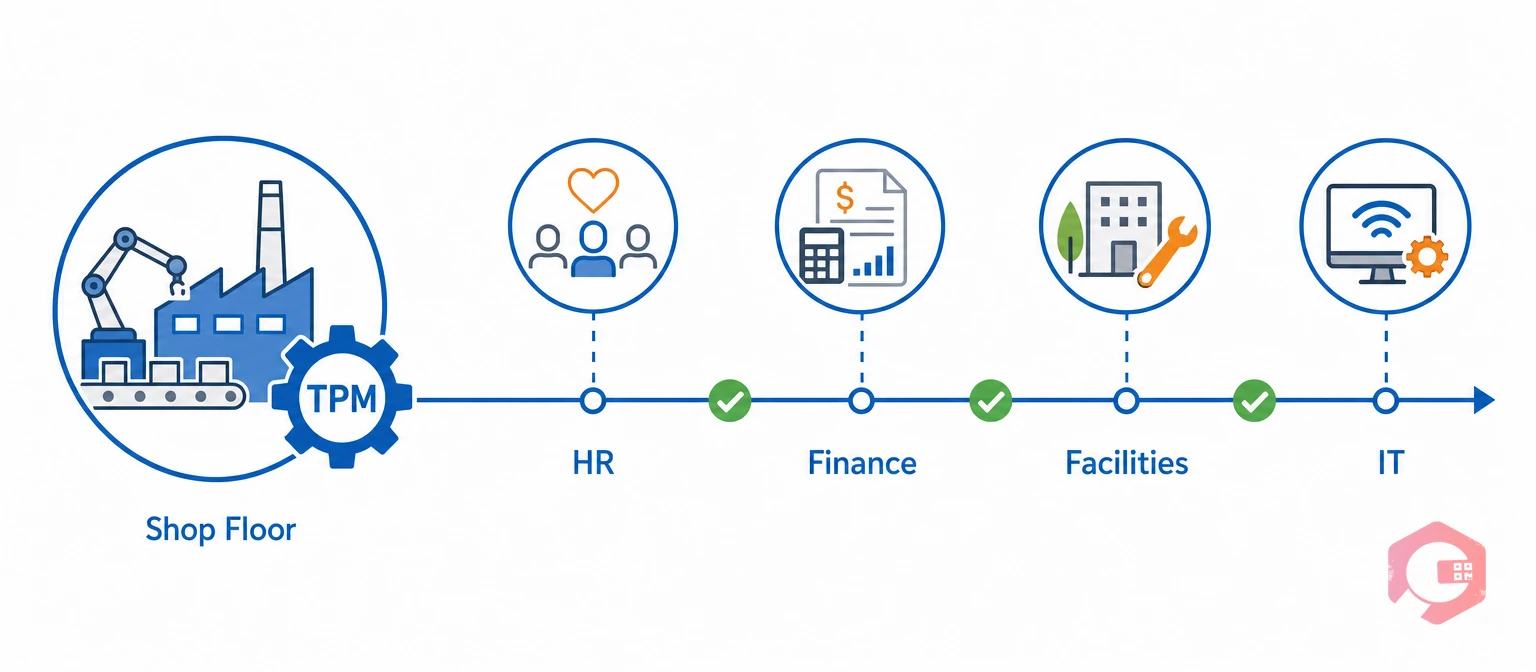
OTPM stands for Office Total Productive Maintenance, the application of TPM's loss-elimination discipline to office, administrative, and support functions instead of production equipment. Total Productive Maintenance was built for the shop floor. Seiichi Nakajima's original framework tracks major losses across equipment, manpower, and materials, a method the American Society for Quality still cites as the industry standard for eliminating unplanned loss.
OTPM takes that same idea and applies it to teams that never touch a machine. That includes HR, procurement, facilities, admin, and IT. Instead of tracking breakdowns and changeovers, OTPM tracks how paperwork, approvals, and information flow break down. It condenses the shop-floor loss vocabulary into 8 categories. These map cleanly to a purchase order or an HR ticket, instead of manufacturing-specific terms like scrap rate or changeover time that don't apply outside a plant.
Most TPM programs stop at the plant floor because equipment losses are visible right away. A stalled work request or an unanswered email doesn't force the same reaction as a stopped conveyor. Yet it costs just as much time. A connected Computerized Maintenance Management System operationalizes OTPM. It centralizes requests, approvals, and communication into one tracked workflow instead of scattered emails and spreadsheets.
Non-production teams need OTPM because their waste is invisible without it. A production line shows a stopped machine on a dashboard right away. An HR team's stalled onboarding request does not work that way. Neither does a finance team's duplicate invoice payment. Nobody notices the cost until it has already piled up.
Maintenance teams that successfully extend TPM past the plant floor usually start small. They track one number: how long a request takes from submission to close. That single metric exposes most of the hidden loss in a non-production department. It also gives every team a shared starting point, the same way the Plan-Do-Check-Act cycle gives continuous improvement programs a repeatable structure.
Each of these losses is measurable and fixable once a team names it. That's the entire premise of OTPM. It gives non-production teams the same starting point maintenance teams already have on the shop floor: a clear list of losses to track, one at a time.

OTPM sorts every non-production loss into eight categories, each with a clear day-to-day symptom. Naming the loss is the first step to fixing it. Most teams recognize every symptom below the moment they read it.
The OTPM 8-Loss Framework:
A facilities coordinator emails a repair request instead of logging it in a shared system. That's processing loss. The technician waits two days for someone to notice the email. That's idle loss. Nobody flagged the delay because nobody was watching for it.
Meanwhile, finance re-enters the same vendor invoice into two separate spreadsheets. That creates accuracy loss and cost loss in the same afternoon. None of this shows up as downtime. Yet it consumes real hours every single week, across every department that touches paperwork.
Want a starting checklist for your facilities team? Download the Cryotos facility inspection checklist.

Each OTPM loss maps to one specific CMMS capability. That turns the framework from theory into a checklist non-production teams can act on. Processing loss disappears once approvals move through workflow automation software instead of an inbox. Communication loss shrinks once every department shares one team communication channel instead of scattered calls and texts. Neither fix requires new hardware, just a single connected system everyone already logs into.
| OTPM Loss | Office Symptom | CMMS Fix |
|---|---|---|
| Processing loss | Requests wait in an inbox | Workflow automation |
| Cost loss | Duplicate purchase orders | Budget and spend tracking |
| Communication loss | Updates lost between teams | Team messaging and alerts |
| Idle loss | Staff wait on sign-off | Work order management |
| Set-up loss | Rebuilding forms each cycle | Reusable checklists |
| Accuracy loss | Manual data-entry errors | QR/barcode data capture |
| Office equipment breakdown loss | Printers or scanners fail | Downtime tracking |
| Communication channel breakdown loss | Phone, email, or network outage | Redundant integration paths |
This mapping works because it forces a one-to-one match between a named loss and a named fix — the same discipline OTPM asks non-production teams to apply outside the shop floor.
A single new-hire onboarding request shows how multiple OTPM losses stack up in one non-production workflow. Following one request end-to-end makes the framework concrete instead of theoretical.
None of these losses show up on a maintenance dashboard. Yet they cost HR, IT, and facilities real hours every time a new employee starts. Multiply that by every new hire in a year, and the hidden cost adds up fast. Naming each step against the 8 OTPM losses turns a frustrating morning into a fixable checklist instead of a recurring surprise.

Reducing OTPM losses starts with measuring one cycle time, not with buying new software. Most non-production teams find their biggest loss in the first week. They simply time how long a routine request takes from creation to close. No new tool is required for this first step, just a stopwatch and a shared spreadsheet.
Choose a single high-volume workflow, like a facilities work request or a purchase requisition. Track how long it takes from submission to completion for two weeks before changing anything.
Match every delay you find to one of the 8 OTPM losses. This turns a vague complaint like "approvals take forever" into a specific, fixable category instead of a general frustration.
Start with whichever loss costs the most hours, not the one that's easiest to fix. Teams that successfully reduce OTPM losses tackle the highest-cost category first, then move down the list. Trying to fix all 8 losses in one quarter usually stalls the whole effort, so pick one and finish it.
Schedule a recurring review of your chosen cycle-time metric. Treat any recurring delay as a root-cause problem, the same way a 5 Whys investigation would target a repeat equipment failure.
Maintenance teams using Cryotos have reported up to 30% reduction in unplanned downtime and 25% faster repair turnaround, largely because office-side delays like these stop compounding into shop-floor downtime.
OTPM stands for Office Total Productive Maintenance, the practice of applying TPM's loss-elimination principles to administrative and support work instead of production equipment. It groups that waste into 8 measurable categories.
The OTPM framework covers 8 losses: processing, cost, communication, idle, set-up, accuracy, office equipment breakdown, and communication channel breakdown. Each one has a distinct day-to-day symptom.
Any non-production function that handles approvals, documentation, or scheduling benefits, including HR, finance, procurement, facilities, and IT support. These teams create the same loss patterns without an equipment dashboard to reveal them. Teams with the highest request volume, like facilities and IT, usually see the fastest measurable gains.
OTPM overlaps with Lean and 5S, but it applies specifically to administrative loss categories. General workplace organization and manufacturing waste are broader concepts. OTPM borrows the same zero-loss mindset and applies it to paperwork instead of a factory floor.
Yes. A Computerized Maintenance Management System centralizes work requests, approvals, communication, and reporting, which directly addresses OTPM losses even for teams that never touch physical equipment.
Most non-production teams see a measurable cycle-time improvement within 30 to 60 days of measuring and fixing their first loss category. The initial two-week measurement step alone usually reveals one quick win.
OTPM turns invisible administrative waste into a measurable, fixable part of your operations strategy. Schedule a free demo to see how Cryotos maps all 8 OTPM losses to one connected system for non-production teams.



Cryotos AI predicts failures, automates work orders, and simplifies maintenance—before problems slow you down.



