
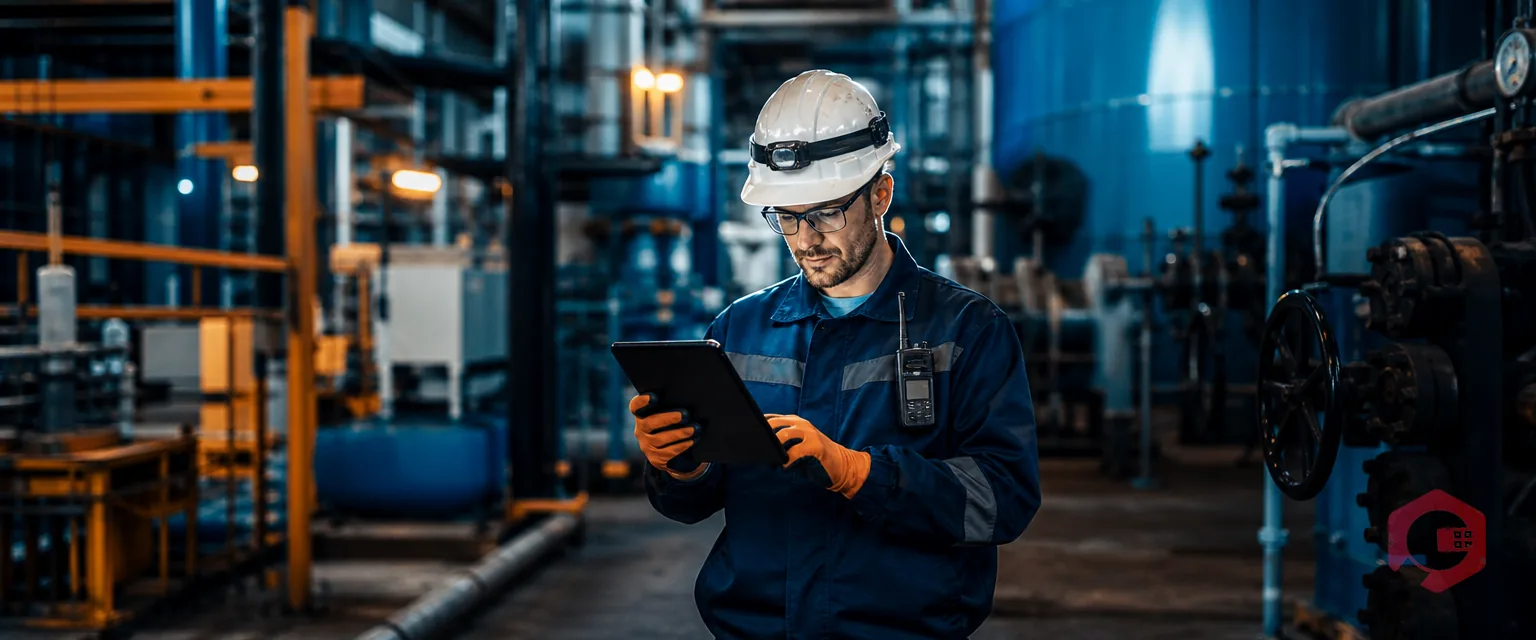
AI-powered search helps technicians troubleshoot maintenance faster by turning a plain-language description of a problem into an instant, sourced answer. There's no manual hunt through PDFs and binders. Instead of digging through a 400-page equipment manual, or waiting on a senior engineer who might be off-shift, a technician types or speaks the symptom. They get back the exact troubleshooting steps, safety warnings, and repair history in seconds.
This matters because most downtime is not repair time. It is diagnosis time — the minutes or hours a technician spends figuring out what's actually wrong before they can even pick up a tool. AI-powered search compresses that diagnosis window. This guide breaks down how it works and how Cryotos CMMS puts it directly into a technician's hands.
Key Takeaways
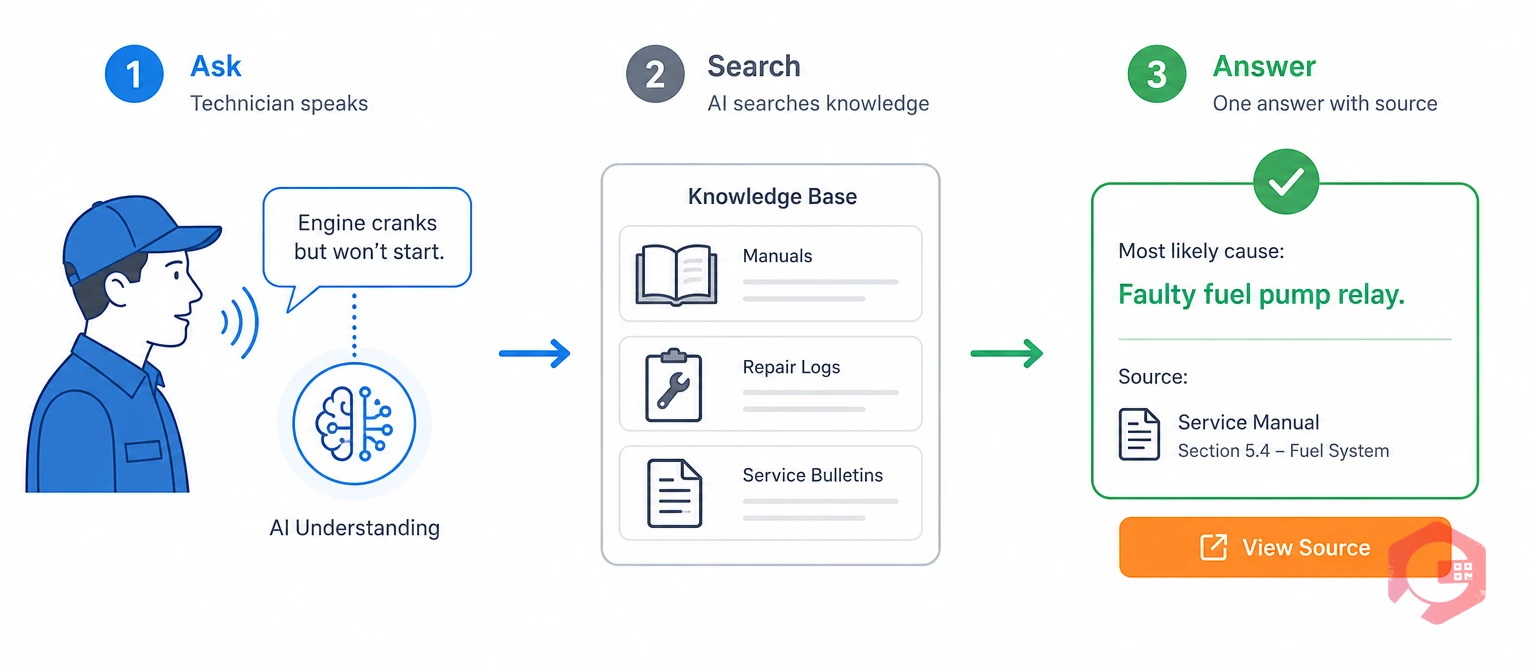
AI-powered search is a way of finding maintenance information by describing a problem in plain language, instead of typing exact keywords into a file search. Rather than returning a list of PDF titles that might contain the answer, it reads through manuals, SOPs, safety guidelines, and past repair logs. Then it hands back one direct answer, with the source attached.
This works differently from the search bar built into most Computerized Maintenance Management System (CMMS) software, which usually matches exact words. A technician typing "pump won't hold pressure" into a keyword search can miss a repair log titled "Bearing Replacement — April 2024." That log is exactly what they need, but it doesn't share any of the same words. AI-powered search matches meaning instead of text, so it surfaces that log anyway.
Most maintenance teams lose more time hunting for information than they spend actually repairing equipment. A technician facing an unfamiliar fault typically has three options. They can dig through a thick manual, call a senior engineer who may not be reachable, or guess based on memory — all while production stays down.
A recent industry analysis from the International Facility Management Association found that some of the highest-value AI use cases in maintenance are the least flashy ones. They are tools that help technicians quickly find the right page in an equipment manual, or surface similar past repairs during troubleshooting. Most facilities don't need a smarter dashboard first. They need faster access to the knowledge they already have.
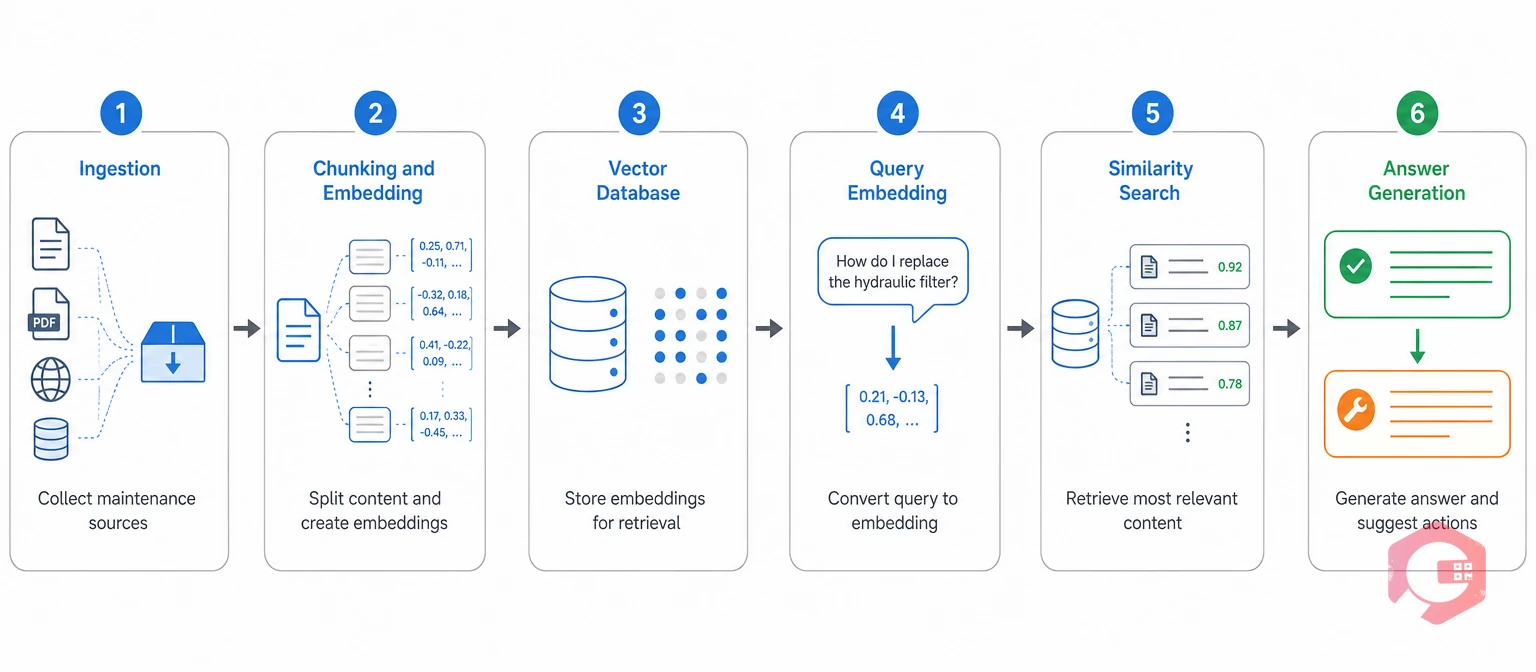
Retrieval-Augmented Generation (RAG) is the technique behind most AI-powered search tools, including Cryotos's own AI-Powered Knowledge Base. Instead of retraining an AI model every time a new manual gets uploaded, RAG lets the system pull relevant text from your own documents the moment a question is asked. It then generates an answer grounded in that specific source, not generic internet knowledge.
The 6-Step Retrieval Process:
This six-step process explains why a technician can type "why is the compressor throwing a high-pressure fault" and still get a useful answer, even if none of those exact words appear anywhere in the source manual.
See how this looks in practice inside a CMMS — explore the Cryotos AI-Powered Knowledge Base.
The Cryotos AI-Powered Knowledge Base is the module that runs this retrieval process inside Cryotos CMMS. It lets technicians ask a question by voice or text and get an instant answer pulled from SOPs, manuals, safety guidelines, and video tutorials. A technician standing in front of a malfunctioning asset opens the Cryotos mobile app and describes the problem. They get troubleshooting guides, diagrams, and safety procedures back immediately — no manual, no phone call, no guesswork.
AI-powered search works best when it connects to the rest of a technician's workflow, instead of sitting off to the side by itself. Cryotos pairs it with:
The result is simple: a first-year technician can work through an unfamiliar fault using the same knowledge base a 20-year veteran would reach for. Nobody has to wait for the one person who "has seen this before."
Picture a technician on the night shift. A packaging line stops with an unfamiliar fault code. A few years ago, they would have waited for the day-shift supervisor to arrive and explain it. With AI-powered search, they just open the app and type the fault code. In seconds, they get the likely cause, the repair steps, and a link to the last work order where this exact code showed up. The line is often back up before the day shift even clocks in.
The difference between AI-powered search and traditional manual search comes down to one thing: what gets returned. A document, or an answer.
| Factor | Traditional Manual Search | AI-Powered Search |
|---|---|---|
| Query type | Exact keywords or filenames | Plain-language description of the symptom |
| What's returned | A list of documents to open and read | One direct, sourced answer |
| Matches by | Exact word overlap | Meaning (semantic similarity) |
| Best for | Finding a specific known document | Diagnosing an unfamiliar fault fast |
Neither approach fully replaces the other. A technician who already knows the exact SOP number just needs to open it, and a keyword search does that job fine. But for the far more common case of "something's wrong and I don't know what document explains it," AI-powered search gets to an answer in seconds instead of minutes.
Mean Time to Repair (MTTR) is the average time it takes to fix a failed asset, measured from when the failure is reported to when the equipment is back in operation. Most of that clock is diagnosis time, not wrench time. That's exactly what AI-powered search attacks.
Maintenance teams using Cryotos have reported up to 30% reduction in unplanned downtime and 25% faster repair turnaround after connecting AI-powered search to their CMMS data. The pattern holds across plants of different sizes. Cutting diagnosis time from an hour down to ten minutes gets a line back in production roughly fifty minutes sooner, on every single incident.
| Metric | Without AI Search | With AI Search | Typical Gain |
|---|---|---|---|
| Time to diagnose root cause | 45–90 minutes | 5–15 minutes | ~80% faster |
| Mean Time to Repair (MTTR) | 4–6 hours average | 2–3 hours average | 40–50% reduction |
| First-time fix rate | 55–65% | 80–90% | +25 points |
| New technician ramp-up | 6–12 months | 2–4 months | ~65% faster |
Track these numbers with an MTTR calculator before and after rollout. The gain shows up fastest in diagnosis time, then follows through to first-time fix rate as the knowledge base fills in with more documents and more resolved tickets.
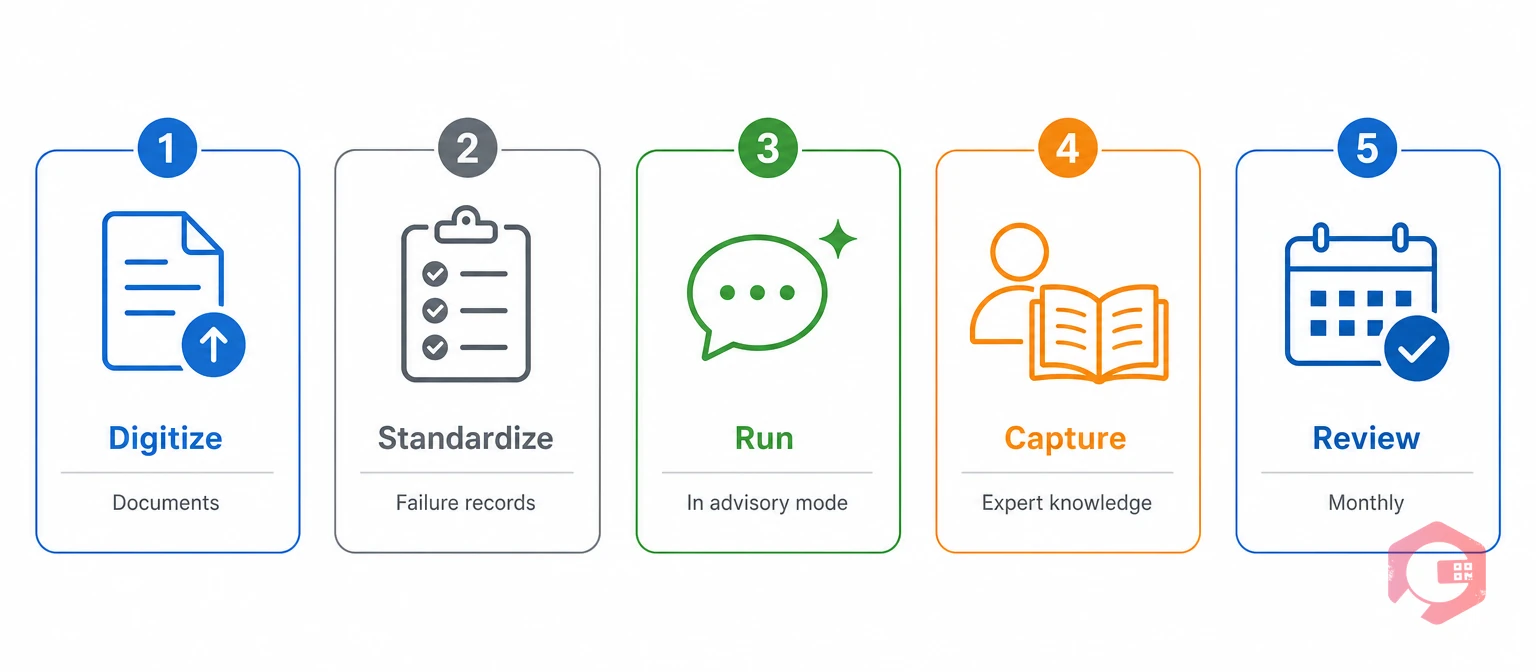
AI-powered search is only as good as the documentation behind it. Teams that get the most value tend to follow roughly the same sequence, whether they're working toward reliability-centered maintenance or just trying to get manuals off a shared drive.
Most maintenance teams don't need six months of preparation before starting. A single well-documented, frequently-searched asset category is usually enough to prove the value and build momentum for the rest of the fleet. Pick the equipment that generates the most repeat tickets. Load its manuals and past repair logs first. Let technicians use AI-powered search on that one asset type for a month, then expand from there once the team trusts the answers it gives.
Accuracy depends on the quality of the underlying documents. When manuals, SOPs, and repair logs are complete and well-organized, AI-powered search typically returns highly relevant answers. That's because it retrieves from your actual documentation, rather than generating information from scratch the way a general chatbot would.
RAG is the technique that lets an AI system pull relevant text from your own documents the moment a question is asked. It then generates an answer grounded in that specific source, instead of relying only on generic training data pulled from the open internet.
No, it doesn't. It captures and shares the knowledge senior technicians already have, so that knowledge doesn't disappear when they retire or take leave. It still doesn't replace human judgment on unusual or safety-critical calls.
Technicians can ask about anything uploaded into the knowledge base. That includes SOPs, equipment manuals, safety guidelines, diagrams, and video tutorials, using either voice or text on the Cryotos mobile app.
Teams with an existing, reasonably organized document library can often get useful answers within days of uploading content. The system also keeps improving over time, as more documents are added and more questions get asked.
AI-powered search turns hours of manual hunting into seconds of direct answers, and that speed compounds across every technician on every shift. Schedule a free demo to see how Cryotos's AI-Powered Knowledge Base can shorten your team's troubleshooting time.
Cryotos AI predicts failures, automates work orders, and simplifies maintenance—before problems slow you down.



