

An automated inventory management system uses software, barcodes, and automated workflows to track stock levels. It triggers reorders and connects spare parts data directly to maintenance and procurement teams. For maintenance-heavy operations, the right system prevents two costly outcomes at once. Stockouts stall repairs, and overstocking ties up cash in parts nobody's using. Choosing one comes down to ten features that separate a genuinely automated system from a digital spreadsheet with extra steps. Most maintenance teams already own some version of inventory software. The gap usually isn't the tool itself — it's how many of these ten capabilities that tool actually covers.
Key Takeaways
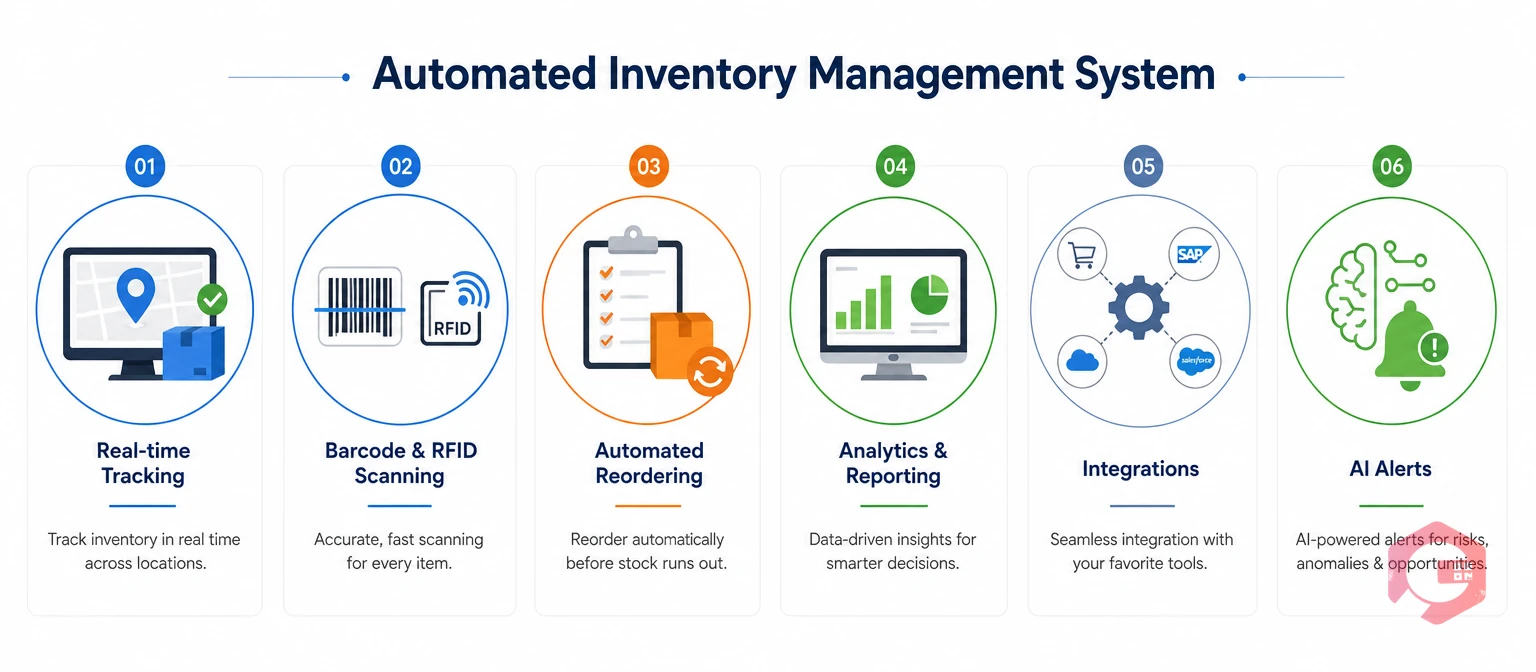
Every automated inventory management system starts with visibility. Stock counts that update overnight or once a week leave maintenance teams guessing during the hours that matter most. Real-time tracking means every issue, return, and receipt updates the system the moment it happens. A technician checking stock at 2 p.m. sees the same number a warehouse clerk sees.
Cryotos builds this into its inventory management module, syncing every issue and receipt against the maintenance work order that triggered it. This kind of continuous tracking is what separates true inventory management software from a periodic spreadsheet count.
A part that runs out mid-repair turns a two-hour job into a two-day delay. Automated reorder management removes the guesswork by watching stock levels continuously and acting before a shortage happens.
Teams that pair this with a documented MRO inventory checklist catch slow-moving and critical-spares gaps before they turn into downtime.
Finding the right part fast matters as much as having it in stock. A maintenance technician who spends twenty minutes searching a disorganized store room has already lost the time an automated system was supposed to save.
Cryotos supports this through dedicated spare parts inventory tools that map every SKU to a physical location, not just a database entry.
An automated inventory management system is only as useful as its connection to the work that actually consumes the stock. When work orders and inventory run as separate systems, someone has to manually reconcile parts usage after the fact. That's where records drift from reality.
This integration is what turns inventory data into a real maintenance cost record instead of a static count. Without it, a maintenance manager reviewing monthly spend has to cross-reference two separate systems by hand. That's a lot of extra work just to answer a basic question: which assets are actually driving parts spend this quarter?
Manual data entry is the single biggest source of inventory errors. A mistyped part number or a skipped log entry compounds over months into a stock count nobody trusts. Barcode and QR code scanning close that gap.
A technician scanning a part at the point of use logs the transaction in seconds, with no separate paperwork step required later. Facilities that switch from manual logs to scan-based transactions typically see their annual physical inventory count shrink from days to hours. The running count already matches reality.
Maintenance work doesn't happen at a desk. Inventory tools that only run on a desktop computer create a gap between when a part is used and when it's recorded. Mobile access closes that gap.
Field crews working in basements, rooftops, or remote plant areas without reliable signal still need offline capability. Otherwise mobile access becomes a feature that only works half the time. Warehouse and storeroom safety practices, as outlined by OSHA's warehousing guidance, also depend on accurate stock records. Staff need to know exactly what's stored where at all times.
Analytics is where an automated inventory management system pays for itself. Inventory analytics is the reporting layer that converts raw stock and consumption data into decisions about spending, staffing, and stocking policy. Without it, teams can see what's in stock but not whether they're spending too much to keep it there.
Cryotos users have reported measurable gains from this visibility alone. Organizations using its downtime and inventory reporting together have cut unplanned downtime by roughly 30%. Repair turnaround has sped up by around 25%, largely by catching parts and asset issues before they escalate. This kind of data-driven tracking aligns with the asset management practices described in the ISO 55001 asset management standard. The standard calls for documented, measurable control over physical assets and the parts that keep them running.
Inventory management doesn't stop at the warehouse door — procurement is half the equation. A system that tracks stock but leaves purchasing in email threads and spreadsheets still leaves a manual gap in the process.
Facilities managing recurring maintenance costs benefit from tying purchase history to the same maintenance costs data used in reporting. That keeps spend and consumption in one place. Supplier reliability also feeds directly into supply chain resilience, a topic NIST's supply chain research ties closely to inventory and procurement visibility.
A single-site automated inventory management system breaks down fast once a second facility opens. Organizations running more than one facility face a specific problem. A part sits unused in one warehouse while a technician at another site orders a duplicate. Multi-location control solves this with shared visibility.
Cryotos extends its warehouse management tools across multiple sites. A shortage at one location can then be filled from surplus at another, instead of triggering a new purchase order. For organizations running five, ten, or fifty facilities, this single change often eliminates the largest source of duplicate spend. That source is buying a part that already exists somewhere in the network.
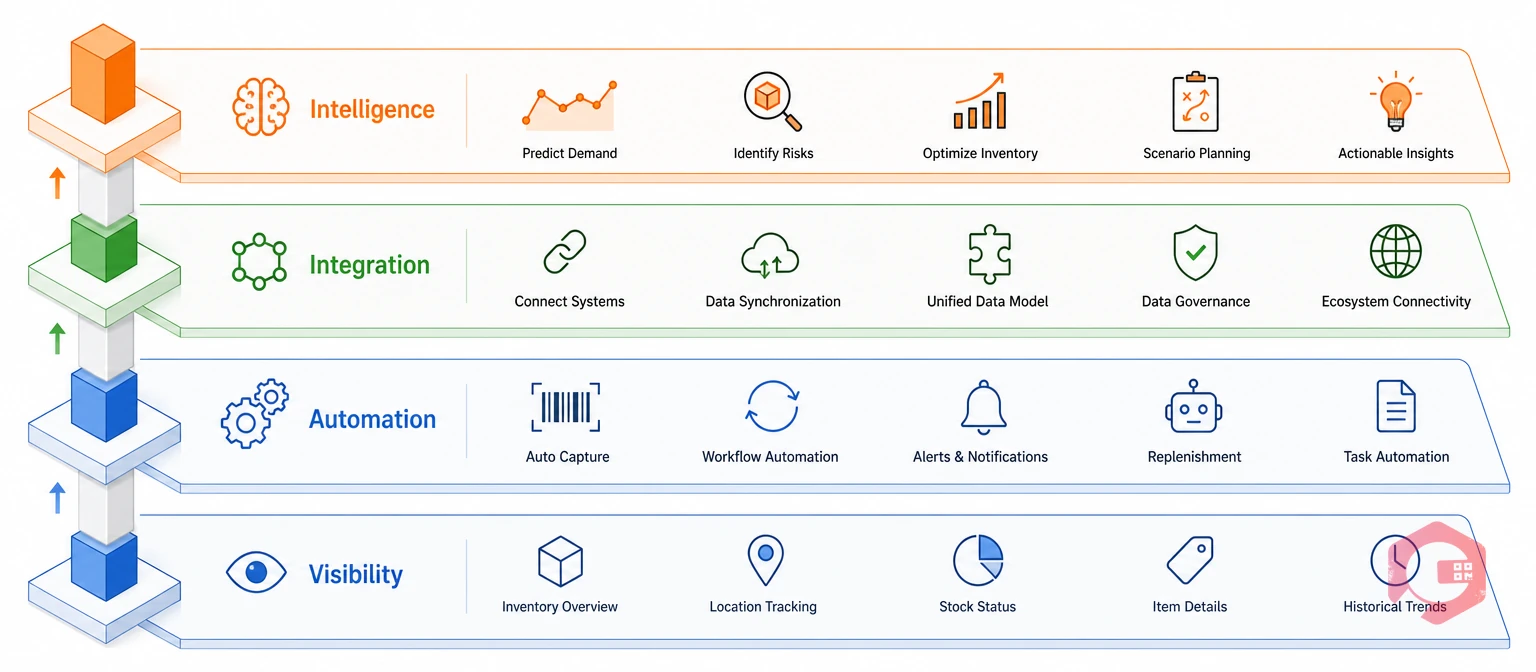
The final feature ties the previous nine together. Workflow automation is the layer that turns individual inventory features into a single self-managing process. It replaces a collection of tools a team has to operate manually.
The 4-Layer Automated Inventory Stack: a genuinely automated system stacks four layers on top of each other. Visibility covers real-time tracking and barcode scanning. Automation covers reorder triggers and approval workflows. Integration covers work order and purchasing connections. Intelligence covers analytics and AI-driven alerts. Skipping any one layer leaves a gap the other three can't cover.
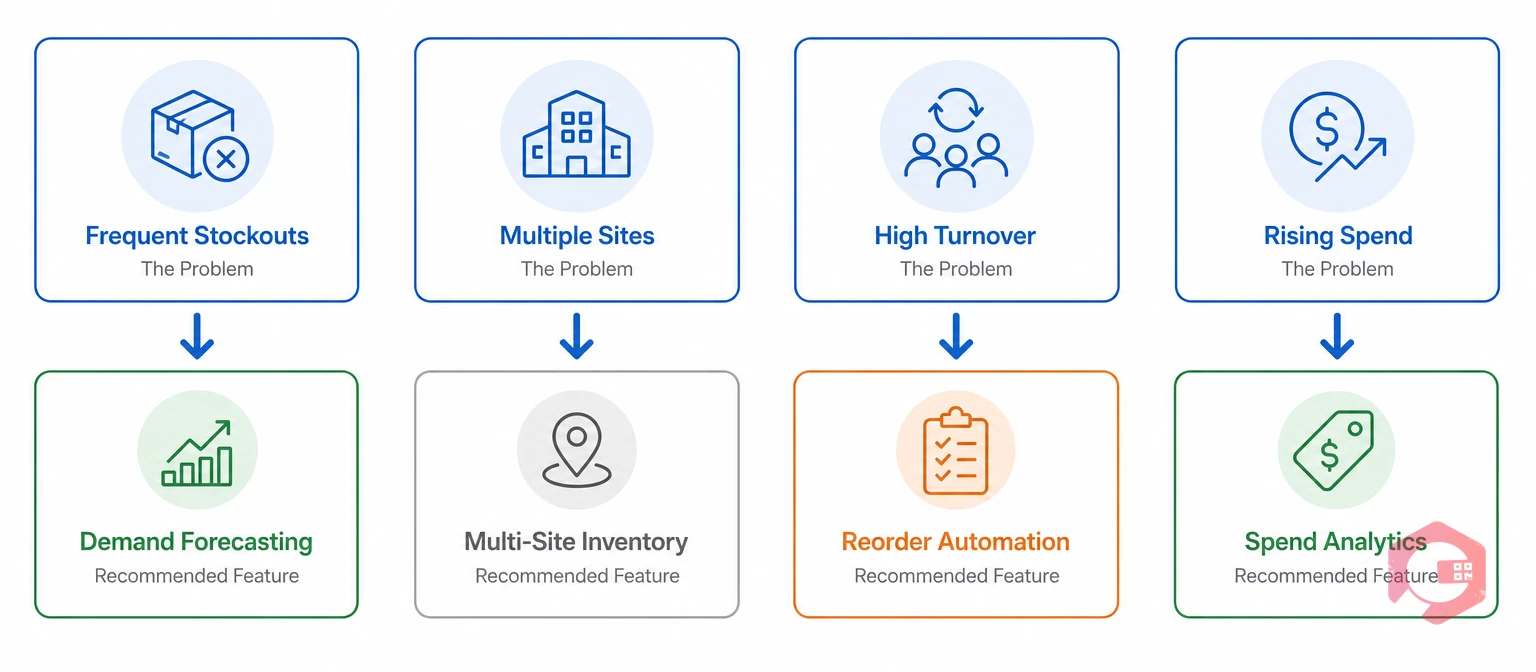
Not every facility needs all ten features of an automated inventory management system on day one. Start by mapping which features solve the problem costing you the most right now, then expand.
Teams that roll out every feature at once often stall on adoption. Rolling out visibility first, then automation, then integration and analytics, works better. It gives technicians time to trust the new system before it starts making purchasing decisions on their behalf.
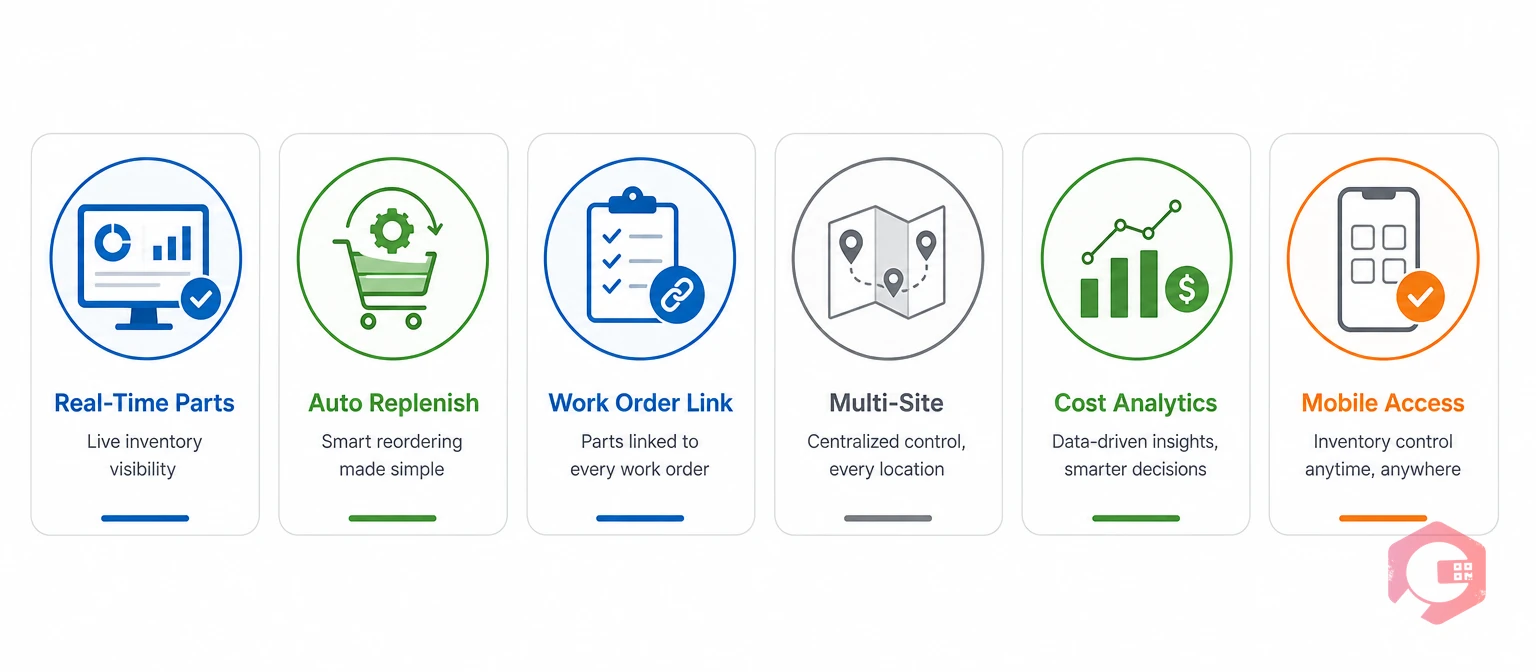
Cryotos combines a Computerized Maintenance Management System with inventory automation in a single platform. It doesn't require a separate inventory tool bolted on afterward. Teams get real-time spare parts visibility, automated replenishment, and inventory data linked directly to the work orders and purchase orders that consume it.
That single-platform approach is the difference between running ten separate features and running one connected system. A standalone inventory tool can track stock, but it can't tell you that a specific pump has consumed three seal kits in two months. Only a system that ties inventory to asset history and work order records can surface that pattern automatically.
It's software that tracks spare parts and stock levels in real time. It automatically triggers reorders, purchase requests, and alerts instead of relying on manual counts and spreadsheets. Most versions also connect directly to barcode scanners and mobile devices. Stock records update the moment a part gets used rather than after someone gets around to entering it.
It prevents emergency purchases caused by stockouts and reduces overstocking that ties up budget. It also gives teams the consumption data needed to negotiate better supplier terms. Over time, the biggest savings usually come from analytics that reveal which parts and assets are quietly driving the bulk of annual spend.
Prioritize real-time tracking, automated reorder alerts, barcode or QR code support, work order integration, and analytics. These five cover the visibility, automation, and reporting a maintenance team actually needs day to day. Multi-location control and supplier management matter most once a facility runs more than one site or manages a large vendor list.
Yes, and it should. When inventory data lives inside the same system as work orders, spare parts consumption updates automatically. This happens every time a technician closes a job, without a separate reconciliation step. That integration is also what makes cost-per-asset reporting possible, since every part issued ties back to the job that used it.
Ready to put a genuine automated inventory management system to work? Spare parts, work orders, and purchasing can run from a single platform instead of three. Talk to the Cryotos team about setting up automated inventory management for your maintenance operation.



Cryotos AI predicts failures, automates work orders, and simplifies maintenance—before problems slow you down.



