
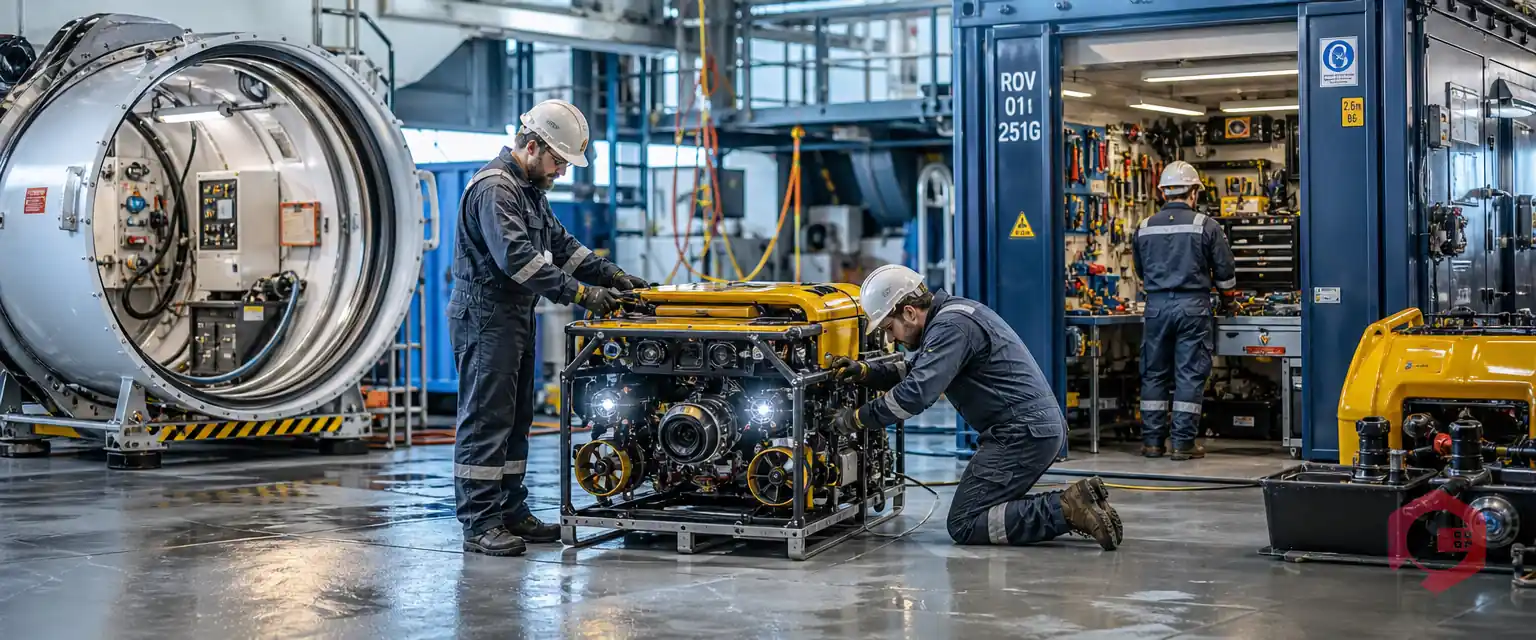
An underwater robotics company can run years of maintenance on one CMMS if the system grows with the business instead of boxing it in. One marine robotics and underwater inspection company has done exactly that since November 2019. It began with a single digital request form and now manages its robots, its workshop, its tools, and its compliance checks in one place.
This story is not about a single repair. It is about how one system stayed useful for six years, what problems it solved first, and how Cryotos kept pace as the company changed.
Key Takeaways
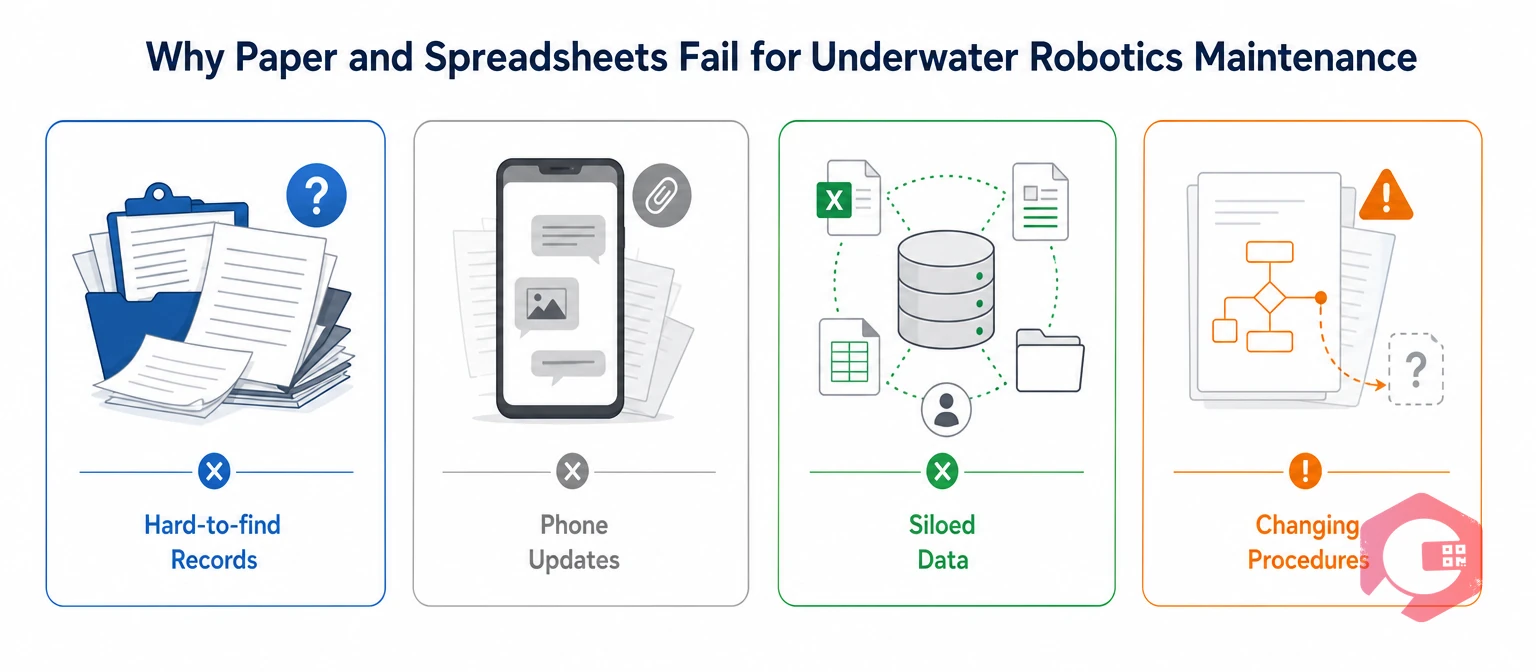
Underwater robotics companies outgrow paper because their maintenance involves many people, many asset types, and procedures that keep changing. A system that cannot keep up turns every update into a phone call.
Underwater non-destructive testing is the inspection of submerged structures for damage without harming them. Companies that offer non-destructive testing below the waterline depend on equipment that must be ready on short notice.
Before it moved to a Computerized Maintenance Management System, this company kept work orders on paper and in Excel. A CMMS stores assets, jobs, and records in one database. Four problems grew with every new asset:
Standards such as ISO 55000 ask for clear records across an asset's life. Scattered files make that hard to prove.
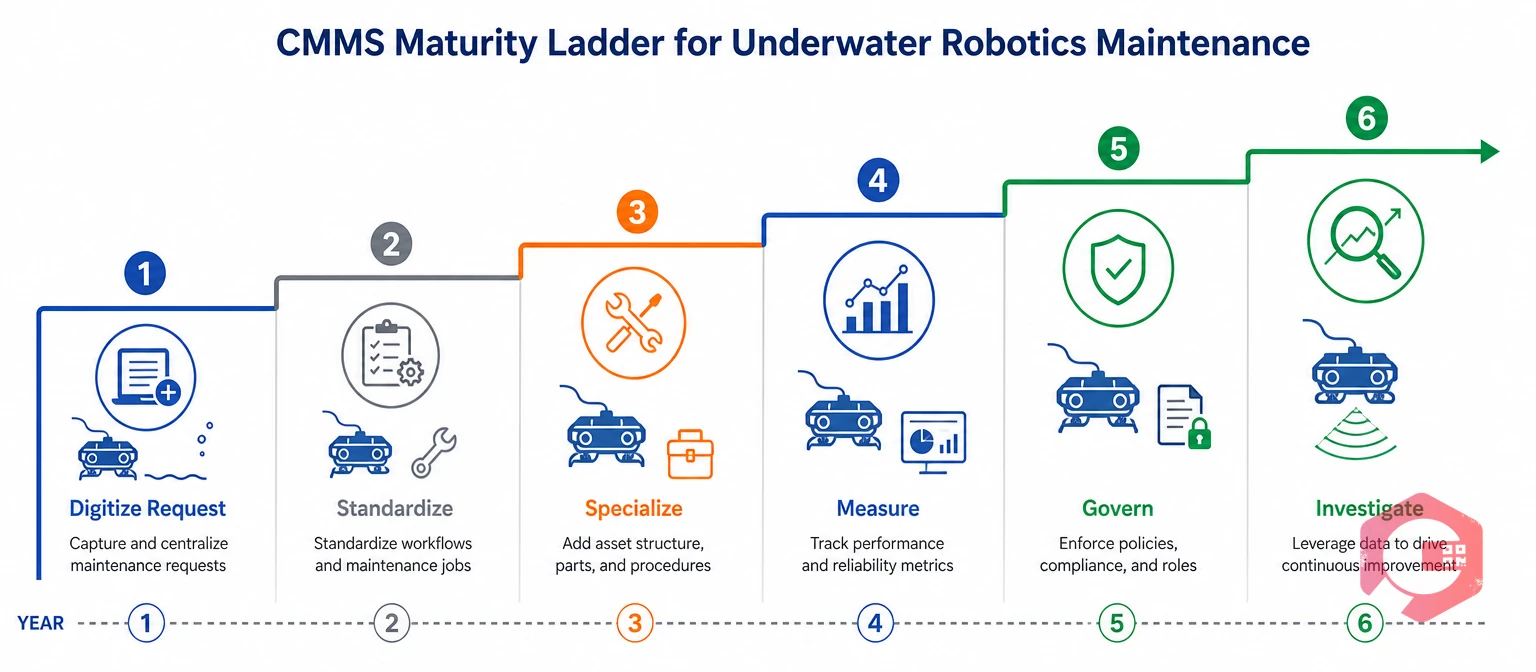
A CMMS maturity ladder is the order in which a team adds workflows as its maintenance practice grows. This underwater robotics company climbed six rungs over six years, and each one built on the last.
The Six-Year CMMS Maturity Ladder:
The order matters. Each rung worked because the one below it was already stable. Most maintenance teams that stall try to climb all six rungs in the first month.
This simple test helps teams avoid building workflows nobody uses. Each new workflow should answer a real need on the floor.
Cryotos tracks every workshop asset that keeps the robots working, not just the robots themselves. The register below shows how the company's support equipment is covered.
| Asset or Area | Cryotos Workflow | What It Records | Cryotos Capability Used |
|---|---|---|---|
| Air compressor, CNC router, 3D printer | Machine-specific PM template | Scheduled servicing for each machine | Preventive maintenance scheduling |
| Grinding and drilling machines | Machine-specific PM template | Routine checks and servicing | Custom checklists |
| Hyperbaric pressure chamber | Dedicated PM template | Condition and servicing history | Asset history |
| Jib crane and goods carrier lift | Dedicated PM templates | Lifting equipment checks | Recurring schedules |
| Generator | Operations Generator PM (2022) | Servicing plus mandatory downtime | Mandatory fields |
| Hand tools | Tool Box Report | Condition of each tool by tool ID | Tool tracking |
| Workshop environment | Environmental Compliance of Workshop (2024) | Compliance checks with time and name | Digital sign-off |
When the workshop is reliable, the robots that depend on it are too.
Want to see how your own records hold up? Use the free maintenance audit checklist to review your current process.
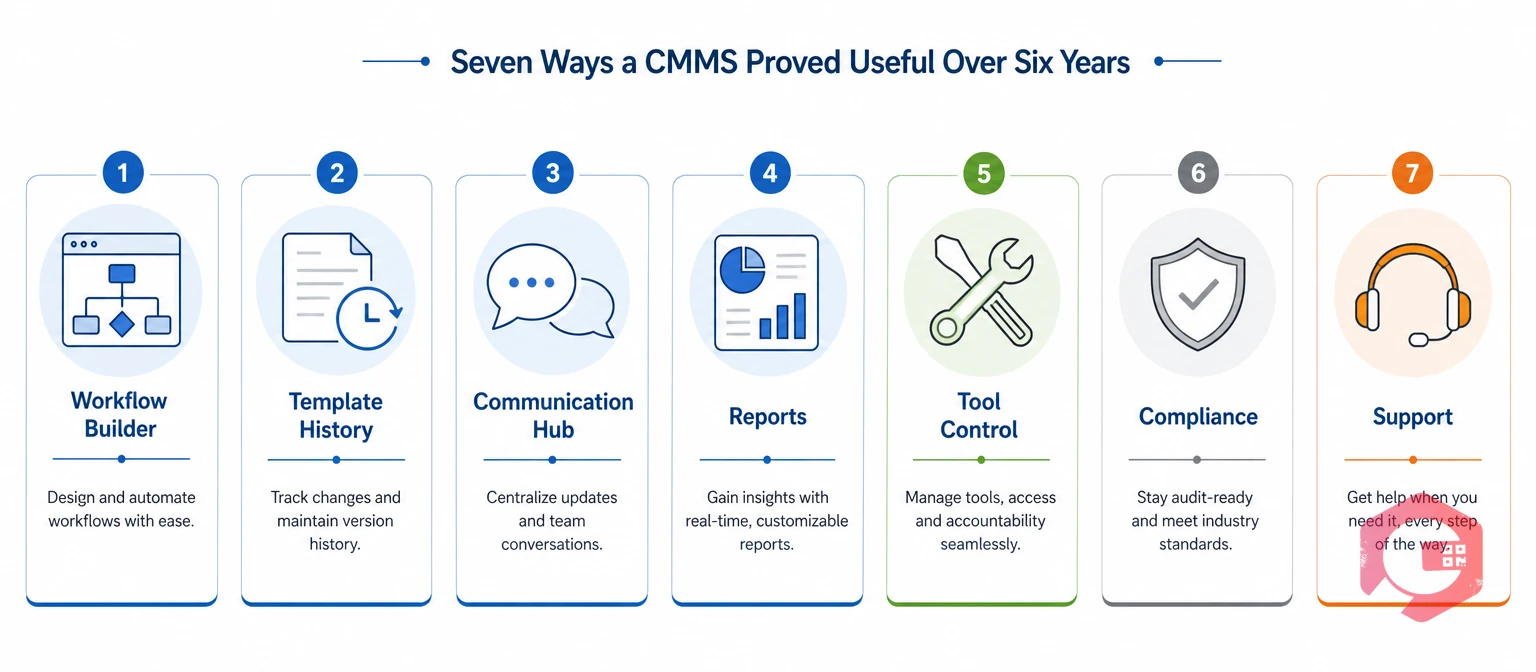
Cryotos stayed useful because it let the team change how it worked without changing systems. These seven capabilities did most of the work.
The team designs its own logic for work orders and scheduled maintenance with Cryotos workflow automation software. That is how one request form grew into workflows under six separate tags without a rebuild.
In 2024, the team revised and re-versioned several older checklists. Procedures improved, and past records stayed intact for audits and reviews.
Status updates moved out of email threads and phone calls into one shared place. Cryotos team communication keeps comments, follow-ups, and updates attached to the job they belong to.
Data from every department now sits in one system. The team builds reports for each audience with the Cryotos report builder. The Weekly Maintenance Report has gone to management since December 2019.
Every hand tool carries its own ID, and a recurring Tool Box Report checks its condition. Cryotos tool management shows which tool is where and in what state.
Environmental compliance and tools validation run as digital checklists. Each entry is timestamped and tied to the person who completed it, in line with management standards such as ISO 14001.
Software only lasts six years if the people behind it respond. The company's R&D lead said that "not once did we face a problem that was not dealt with immediately." The same lead noted that the Cryotos team puts itself in the customer's shoes and thinks from their side.
That matters in a niche field like underwater robotics. Few software vendors know what a winch, a tether, or a pressure chamber needs. A team that listens can shape the tool around the work.
The results that matter most to an underwater robotics business are the ones that last. After six years on Cryotos, this company reports steady availability and fewer serious failures.
The numbers are only part of the story. Records that once lived in folders are now a few clicks away. New staff can see how each machine was serviced last year. Managers get the same report each week without asking for it.
Long-term results come from a system the team keeps using, not one it tolerates.
The main lesson is that a CMMS should fit the way your team actually works. Operations that successfully keep one system for years tend to follow a few habits.
Teams that treat their CMMS as a living tool keep getting value from it year after year.
Yes, if it allows custom workflows. In this case, the company grew from one request form in 2019 to workflows under six tags, adding new templates and revising old ones without changing systems.
A CMMS keeps comments, follow-ups, and status changes attached to each job. Everyone involved sees the same record, so there is no need to call around for updates.
Robots depend on compressors, machine tools, lifting gear, generators, and hand tools between jobs. If that equipment fails, the fleet cannot be prepared on time, so it needs its own schedules and records.
Start with the work request, because every later workflow depends on it. Then add routine checklists and PM templates, and build specialized workflows once the basics are stable.
A system that grows with your operation is worth more than one that only fits on day one. Schedule a free demo to see how Cryotos builds custom workflows, connects your team, and keeps every asset and tool on schedule.


Cryotos AI predicts failures, automates work orders, and simplifies maintenance—before problems slow you down.



