
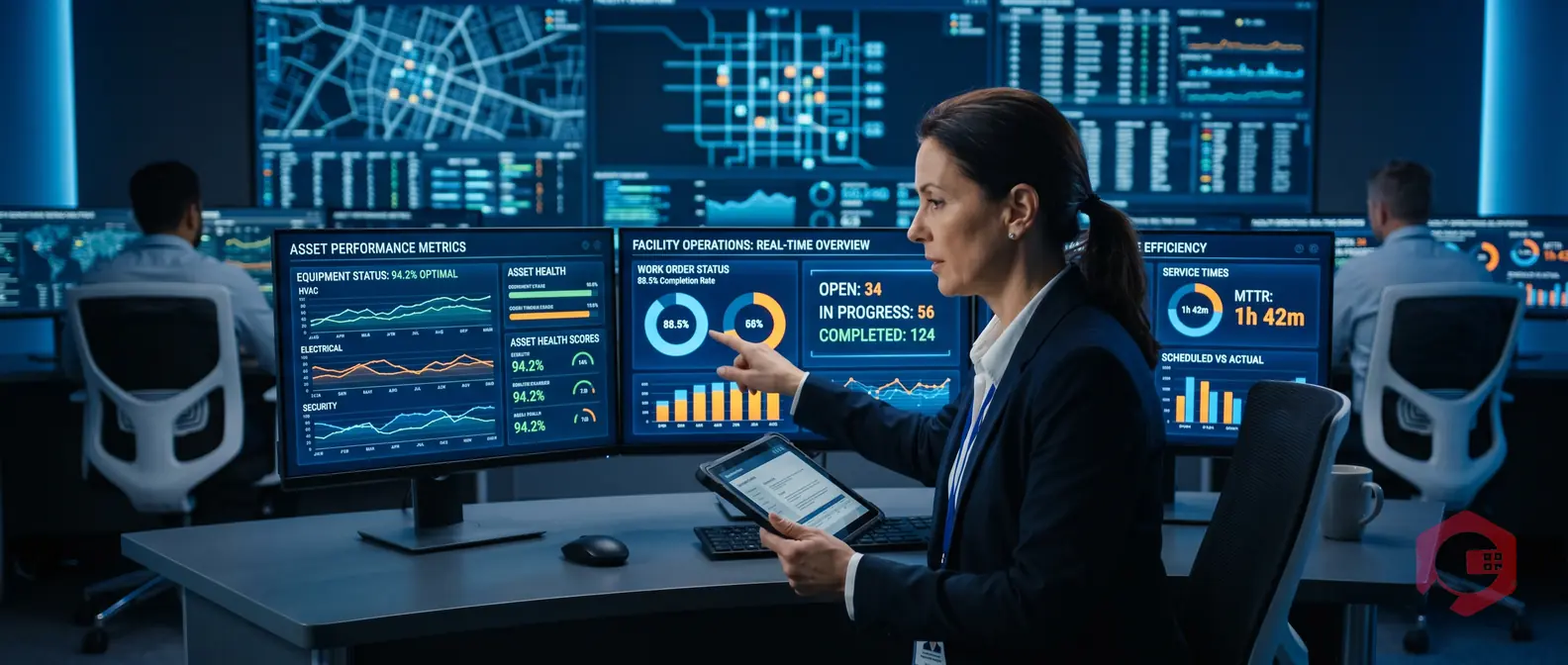
Automated reporting in Facility management is the process of using software to generate, schedule, and deliver maintenance and operations reports without manual data entry. Instead of pulling data from spreadsheets at month-end, your CMMS automatically compiles work order completions, asset health scores, energy usage, and compliance records - and sends them to the right people on a set schedule.
According to a McKinsey report on data-driven operations, organizations that automate reporting processes reduce administrative time by up to 40% and make faster maintenance decisions. For facility managers juggling dozens of assets, technicians, and regulatory deadlines, that efficiency gap is the difference between reactive firefighting and proactive operations.
In this guide, you'll learn exactly which reports to automate first, how to set them up, and what to look for in the software that runs it.
Automated reporting in facility management means your operations software collects data continuously - from work orders, asset sensors, technician logs, and inventory movements - and turns that raw data into structured reports on a schedule you define. You set the parameters once. The system does the rest.
Traditional FM reporting relied on managers manually exporting spreadsheets, copying figures from multiple systems, and formatting documents for leadership. That process was slow, error-prone, and always backward-looking. By the time the report landed, the data was stale.
The key difference isn't just speed - it's accuracy and actionability. Here's how they compare:
Facility managers are responsible for keeping operations running while controlling costs and meeting compliance requirements. Manual reporting makes all of this harder than it needs to be.
Automated FM reporting solves three core problems:
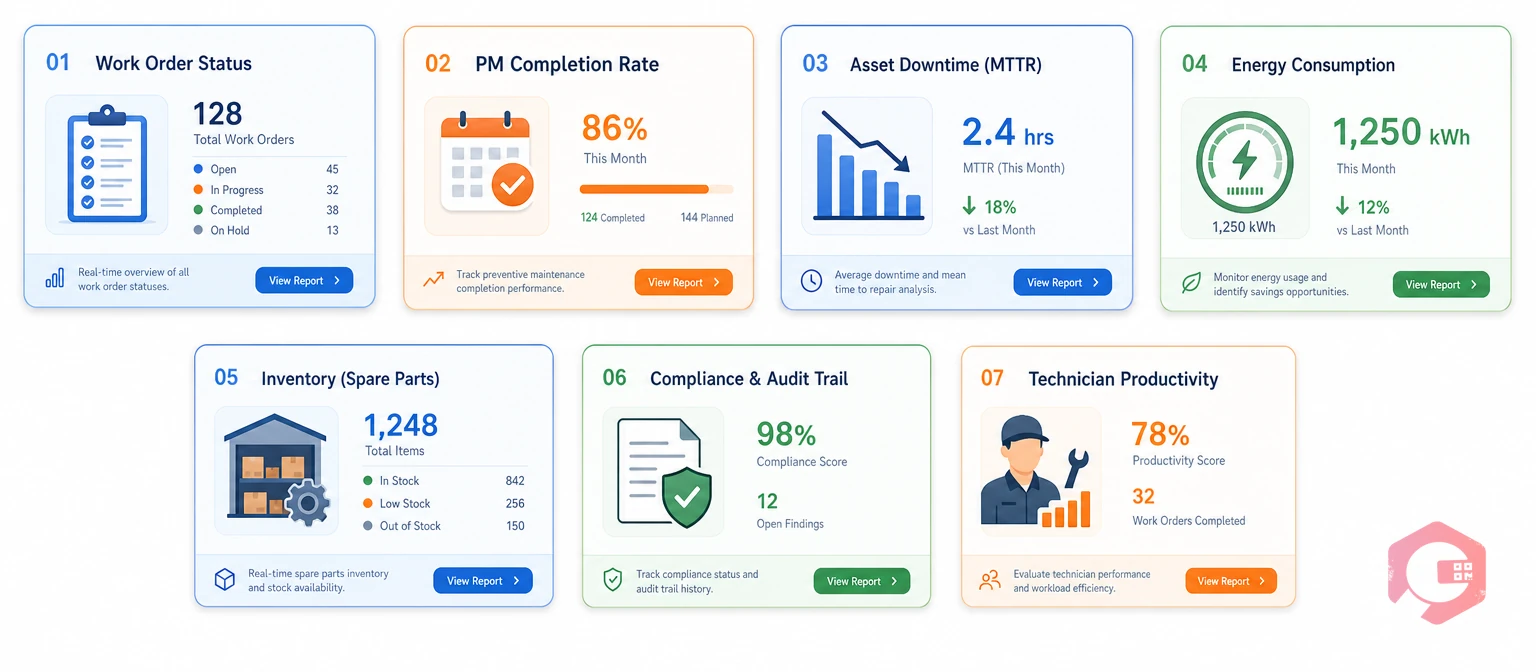
These seven reports produce the highest ROI when automated because they drive decisions that directly affect safety, cost, and uptime.
Shows every open, in-progress, and completed work order broken down by priority, technician, and asset. When automated, it eliminates the daily "what's the status?" conversation and gives supervisors a live view of team workload.
Tracks scheduled PMs completed on time vs. deferred vs. missed. According to Reliable Plant, facilities with PM completion rates above 85% see significantly lower emergency repair costs. Automated PM reports let you catch compliance drift before it becomes a breakdown.
Tracks MTTR, MTBF, and availability percentage for each asset. When your downtime tracking software generates this automatically, your team can identify chronic offenders and justify equipment replacements with hard data instead of gut feel.
Shows energy consumption trends by zone, shift, or equipment type - pulled from IoT sensors or meter integrations. The U.S. Department of Energy's FEMP program notes that facilities using automated energy monitoring reduce consumption by 10-25% on average.
Tracks parts consumption per asset and flags items nearing minimum thresholds - all without a manual stock count. Teams using automated inventory management cut emergency procurement costs by ensuring the right parts are always available.
Compiles completed safety checks, inspection sign-offs, and permit-to-work records into a formatted audit trail. This saves dozens of hours before every regulatory inspection and gives auditors exactly what they need without any last-minute scrambling.
Measures response time, work order closure rate, and jobs completed per technician. It removes subjectivity from performance conversations and helps supervisors distribute workloads fairly and identify training gaps.
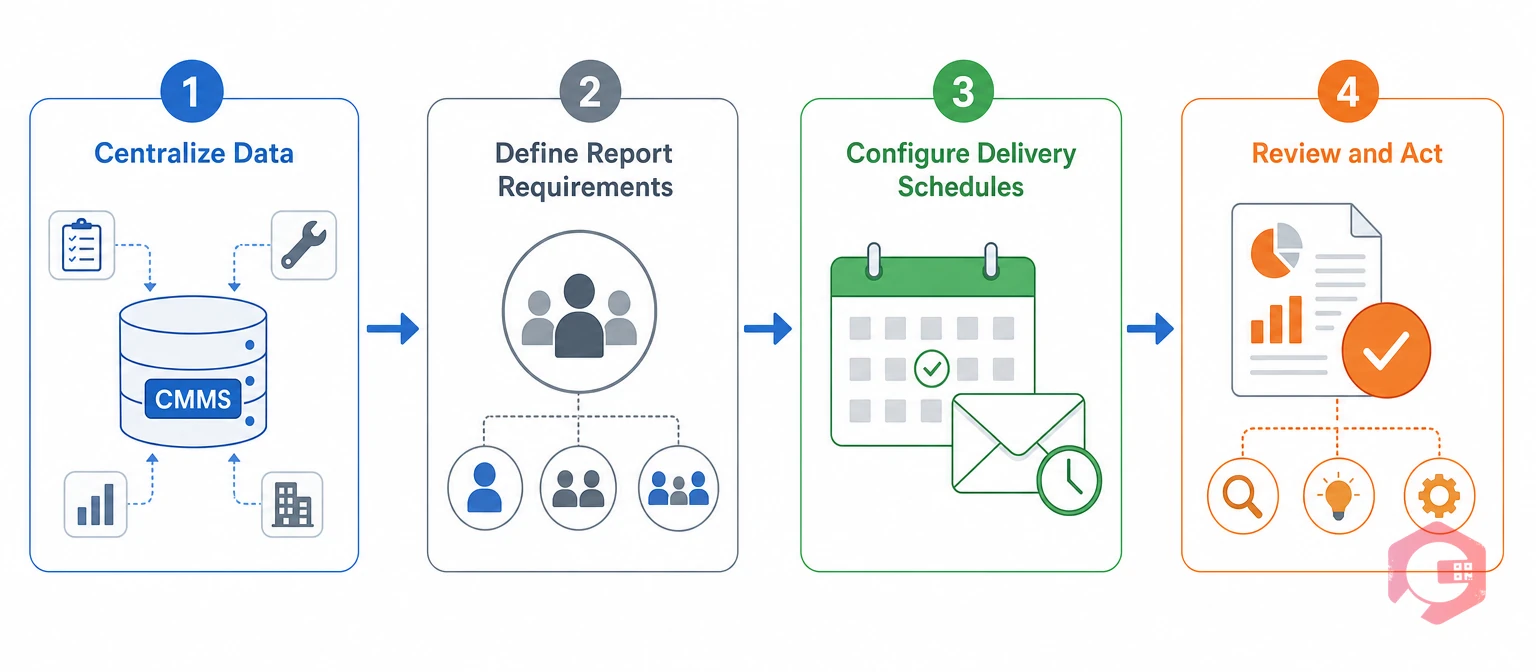
Most facilities can go from manual to automated reporting in four straightforward steps:
When evaluating FM software for reporting, prioritize these capabilities:
Cryotos CMMS is built around the principle that maintenance data should work for your team - not sit in a database waiting to be manually retrieved. Its reporting module gives facility managers the tools to turn operations data into actionable intelligence automatically.
The Report Builder includes 50+ predefined templates covering work orders, PM completion, downtime, inventory, and technician performance - plus fully custom report creation. Reports can be scheduled for daily or weekly email delivery so stakeholders always have current data without anyone pulling it manually. The BI dashboard tracks OEE, asset availability, and maintenance KPIs in real time with drill-down from org level to individual asset.
Cryotos also integrates IoT sensor data from SCADA, PLC, and edge devices - meaning your asset performance reports reflect live operational data, not just technician logs. For regulated industries, every work order, inspection sign-off, and permit-to-work is automatically captured and reportable for audit purposes. Facilities using Cryotos have reported a 30% reduction in unplanned downtime and 25% faster repair times - progress that shows up directly in your automated performance reports as measurable results.
Automated reporting in facility management is the use of CMMS or FM software to automatically generate, schedule, and deliver operational reports - covering work orders, asset performance, maintenance KPIs, compliance records, and inventory data - without manual data entry or human compilation.
Start with work order status (daily), PM completion rate (weekly), and asset downtime/MTTR (weekly). These three give you full visibility into operational health and are the most frequently requested by both operations teams and leadership.
Yes - automated compliance reports compile completed inspections, safety checks, and permit-to-work records into a structured audit trail. When auditors arrive, you have everything documented and accessible in seconds rather than spending days pulling records manually.
A CMMS continuously logs every work order, PM task, asset event, and technician action. The reporting engine pulls from this live database and generates formatted reports on a schedule you define - daily email summaries, weekly performance dashboards, or on-demand PDF exports with no manual step required.
Automated reporting in facility management is the operational baseline any team managing multiple assets, technicians, and compliance obligations needs to function effectively. The seven reports covered here give you a clear starting point - and the right CMMS makes all of them run without anyone lifting a finger.
Ready to see what automated reporting looks like in practice? Explore Cryotos CMMS and discover how your facility can move from reactive spreadsheets to real-time operational intelligence.


Cryotos AI predicts failures, automates work orders, and simplifies maintenance—before problems slow you down.



