

Tracking maintenance in Excel costs more than most teams realise. Every spreadsheet-managed maintenance program carries hidden expenses in the form of human error, missed inspections, compliance gaps, and hours of manual work that never show up on a line item. A CMMS (Computerized Maintenance Management System) eliminates these costs by replacing fragmented spreadsheets with a single, automated platform.
The three most significant hidden costs of Excel-based maintenance tracking are: unplanned downtime from missed PM schedules with no automatic alerts; compliance exposure from incomplete audit trails; and technician productivity loss from 30–40% of time spent on administrative overhead instead of repair work.
The appeal is obvious. Excel is already installed, the team knows how to use it, and setting up a basic maintenance log takes an afternoon. The problem is that maintenance operations don't stay simple. According to a Plant Engineering study, unplanned failures cost industrial manufacturers an estimated $50 billion per year — and the majority are preventable with structured preventive maintenance. The spreadsheet doesn't prevent them. It just records them after the fact.

A spreadsheet has no integrity controls. Anyone with access can overwrite a row, delete a column, or save a local copy that instantly becomes out of sync. In maintenance, this means work orders get duplicated, assets get overlooked, and PM schedules drift without anyone noticing.
Excel is passive. It stores information but does nothing with it. There are no automated alerts when a PM schedule is overdue, no push notification when a critical asset hasn't been inspected. Keeping the maintenance schedule on track falls entirely on the maintenance manager's memory and manual review — not a sustainable model.
A spreadsheet cannot answer: is this machine costing more to repair than it's worth? Is this failure mode recurring? There's no MTBF calculation, no maintenance cost trend, no drill-down from facility level to asset level. McKinsey's analysis shows top-quartile reliability organisations spend 20–30% less on maintenance per unit of output — and that advantage comes from data-driven decision-making spreadsheets cannot support.
In regulated industries, maintenance records are legal documents. A spreadsheet cannot provide the tamper-evident chain of custody that OSHA's control of hazardous energy standard (29 CFR 1910.147) requires. Rows can be edited without timestamp. Files can be lost or corrupted.
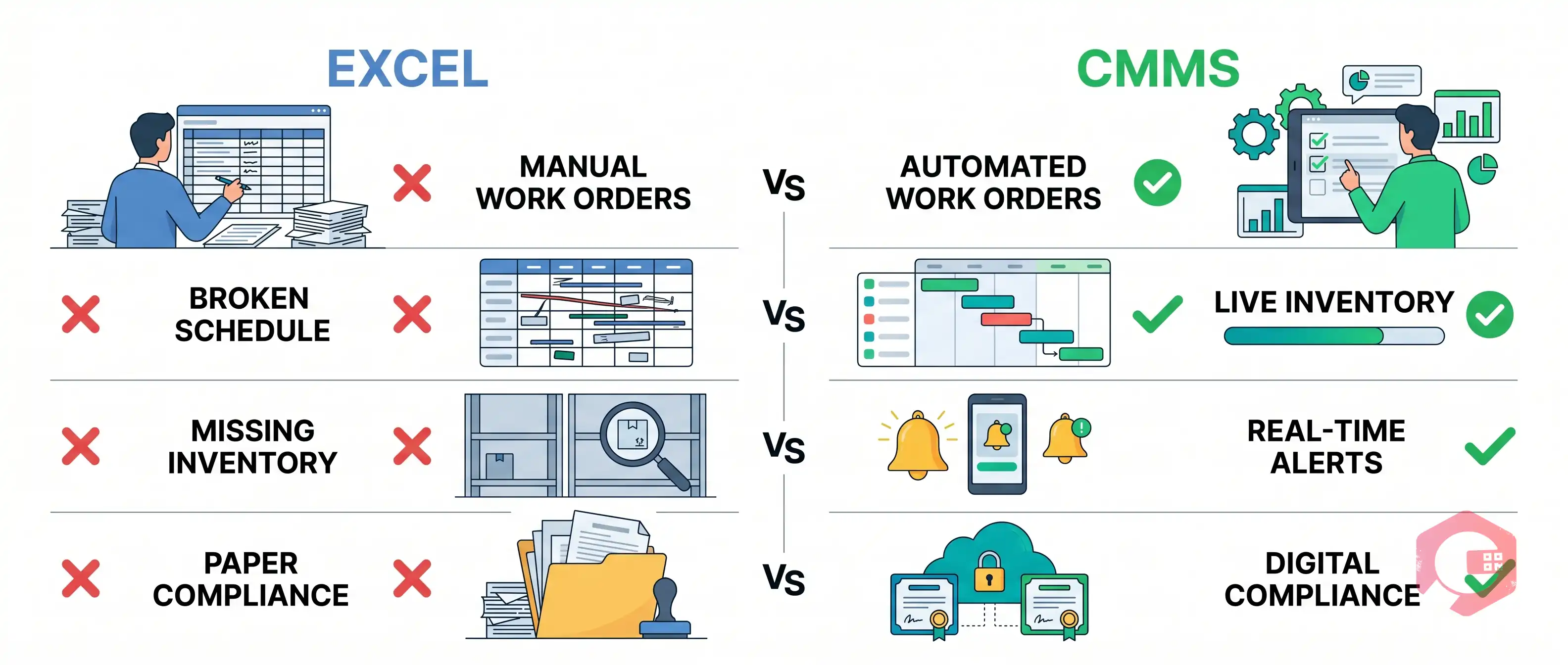
A CMMS isn't a more complex spreadsheet. It's an active, automated system that converts maintenance data into action.

Existing PM schedules and asset lists can be imported directly from Excel. Cryotos is built for fast, practical adoption — most teams are live within weeks. Teams using Cryotos report a 30% reduction in unplanned downtime and 25% faster repair times within the first six months. Cryotos also integrates with SAP and Microsoft Dynamics 365, eliminating the data silos that make Excel-based maintenance so costly to reconcile.
If your maintenance team is still running on spreadsheets, the gap between where you are and where a CMMS puts you isn't a feature list — it's operational control. Explore Cryotos and see how maintenance teams are replacing Excel with a system that actively works to prevent failures, not just record them.
Excel can work for very small operations with fewer than 10 assets and a single maintenance technician. Once the operation grows — more assets, more technicians, compliance requirements, or multi-shift environments — spreadsheets introduce too many failure points.
The real cost shows up in three places: unplanned downtime, compliance penalties when audit trails are incomplete, and the productivity loss from technicians spending 30–40% of their shift on paperwork instead of repair work. The ROI on CMMS implementation is typically positive within 6–12 months.
Most Cryotos customers are running live maintenance operations within a few weeks of implementation. Asset data and PM schedules can be imported directly from existing Excel files.
No. A CMMS amplifies technician expertise by giving them the right information at the right time — asset history, maintenance procedures, parts availability, safety checklists — exactly when they're standing in front of the equipment.




Cryotos AI predicts failures, automates work orders, and simplifies maintenance—before problems slow you down.



