

Spare parts management software is the inventory and procurement layer of a CMMS. It tracks stock levels, triggers reorders, and ties every part to the work order that used it. When this layer is missing, maintenance teams buy parts after a breakdown instead of before one. They pay rush prices for the delay. This guide breaks down why that gap forms and maps each fix to a specific Cryotos CMMS module.
Key Takeaways
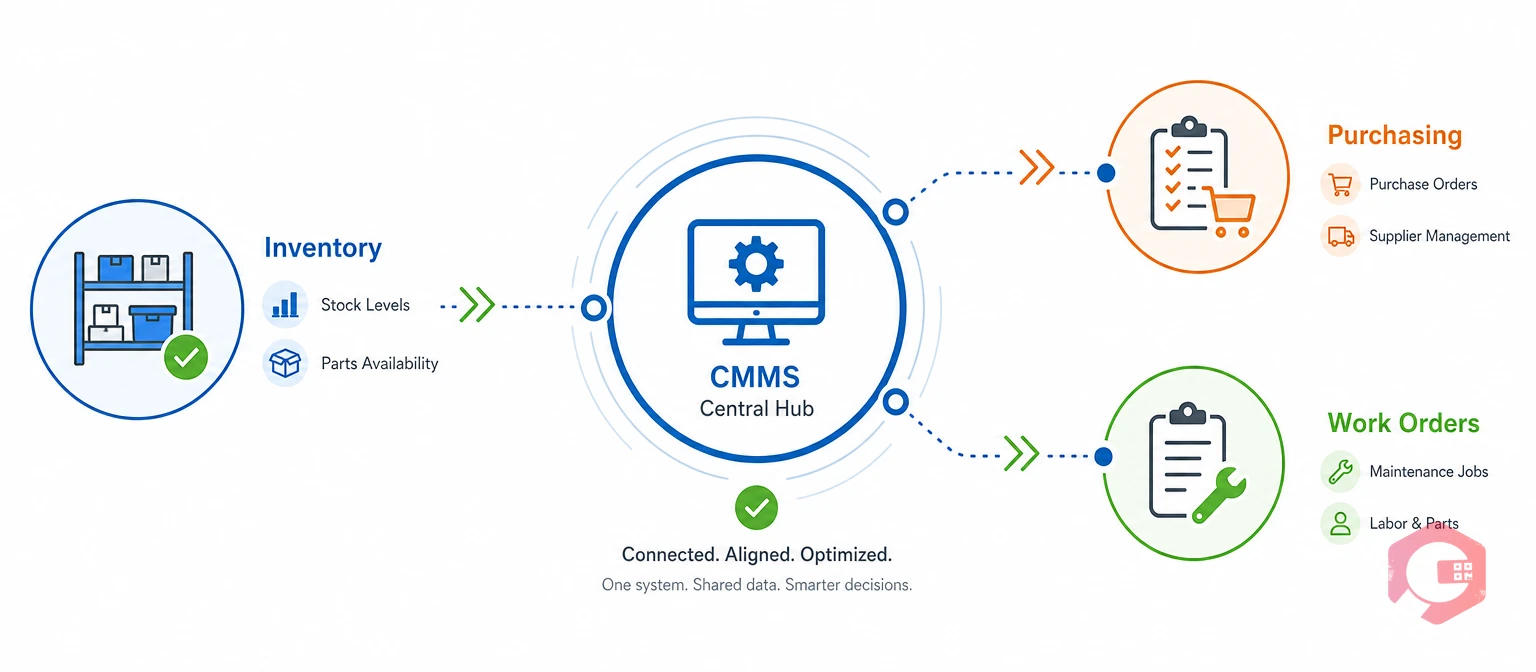
Spare parts procurement is the process of forecasting, purchasing, receiving, and stocking the parts a maintenance team needs. Spare parts management software is the system that connects that process to real usage data, instead of leaving it to a storeroom clerk's memory or a static spreadsheet.
Without it, procurement runs on assumptions. A part gets reordered because someone remembers running low last quarter. It doesn't get reordered because current stock actually crossed a safe threshold. This is the same gap that maintenance, repair and operations (MRO) programs have faced for decades. The physical parts and the data about those parts live in two different places.
Most facilities with recurring stockouts share one root cause. Nobody owns the link between "a part is running low" and "a purchase order has been raised." That's the specific job spare parts management software is built to do. It also gives smaller plants, which often run procurement out of a single spreadsheet, a clear starting point for cleaning up their parts data before they scale.
Procurement breaks down in predictable ways once a facility grows past a few hundred SKUs. Reactive buying is the most expensive failure mode. A part gets ordered only after a breakdown, at rush freight rates instead of a planned rate.
See how an MTTR calculator can show how much of your repair time is lost waiting on parts, rather than doing the repair itself.
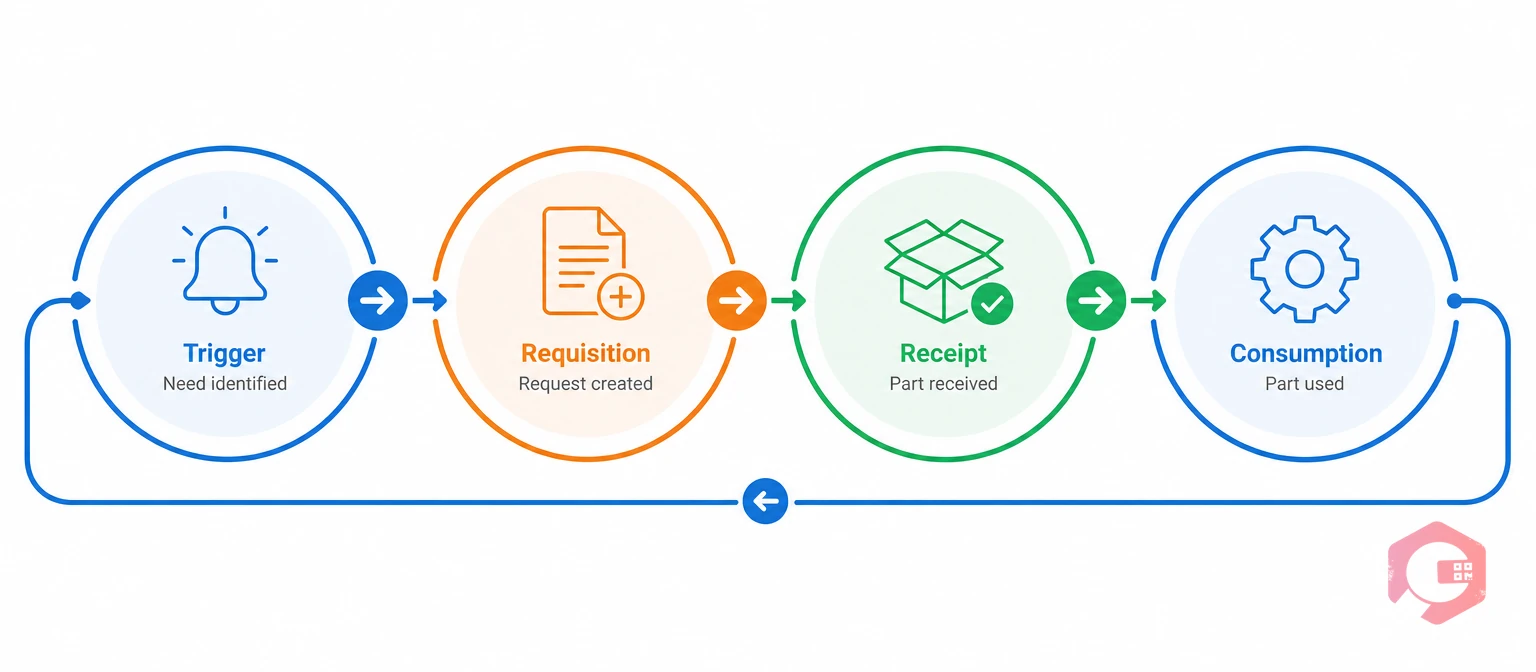
The Procure-to-Part Loop is the four-stage cycle that keeps spare parts procurement continuous instead of reactive. Each stage flows directly into the next inside one shared system. Nothing gets re-entered, and nothing falls through a gap.
A facility that can name which stage of this loop is breaking down knows exactly which module to fix. The next section maps that out directly.
Most procurement failures trace back to just one broken stage, not all four at once. A plant with plenty of stock but slow approvals has a Requisition problem, not a Trigger problem. Diagnosing the right stage first saves months of fixing the wrong thing, and it keeps a rollout focused on the one change that will actually move the needle for that facility.
Each procurement failure mode traces back to a specific, fixable gap in the system. The matrix below lines up the challenge, the Cryotos module built to close it, and the practical outcome.
| Procurement Challenge | Cryotos Module | Practical Outcome | Procure-to-Part Stage |
|---|---|---|---|
| No visibility into current stock | Inventory Management | Real-time QR/barcode stock counts per bin | Trigger |
| Reactive, not planned, buying | Preventive Maintenance | PM schedules project parts demand in advance | Trigger |
| Manual rate comparison | Schedule of Rates | Standing vendor rate cards speed approval | Requisition |
| Double entry with finance | ERP Integration | POs and stock sync with SAP/Dynamics 365 | Requisition |
| Parts scattered with no structure | Warehouse Management | Mapped bins speed put-away and picking | Receipt |
| Consumption not tied to the job | Work Order Management | Parts issued directly against the work order | Consumption |
Every row above points to a live gap in the loop. Closing all six turns spare parts procurement from a reactive scramble into a repeatable process.
Picture a pump seal replacement flagged by a PM schedule three weeks out. Inventory Management checks the current seal count against its reorder point. If stock is short, a WhatsApp alert reaches the storeroom owner right away.
A purchase requisition is raised against the standing Schedule of Rates for the preferred vendor. It then syncs to SAP or Microsoft Dynamics 365 for financial approval, with no re-keying and no separate spreadsheet.
The part is scanned into a mapped bin in Warehouse Management. It's then issued against the actual work order when the technician performs the PM. That transaction rolls straight into BI Dashboard spend and turnover analytics for the next planning cycle.
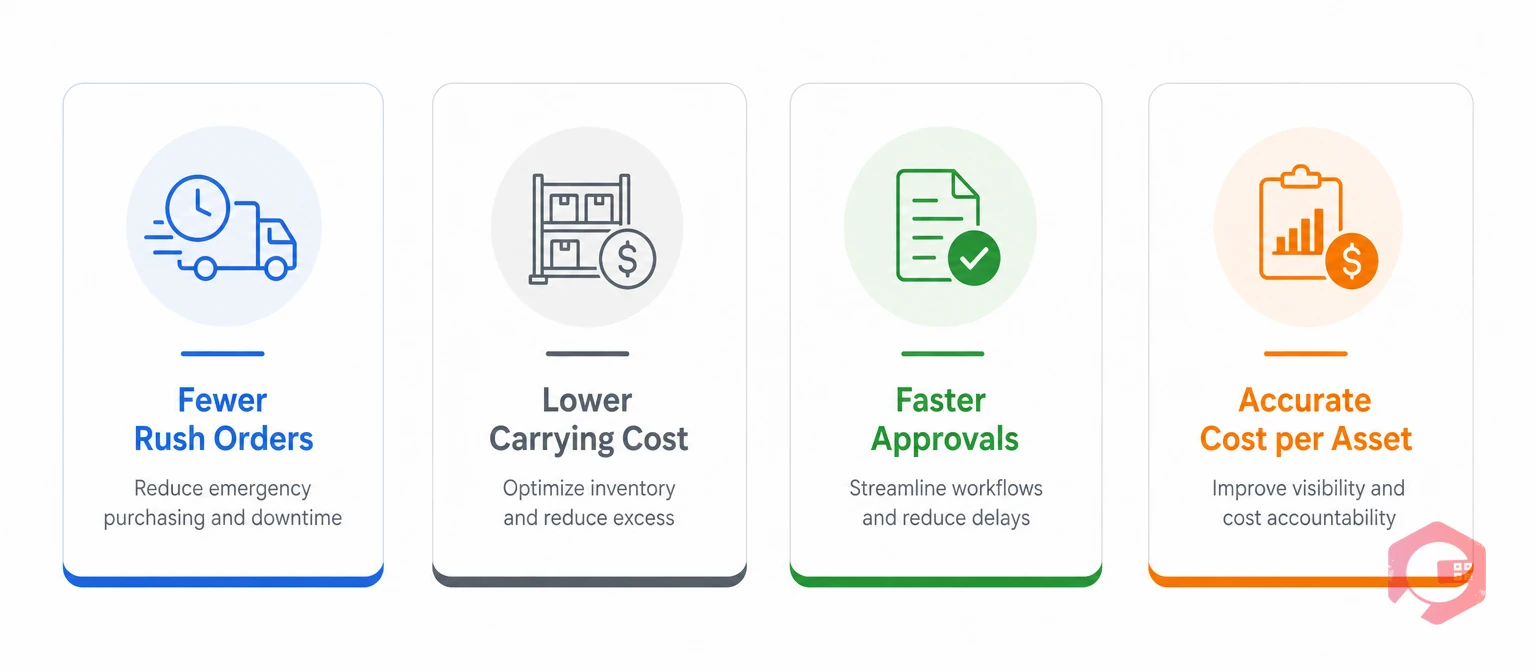
The commercial case shows up in fewer emergency purchases, lower carrying cost on slow-moving stock, and cleaner cost attribution per asset. Maintenance teams using Cryotos have reported up to a 30% reduction in unplanned downtime and 25% faster repair turnaround where real-time parts visibility replaced manual tracking.
Most facilities that track this data find that missing parts, not missing labor, are the more common cause of extended repair time. That's a pattern inventory management data makes visible for the first time. Once that pattern is visible, it's much easier to justify the budget for fixing it, because the cost of doing nothing is finally on paper instead of buried in anecdotes from the shop floor.
Getting the technology right only pays off if the underlying process is disciplined. These practices consistently separate facilities that eliminate stockouts from those that keep firefighting them.
Teams starting from scratch can use this MRO inventory checklist to build the parts master before setting any reorder thresholds.
None of these practices require a full system overhaul on day one. Most facilities start with their ten highest-cost parts, get the reorder logic right for those, then expand the list. Small, proven wins build the case for rolling the same disciplined process out across the rest of the plant.
Spare parts management software is the inventory and procurement layer inside a CMMS. It focuses on stock levels, reorder points, and purchasing. A CMMS covers the broader scope of work orders, PM schedules, and asset tracking, with spare parts management as one connected module.
It sets minimum stock thresholds based on real usage data. An alert fires and a purchase requisition goes out before a part actually runs out. This replaces the reactive pattern of discovering a shortage only when a technician needs the part.
Yes. Cryotos syncs purchase requisitions, purchase orders, and stock movements directly with SAP and Microsoft Dynamics 365. Procurement data flows between the maintenance floor and the finance ledger without manual re-entry.
A reorder point should reflect expected usage during the vendor's lead time, plus a safety buffer for demand variability. It should never be a flat number copied across every part. Parts tied to critical equipment or long lead times generally need a bigger buffer than fast-moving, easily sourced items.
Most facilities see fewer stockouts within the first one to two reorder cycles, once thresholds are set from real usage data. The bigger gains in cost visibility and vendor negotiation typically show up after two to three months, once enough consumption history has built up in the system.
Spare parts procurement stops being a source of downtime and wasted spend once inventory, purchasing, and work orders share one system. Schedule a free demo to see how Cryotos closes the Procure-to-Part Loop for your maintenance team.



Cryotos AI predicts failures, automates work orders, and simplifies maintenance—before problems slow you down.



