
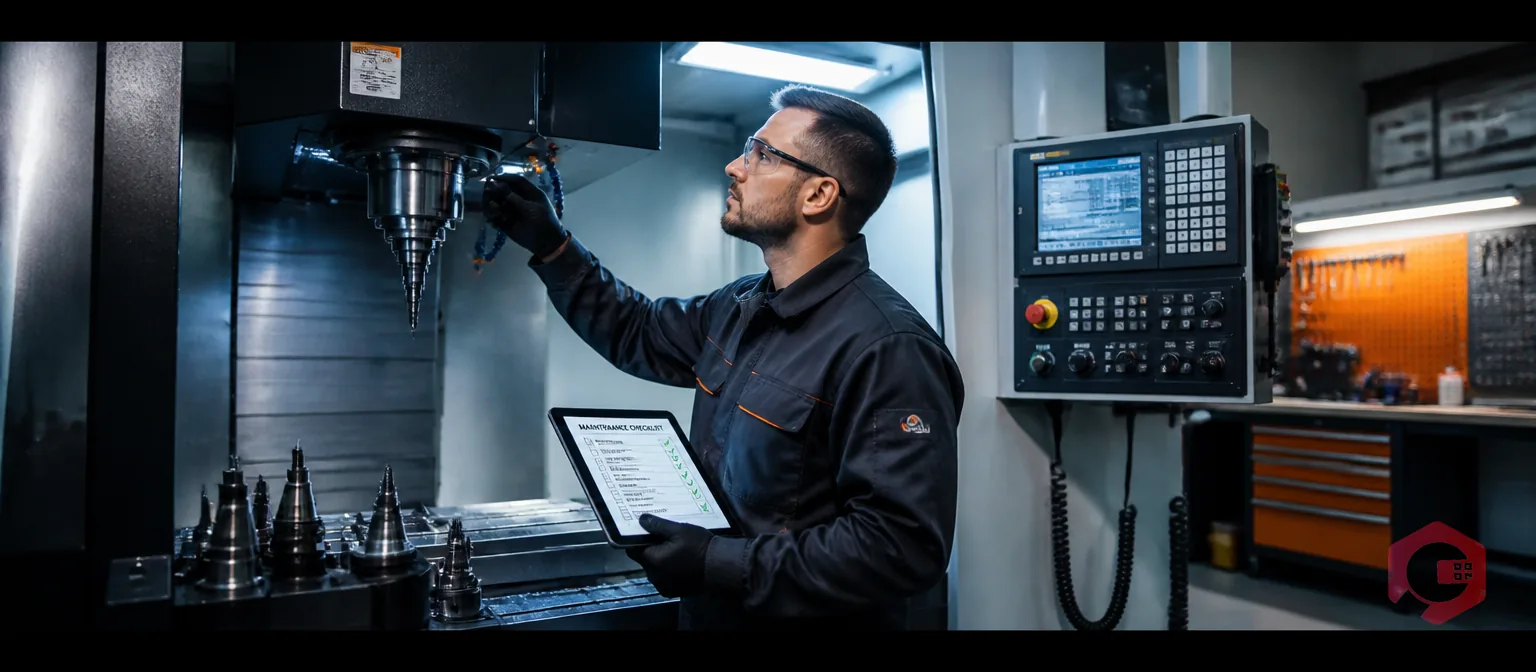
CNC machine maintenance is the systematic process of inspecting, cleaning, lubricating, and servicing Computer Numerical Control (CNC) equipment to keep it running at peak accuracy and reliability. Without a structured maintenance routine, even the most advanced CNC machine can drift out of tolerance, break down mid-job, or require costly emergency repairs.
According to a study by IndustryWeek, unplanned equipment downtime costs manufacturers an average of $250,000 per hour. For CNC-dependent shops, that number hits hard. The good news is that most CNC failures are preventable — if you follow the right maintenance steps consistently.
This guide covers everything you need to know: daily tasks, weekly checks, monthly services, and the long-term practices that protect your investment and keep parts hitting spec every time.

A CNC machine is a precision instrument. Tolerances are measured in microns, spindles rotate at thousands of RPMs, and servo systems respond to commands in milliseconds. Any buildup of chips, lubricant degradation, or mechanical wear can cascade into quality problems, scrapped parts, or a complete breakdown.
Regular CNC maintenance delivers three concrete outcomes:
Shops that implement structured preventive maintenance software report measurably fewer unplanned stops and longer tool life. If you want your CNC investment to pay off for years, maintenance is non-negotiable.
Daily checks take 15–30 minutes at the start or end of every shift. These quick checks catch the issues that turn small problems into big ones overnight.
Chips and coolant mist are the enemies of precision. Before doing anything else each day, clean the work envelope, chip conveyors, and coolant trays. Use an approved chip brush and air nozzle — never use compressed air directly on the spindle area or ball screws, as this can force debris into seals.
Most modern CNC machines use auto-lube systems that distribute oil to guideways and ball screws at set intervals. Don't assume the system is working — verify it daily.
Walk around the machine before you power up. Look for anything that wasn't there yesterday: leaks under the machine, damaged cables, cracked hose fittings, loose covers, or unusual wear marks. A 60-second visual often prevents a 6-hour repair.
Weekly tasks go deeper than daily checks and address items that don't need daily attention but can't wait a full month.
Coolant degrades over time. Bacterial growth, tramp oil accumulation, and pH drift all shorten coolant life and damage machine surfaces. Each week:
Coolant filters, air filters, and spindle air purge filters protect sensitive internals from contamination. Check each filter weekly and replace according to the manufacturer's schedule — or sooner if the machine runs in a dirty environment.
Way covers protect ball screws and linear guides from chips and coolant splash. Inspect every accordion-style cover for tears, cracks, or sections that bunch up instead of collapsing smoothly. A torn way cover allows chips directly onto the ball screw — causing premature wear that can mean a $3,000–$10,000 replacement.
Move each axis through its full travel by hand (with machine powered on and servos enabled) or using a test program. Listen for unusual noises — grinding, clicking, or irregular sounds during motion indicate bearing issues or ball screw wear. Document anything that sounds different from normal and escalate if it worsens.
Monthly maintenance is more involved. Plan a window of 2–4 hours — or schedule it during a planned downtime period tracked through your downtime tracking system so you have a clear record.
The spindle is the heart of a CNC machining center. Monthly, check spindle runout using a precision test bar and dial indicator. Acceptable runout varies by machine spec, but most high-quality machining centers should hold less than 0.002mm (0.0001") total indicated runout. If runout is increasing over time, a spindle bearing may be degrading.
Also check the tool retention force. Use a pull-stud force tester if available — inadequate clamping force lets tools slip under cutting loads, causing poor surface finish and dangerous tool ejection.
Ball screws are precision components. Monthly, inspect the protective covers and verify the screw is receiving adequate lubrication. If your machine has a lost-motion or backlash compensation parameter, check whether it has changed from its baseline — an increasing value indicates ball screw wear. Reference your machine's compensation parameters and log them monthly.
Open the electrical cabinet and check for:
CNC machines need to sit level on their mounts to hold geometric accuracy. Monthly, check machine level with a precision machinist's level at multiple points on the table. If your facility has a raised floor, forklifts, or nearby presses, floor vibration can shift machine mounts over time. Re-level as needed and tighten anchor bolts to the specified torque.
Annual maintenance goes beyond routine checks and addresses the deep inspection and calibration work that keeps a CNC machine accurate for its full service life. According to ISO 230-2, machine tool accuracy should be formally verified at least once per year.
Once a year, perform a full geometric calibration using a laser tracker, ballbar system, or precision test artifacts. This verifies:
Any errors found during calibration should be corrected through the machine's compensation parameters or by mechanical adjustment. Log all results in your maintenance records — this data tells a story about whether the machine is holding up or slowly degrading.
Once a year, completely drain, clean, and refill the coolant system. Bacterial colonies can build up in tank corners and baffles that weekly skimming doesn't reach. Use an approved biocide tank cleaner, flush all lines, and refill with fresh coolant at the correct concentration. This prevents the "Monday morning smell" caused by anaerobic bacteria growing over weekends.
If your CNC machine uses hydraulics (common in turning centers for chuck actuation), service the hydraulic fluid and replace filters annually. Check hydraulic pressure at clamping circuits and compare against the manufacturer's spec. Low clamping pressure is a workpiece safety hazard.
Back up all CNC control parameters, including axis compensation tables, tool offsets, and macro programs, at least once per year — or after any parameter change. A control failure without a recent backup can mean days of re-commissioning work. Some modern controls allow automatic parameter backup to a network location; use this feature if your machine supports it.

The single biggest failure in CNC maintenance programs isn't technical knowledge — it's consistency. When maintenance is done from memory, tasks get skipped. When responsibility isn't clear, no one does it.
The solution is a written maintenance checklist assigned to a specific person at a specific frequency. A well-structured schedule includes:
Teams that use digital preventive maintenance software to schedule and track CNC tasks see significantly higher task completion rates compared to paper-based systems. The software sends automated alerts when tasks are due, records completion with timestamps, and flags overdue work before it becomes a breakdown.
Even experienced shops fall into these traps. Knowing what to avoid is half the battle:

A modern asset maintenance management software solution transforms CNC maintenance from a reactive scramble into a planned, data-driven program. Here's what a good CMMS brings to a CNC-heavy operation:
Manufacturers using Cryotos CMMS have reported up to 30% reduction in unplanned downtime and 25% faster repair times after implementing structured PM programs for their CNC assets. The BI dashboard gives managers real-time visibility into machine health, maintenance costs, and team performance across every shift.
The lubricating oil in the auto-lube reservoir should be topped up as needed (check daily) and fully changed according to the machine manufacturer's recommended interval — typically every 6–12 months. Hydraulic fluid in machines with hydraulic systems should be changed annually. Always use the exact oil grade specified in your machine's maintenance manual; substitutions can damage seals and reduce lubrication effectiveness.
Several factors cause accuracy drift: ball screw wear from inadequate lubrication, guideway wear from chip contamination, thermal expansion from inconsistent shop temperature, and changes in machine geometry from floor settling or anchor bolt loosening. Annual geometric calibration with laser measurement identifies which factors are at play and allows compensation or mechanical correction before accuracy loss affects part quality.
Early signs of failing spindle bearings include increased spindle noise (especially at higher RPM), elevated spindle housing temperature (measure with an infrared thermometer and compare to baseline), deteriorating surface finish on machined parts, and increasing runout when measured with a test bar and dial indicator. If you notice any of these symptoms, reduce spindle speeds and schedule inspection immediately — a seized spindle bearing can cause catastrophic damage to the spindle housing.
No. CNC machine manufacturers specify coolant types and concentration ranges for each machine. Using the wrong coolant can damage seals, cause corrosion, void warranties, and create health and safety hazards. Always refer to the machine manual and coolant manufacturer's technical data sheet. If you're switching coolant brands, fully drain and clean the system before filling with the new product — mixing coolants can cause reactions that reduce lubrication and promote bacterial growth.
Start with your machine manufacturer's maintenance manual — it lists every required task and its recommended frequency. Group tasks into daily, weekly, monthly, and annual categories. Assign each task to a specific role (operator, maintenance technician, or outside service). Enter the schedule into a CMMS so tasks are generated automatically and completion is tracked digitally. Review the schedule quarterly in the first year and adjust based on your actual operating conditions and any issues found during maintenance.
Properly maintaining a CNC machine isn't optional — it's the foundation of consistent part quality, predictable uptime, and long equipment life. The daily, weekly, monthly, and annual tasks in this guide are proven practices that protect your investment and keep your shop competitive.
The hardest part isn't knowing what to do — it's doing it consistently, documenting everything, and acting on what the data tells you. That's exactly where Cryotos CMMS helps. From automated PM scheduling and digital checklists to real-time downtime tracking and spare parts management, Cryotos gives CNC teams the tools to run a tight maintenance program without the paperwork headache. Book a free demo today and see how your shop can cut unplanned downtime and extend machine life with a structured maintenance approach.




Cryotos AI predicts failures, automates work orders, and simplifies maintenance—before problems slow you down.



