

A compliance calendar is a shared list of regulatory dates and renewal deadlines. Nothing more. It tells a team a date is coming, but it does not check that the work behind that date happened. It does not show who signed off, or what happens if nobody acts. A real expiration reminder system closes that gap. It ties every deadline to an asset, an owner, and proof the work got done, then escalates on its own when nobody responds. This guide covers where compliance calendars fail, what a real system adds, and which exact Cryotos module covers each gap.
Key Takeaways
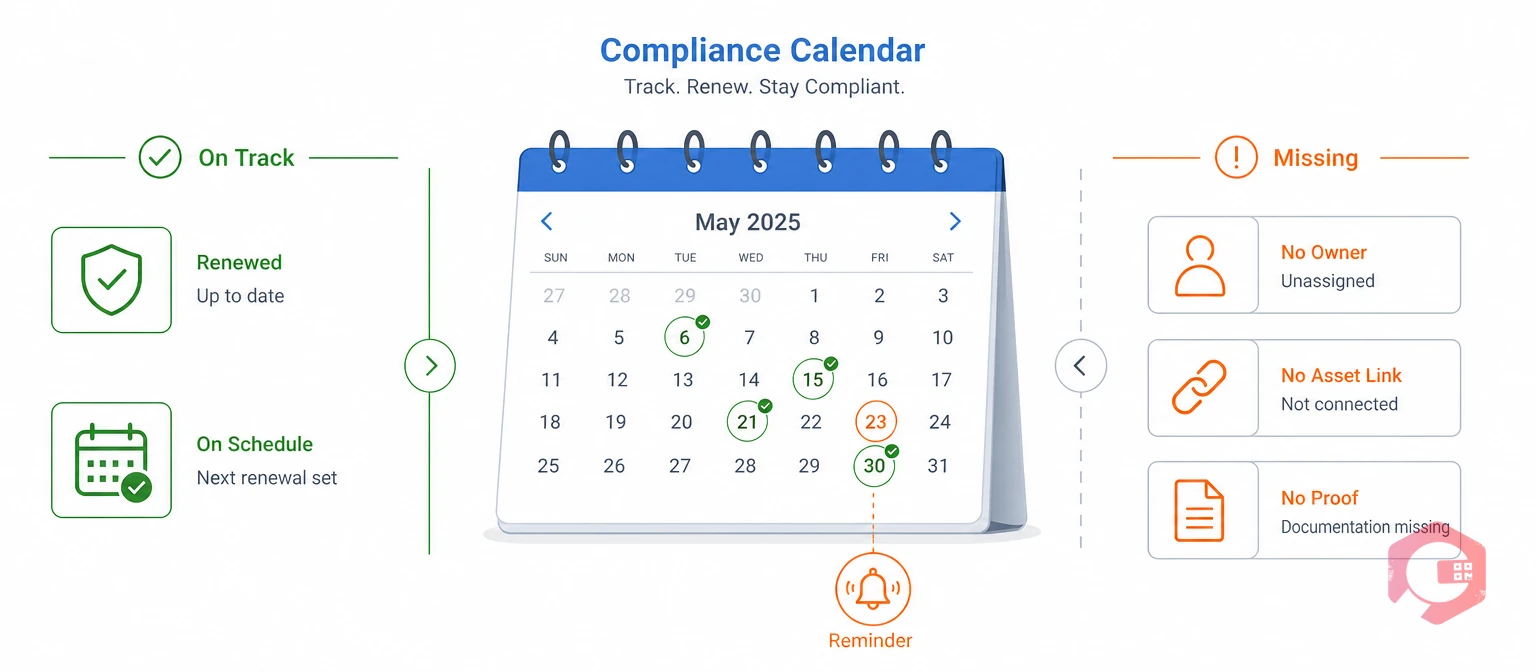
A compliance calendar is a shared schedule of regulatory deadlines and renewal dates. Most teams build one in a spreadsheet or a shared calendar app. Someone gets assigned to check it every week.
The idea is sound. The execution usually falls short. A compliance calendar only holds a date, with no way to confirm the work behind it happened, and no record of who checked it last.
ISO 37301 is the international standard for this problem. It defines a compliance management system as one that actively tracks obligations and verifies they are met, not one that just lists dates. A calendar alone meets neither bar, so most facilities that rely on one find out about a gap during an audit, not before it.
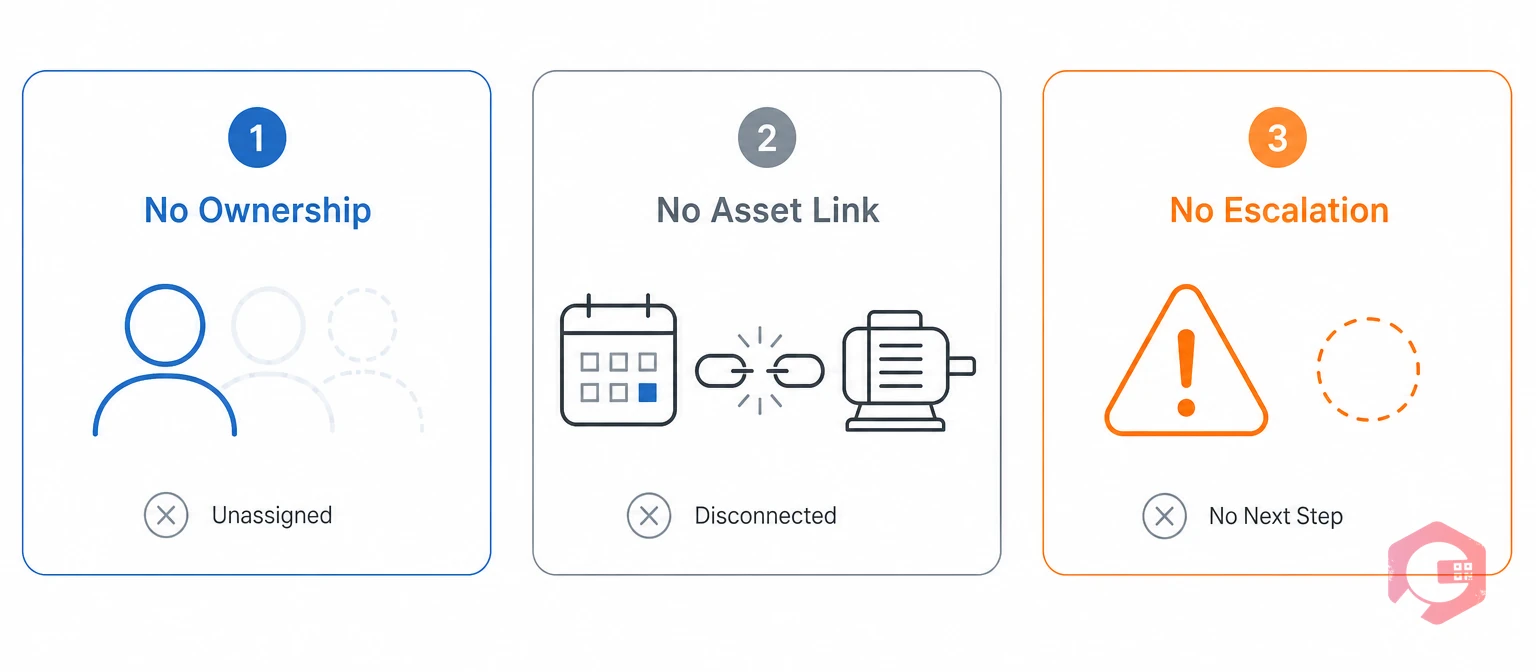
Compliance calendars break down in the same three places, no matter the industry.
Each gap makes the others worse. A missed date with no owner and no escalation path is a deadline nobody truly owns.
A Cryotos expiration reminder module closes each of these gaps. It attaches the reminder directly to the asset or permit record it belongs to.
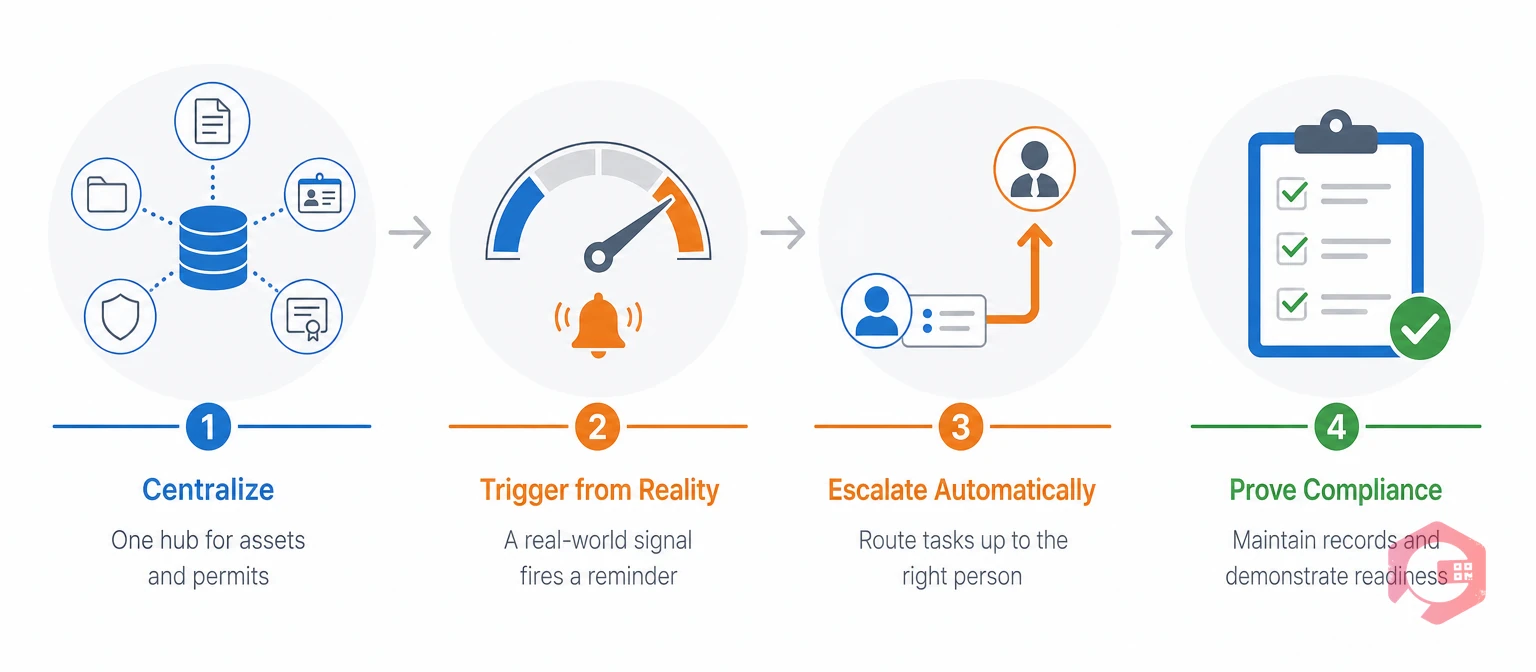
An expiration reminder system is maintenance software that ties every deadline to an asset, an owner, and proof of completion. That single design choice fixes all three gaps a calendar leaves open.
The 4-Pillar Expiration Reminder Framework:
Maintenance teams that adopt this model stop learning about lapses from an auditor. They start catching them on their own dashboard instead.
The table below lines up both approaches across the points that matter most during an audit.
| Dimension | Compliance Calendar | Expiration Reminder System |
|---|---|---|
| Data source | A date typed into a sheet or invite | Live asset, permit, or meter reading |
| Trigger type | Fixed calendar date only | Fixed date, runtime hours, or usage thresholds |
| If the owner leaves | The reminder goes unseen | The reminder stays tied to the asset and reassigns by role |
| Escalation | None, depends on someone checking | Automatic overdue alerts and escalation rules |
| Proof of completion | A checked box or a memory | Signature, checklist, or audit log tied to the record |
| Audit readiness | Evidence assembled after the fact | Evidence exists before the audit starts |
Most of the difference comes down to one thing. A calendar tells you a date arrived. A real system tells you the work behind that date is actually done.
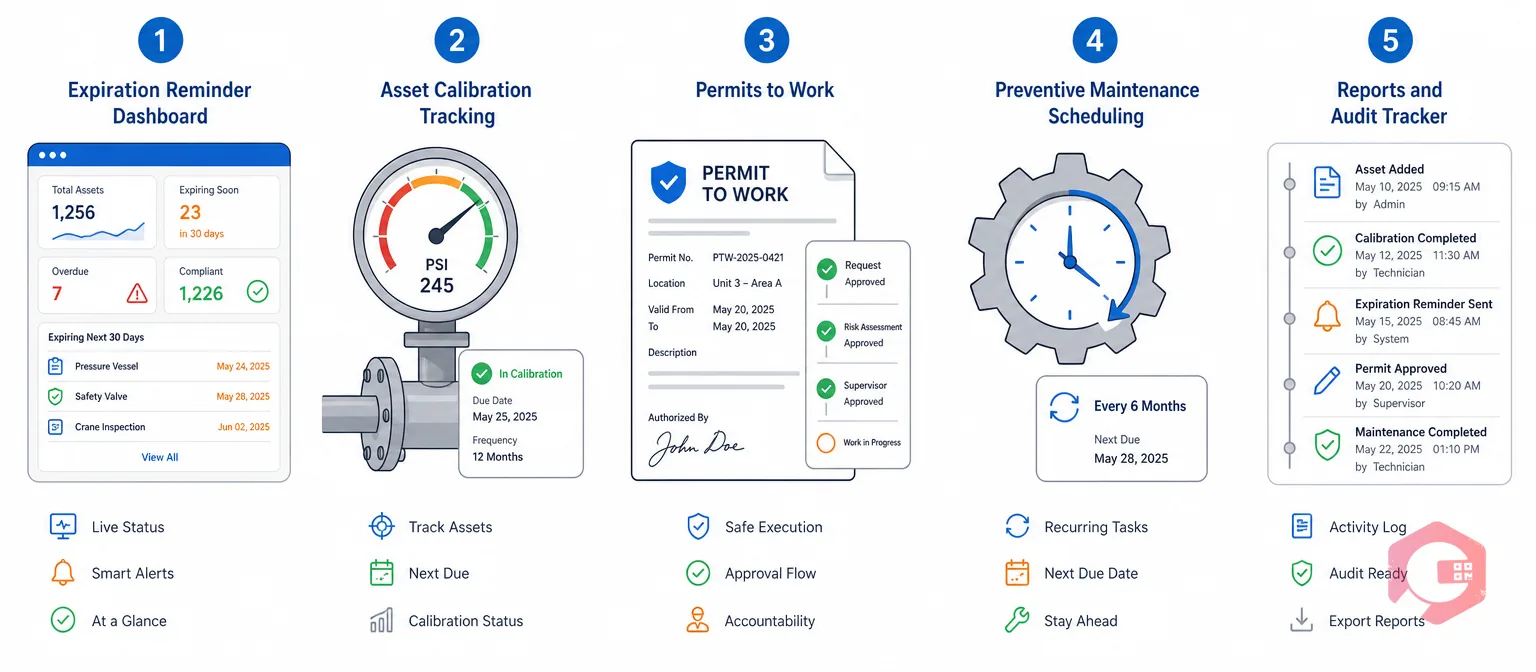
A Computerized Maintenance Management System closes this gap. It attaches each deadline to an exact module built for that job.
Maintenance teams using Cryotos have reported up to 30% less unplanned downtime and 25% faster repair turnaround after moving these records off spreadsheets.
Facilities can run a regulatory compliance checklist or a safety compliance checklist against their current process. That shows exactly which gaps a calendar-only approach leaves open.
A compliance calendar only stores a date. An expiration reminder system ties that date to an asset, an owner, and proof the work was completed. The second approach adds escalation and an audit trail a calendar cannot provide on its own.
A calendar can send automatic notifications, but it still cannot confirm the underlying work happened. It also cannot route an ignored deadline to someone else. Automation fixes the reminder; it does not fix the missing evidence and escalation a real system provides.
Consequences depend on what lapsed. A missed equipment certification can halt production, and an expired permit can trigger fines under standards enforced by bodies such as OSHA. In almost every case, the cost of the miss outweighs the cost of preventing it.
Yes. In practice it absorbs the calendar's job and adds what was missing: ownership, asset linkage, escalation, and proof. Most maintenance teams stop keeping a separate calendar once the system is in place.
If a missed renewal would trigger a fine, a shutdown, or a safety risk, a calendar alone is not enough. The NIST Cybersecurity Framework applies the same idea to risk management generally: high-consequence items need systematic tracking, not a manual list.
A missed renewal is a preventable risk, not a surprise. Schedule a free demo to see how Cryotos ties every deadline to an asset, an owner, and proof your audit will accept.



Cryotos AI predicts failures, automates work orders, and simplifies maintenance—before problems slow you down.



