

Cryotos AI features are purpose-built to eliminate the manual busywork that slows maintenance teams down. From summarizing complex work orders in seconds to answering technician questions on the spot, Cryotos has embedded AI directly into three core areas of your CMMS workflow: Work Order Summarization, the Knowledge Base, and the AI-powered Dashboard. Whether you're a maintenance manager trying to get faster insights or a technician who needs quick answers in the field, these tools are designed to help you move faster with fewer mistakes.
In this post, we'll break down exactly what each Cryotos AI feature does, how it works in practice, and why it matters for your daily operations.

Cryotos AI is a set of generative AI capabilities built directly into the Cryotos CMMS platform. Unlike bolt-on AI tools that require integrations and extra setup, Cryotos AI works inside the same interface your team already uses every day. It understands your maintenance data — work orders, asset histories, KPIs, and documentation — and turns that data into useful, human-readable output.
There are three live Cryotos AI deployments available to users today:
Each feature is designed to reduce cognitive load — so your team spends less time digging through records and more time doing the actual work.
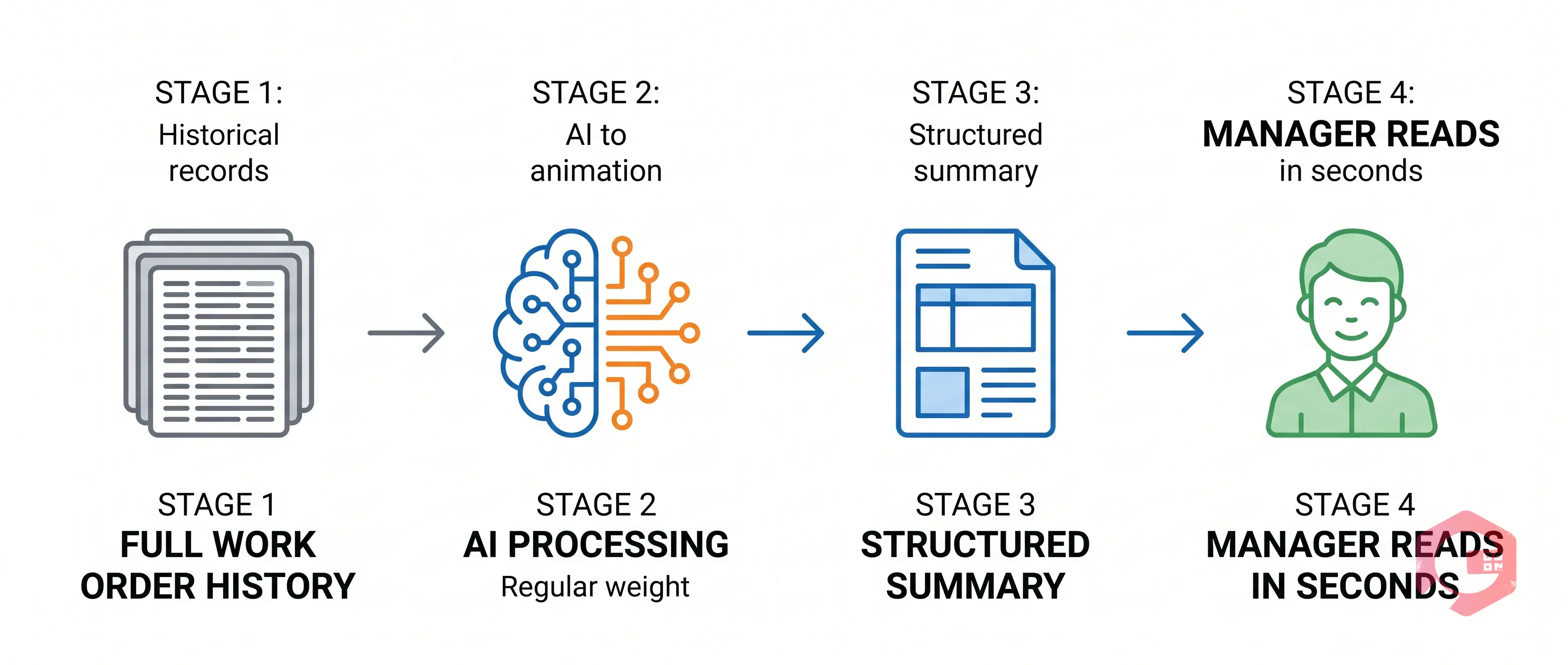
Work orders accumulate a lot of information — technician notes, status updates, parts used, time logs, photos, and comments from multiple team members. Reading through all of that to understand what happened on a job can take 10 to 15 minutes, especially for recurring or complex maintenance tasks.
Cryotos AI Work Order Summarization solves this by reading the full history of a work order and generating a concise summary in seconds. You get the key facts without the noise:
This is especially valuable for shift handovers, audits, and maintenance reviews. A manager coming in for the morning shift can catch up on overnight work orders in a fraction of the time. And because the summary is AI-generated from actual work order data, it's consistent and factual — not dependent on whoever wrote the last note.
Teams using Cryotos work order management can access the AI summary directly from the work order detail view — no separate tool, no copy-paste required.
The Cryotos AI Knowledge Base takes things a step further. Instead of just reading a summary, users can actively ask questions about a work order — and get direct answers based on the data inside it.
Think of it as a smart assistant that knows your entire work order history. A technician can type a natural language question like:
Cryotos AI pulls the relevant information from the work order records and returns a clear, contextual answer — no keyword searches, no manual filtering through pages of history.
This makes the Knowledge Base particularly powerful for three groups of users:
The result is faster decision-making and fewer calls back to the office to dig up historical data. Your knowledge doesn't sit trapped in old records — it's instantly accessible to anyone who needs it.
The Cryotos AI Dashboard brings AI-powered intelligence to your operational metrics. Alongside your existing CMMS dashboards, the AI layer helps you interpret what the numbers are telling you — not just display them.
Here's what the AI Dashboard is built to do:
For maintenance managers who need to report upward, the AI Dashboard cuts hours of manual report preparation. The key insights are already surfaced, framed in context, and ready to present.

Across all three Cryotos AI features, the practical benefits come down to four areas that directly impact how your team performs day to day:
Three Cryotos AI features are live today: Work Order Summarization, the AI Knowledge Base (where users can ask questions and review information related to work orders), and the AI-powered Dashboard. All three are deployed within the Cryotos CMMS platform and available to existing users.
Yes. The Cryotos mobile app supports full maintenance operations, and the AI features are accessible through the same interface. Technicians can ask questions about work orders directly from the field without needing to return to a desktop.
No. Cryotos AI is built natively into the CMMS platform. It reads directly from your existing work order and asset data — there's no separate AI tool to connect or configure. If you're already using Cryotos, the AI features are part of your existing environment.
Cryotos AI is designed to handle complex, multi-entry work orders. It parses the full history — including technician notes, status changes, parts used, and attachments — and produces a structured summary that captures the most relevant details without overwhelming the reader.
If your team is ready to see AI-powered maintenance management in action, explore Cryotos CMMS and request a demo to get a live walkthrough of every AI feature built for your operations.




Cryotos AI predicts failures, automates work orders, and simplifies maintenance—before problems slow you down.



