
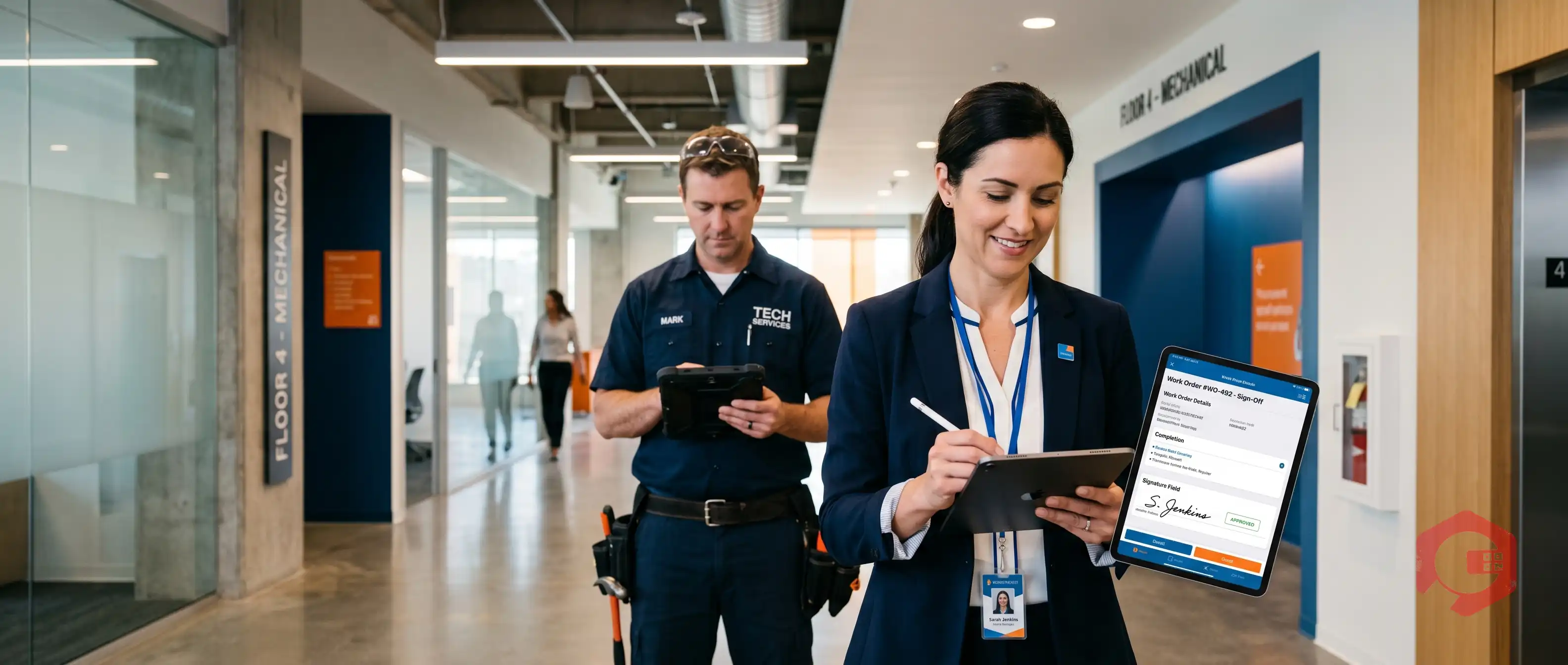
Digital documentation in facility management is the practice of capturing, storing, and managing all maintenance records, work orders, inspection reports, and compliance files in electronic formats - replacing paper-based systems that slow teams down and create compliance risk. When paired with electronic signature capture, digital documentation gives facility managers a real-time, legally defensible record of every task completed and every sign-off obtained. According to AIIM, organizations that digitize document workflows reduce document retrieval time by up to 83% and cut administrative labor costs by nearly 40%.
This guide covers what digital documentation means for FM teams, how electronic signature capture fits into the picture, and how to build a paperless sign-off workflow your technicians will actually use.
Digital documentation in facility management refers to the end-to-end electronic management of every record your team creates, uses, and must retain - from work orders and preventive maintenance (PM) checklists to safety inspection reports, Permit-to-Work (PTW) forms, and warranty records. Instead of paper binders, clipboards, and fax machines, everything lives in a centralized system accessible from any device, anywhere.
The average mid-sized facility generates hundreds of documents per week. The most critical categories include:
Paper creates three core problems for FM teams. First, documents get lost or damaged - a McKinsey study found workers spend an average of 1.8 hours per day searching for information. Second, paper forms can't be verified in real time, so errors surface only during audits when it's too late to fix them. Third, paper records can't be linked to asset histories, work order systems, or IoT sensor data - leaving facility managers with fragmented information and no clear picture of asset health.

Signature capture in facility management is the ability to collect a legally valid electronic signature from a technician, supervisor, or client directly on a mobile device - typically at the point of work order completion, checklist sign-off, or permit authorization. The signature is timestamped, tied to the individual's profile, and stored permanently in the system alongside the relevant document.
Electronic signatures are legally valid in most jurisdictions under frameworks like the FDA 21 CFR Part 11, the EU's eIDAS regulation, and the US ESIGN Act. For facility management, this means a technician's finger-drawn signature on a tablet carries the same legal weight as a wet ink signature - provided your CMMS records the signer's identity, timestamp, and intent. Most modern CMMS platforms, including Cryotos, capture all three automatically.
Not all signature capture is equal. Here are the three main types you'll encounter:

Here is why more facility teams are replacing clipboards and filing cabinets with digital documentation platforms:
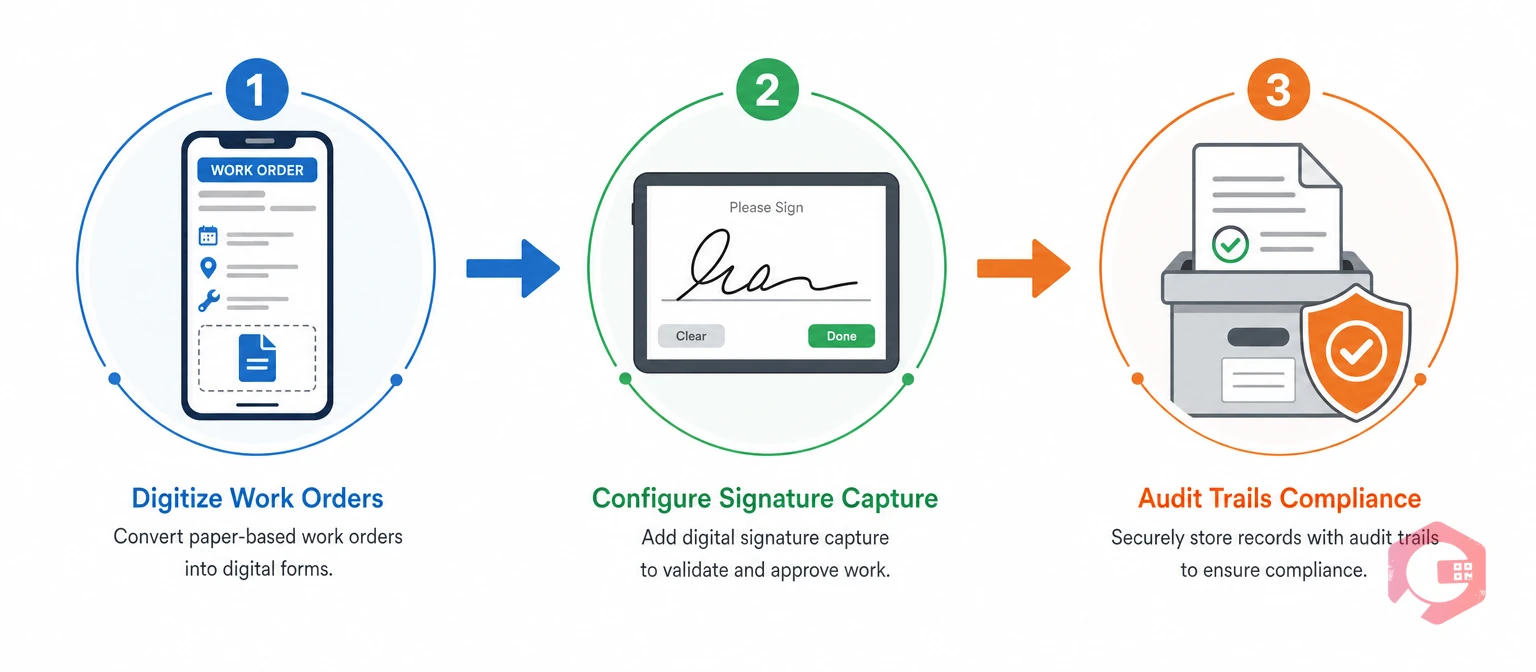
Moving from paper to digital doesn't require a massive IT project. Most teams can be fully operational in under four weeks if they follow a structured approach.
Start with your highest-volume document type: work orders. Map out the fields your paper form currently captures - asset ID, fault description, technician name, parts used, time taken - and recreate these in your work order management software. Import existing PM checklists via Excel or OCR so you're not starting from scratch. Assign mandatory fields so no work order can be submitted incomplete.
Enable signature capture at the point of work order completion. In Cryotos, digital signatures are auto-populated from the technician's profile and can be collected from both the technician and a supervisor before a work order closes. Set up multi-party sign-off for Permit-to-Work tasks - the system will enforce the correct sequence automatically and block closure until all required signatures are obtained.
Configure your CMMS to automatically archive completed, signed documents with a full audit trail - who signed, when, and from which device. Link each document to the relevant asset record so maintenance history is complete and searchable. Set retention rules that match your regulatory requirements (OSHA, ISO 55001, or industry-specific) and activate automated alerts before records expire.
Most digital documentation rollouts that fail do so for predictable reasons. Avoid these four pitfalls:
Yes, in most countries electronic signatures are legally recognized under frameworks like the US ESIGN Act, EU eIDAS, and UK Electronic Communications Act 2000. For FM purposes, the key requirements are that the signer's identity is verified, the signature is timestamped, and the record is tamper-evident - all of which a CMMS like Cryotos handles automatically.
At a minimum: work order completions, Permit-to-Work authorizations, LOTO procedure sign-offs, safety inspection reports, and contractor handover documents. Highly regulated facilities (pharmaceutical, food processing, healthcare) typically require signatures on PM records and calibration logs as well.
A modern CMMS embeds signature capture directly into work orders and PM checklists. Technicians sign on their mobile device at job completion; the signature, timestamp, and signer profile are stored alongside the document. Multi-party workflows can require sequential sign-off from technician, supervisor, and client before a task officially closes.
Yes. Most teams digitize incrementally - starting with work orders, then PM checklists, then compliance documents. A phased approach reduces disruption and lets your team build confidence with the new process before you expand it across all document types.
If your team is still chasing paper work orders across departments or scrambling to find signed inspection forms before an audit, it's time to change that. Cryotos CMMS gives facility teams digital work orders, mobile signature capture, automated PM checklists, and full audit-ready reporting - all on one platform. Book a free demo today and see how fast your team can go paperless.


Cryotos AI predicts failures, automates work orders, and simplifies maintenance—before problems slow you down.



