
Digital workflows in facility management replace paper checklists, email chains, and spreadsheet trackers with real-time, automated processes that route tasks, capture data, and trigger alerts without human hand-offs. Teams that digitize the right workflows report up to 30% less unplanned downtime and 25% faster repair cycles, because technicians stop chasing approvals and start fixing things.
This guide covers the six facility workflows worth digitizing first, a five-step rollout plan, the ROI numbers leadership will ask for, and the pitfalls that derail most projects. If your team still prints PM checklists or emails work requests, keep reading - this is a playbook you can act on this quarter.
A digital workflow in facility management is a connected sequence of tasks - like a work request moving from submission to approval to assignment to completion - that runs inside software instead of on paper or in email. The workflow carries its own rules: who gets notified, what data is captured, when an escalation fires, and what the next step is.
Think of it as the difference between a relay race with runners and a relay race where every baton has GPS. The work still moves, but now you can see where it is, how long it took, and where it got stuck. According to a McKinsey analysis, operations teams that digitize core workflows see measurable gains in throughput and cost within 6 to 12 months.
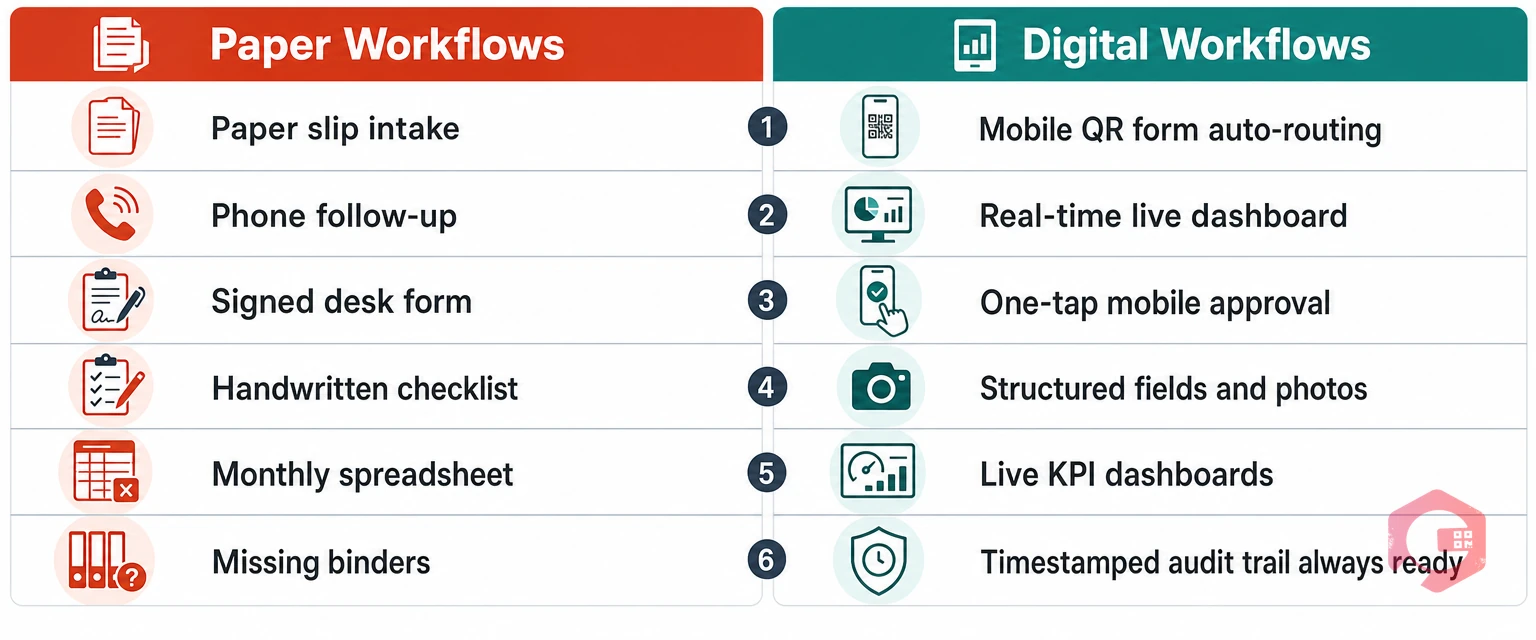
Before you pitch digital workflows to leadership, it helps to show the gap clearly. Here is what changes when a facility moves from paper and spreadsheets to a connected system:
The paper version is not always slower in a single step - it is slower across the whole loop, because every hand-off adds waiting time.
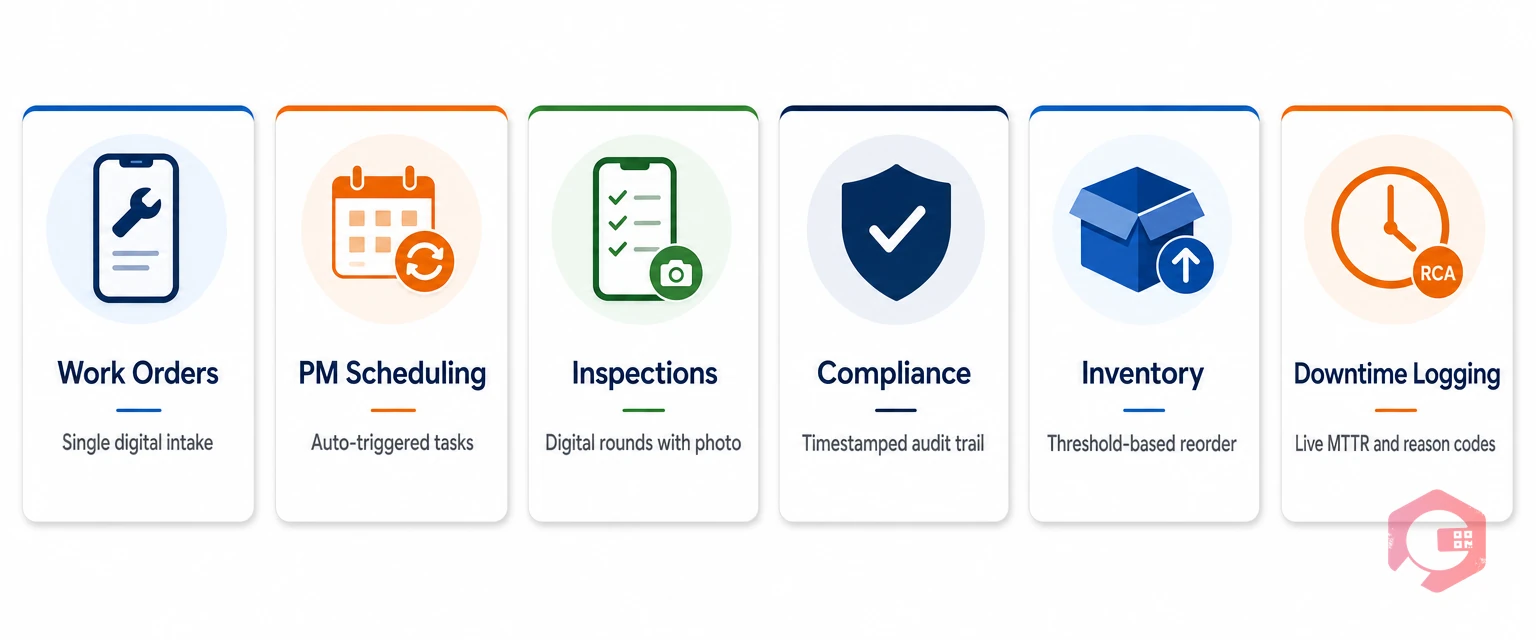
Not every workflow needs the same urgency. Start with the six that touch the most people and generate the most delay or risk.
This is the workflow most facilities feel first. A tenant or operator scans a QR code or submits a request in an app, the system auto-assigns based on asset, location, or technician skill, and every update is logged. No more lost slips, no more "did anyone tell maintenance?"
PMs should run themselves. A digital PM workflow uses a calendar that triggers work orders at fixed intervals or based on runtime hours, mileage, or sensor thresholds. Technicians get the checklist on their phone, complete it, and the record closes itself.
Inspections that live on clipboards rarely get analyzed. Digital inspection workflows capture pass/fail, photos, and geo-stamps, and they auto-generate a corrective work order when something fails - so a tripped breaker never gets lost between rounds and the weekly report.
For regulated industries - pharma, food, healthcare - every touch of an asset needs a timestamped signature. A digital workflow captures it automatically, tied to the technician ID. When an OSHA or FDA audit lands, the export takes minutes, not weeks.
Parts stockouts cause more downtime than people admit. A digital inventory workflow connects parts usage to a minimum-threshold alert, triggers a reorder request, and routes it for approval - so the stockroom refills itself based on actual consumption.
If your downtime report is still built in Excel at the end of the month, the data is already cold. A digital downtime workflow starts the clock when an asset goes down, prompts the technician to pick a reason code, and feeds MTTR and MTBF live to the dashboard.
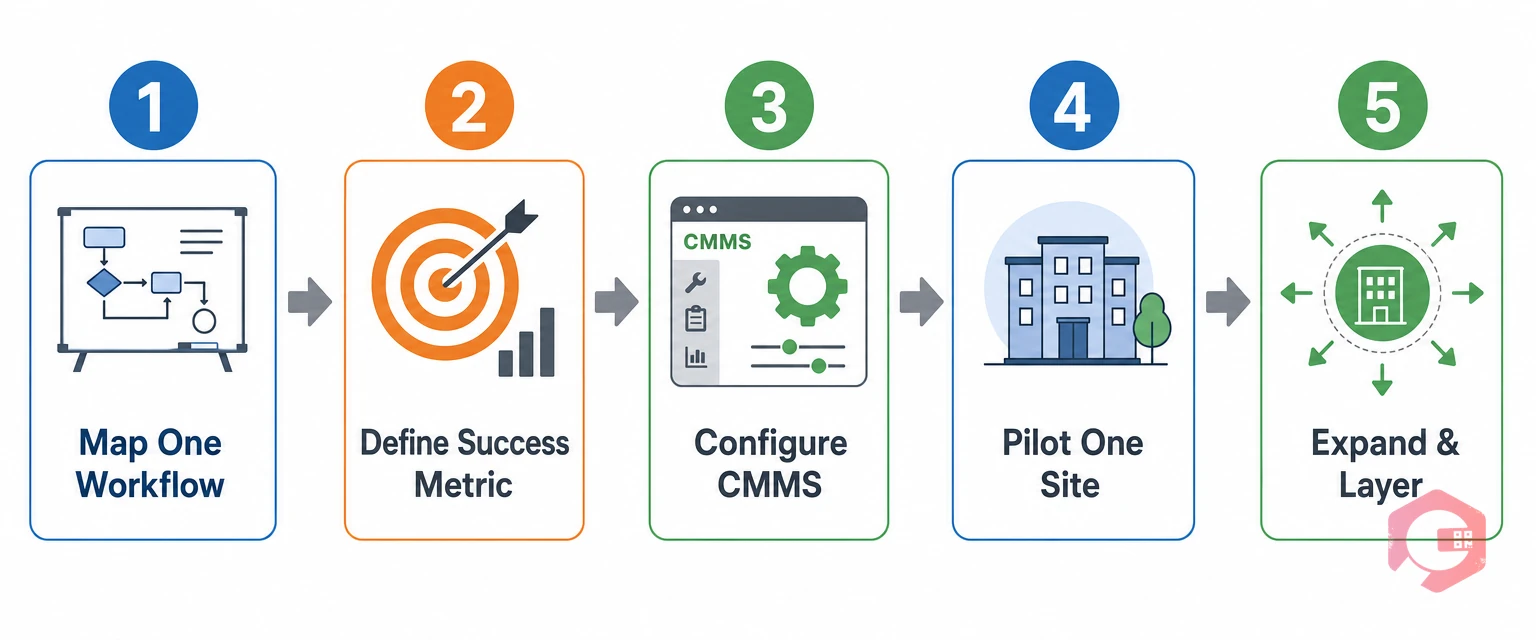
Most digital workflow rollouts fail at change management, not at software selection. Follow this five-step sequence to get adoption on the first try.
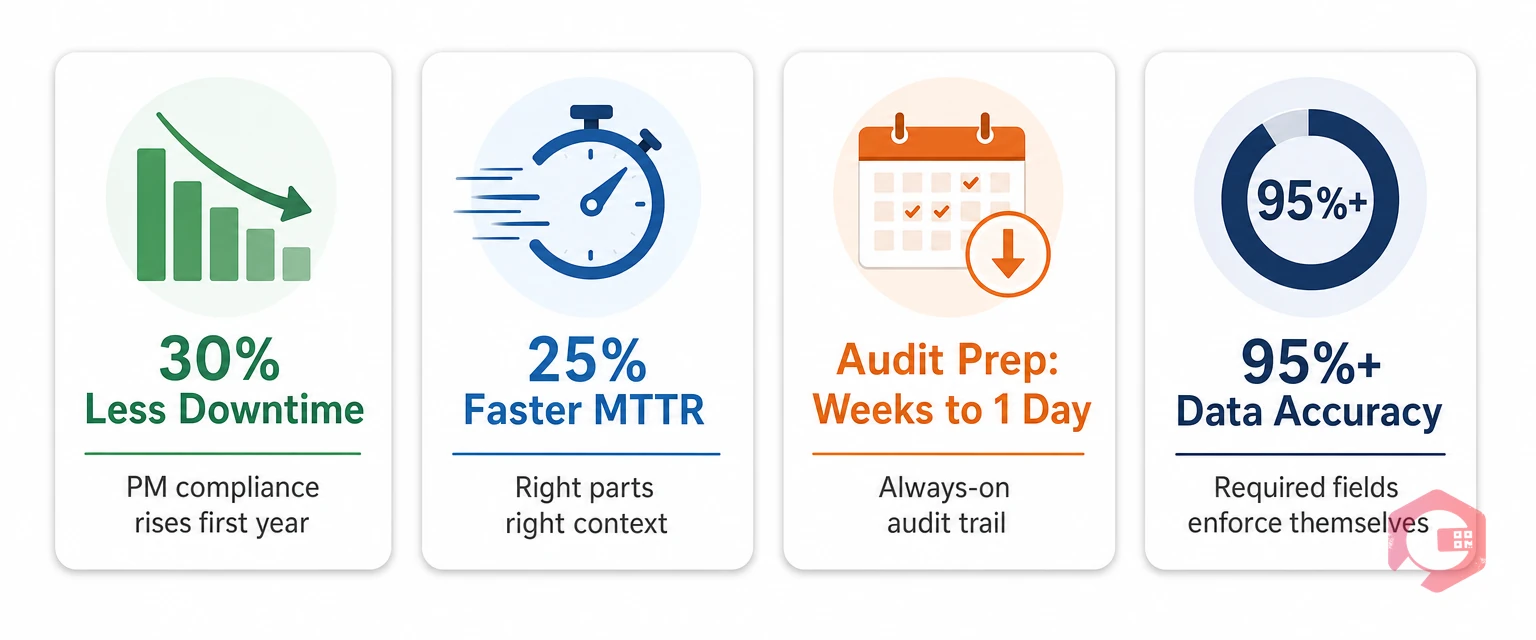
Leadership will ask for the business case. These numbers show up consistently in facilities that finish a digital workflow rollout:
A Plant Engineering maintenance benchmark survey has repeatedly found the strongest gains come not from any single workflow, but from the compounding effect of digitizing three or more adjacent workflows together.
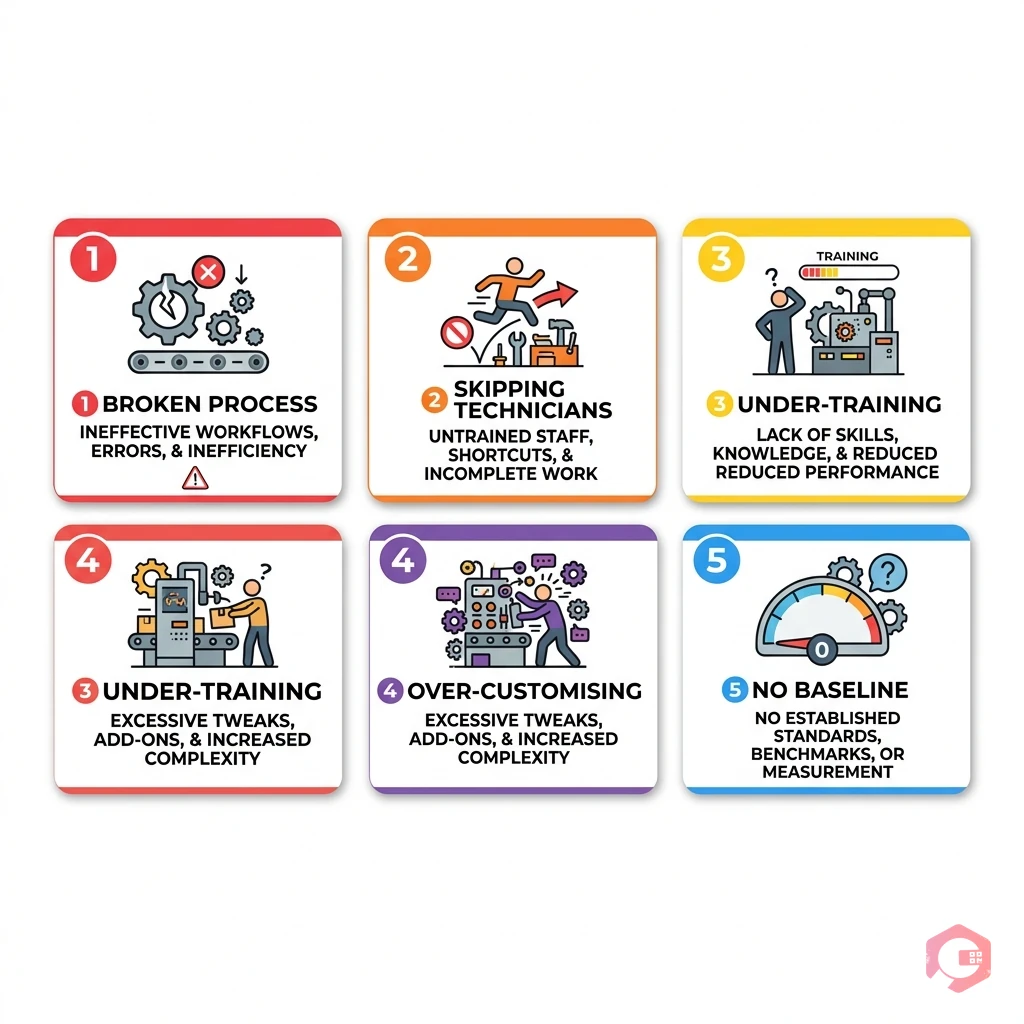
A surprising number of digital workflow projects stall for the same reasons. Watch for these.
Automation runs a single task without human input - like auto-sending a reminder email. A digital workflow connects multiple tasks, people, and data into one managed sequence with conditional logic, approvals, and audit trails. Every digital workflow contains automation, but not every automation is a full workflow.
Small facilities often benefit more, percentage-wise. A 10-person team loses an outsized share of hours to phone tag and paper chasing. A mobile-first CMMS with the top three workflows digitized - work orders, PM, and inspections - usually pays back in under six months at that scale.
For one workflow on one site, plan on 4 to 8 weeks from kickoff to full adoption, including configuration, pilot, and training. A multi-site, multi-workflow rollout typically runs 3 to 9 months, with results visible after the first pilot closes.
If your team is ready to move facility workflows off paper and into a single connected system, Cryotos CMMS gives you configurable work order, PM, inspection, compliance, and downtime workflows out of the box - plus a mobile app your technicians will actually open. Book a free demo today and see your first workflow live in under an hour.


Cryotos AI predicts failures, automates work orders, and simplifies maintenance—before problems slow you down.



