

ERP vs CMMS for maintenance comes down to scope: an ERP system manages your company's finances, purchasing, and resources across every department, while a CMMS manages the day-to-day work of keeping equipment running. Most facilities don't actually face a choice between the two — they face a harder question: which one to invest in first, who should make that call, and how much budget and time each one realistically takes. This guide answers that decision-level question, covering what each system does, what they cost, who typically owns the decision, and how to tell whether your facility needs one system or both.
Key Takeaways

A Computerized Maintenance Management System (CMMS) is software that schedules, tracks, and documents maintenance work on physical equipment and facilities. It's the system a maintenance team opens every morning to see which work orders are due, which assets need attention, and which parts are on hand to do the job.
Most Computerized Maintenance Management System platforms center on four jobs: work order tracking, preventive maintenance scheduling, spare parts inventory, and maintenance-specific reporting like downtime and repair time. A technician can open a work order from a phone, confirm a part is in stock, and close the job out with photos the moment the work is done — all without touching a finance system.
Most facilities run their mobile CMMS app in the field, so technicians never have to walk back to an office computer to log a job. In short, a CMMS is built around one asset and one work order at a time — not a company's full financial picture.
Buying a CMMS is a relatively contained decision. A maintenance leader typically evaluates two or three platforms, runs a short trial with a handful of technicians, and rolls it out to the full team within a few weeks. Reactive, preventive, and predictive maintenance strategies all run through the same system, which is why the buying decision rarely needs sign-off from finance or the executive team the way an ERP purchase does.
Enterprise Resource Planning (ERP) is software that manages a company's core business processes — finance, procurement, human resources, and supply chain — in one connected system. Where a CMMS lives inside the maintenance department, ERP spans the whole organization.
SAP, Oracle NetSuite, Microsoft Dynamics 365, Infor, and Odoo are the platforms maintenance teams run into most often — usually because finance or IT selected the ERP long before maintenance had a say in the decision. This guide treats ERP generically, since the finance-versus-maintenance split described here holds true regardless of which specific ERP a company runs.
An ERP's asset module usually tracks purchase cost, depreciation, and book value — the numbers finance cares about. It rarely tracks which technician fixed a pump last Tuesday or whether a safety permit was attached before the work began. The ISO 55000 asset management standard treats financial data and operational data as two halves of one job — and that split is exactly the gap between ERP and CMMS.
Buying or upgrading an ERP is a company-wide project, not a departmental one. It typically involves a formal request-for-proposal process, months of vendor demos, a budget approval cycle, and outside implementation consultants. Maintenance is often just one of a dozen departments whose requirements get folded into a much larger system, which is why maintenance-specific needs sometimes get deprioritized against finance or supply-chain requirements that carry more weight in the boardroom.
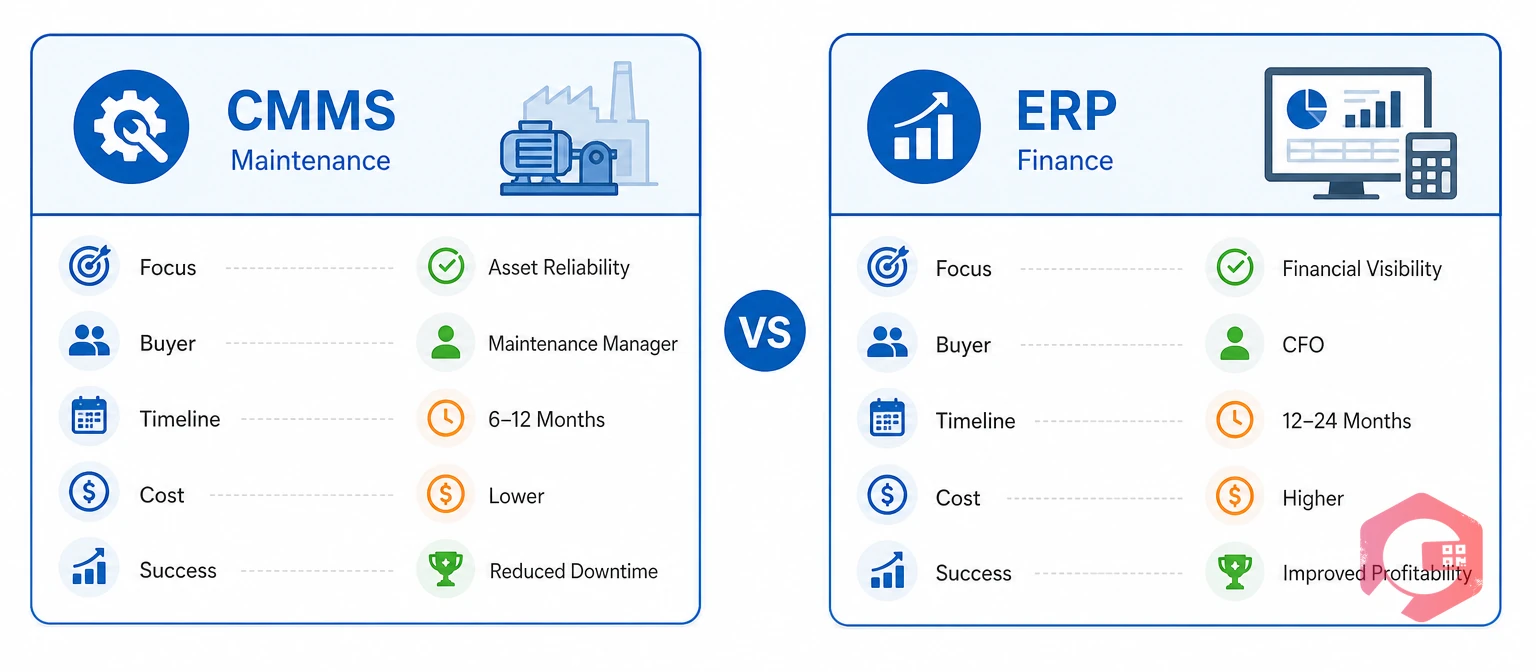
Beyond function, ERP and CMMS differ sharply in cost, decision ownership, and how fast each one delivers value. The table below compares the two from a buying, not just a technical, perspective.
| Factor | CMMS | ERP |
|---|---|---|
| Primary focus | Maintenance work orders and asset uptime | Finance, procurement, and company-wide resources |
| Typical buyer | Maintenance or operations leader | CFO, IT director, or COO |
| Decision timeline | Weeks | Months, often a full budget cycle |
| Asset data tracked | Repair history, condition, downtime | Purchase cost, depreciation, book value |
| Reporting strength | MTTR, MTBF, downtime, PM compliance | P&L, budget variance, cash flow |
Neither system replaces the other. A maintenance planner needs the CMMS view to schedule tomorrow's work; a controller needs the ERP view to close the books at month-end. The mistake most facilities make is treating ERP vs CMMS like a competition, when the real question is which one to fund and staff first. Framing it as a sequencing decision, rather than a winner-take-all comparison, is what actually moves a budget conversation forward.
Curious how much unplanned downtime is costing your operation right now? Run your numbers through the OEE calculator before deciding how much budget either system deserves.
ERP and CMMS overlap wherever an asset touches both money and maintenance — inventory counts, purchase requests, and the asset register itself. This is also where budget conversations get complicated, since both departments can point to the same overlapping data and argue for owning it.
This overlap is why asset lifecycle management requires both systems' data — the operational detail a CMMS captures and the financial detail an ERP owns. Left unmanaged, the overlap grows quietly until a stock-take or budget review forces someone to notice, and by then the disagreement over "whose data is right" has usually already cost real time and money.

The ERP vs CMMS decision works best when one role owns it, even though three departments usually have a stake. IT, finance, and maintenance each see a different part of the problem, and none of them sees the whole picture alone.
Facilities that avoid a prolonged tug-of-war usually give the maintenance or operations leader ownership of the CMMS decision, since they understand the daily workflow best. Finance retains ownership of the ERP decision, since it affects company-wide reporting. A single point of contact — often a maintenance planner or reliability engineer — then owns the connection between the two, so neither department has to compromise its own system to serve the other's needs.
Organizations that follow standardized maintenance and reliability practices, such as those documented by the Society for Maintenance and Reliability Professionals, tend to define this ownership model in writing before either system is purchased, not after a conflict already exists between departments.
A CMMS typically costs far less and takes far less time to deploy than an ERP system, which is why most facilities start there. Budget owners comparing the two side by side usually find the gap larger than expected.
| System | Typical Cost Structure | Typical Rollout Time | Who's Usually Involved |
|---|---|---|---|
| CMMS | Per-user monthly subscription | Days to a few weeks | Maintenance team, one IT contact |
| ERP | Licensing plus implementation and consulting fees | Several months to over a year | Finance, IT, and outside consultants |
This gap explains a common pattern: a facility gets a CMMS running in a matter of weeks, sees an immediate drop in missed preventive maintenance, and only tackles ERP integration once the CMMS itself is stable and trusted. Trying to fund and roll out both systems at the same time usually stretches both budgets and both project timelines thinner than either one needs to be.
Delaying a CMMS purchase while an ERP project drags on has a real cost, even if it never appears as its own budget line. Every month without a CMMS is another month of missed preventive maintenance, undocumented repairs, and technicians working from memory instead of asset history. General guidance on system interoperability from bodies like NIST reinforces a simple principle that applies here too: the cost of a data gap tends to compound the longer it goes unaddressed, whether that gap sits between two software systems or between a broken process and the software meant to fix it.
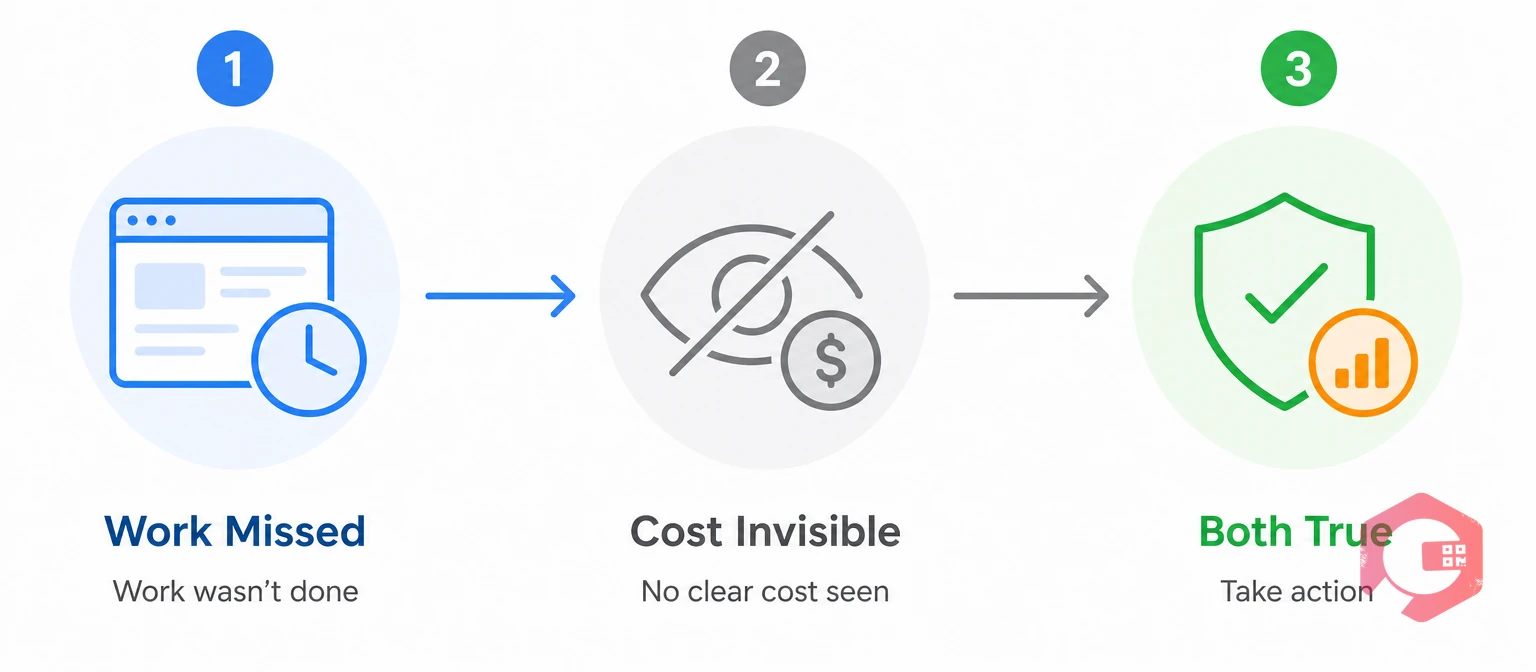
Facilities that reach a clear answer quickly tend to ask the same three questions, in the same order, before spending on either system.
The 3-Question ERP vs CMMS Decision Test:
Answering these three questions in order, rather than debating ERP versus CMMS in the abstract, is usually what breaks a stalled budget conversation loose.
Most facilities need a CMMS the moment they run more than a handful of assets, and need ERP integration once maintenance costs start affecting company-wide budgeting. The table below breaks down which setup fits which situation.
| Scenario | Best Fit |
|---|---|
| Small team, single site, few assets | CMMS alone covers daily maintenance needs |
| Growing team, multiple sites | CMMS with basic ERP integration for purchasing |
| Enterprise, multi-site, audited finances | CMMS plus full ERP integration for cost roll-up |
| Finance-only reporting, no daily maintenance detail | ERP alone (rare for facilities with physical assets) |
In practice, very few facilities that own physical equipment can run on ERP alone. Someone still has to decide which pump gets inspected first, and ERP was never built to answer that question.
It's worth budgeting for where a facility is headed, not just its current asset count. A team adding a second site within the next year benefits from choosing a CMMS that scales cleanly to multi-site management from the start, even if the ERP integration itself waits until that growth actually happens. Retrofitting a CMMS choice later, after outgrowing a tool picked only for today's needs, usually costs more in migration time than choosing slightly ahead of current scale would have cost upfront.
Connecting ERP and CMMS means syncing parts data, cost data, and asset records automatically instead of re-entering them by hand. Most modern CMMS platforms connect through a REST API or a middleware layer built for common ERP systems, and the work is largely a data project, not a coding project.
Maintenance teams using Cryotos have reported up to 30% reduction in unplanned downtime and 25% faster repair turnaround, with much of that gain coming from technicians no longer waiting on manual purchase approvals for parts an ERP integration already shows in stock. Cryotos connects work order management directly to inventory management, so closing a work order updates stock counts on both sides automatically.
Facilities that follow the ownership model described earlier tend to find this integration project goes smoothly, because the reconciliation owner already exists before the first API call gets made. Facilities that skip straight to a technical integration without agreeing on data ownership first usually end up redoing parts of the mapping work once a disagreement surfaces mid-project.
Picture a healthcare facilities team managing HVAC, generators, and medical equipment across three buildings. For years, work orders lived on a shared spreadsheet, and the finance team learned about maintenance costs only when invoices arrived weeks later.
The team's first move was a CMMS, not an ERP project. Within a month, preventive maintenance compliance jumped, because the system flagged overdue inspections automatically instead of relying on someone remembering to check a spreadsheet. Technicians closed work orders from a phone between rounds, cutting the paperwork backlog that used to pile up every Friday.
Six months in, the facilities director noticed finance still couldn't answer a simple question: what did maintenance actually cost last quarter, by building? That's when the team connected the CMMS to the hospital system's ERP, so labor and parts costs from every closed work order flowed automatically into the finance team's cost center reports. The CMMS came first because it solved the more urgent problem. The ERP connection came second because it solved the visibility problem that only became painful once the CMMS was already working well.
A year after the CMMS rollout, the facilities director could show finance exact maintenance cost per building for the first time — data that helped justify replacing an aging chiller instead of continuing to repair it. None of that would have been possible if the team had waited for a full ERP integration before starting anywhere.
No, most facilities run a dedicated CMMS alongside a separate ERP platform, connected through an API rather than bought as one bundled product. Buying both from the same vendor can simplify support, but it rarely means either module is as capable as a dedicated system.
Most small facilities budget for a CMMS first, since it solves an immediate operational problem at a much lower cost than an ERP project. ERP usually only becomes a priority once the company needs company-wide financial consolidation across multiple sites.
No, a CMMS doesn't handle company-wide finance, payroll, or procurement across every department. It's built specifically for maintenance work, not general business operations.
Show the gap directly: pull current missed-PM rates or unplanned downtime hours and translate them into a dollar estimate finance can compare against the CMMS subscription cost. Most finance teams approve a CMMS quickly once they see maintenance costs the ERP alone was never showing them.
Stock counts, costs, and asset records drift apart over time, since each system tracks its own version of the same data. Teams end up reconciling by hand, which wastes hours that should go toward planning actual maintenance work.
Most facilities resolve it by letting whichever department owns the more urgent, better-documented problem go first. A maintenance team with hard downtime numbers usually wins CMMS budget quickly, while an ERP project tends to move forward once finance can point to a specific compliance or reporting gap.
Rarely. Running both purchasing decisions and both implementation projects at once usually means neither team gets the focused attention needed to configure the system correctly, and delays tend to compound across both projects instead of staying contained to one.
Choosing between ERP vs CMMS isn't really a choice most facilities with physical assets face — it's a question of sequencing, budget, and ownership. Schedule a free demo to see how Cryotos gets a CMMS running fast, then connects cleanly to whichever ERP your finance team already runs.


Cryotos AI predicts failures, automates work orders, and simplifies maintenance—before problems slow you down.



