

SAP PM limitations show up fast once a maintenance team tries to do quick, mobile, day-to-day work. SAP PM (Plant Maintenance) covers the basics — work orders, maintenance plans, equipment records. But it was built for enterprise finance and procurement, not for a technician on the floor. That gap is why many manufacturing and facilities teams pair SAP with a dedicated Computerized Maintenance Management System instead of asking one platform to do both jobs.
Key Takeaways
SAP PM is the maintenance module built into SAP's ERP suite for managing work orders, maintenance plans, and equipment records. That design choice explains the gaps. SAP PM inherits SAP's transaction-code screens, its consultant-driven change process, and its finance-first data model. None of those were built around a technician's workday.
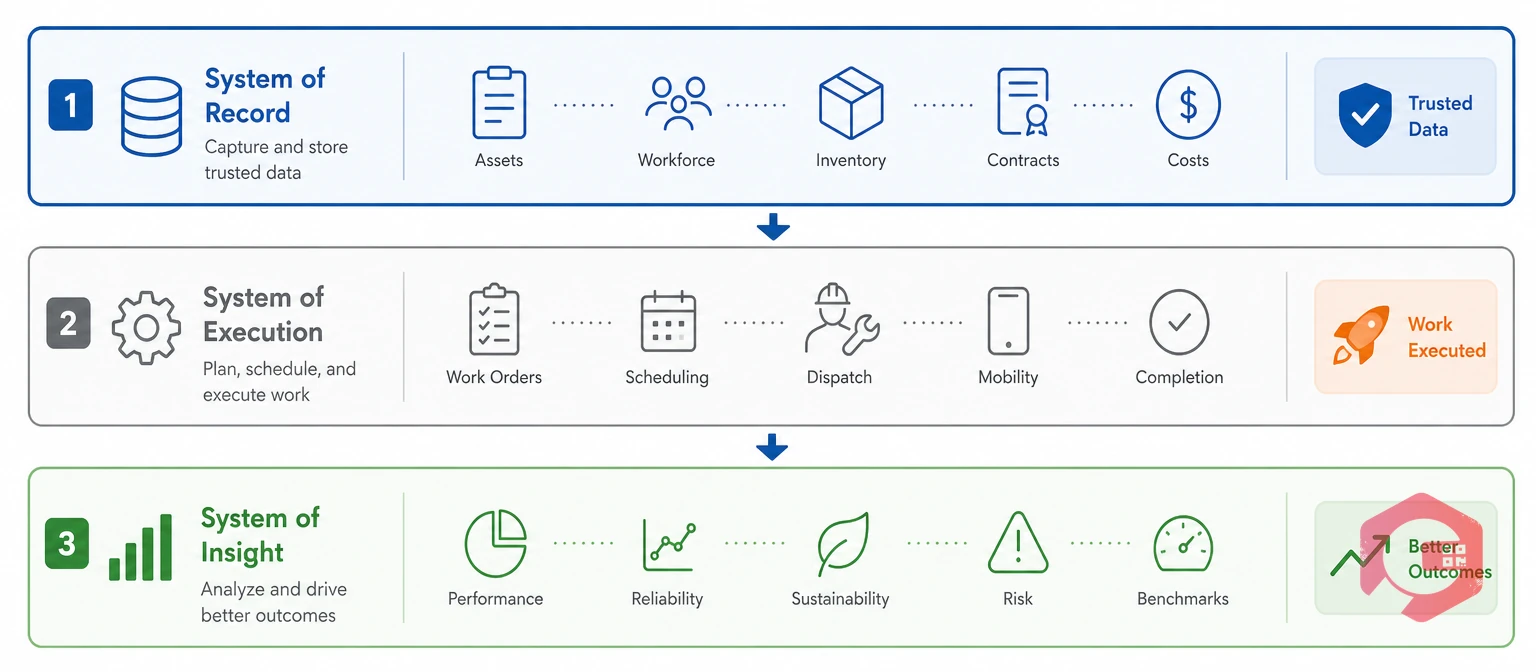
Asset management standards such as ISO 55000 describe good asset management as three layers working together: planning, execution, and monitoring. SAP PM was built almost entirely for the planning layer.
The Three-Layer Maintenance Stack:
A Computerized Maintenance Management System is dedicated software built to run daily maintenance work instead of general enterprise transactions. As Wikipedia's overview of CMMS platforms notes, these systems focus on work orders, PM schedules, and asset history — the exact layer SAP PM struggles with. SAP PM is strong at the System of Record layer. The other two layers are where the seven gaps below show up.
Setting up or changing SAP PM takes real work. It needs functional consultants, clean master data across equipment and work centers, and change requests that wait in an IT queue. Even small process changes can take weeks to reach the floor.
Modern enterprise asset management software like Cryotos runs on simple configuration, not code. Most teams build their own asset hierarchies and schedules and go live in weeks.
SAP's transaction-code screens, like IW31 and IW32, were built for someone typing at a desk. They weren't built for a technician standing at a machine with ten minutes to spare.
A task-first work order management screen shows only what a technician needs — the asset, the checklist, the parts — so closing a job takes a few taps.
Mobile access to SAP PM usually depends on add-on tools like SAP Fiori apps. These cost extra to license and set up, and most still assume a live internet connection.
A mobile CMMS built for offline use captures work order updates, checklists, and photos on the spot. It syncs automatically once a signal comes back.
Curious how much this kind of delay actually costs? Try the Unplanned Downtime Calculator to put a number on it.
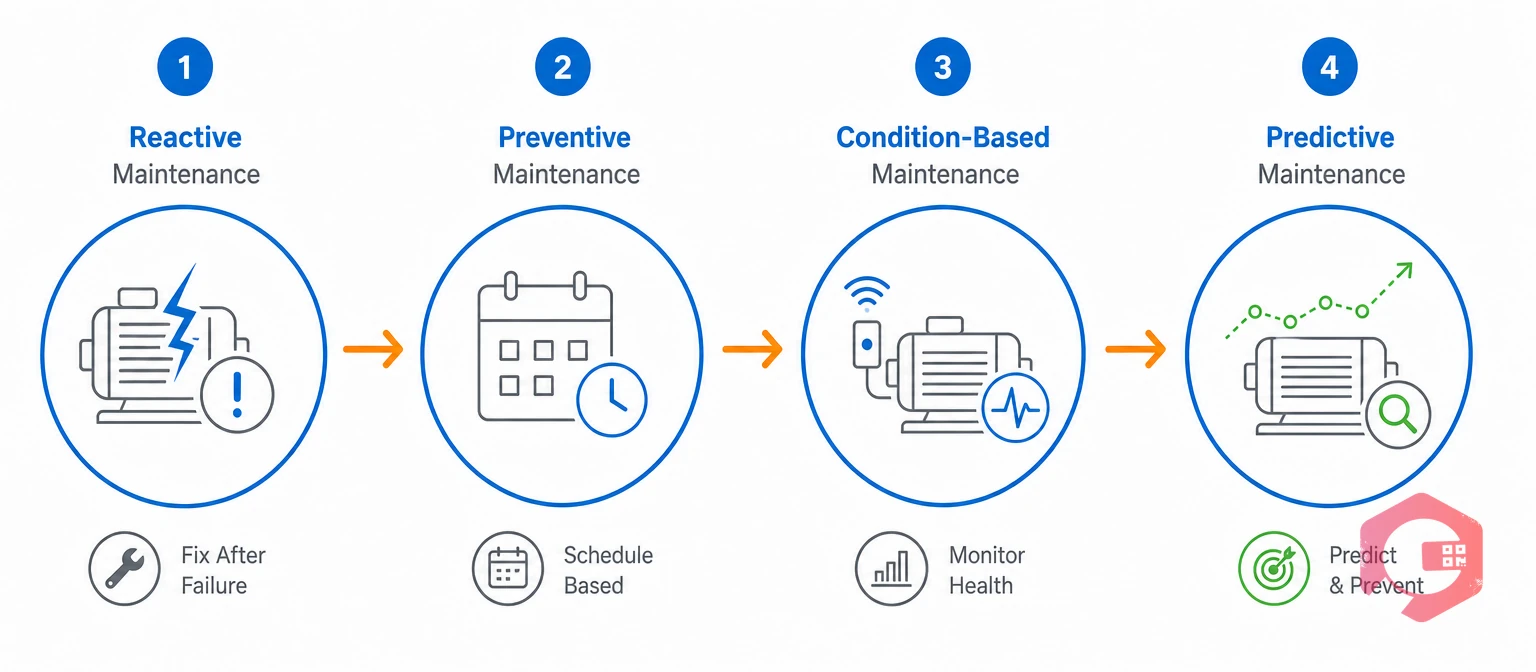
SAP PM handles calendar- and counter-based PM plans reasonably well. But changing those plans is slow, and they don't take in live equipment condition data on their own.
Condition-based maintenance is a strategy that triggers work orders from real equipment data instead of a fixed calendar date. Getting there from SAP PM means adding SAP Predictive Asset Insights or a separate IoT platform. That's a new project with its own budget and timeline.
Preventive maintenance software with flexible triggers — time, usage, or condition — gives teams a more direct path to predictive maintenance. No separate enterprise IoT project required.
Spare parts tracking in SAP PM runs through the Materials Management (MM) module. MM is built for enterprise procurement — reservations, movement types, transaction codes — not for a quick "do we have this part" check.
Maintenance-first spare parts management ties parts directly to assets and work orders. Technicians can check stock themselves, right from their phone.
Out-of-the-box SAP PM reporting is list-based, not visual. Getting a live view of MTTR, backlog age, or downtime trends usually means adding SAP BW or SAP Analytics Cloud on top.
Reliability benchmarks from SMRP show that top-performing plants track KPIs like MTTR in real time, not once a month. Maintenance teams using Cryotos have reported up to 30% reduction in unplanned downtime and 25% faster repair turnaround, largely because live dashboards flag problems before they turn into outages.
Adding a checklist, changing an approval step, or updating a notification rule in SAP PM usually needs a functional consultant or an IT ticket. That's because the setting lives inside SAP's larger configuration system.
Most facilities running a modern CMMS report the opposite. Checklists, workflows, and approval rules stay admin-configurable, so routine changes don't need a consultant ticket at all.
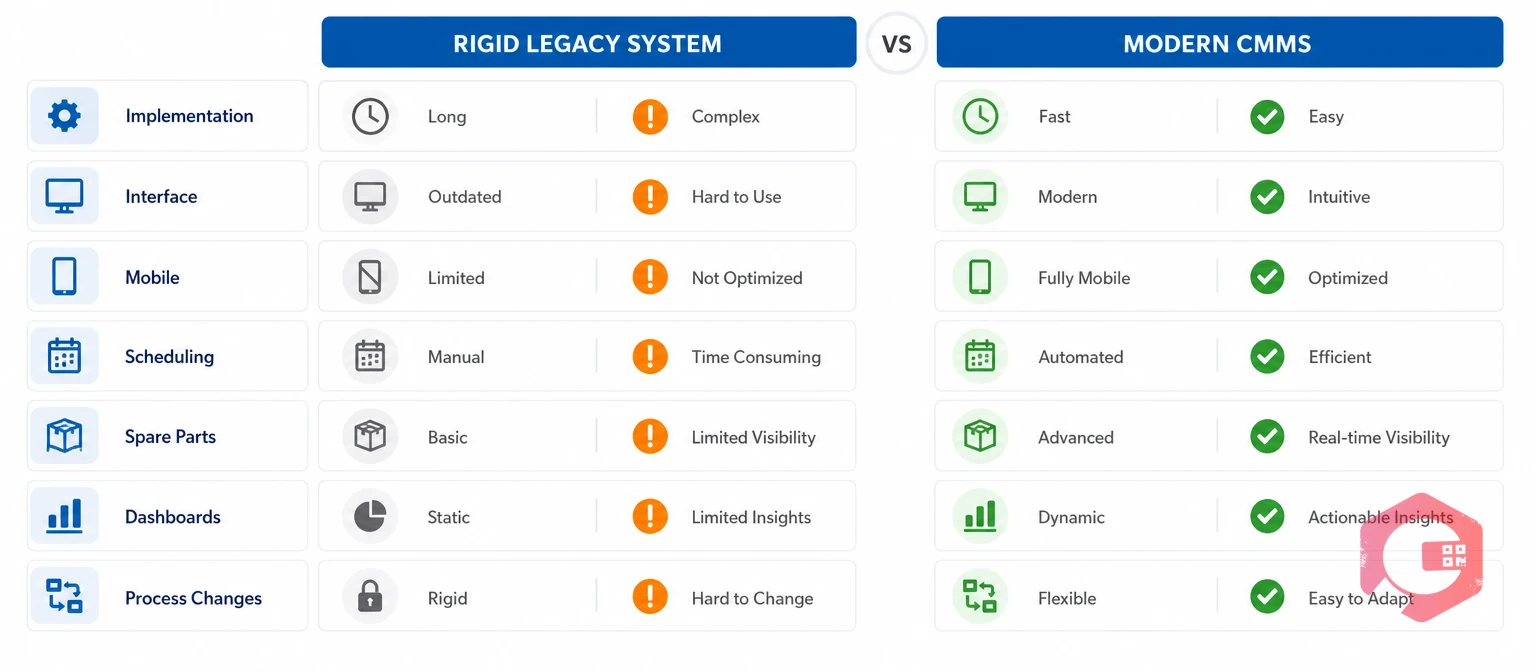
The seven gaps above line up across the same dimensions. That makes SAP PM and a modern CMMS easy to compare directly.
| Dimension | SAP PM | Modern CMMS (Cryotos) |
|---|---|---|
| Implementation time | Months, consultant-led | Weeks, self-serve setup |
| Technician interface | Transaction-code based, dense | Task-first, few-click mobile UI |
| Offline mobile capture | Needs a separate add-on | Built in, with auto-sync |
| PM scheduling | Rigid, calendar or counter-based | Time, usage, or condition-based |
| Spare parts lookup | Routed through MM transactions | Direct, technician-facing lookup |
| Real-time dashboards | Needs SAP BW or Analytics Cloud | Built in, no extra BI project |
| Process changes | IT or consultant ticket | Self-configurable by the team |
Most maintenance teams don't need to pick one system over the other. The practical path runs SAP for finance and procurement while a CMMS handles execution on the floor.
Yes. Most organizations keep SAP for finance, procurement, and the master asset list. They connect it to a CMMS that handles work orders, PM scheduling, and technician workflows. Integration keeps asset and cost data in sync between the two systems.
Not exactly. SAP PM is the classic Plant Maintenance module. SAP S/4HANA Asset Management is SAP's newer take on the same job. Many of the same gaps — mobile friction, rigid PM plans, consultant-gated changes — carry over into S/4HANA unless a team adds dedicated maintenance software on top.
Most teams go live in weeks, not months. A CMMS like Cryotos sets up asset hierarchies and workflows directly, instead of routing every change through SAP's consultant-driven process.
No. The usual setup keeps SAP as the system of record for cost and procurement data. The CMMS becomes the system of execution for maintenance work, with the two synced through integration.
Technician adoption. Maintenance teams that successfully modernize almost always point to the same root cause: SAP PM's interface and offline limits push technicians toward paper, which breaks the very data SAP PM was supposed to capture.
SAP PM covers the finance and procurement side of maintenance well, but the seven gaps above are exactly where daily maintenance work breaks down. Schedule a free demo to see how Cryotos closes those gaps alongside your existing SAP setup.

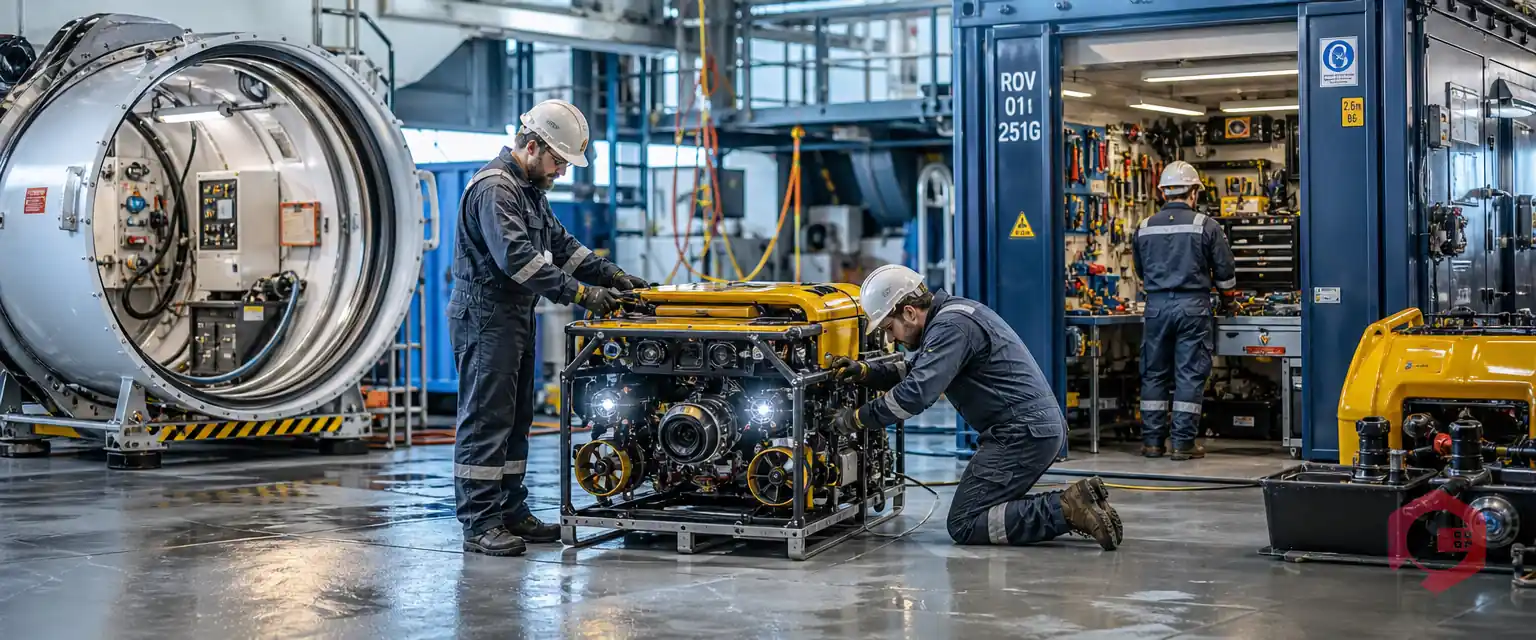

Cryotos AI predicts failures, automates work orders, and simplifies maintenance—before problems slow you down.



