

A maintenance backlog is the accumulation of work orders that have been requested but not yet completed within your target timeframe. Every maintenance team carries some backlog — but when it grows unchecked, it signals that your team is falling behind faster than it can recover. According to a Plant Engineering study, organizations relying on reactive maintenance spend 3 to 5 times more per repair than those with structured, proactive programs — and an out-of-control backlog is the clearest sign of reactive maintenance at work.
The good news: maintenance backlog is manageable. With the right prioritization framework, preventive maintenance strategy, and CMMS software, most teams can reduce their backlog by 40 to 60 percent within six months.
This guide walks you through exactly how — step by step.
A maintenance backlog is the total volume of open, deferred, or overdue work orders that have been requested but remain incomplete. It is measured in hours — specifically, as the ratio of pending work order hours to your team's weekly available labor hours.
The standard industry formula is straightforward:
Maintenance Backlog (weeks) = Total Estimated Hours of Pending Work ÷ Weekly Technician Capacity
A backlog of two to four weeks is widely considered healthy in most industrial and manufacturing environments. It means your team has enough queued work to stay productive, but not so much that critical tasks are buried. When the backlog stretches beyond four to six weeks, it typically means your team is systematically unable to keep up — and the gap is widening.
It is important to distinguish between a healthy backlog and a problem backlog. Some deferred work is intentional — non-critical tasks scheduled for a future planned window. The real danger is when safety-critical or production-impacting work sits unaddressed for weeks because the team has no capacity to reach it.

Before you can fix a backlog, you have to understand why it formed. In most facilities, backlog accumulation is driven by a combination of four root causes — and often all four are present at the same time.
When teams spend the majority of their time responding to breakdowns, there is simply no capacity left for scheduled and preventive work. Emergency repairs push planned tasks back, and those planned tasks pile up. Over time, the backlog becomes a permanent feature of operations rather than a temporary condition. Reliable Plant research consistently shows that reactive maintenance environments operate with wrench time as low as 25 percent — meaning three out of four working hours are consumed by searching for parts, waiting, or managing administration rather than fixing equipment.
If your team does not have enough trained technicians to handle the volume of incoming work orders, backlog growth is inevitable. This problem is compounded when available technicians lack the specific certifications or skills required for certain jobs — forcing work to wait until the right person is available, or forcing untrained staff to attempt repairs that take longer and are more likely to require rework.
When all work orders carry equal priority — or when priority is assigned informally — teams end up completing the easiest or most recent tasks first, leaving critical backlog items buried at the bottom of the queue. Without a formal triage system, high-priority safety and production work can sit unaddressed while routine, low-impact jobs get closed.
A technician who arrives at a job site only to find that the required part is out of stock cannot complete the work. The work order stays open, the repair waits, and the backlog grows. Poor inventory management is one of the most overlooked contributors to maintenance backlog — and one of the most immediately fixable with the right CMMS tools.
A growing maintenance backlog is not just an organizational problem — it is a direct financial drain. The costs compound in several ways that most facilities do not fully account for.
Reducing maintenance backlog is not a single action — it is a six-step operational improvement process. Each step builds on the one before it. Most teams that follow this sequence see meaningful backlog reduction within the first 30 to 60 days.
You cannot manage what you have not measured. Start by pulling a full export of your open work orders and categorizing them into four groups:
This audit gives you your true backlog composition. In a healthy operation, Categories A and B should be empty or near-empty — all safety and production-critical work should be addressed within 24 to 72 hours of creation. If Category A has items older than one week, that is your first priority.
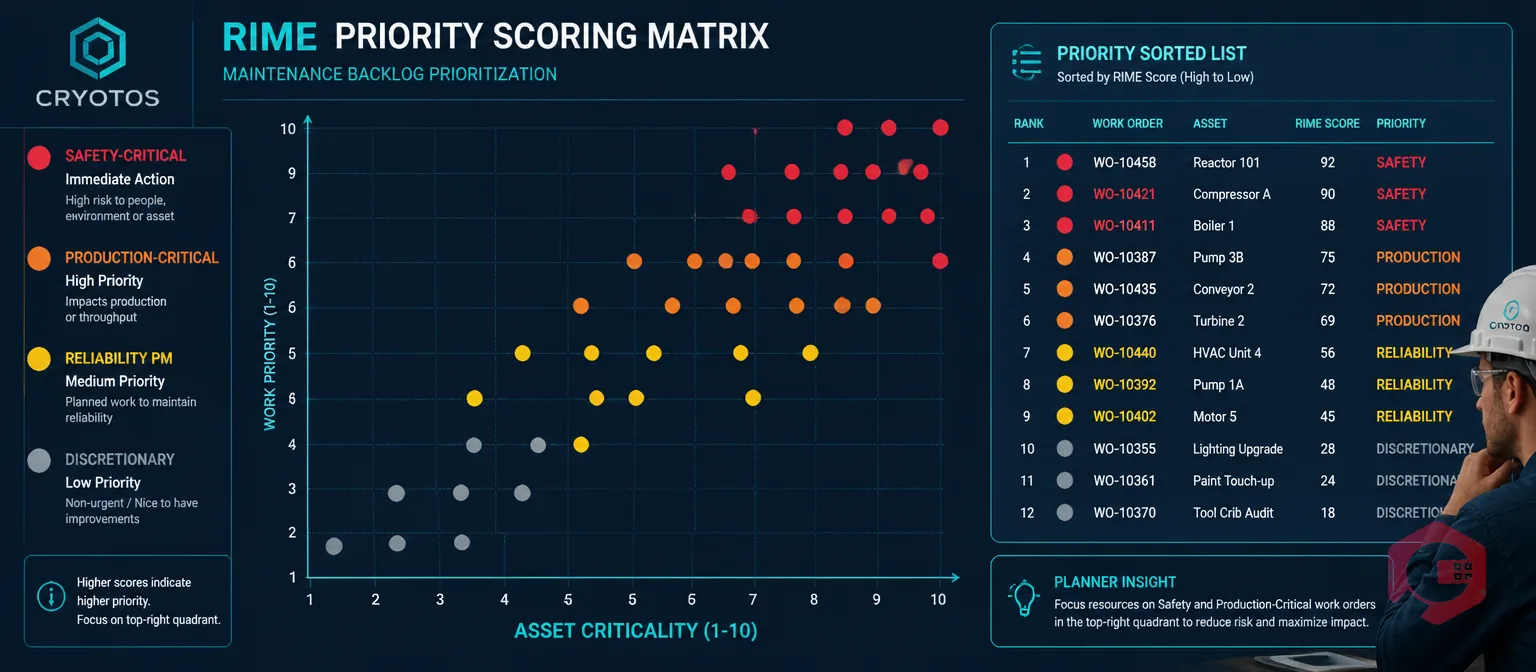
Once categorized, apply a numeric scoring system so that work order priority is objective rather than based on whoever shouts loudest. The RIME (Ranking Index of Maintenance Expenditures) method works well for this:
RIME Score = Asset Criticality (1–10) × Work Class Priority (1–10)
A safety issue on your most critical production asset scores 10 × 10 = 100 and goes to the top of the queue. A cosmetic repair on a non-production asset scores 2 × 2 = 4 and can wait. This simple formula removes subjectivity and gives your team a clear, defensible sequence for working through the backlog.
Review the prioritized list in a weekly planning meeting — typically held between the maintenance manager, planner, and operations lead — and freeze a rolling schedule for the next week. Tasks in this frozen schedule should be completed as planned unless a Category A emergency forces a change.
The only permanent way to stop backlog from growing is to reduce the rate at which new unplanned work is created. That means investing in preventive maintenance. Research by McKinsey consistently shows that organizations with mature PM programs achieve 20 to 40 percent fewer unplanned failures than reactive-maintenance operations.
Start by identifying the 20 percent of assets responsible for 80 percent of your reactive work orders — your "bad actors." Build PM schedules for these assets first, using manufacturer recommendations as a starting point. For assets with variable usage, use dynamic PM triggers based on runtime hours or production cycles rather than fixed calendar intervals. This prevents both over-maintaining (wasting resources on healthy assets) and under-maintaining (missing service on heavily used equipment).
As PM compliance improves, your reactive emergency rate will fall — and so will the rate of new backlog creation. According to Plant Engineering, facilities that raise PM compliance above 85 percent typically see reactive work orders drop by 30 to 50 percent within 12 months.
A work order cannot be closed if the required part is not in stock. Conduct an inventory audit alongside your backlog audit to identify which open work orders are stalled due to missing parts. For each stalled work order, determine whether the part is on order (acceptable), not yet ordered (fixable today), or repeatedly unavailable (a systemic inventory management problem).
Set minimum stock thresholds for the spare parts most frequently required for your Category A and B assets. Configure automatic reorder alerts so that stock is replenished before it reaches zero. The goal is that when a work order is created, the required parts are already confirmed available in your inventory system — not discovered to be missing when the technician arrives at the job site.
Even with a good prioritization system and adequate parts, backlog will persist if your technicians spend too much time on non-productive activities. Industry benchmarks suggest that in facilities without a digital CMMS, technicians spend only 25 to 35 percent of their working hours on actual hands-on repair work. The remaining time goes to searching for work orders, walking to storerooms, waiting for approvals, and manual paperwork.
Mobile CMMS access is the single most effective lever for improving wrench time. When a technician can receive work order details, access asset history, view digital checklists, and confirm parts availability directly from their phone — without returning to a central office — they complete more jobs per shift. A well-implemented CMMS typically increases wrench time from 30 percent to 50 to 55 percent. In a team of 10 technicians, that difference is equivalent to gaining three to four additional full-time technicians without hiring anyone.
Backlog reduction is not a one-time project — it is an ongoing discipline. Once you have cleared the acute backlog, you need to monitor it continuously to prevent it from rebuilding. The key metrics to track weekly are:
Review these metrics in a standing weekly meeting. If backlog weeks are rising, investigate whether the cause is new demand, reduced capacity, or slipping PM compliance. Each cause has a different solution — and tracking these numbers gives you the data to find the right one.
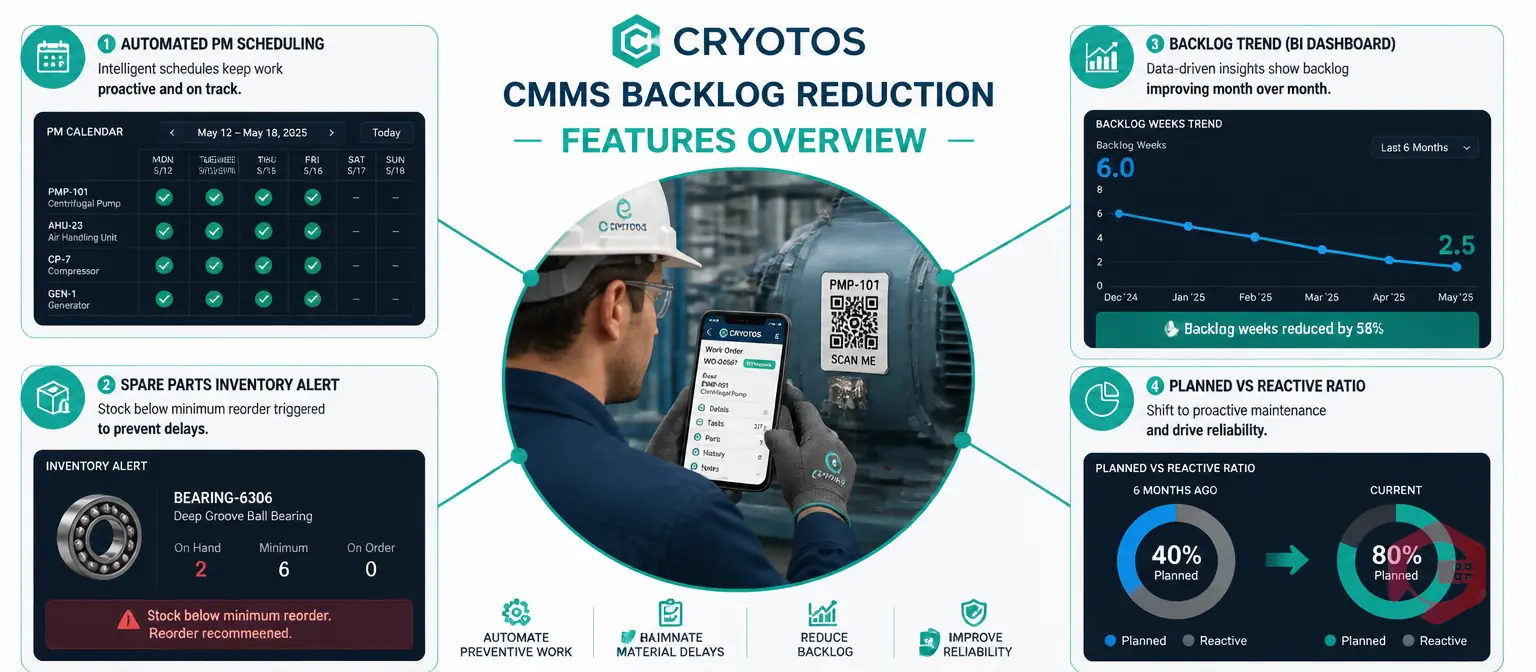
Every step in this guide becomes dramatically more achievable with the right software infrastructure. Cryotos CMMS is purpose-built to address each of the root causes of maintenance backlog accumulation — and to give maintenance teams the visibility and automation they need to work through existing backlogs without increasing headcount.
Facilities using Cryotos report a 30 percent reduction in unplanned downtime and 25 percent faster repair times within the first year of consistent use.
A backlog of two to four weeks is generally considered healthy in most manufacturing and industrial environments. When backlog exceeds four to six weeks, it typically signals a structural imbalance between incoming work demand and available maintenance capacity. If safety or production-critical work orders are aging beyond 72 hours, those require immediate escalation regardless of overall backlog size.
The most effective method is to use a numeric scoring framework like RIME (Ranking Index of Maintenance Expenditures), which multiplies Asset Criticality (1–10) by Work Class Priority (1–10) to produce a score for each work order. Safety-critical tasks on high-value assets always score highest. A weekly planning meeting between the maintenance planner, manager, and operations lead should then freeze a prioritized schedule for the coming week.
A CMMS reduces backlog by centralizing all work orders so nothing is lost, automating PM scheduling so planned work is never missed, providing real-time inventory visibility so parts are available when needed, giving technicians mobile access so they spend more time on actual repair work, and providing backlog analytics so managers can identify and address root causes before the backlog rebounds.
Most teams see measurable backlog reduction within 30 to 60 days of implementing a structured prioritization system and PM discipline. Sustainable reduction typically takes four to six months, as PM compliance improves and the rate of new reactive work orders declines. The key milestone to watch is the Planned Maintenance Percentage: once you achieve 70 percent or more planned work, backlog stabilization typically follows within one to two quarters.
A maintenance backlog does not resolve itself. Left unmanaged, it grows — and as it grows, the cost of clearing it grows with it. The six-step approach in this guide — audit, prioritize, prevent, stock, accelerate, and measure — gives maintenance teams a structured path from backlog crisis to controlled operations.
Cryotos CMMS is built to accelerate every step of that path. From automated PM scheduling and real-time inventory alerts to mobile work order management and live backlog dashboards, Cryotos gives your team the tools to clear the backlog you have — and prevent the next one from forming. Explore how Cryotos can transform your maintenance operations and request a demo with your team today.

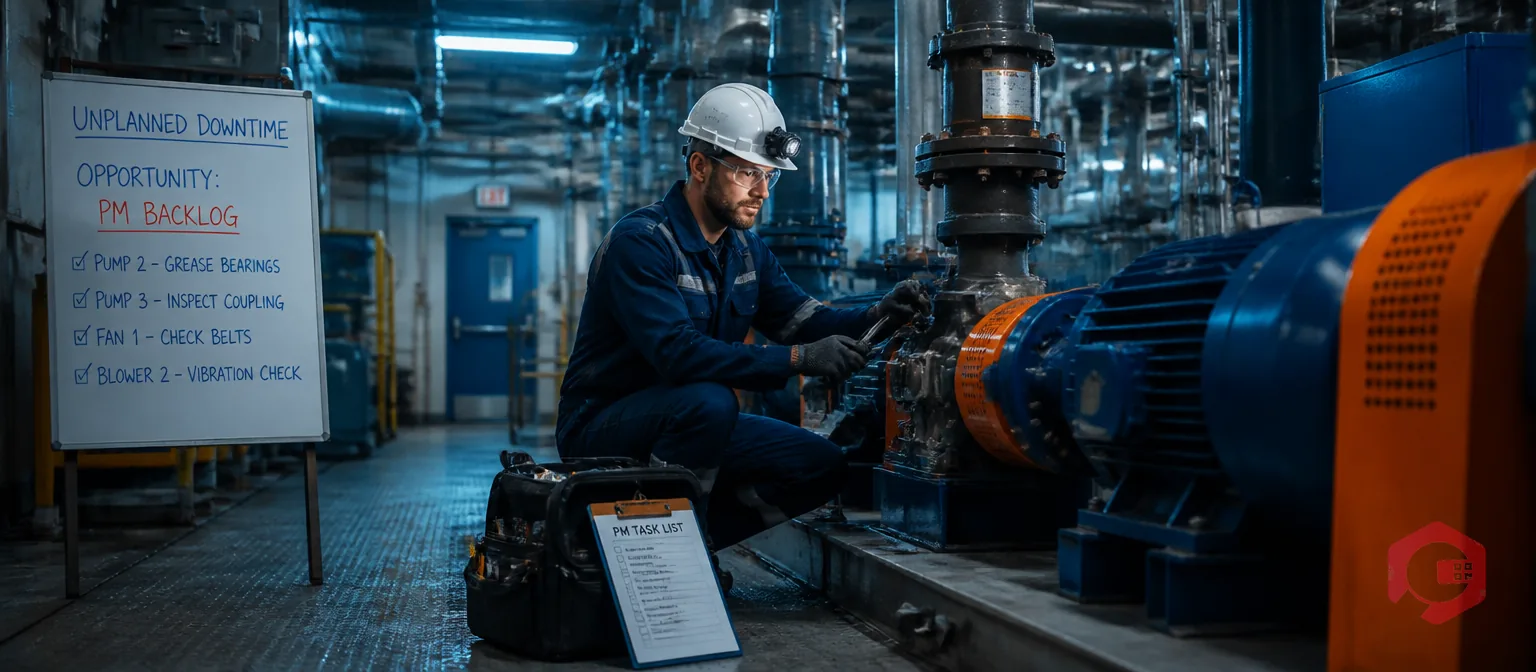


Cryotos AI predicts failures, automates work orders, and simplifies maintenance—before problems slow you down.



