

License management in facility management software is the process of digitally tracking, storing, and automating renewals for every license, permit, and certification your facility is legally required to hold. This includes contractor trade licenses, equipment operating permits, environmental certificates, vendor insurance documents, and software licenses tied to building systems. Without a centralized system, FM teams rely on spreadsheets that miss renewal deadlines — exposing organizations to fines, work stoppages, and failed audits.
According to the International Facility Management Association, over 60% of facility managers still track compliance documents manually. A single missed contractor license can void your insurance coverage and trigger OSHA penalties of up to $156,259 per violation — costs that dwarf the price of any FM software subscription.
Key Takeaways
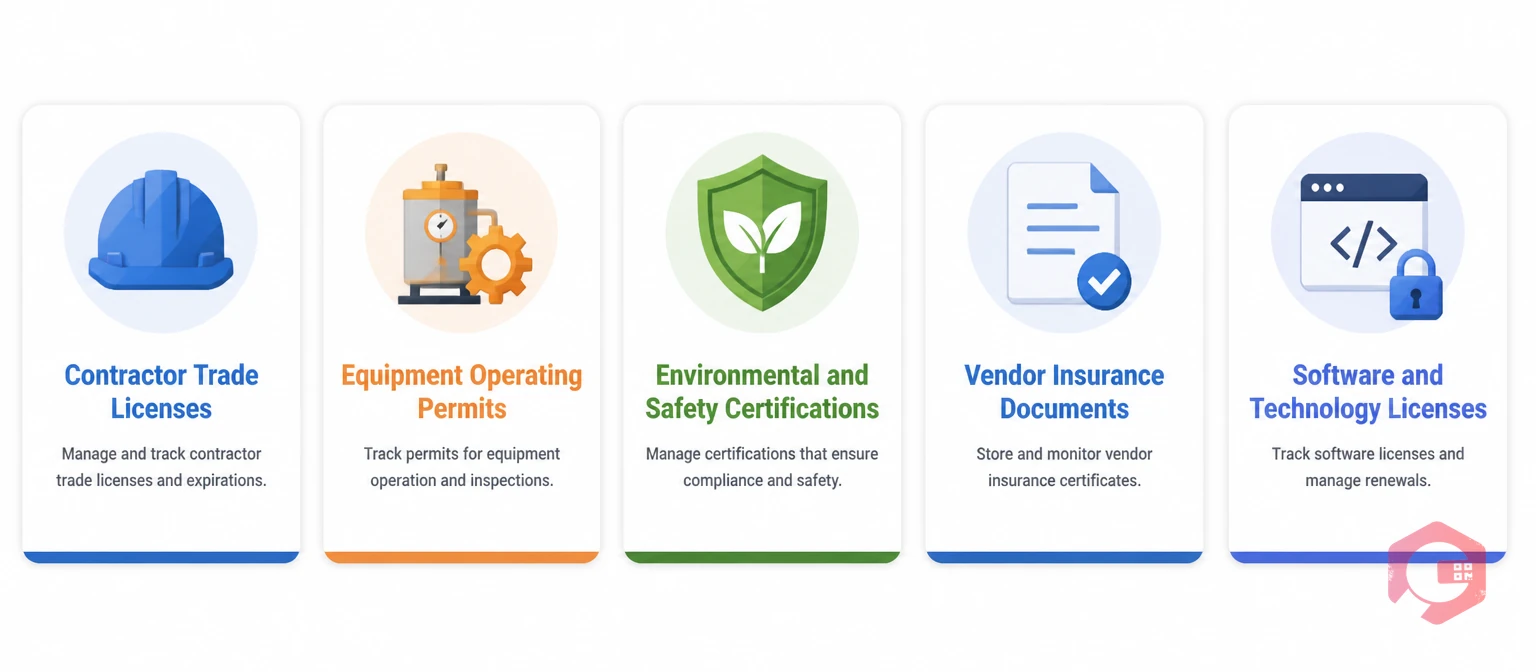
License management in facility management software is the discipline of capturing, monitoring, and renewing every license and permit that governs your facility's legal right to operate. FM teams carry compliance responsibility across multiple license categories simultaneously, and the volume grows with every contractor relationship, asset addition, or new regulatory requirement.
In practice, license management covers five core domains. Contractor trade licenses verify that electricians, plumbers, HVAC technicians, and other tradespeople hold valid credentials before they step on site. Equipment operating permits authorize the use of boilers, elevators, pressure vessels, and other regulated assets. Environmental and safety certifications document compliance with fire safety codes, waste disposal regulations, and air quality standards. Vendor insurance documents confirm that third-party suppliers carry adequate liability and worker compensation coverage. Finally, software and technology licenses track entitlements for building management systems, access control platforms, and CMMS tools — ensuring you remain within your contracted user limits.
When any of these lapses, the consequences extend beyond the immediate fine. A contractor without a valid trade license can invalidate your general liability insurance. An expired equipment permit can ground critical assets mid-operation. An audit that surfaces license gaps flags your organization for repeated inspection cycles that consume management time and damage supplier relationships.
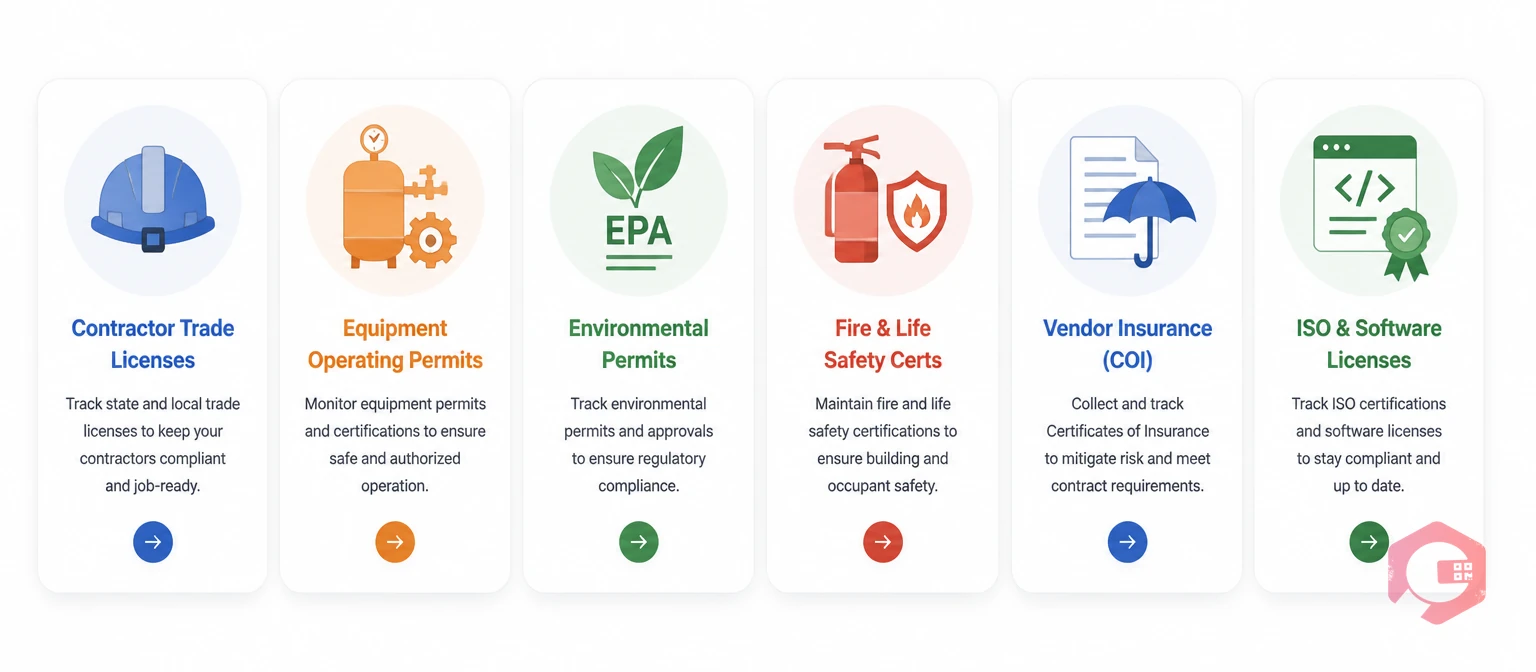
The license portfolio of a mid-size facility team typically spans dozens of active documents at any given time. Understanding the categories helps FM managers build a tracking structure that covers every compliance obligation.
Not all FM platforms handle license management equally. The features below are the ones that separate reactive paper-chasing from proactive compliance management.
The most impactful feature in any license management module is multi-stage automated alerting. Effective FM software sends notifications at 90 days, 30 days, and 7 days before a license expires — via email, mobile push notification, and messaging platforms like WhatsApp. If no action is taken at the first alert stage, the system escalates automatically to a supervisor or compliance officer. According to Gartner research on asset management automation, organizations using automated compliance tracking reduce license lapses by up to 72% compared to manual spreadsheet processes.
FM software replaces scattered email attachments and shared-drive folders with a single searchable repository. Every license record stores the document type, issuing authority, issue date, expiry date, responsible owner, and the certificate itself. Authorized users retrieve any record in seconds. Auditors access a clean, timestamped trail without requiring FM staff to compile documents under pressure. The document management module in modern CMMS platforms version-controls each renewal, so the historical chain of compliance is always preserved.
FM software links contractor profiles to their trade license and insurance records, then enforces those links at the work order level. When a technician is assigned a job, the system checks credential validity in real time. If a license is expired or missing, the assignment is flagged and blocked. This validation shifts compliance checking from a manual pre-job review to an automated gate that never gets skipped. The user role and access control layer ensures that only authorized personnel can override flags, creating an auditable exception log.
Equipment permits are tied directly to asset records, not just stored in a general folder. When a boiler's operating permit approaches its expiry, the FM platform can auto-generate a preventive maintenance work order for the required inspection — ensuring the inspection happens before the permit lapses rather than after the regulator flags it. This connects the compliance calendar directly to the maintenance schedule.
Beyond basic alerts, dedicated expiration reminder workflows let FM managers configure custom renewal sequences for different license types. A contractor trade license renewal sequence might require document submission, manager review, and upload confirmation — each step tracked with timestamps and responsible parties logged against the record.
| Capability | Manual Spreadsheet | FM Software |
|---|---|---|
| Renewal Alerts | Manual calendar reminders, easy to miss | Automated multi-stage alerts via email, push, WhatsApp |
| Document Storage | Shared folder links that break over time | Version-controlled repository with search and audit trail |
| Contractor Verification | Manual check before each work order | Automatic real-time validation, assignment blocked if expired |
| Audit Preparation | Hours of manual data compilation | One-click compliance report generation |
| Scalability | Breaks down beyond ~50 licenses | Handles thousands of records without performance loss |
| Escalation Logic | No automatic escalation — relies on individual memory | Configurable escalation paths to supervisors if no action taken |
| Asset-Level Linking | Not possible — licenses tracked separately from assets | Permits linked to asset records, triggering maintenance automatically |
The cost difference becomes clearest at scale. A 500-license portfolio managed by spreadsheet requires one dedicated compliance administrator spending roughly 60% of their time on tracking tasks. The same portfolio in FM software takes the same administrator less than 10% of their time — freeing the remainder for higher-value compliance work.
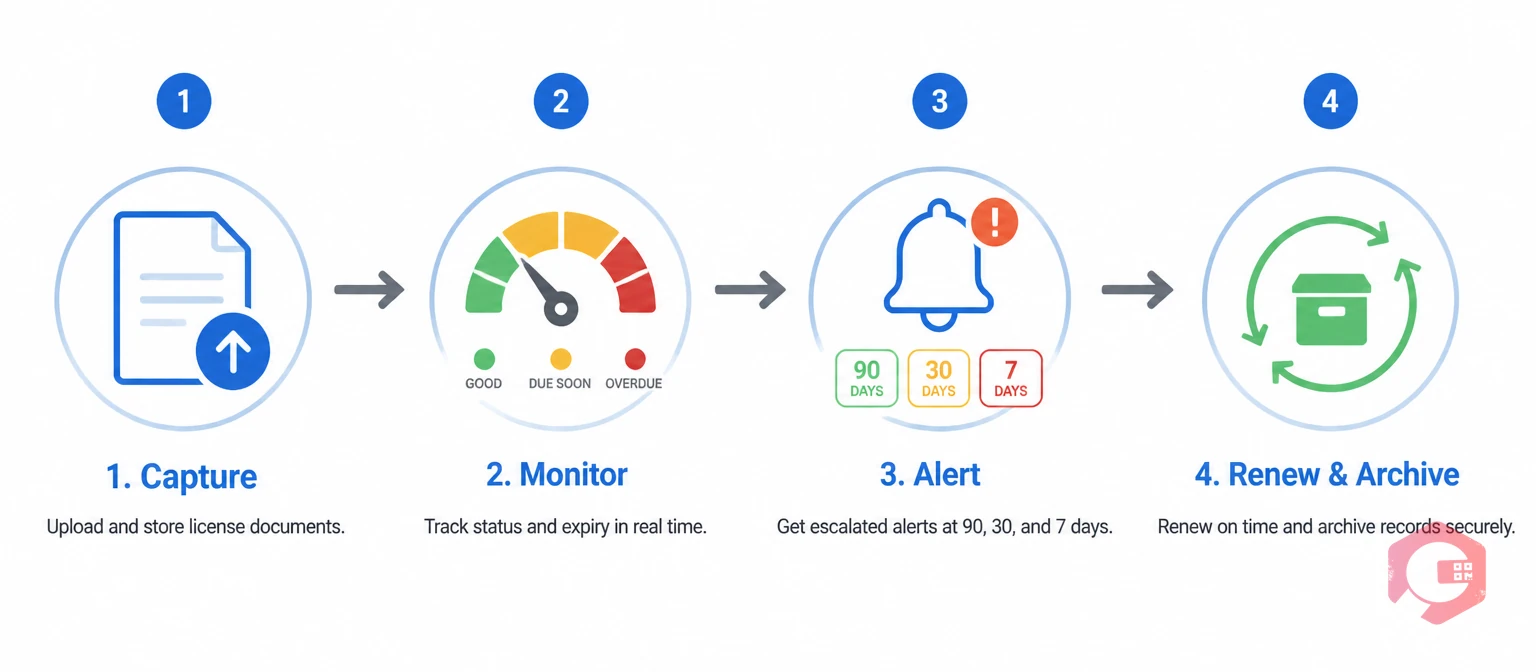
License management in FM software follows a repeating four-stage cycle. Understanding each stage helps FM managers configure the system to close every gap in their current process.
This cycle runs continuously across every license in the portfolio, eliminating the quarterly manual review sessions that most FM teams currently rely on to catch near-expiry documents before they lapse.
The business case for FM software-based license management goes well beyond avoiding fines. The operational benefits compound across the compliance, maintenance, and procurement functions simultaneously.
Evaluating FM platforms specifically for license management capability requires looking beyond the feature checklist. The questions below help FM managers assess whether a platform will genuinely replace their current manual process or simply digitize it.
Cryotos CMMS brings license management directly into the maintenance workflow — so compliance and operations stay in sync without requiring a separate compliance system.
Within Cryotos, facility teams attach license and certification documents to contractor profiles, vendor records, and individual asset entries. The work order management system automatically validates contractor credential status before an assignment is confirmed — if a trade license is expired, the work order flags the issue and blocks the assignment until a compliant contractor is selected or the credential is renewed.
Cryotos sends automated expiry alerts via email and WhatsApp at 90, 30, and 7 days before any license or permit expires. For equipment-level permits, the platform auto-generates a preventive maintenance work order when a permit inspection is due — connecting the compliance calendar directly to the maintenance schedule without manual intervention. The expiration reminder module supports custom renewal workflows, so each license type follows a sequence that matches its specific renewal process.
For multi-site operations, all license data rolls up into a consolidated dashboard with real-time compliance status indicators and scheduled report delivery. The document management layer maintains full version history for every certificate renewal, giving audit teams a clean chain of evidence without manual file retrieval. For teams managing multiple sites or complex contractor networks, Cryotos's facility maintenance software capabilities extend compliance tracking across the entire portfolio with a single login.
Facility management software tracks contractor trade licenses, equipment operating permits, environmental and safety certifications, vendor insurance documents (Certificates of Insurance), ISO quality certifications, fire and life safety inspection certificates, and software license agreements tied to building systems.
FM software configures multi-stage renewal alerts that trigger at 90, 30, and 7 days before expiry, delivered via email, mobile notification, or messaging apps. If no action is taken at the first stage, the system escalates automatically to a supervisor. Once a renewed certificate is uploaded, the old record archives and the expiry countdown resets without manual input.
Yes. A well-configured facility management software platform links contractor profiles to their trade license and insurance records, and blocks work order assignment automatically when credentials are expired or missing. Cryotos CMMS includes this validation as a core part of its work order workflow — the check happens at the point of assignment, not as a separate manual review step.
When a vendor license reaches its expiry date, the FM software marks the vendor as non-compliant, prevents new work orders from being assigned to them, and triggers escalation alerts to the FM team. The expired license remains in the system's archive for audit evidence. Work assignments resume automatically once the renewed certificate is uploaded and validated.
This varies by platform. Some FM systems include license tracking as a native feature within their contractor management or document management modules. Others offer it as an add-on. The most effective implementations are those where license validation is integrated directly into the work order workflow — so compliance is enforced at the point of execution, not managed in a separate system that relies on manual cross-referencing.
Manual license tracking is a liability your facility can't afford to carry as contractor volumes and regulatory requirements grow. Cryotos CMMS gives facility managers a single automated system to track every license, permit, and certification — with real-time alerts, work order-level validation, and audit-ready reporting built in from day one. Schedule a free demo and see how Cryotos keeps your facility compliant without the manual overhead.




Cryotos AI predicts failures, automates work orders, and simplifies maintenance—before problems slow you down.



