

Mobile alerts for food plant operators and supervisors are instant phone or tablet notifications that tell the right person about a breakdown, a missed food safety check, or an overdue task. They replace radio calls, paper notes, and walking the floor to find someone.
In a food plant, a few minutes can decide whether a batch ships or goes to waste. A cold room that drifts warm or a metal detector that fails its check can put a full production run at risk. Below, you'll see which mobile alerts for food plant teams to set up, who should get them, how to stop alert fatigue, and how to launch in 90 days.
Key Takeaways
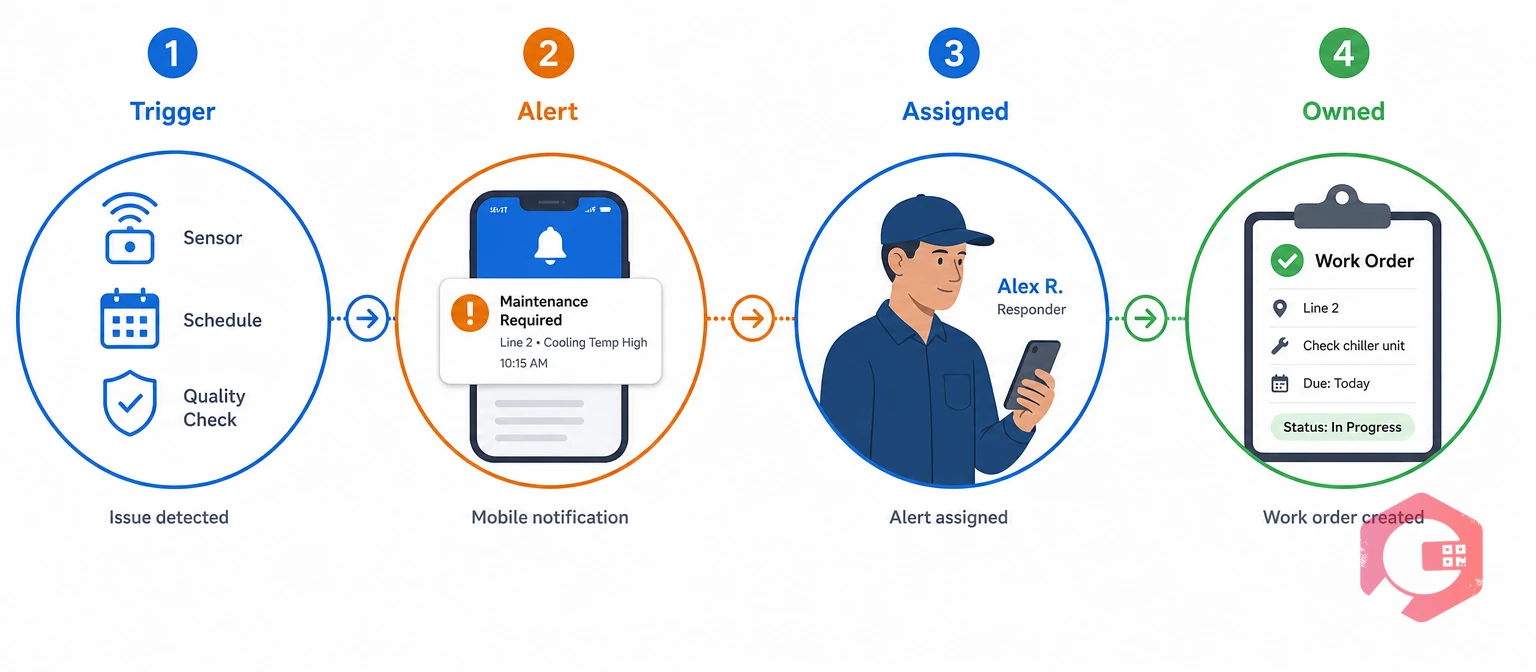
A mobile alert is a push, SMS, or WhatsApp message sent to a named role when a set rule is triggered. The rule can be a sensor reading, a due date, or a request from the line. In food plants, most alerts come from a Computerized Maintenance Management System, sensors, and quality systems.
The Computerized Maintenance Management System matters here because it turns an alert into a job with an owner, steps, and a record. The ISA-18.2 alarm management standard makes the same point for control rooms: every alarm should have a defined response, or it should not exist.
An escalation rule is a setting that sends an unanswered alert to the next person after a set time. For example, a cold room alarm goes to the shift operator first, then to the supervisor after 10 minutes. A useful alert always has a source, an owner, and a time limit.
Mobile alerts for food plant operators should tell them what to do now on their own line, while supervisors need alerts that show what is stuck, late, or repeating. Sending everything to everyone is the fastest way to make people ignore their phones.
| Feature | Operator alerts | Supervisor alerts |
|---|---|---|
| Purpose | Act on a task or fault right now | Oversee, escalate, and clear blockers |
| Typical alerts | Line stop, check due, cleaning task | Overdue jobs, missed checks, repeated faults |
| Response time | Minutes | Minutes to hours |
| Detail needed | Asset, location, and steps to follow | Status, owner, and impact on output and safety |
| Follow-up action | Complete the checklist or work order | Approve, reassign, or call in support |
| Best format | Short push or WhatsApp message | Escalation message plus a shift summary |
Most food plants that struggle with alerts send every message to one shared group. Split alerts by role first, then by line and shift, and response times usually improve within weeks.
A mobile alert schedule lists each alert, what triggers it, who gets it first, and when it moves up to a supervisor. Use this one as a starting point and adjust the times to match your HACCP plan and site procedures.
| Alert | Trigger | First recipient | Escalate to supervisor after |
|---|---|---|---|
| Cold room or chiller temperature | Reading above the set limit for a set time | Shift operator and maintenance on call | 10 minutes |
| Critical control point check missed | Metal detector or temperature check not logged on time | Line operator | 15 minutes |
| Line breakdown | Operator raises a request or the machine stops | Maintenance technician | 20 minutes without acknowledgment |
| Allergen changeover sign-off | Changeover cleaning marked complete | Quality checker | Before the next run starts |
| Sanitation task overdue | Cleaning task past its due time | Sanitation lead | 30 minutes |
| Calibration due | Thermometer, scale, or detector nearing its due date | Quality team | 3 days before the due date |
Link each alert to a regulatory compliance checklist or a work order, so the response is recorded and not just the alarm. A schedule like this gives mobile alerts for food plant lines an owner and a deadline before they go live.
Want to see how alerts reach technicians on the floor? Explore how a mobile CMMS app delivers jobs, checklists, and escalations to any phone, even offline.

The Right-Person Alert Framework is a four-part test that all mobile alerts for food plant teams should pass before they are switched on. If an alert fails any part, fix it or drop it.
The Right-Person Alert Framework:
Review these numbers weekly for the first two months. An alert that passes all four tests and shows a falling time to acknowledge is doing its job.
Alert fatigue is the drop in response that happens when people get more alerts than they can act on. When phones buzz all shift, operators stop reading the messages, and the one alert that matters gets missed.
Maintenance teams that keep alerts trusted follow a few simple habits:
Phones in food production areas need approved, cleanable cases or shared plant devices kept in set locations. Cold rooms and steel buildings often block signal, so choose an app that saves updates offline and syncs later.
A smaller, well-tuned set of mobile alerts for food plant crews protects food safety better than a flood of messages nobody reads.
Mobile alerts for food plant teams support food safety compliance only when the response is recorded. Under the FDA Food Safety Modernization Act, plants need records that show preventive controls are working.
A critical control point is a step where a control can prevent or remove a food safety hazard. Missed or failed checks at these points should always trigger the fastest alerts in your plant.
GFSI-benchmarked schemes such as SQF, BRCGS, and FSSC 22000 look for the same evidence. If you can show the alert, the response, and the person who acted, you are ready for most food safety audits.

The fastest way to launch mobile alerts for food plant lines is to start with five alerts on one line, prove they work, and then expand. A trusted small system beats a large one that people ignore.
Start small, tune, and then scale.
Cryotos connects each alert to the job, checklist, and record that follows it. The food and beverage CMMS software is built for plants that need fast response and audit-ready records.
Maintenance teams using Cryotos have reported up to 30% reduction in unplanned downtime and 25% faster repair turnaround. Cryotos works alongside your temperature monitoring and quality systems rather than replacing them, so most plants start with cold chain and breakdown alerts on one line.
Start with cold room temperature, missed critical control point checks, and line breakdowns. These three alerts have the biggest impact on food safety and output, so they deserve the clearest owners and shortest escalation times.
No. Operators need task alerts for their own line, while supervisors need escalations and exceptions. Sending everything to everyone causes alert fatigue and slows down response.
When alerts open checklists or work orders, every response is time-stamped and signed. Auditors can see what happened, who acted, and when, which supports FSMA, HACCP, and GFSI scheme requirements.
Yes, if the app supports offline mode. Updates are saved on the device and sync automatically when the signal returns, so no response is lost.
Add time delays to readings, route alerts by line and shift, and bundle routine reminders into a shift-start summary. Review alert volume every month and remove alerts that rarely need action.
Most plants can launch a first set of five alerts on one line within 90 days. Spend the first month choosing alerts and owners, the second testing, and the third tuning and expanding.
Faster alert response protects both food safety and output. Schedule a free demo to see how Cryotos sends the right alert to the right person on your plant floor.


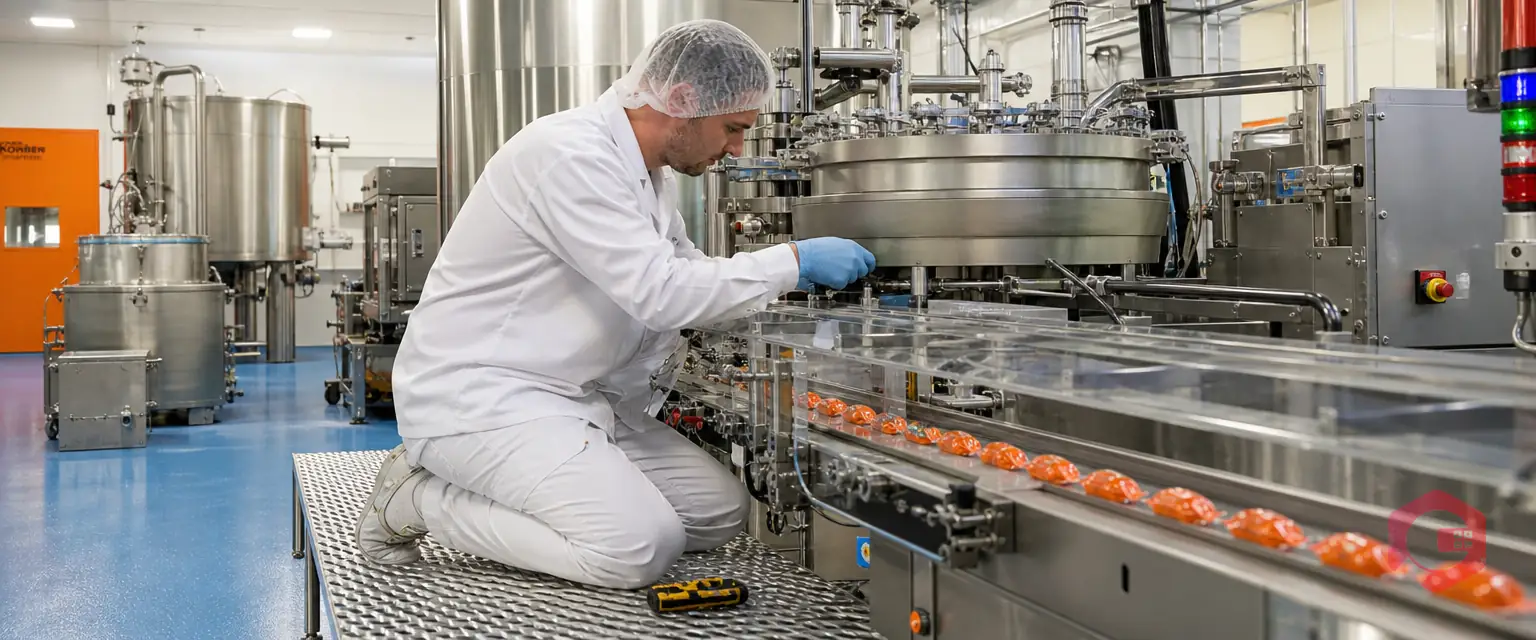
Cryotos AI predicts failures, automates work orders, and simplifies maintenance—before problems slow you down.



