
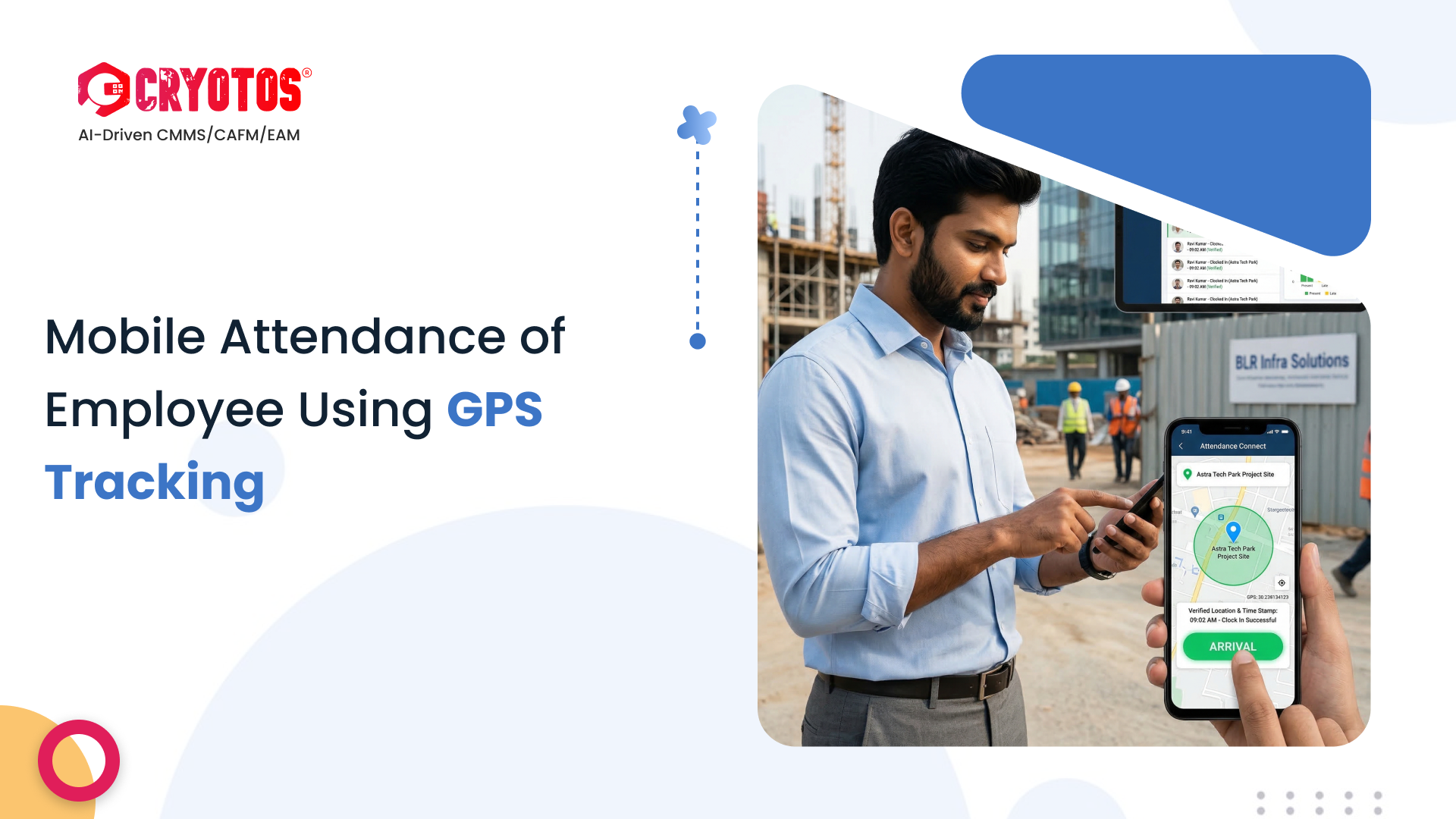
To the facility managers, the field operations seem like a black box where manual logs and inappropriate time sheets lead to discrepancies in the payroll all the time. This invisibility is what gives rise to the fear that you may not know whether the technicians are really present or they are buddy punching remotely.
In response to this the industry is swiftly changing the paper sign-in sheets and independent hardware clocks into single Mobile-First CMMS products. This shift is a swap of clipboard with the smartphone and making all mobile devices a specific tool of monitoring workforce activity.
Cryotos CMMS elevates this further by acting as your accountability partner, ensuring that a "Clock-In" only happens when a technician is physically at the asset. By validating attendance through location, we turn vague time entries into verified proof of presence, ensuring you only pay for work performed.
GPS-Integrated Mobile Attendance The automated feature of recording the start and stop time of employees is the built-in GPS feature of their mobile gadgets. This is not isolated data as in the case of a basic time-tracking app. These timestamps are directly associated with Work Orders or Sites in a modern CMMS, forming a digital audit trail that proves to be who was where and when.
Many managers ask, "Can't we just use a free time-tracking app?" The difference lies in context.
It links the person to the place and the job.
Implementing GPS tracking doesn't have to be invasive or complex. Here is the typical technician workflow:
First, managers set up site coordinates in the system's web portal. You define an "allowed radius" (Geofence), for example, 500 meters around a facility. This creates a virtual perimeter that acts as the trigger for attendance.
Not every user need tracking. You can assign specific mobile permissions to your field technicians. They will only see the "Check-In" button when they are within the active geofence of their assigned site.
The user experience is designed for simplicity to ensure high adoption rates:
This is where magic happens. The attendance time isn't just payroll; it flows into your maintenance data. Attendance hours are automatically converted into "Labor Hours" on work orders, allowing for accurate job costing and profitability analysis.
In the web portal, managers may access both a daily Attendance Report and a Map View, where they can identify precisely where all members of the team have been checking in and out of the premises.
Friday afternoons technicians usually complete weekly time sheets. Using memory causes guesstimating whereby the blocks of time are rounded and can end up costing the company thousands of hours of non-work in a year.
It is wrong to take a text message or phone call and consider it as evidence of arrival. Unless verification is synchronized, you are not necessarily assured of the presence of the technician at the critical asset that impacts on your SLA.
GPS tracking with one application, payroll with spreadsheet and maintenance with separate software results in data silos. This will give you three versions of the truth and it will take hours of administrative time to reconcile.
Replacing with GPS-integrated attendance provides quantifiable returns within a short time.
The GPS tracking changes workforce management into an empowerment engine rather than a policing tool because it gives the technicians undeniable evidence of work and removes administrative bottlenecks to the managers. For teams that also need to track and manage assets on mobile, read our guide on how easy and convenient it is to access asset tracking software with a mobile-first approach.
It is time to see everything happening in your field. Find out how to use Cryotos to automate and verify your attendance and zero payroll leakage through the integration of GPS tracking.


Cryotos AI predicts failures, automates work orders, and simplifies maintenance—before problems slow you down.



