
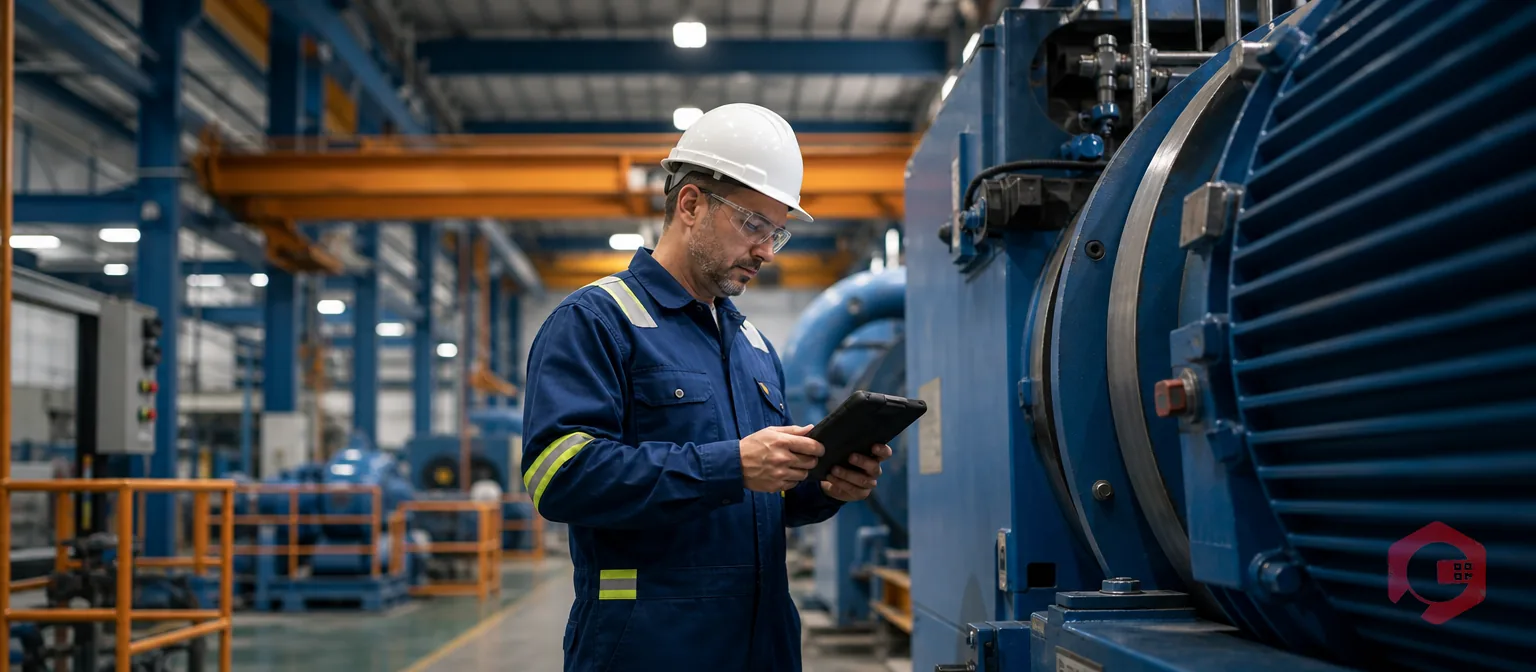
A mobile-first CMMS is a Computerized Maintenance Management System designed so technicians complete work orders, PM checklists, and downtime logs from a phone or tablet on the plant floor instead of walking back to a desktop terminal. For Total Productive Maintenance (TPM) programs, that shift decides whether autonomous maintenance happens in real time or gets logged hours later from memory. Plants running desktop-bound CMMS software routinely see checklist completion stall and downtime data arrive stale. A mobile-first CMMS closes that gap by putting the same tools technicians need directly into their hands, right at the asset. This guide covers what mobile-first really means, how it plugs into TPM, and how to roll it out well.
Key Takeaways
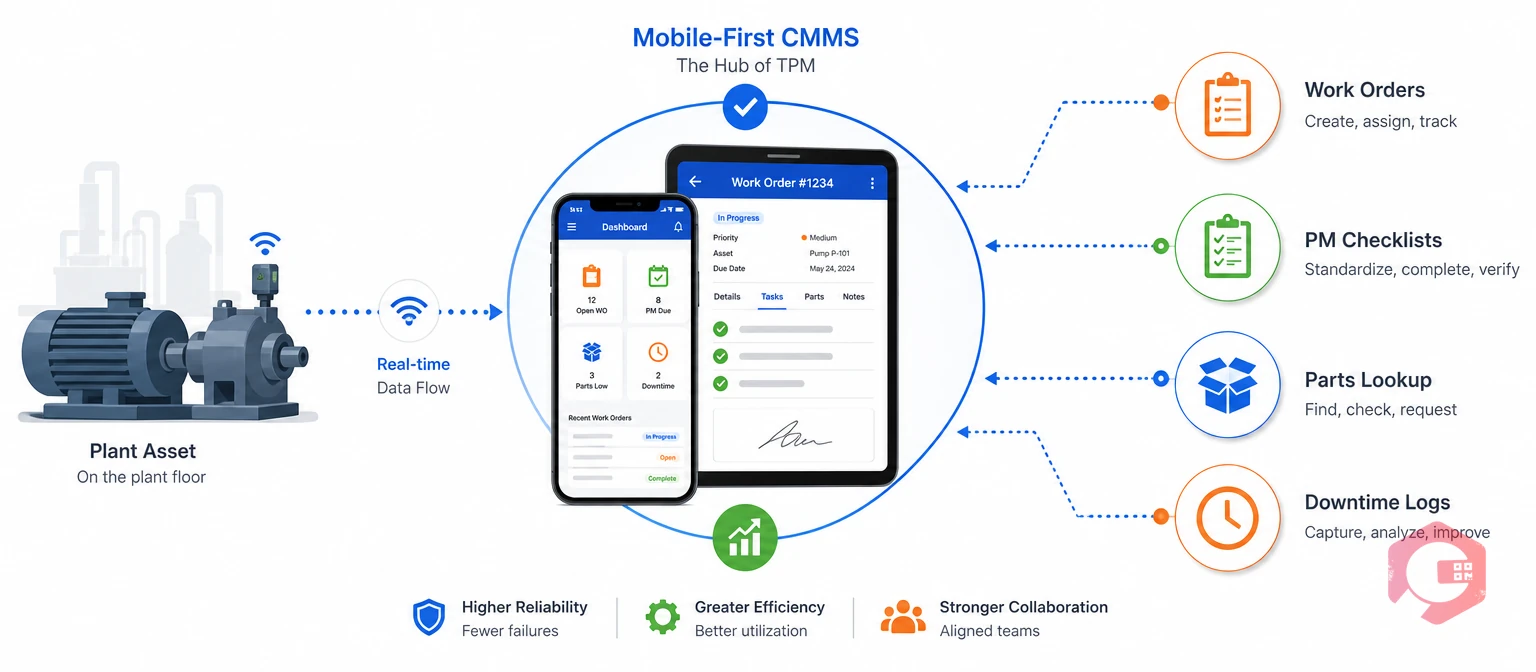
A mobile-first CMMS is maintenance software built to run core work first on a phone or tablet. Work orders, PM checklists, parts lookups, and downtime logs all run natively on the device, with desktop as a backup screen instead of the main one. That's different from a legacy Computerized Maintenance Management System with a mobile app bolted on to handle only a fraction of tasks.
Total Productive Maintenance (TPM) is a plant-floor philosophy that makes operators and technicians share responsibility for equipment health. It runs on daily inspections, autonomous maintenance, and steady OEE improvement. TPM only works well if the gap between an equipment event and a logged record stays close to zero. A desktop-only system stretches that gap. A mobile-first CMMS shrinks it.
Most maintenance teams picked a desktop-only Computerized Maintenance Management System before rugged smartphones existed. That old setup now slows down the exact moments where TPM needs speed. Even TPM implementation research points to data lag as a common failure point.
A technician who walks to a terminal to close a work order loses a few minutes each trip. Those minutes add up fast across dozens of daily tasks. Operations that successfully run TPM programs report that this walk-back friction is the single biggest reason checklists get skipped or filled in from memory later.
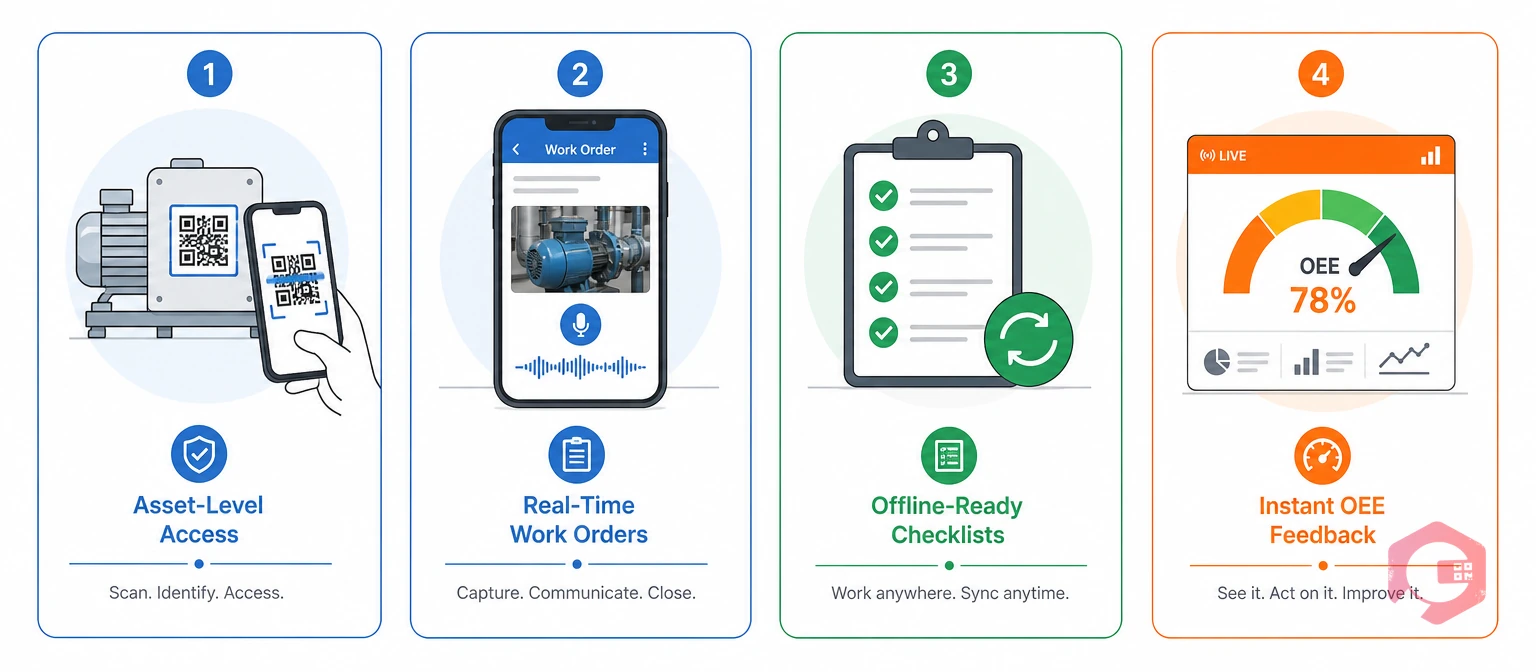
Plants running autonomous maintenance get the most out of a mobile-first CMMS when they build the rollout around four specific capabilities, rather than treating "mobile access" as one generic feature.
The Four-Pillar Mobile TPM Framework:
Cryotos structures its mobile CMMS around these four pillars. Offline mode pairs with QR-code asset lookups, so technicians never lose functionality on a plant floor with weak signal.
Want to see how your OEE numbers would move with real-time mobile data feeding in? Try the OEE calculator to estimate the impact before you roll anything out.
Operators typically own asset-level access and offline checklists, since they touch the equipment every shift. Maintenance technicians and supervisors typically own real-time work orders and OEE feedback, since they act on the data. Splitting ownership this way keeps the rollout simple and avoids one team feeling overloaded.
Beyond the four pillars, a handful of specific features decide whether mobile adoption actually sticks with maintenance teams on the floor. Each one removes a small piece of friction. Small pieces of friction add up fast on a busy shift.
Maintenance teams using Cryotos have reported up to 30% reduction in unplanned downtime and 25% faster repair turnaround after moving work order and downtime logging to mobile devices.
Typing a full report on a small screen is slow, so most technicians skip detail when forced to type. Voice notes and photo capture solve that problem directly. A technician can describe a fault out loud or snap a photo of a worn part in seconds, and that record attaches straight to the work order for the next shift to see.
The clearest way to see the TPM impact is side by side, comparing how the same task plays out on a mobile-first CMMS versus a desktop-bound system.
| Task | Mobile-First CMMS | Desktop-Only CMMS |
|---|---|---|
| Work order closure | Closed at the asset in seconds | Closed later at a terminal |
| PM checklist completion | Logged in real time with photos | Often backfilled from memory |
| Downtime logging | Captured the moment it starts | Recorded after the shift ends |
| OEE visibility | Updated continuously | Available a day or more later |
| Technician adoption | High — used as a daily habit | Low — used only when mandatory |
The pattern holds across every row: mobile-first systems remove the round trip to a terminal, and that round trip is exactly what breaks TPM's real-time discipline.
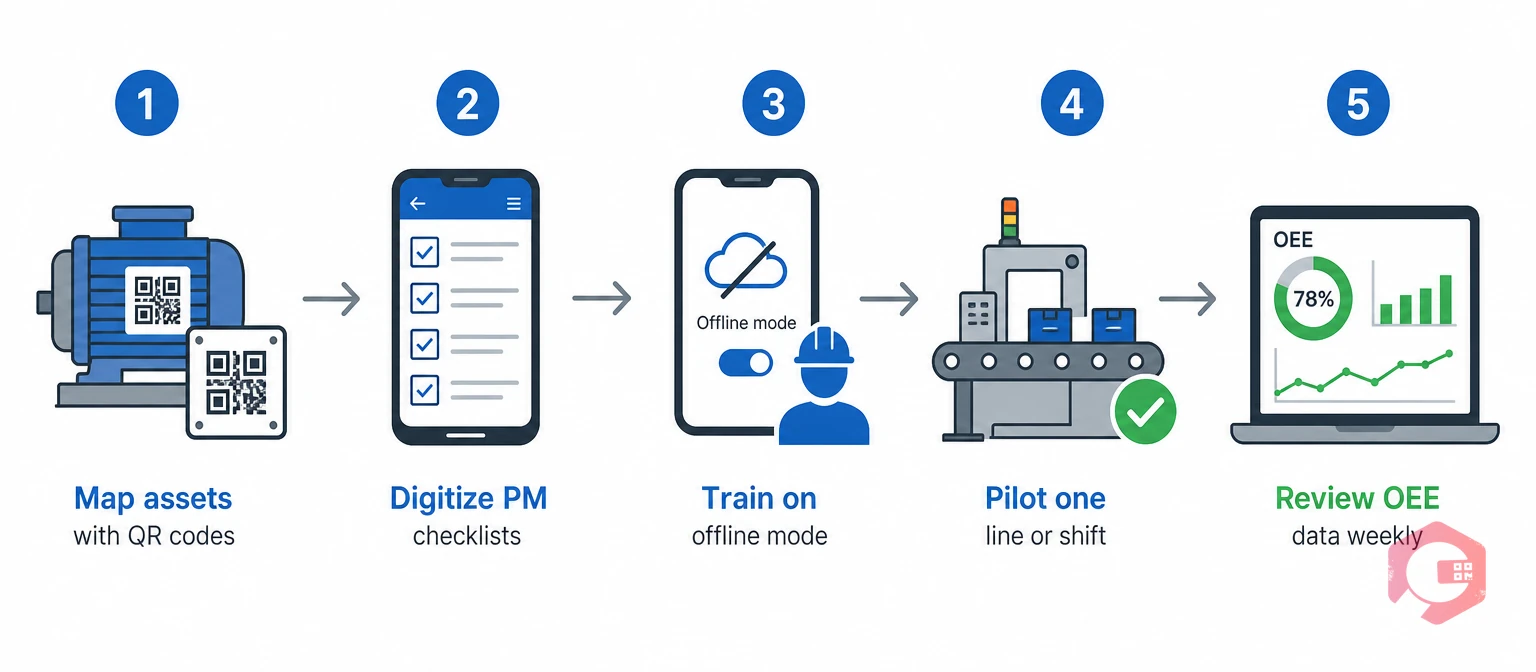
A mobile-first rollout succeeds or fails based on sequencing, not just software choice. Most facilities that get this right follow a similar order. Skipping a step usually shows up as a training problem three months later.
Facilities that skip the pilot step and roll out mobile CMMS access plant-wide on day one tend to see the lowest adoption rates. Unresolved offline or training gaps surface everywhere at once instead of in one controlled area, and that spreads frustration across every shift at the same time.
Overall Equipment Effectiveness (OEE) is a single score built from availability, performance, and quality. It shows how close a plant runs to its true capacity. Mobile CMMS data feeds this score continuously instead of through end-of-shift manual entry, which matches the measurement approach behind general OEE research.
A BI dashboard pulling from mobile-logged work orders and downtime events gives plant managers same-shift visibility into OEE trends, MTTR, and MTBF. These are the numbers that show whether TPM is actually working. This mirrors lean manufacturing practice, which pairs steady improvement with steady measurement. It also fits the asset-management approach described in ISO 55000.
Track these five numbers together, and you get an early warning system for TPM health, not just a lagging report card at month-end.
A mobile-first CMMS designs core workflows for phone or tablet use first. Work orders, checklists, and downtime logging all work this way, with desktop as a backup view. A CMMS with "just a mobile app" often supports only a handful of read-only tasks. Technicians end up back at a terminal for anything substantial.
Yes, if it includes offline mode. Technicians can complete work orders and checklists without signal. The app syncs everything automatically once it reconnects. This matters most in steel structures or basement equipment rooms that block signal.
Autonomous maintenance depends on operators completing daily checks consistently. Mobile access lets them log findings at the machine in under a minute. That beats walking to a terminal every time. Slow logging is usually why autonomous maintenance checklists get skipped in the first place.
Most facilities pilot on one line or shift for two to four weeks. They then expand plant-wide over one to two months, once offline sync and QR tagging are confirmed working. Rushing a plant-wide rollout on day one tends to surface training gaps everywhere at once.
Yes. Digital checklists add photo proof, timestamps, and automatic escalation. They replace paper forms while building a searchable history that paper never could. That searchable history is one of the most common reasons plants make the switch.
Rolling out mobile access is the fastest way to make TPM's daily discipline stick on your plant floor. Schedule a free demo to see how Cryotos brings mobile work orders, offline checklists, and real-time OEE data together in one system.

Cryotos AI predicts failures, automates work orders, and simplifies maintenance—before problems slow you down.



