
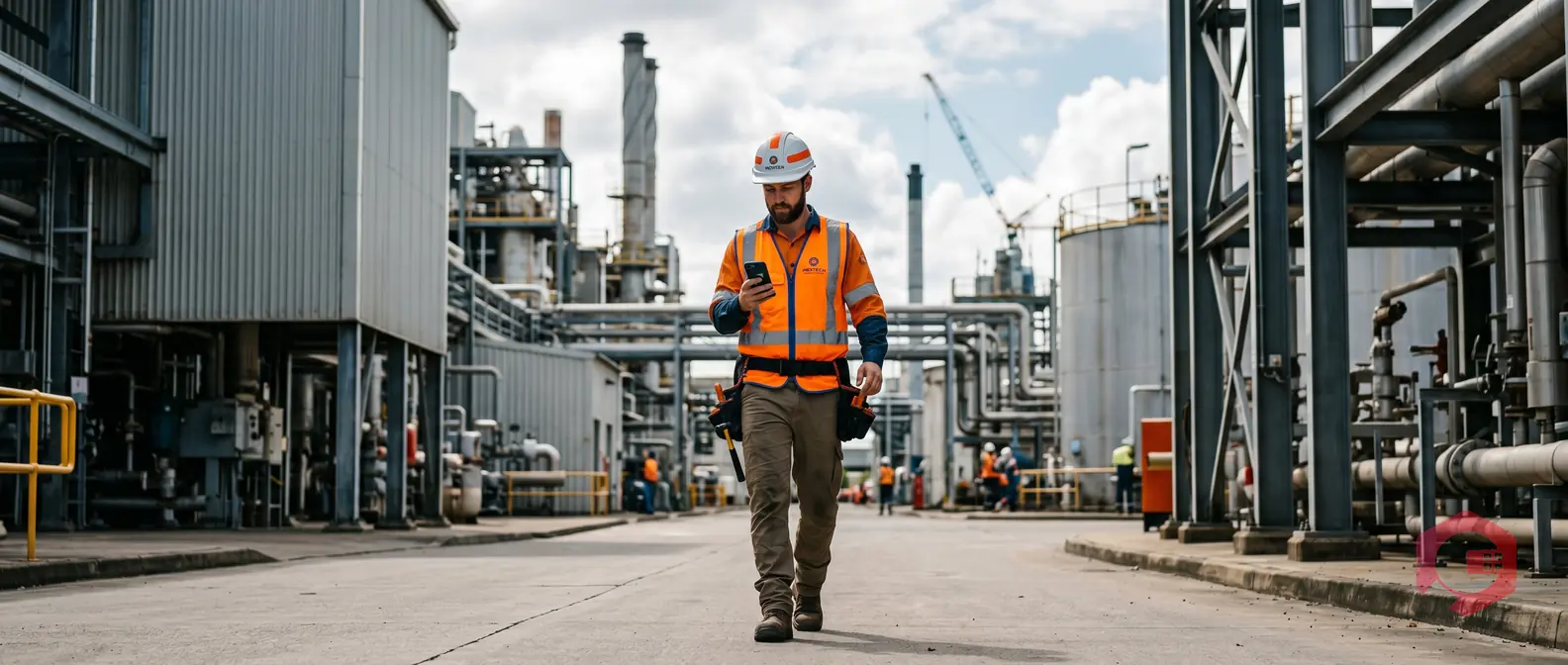
A GPS-enabled CMMS app is a computerized maintenance management system with built-in GPS capabilities that tracks the real-time location of both technicians and assets - and uses that data to automatically assign, route, and dispatch work orders based on proximity. Studies in field operations consistently show that maintenance technicians spend between 25% and 35% of their working hours in transit, traveling to jobs, hunting for assets, or backtracking due to poor dispatch decisions. That time is not billable, not productive, and not inevitable.
This guide shows you exactly how GPS-enabled CMMS apps eliminate wasteful travel, what features to look for, how to measure your ROI, and how leading maintenance teams are cutting technician travel time by 30% or more without adding headcount.

A GPS-enabled CMMS app embeds real-time location intelligence directly into your maintenance workflow. Unlike standalone GPS tools that only show you where people are, a GPS-enabled CMMS connects that location data to work orders, asset records, technician schedules, and inventory - so your dispatch decisions are driven by facts, not guesswork.
When a breakdown occurs, the system checks which technician is geographically closest, has the right skill set, and is not already committed to a higher-priority job. It then pushes the work order to that technician's mobile device, complete with asset history, required parts, and turn-by-turn routing guidance. The whole process that once took 10-15 minutes of phone calls and coordination happens automatically in seconds.
Many facilities use separate GPS fleet tools to track vehicles and standalone CMMS software for maintenance records. That two-system approach creates a data gap - your dispatcher knows where the truck is but not what the technician inside it is skilled to fix, which parts are on that vehicle, or what jobs are already queued for that person.
Here is how the two approaches compare:
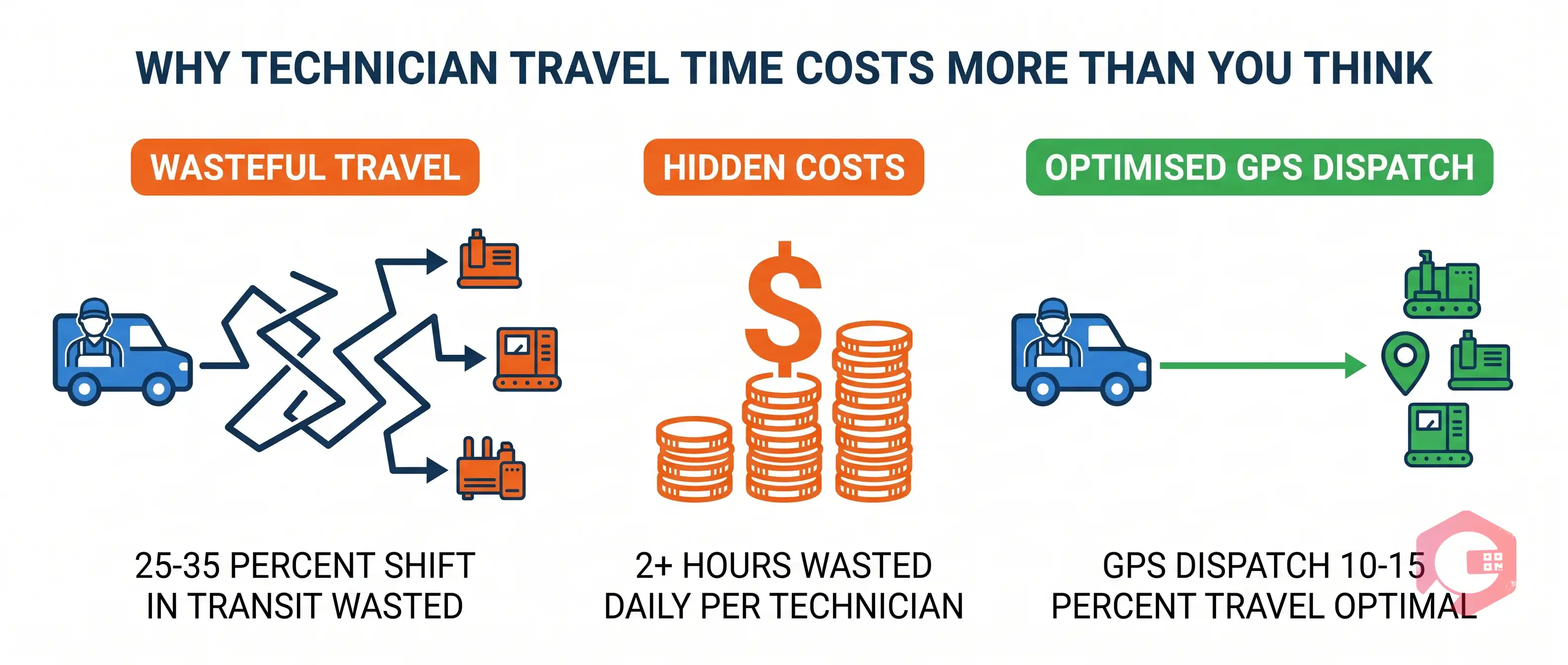
Travel time feels like an unavoidable cost of doing maintenance. Your assets are spread across a facility, a campus, or multiple sites - of course technicians need to move around. The problem is not travel itself; it is unoptimized travel driven by poor dispatch, unknown asset locations, and inefficient routing.
When your dispatchers assign jobs based on habit rather than real-time location data, the costs compound quickly:
Facilities without GPS-assisted dispatch typically see technicians spending 25-35% of their shift in transit. Best-in-class operations using GPS-enabled CMMS apps report travel time dropping to 10-15% of total shift time - freeing up 2-4 productive hours per technician per day. According to the Reliable Plant productivity benchmarks, wrench time averages just 25-35% in most industrial facilities. GPS-optimized dispatch is one of the fastest ways to push that number higher without hiring additional staff.
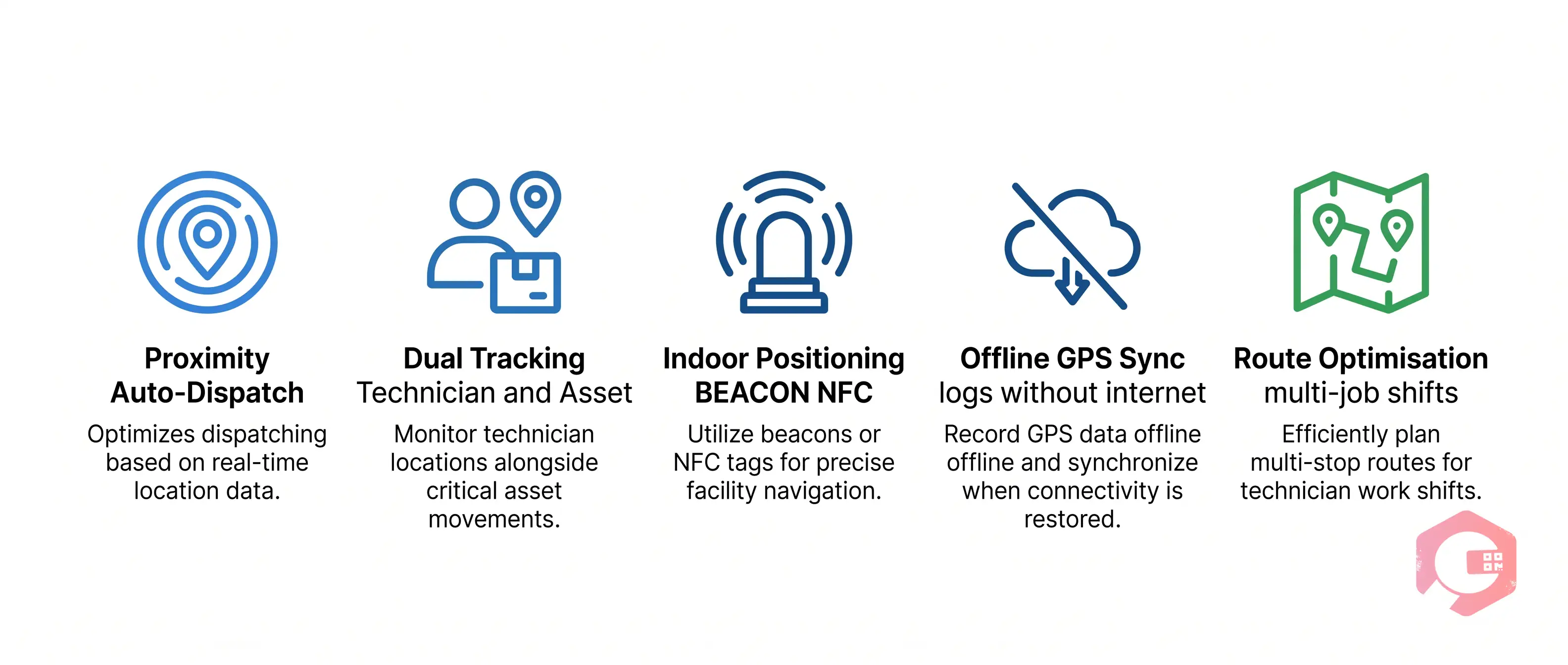
These are not theoretical improvements. Each mechanism below is a specific, configurable feature available in GPS-enabled CMMS platforms - and each one independently reduces travel time. Used together, they produce the 30-40% travel time reductions that maintenance teams report after implementation.
When a new work order is created, the CMMS checks the current GPS location of every available technician with the required skill set and automatically assigns it to the one who is physically closest to the asset. This single feature eliminates the most common source of unnecessary travel: a dispatcher assigning a job based on habit or a static schedule rather than real-time position.
A food processing plant that implemented proximity-based dispatch with a GPS-enabled CMMS reported reducing average technician drive time from 18 minutes per job to 7 minutes - a 61% improvement that translated to four additional completed work orders per technician per day.
Supervisors and dispatchers can see a live map of every technician's current location, job status, and estimated job completion time. Instead of calling around to find out who is available, they can visually identify the closest available technician and re-route them in seconds. This is especially valuable during emergencies, when a high-priority breakdown requires pulling the nearest person off a lower-priority task.
In large industrial facilities, warehouses, and multi-building campuses, technicians often spend 10-20 minutes per job just locating the asset they have been assigned to service. GPS asset tracking in your asset management software gives technicians the exact location of every tagged asset on a floor map or outdoor map before they leave their current position - eliminating pre-visit scouting entirely.
For indoor environments where satellite GPS is unreliable, leading CMMS platforms supplement GPS with BEACON and NFC tags to provide room-level or zone-level asset location accuracy.
When a technician has multiple jobs queued for a shift, the CMMS mobile app can sequence those jobs by geographic proximity rather than the order they were created. Instead of zigzagging across a facility, the technician follows a logical path that minimizes total travel distance. Facilities with multiple buildings or outdoor assets report 20-30% reductions in total daily mileage after enabling route optimization.
GPS-enabled CMMS apps with offline mode continue tracking technician location and logging job data even in dead zones - underground infrastructure, steel-framed manufacturing floors, or remote outdoor assets with no cellular coverage. When connectivity returns, the app syncs location history and job updates automatically. This prevents the situation where a technician in a coverage gap becomes invisible to dispatch, causing duplicate assignments or unnecessary travel by other technicians to check on the job.
GPS data accumulated over weeks and months reveals patterns in technician movement that are invisible on a daily basis. Which zones require the most travel time? Which assets generate repeat jobs in clusters? This data feeds directly into preventive maintenance scheduling, staffing decisions, and territory design - optimizing travel not just for today but for the next quarter.

One of the most common points of confusion when evaluating GPS features in a CMMS is the distinction between tracking technicians and tracking assets. These are two different capabilities, and the most powerful CMMS platforms support both simultaneously.
The full travel time benefit comes from combining all three: GPS tells dispatch where each technician is, BEACON or GPS tells the technician where each asset is, and NFC confirms job start at the correct location. Together, they eliminate both dispatch travel waste and on-site hunting time.

Before your leadership team approves a GPS-enabled CMMS investment, they will want to see a number. Here is a straightforward framework for calculating your travel time ROI.
Set a baseline before implementation, then track these metrics monthly:
Here is a worked example for a facility with 10 maintenance technicians:
In most mid-sized facilities, GPS-enabled CMMS software pays for itself within the first 6-12 months based purely on travel time savings - before accounting for the downtime reduction and throughput gains.
Not all CMMS platforms with GPS tracking deliver the same value. Use this checklist when evaluating vendors to ensure you are getting features that actually reduce travel time, not just a map that shows dots moving around.

Cryotos CMMS integrates GPS, BEACON, and NFC tracking natively into its work order and asset management modules - making proximity-based dispatch a built-in feature rather than an add-on.
When a new work order is generated in Cryotos - whether triggered by an IoT sensor alert, a QR code scan, or a manual request - the system checks the real-time GPS location of every available technician against the asset's registered location. It then assigns or recommends the closest qualified technician and pushes the work order to their mobile device instantly, complete with asset history, safety requirements, and required parts from the inventory management module.
For outdoor assets across large campuses or multi-site operations, satellite GPS provides technician and asset tracking accurate to within a few meters. For indoor facilities, Cryotos supports BEACON integration to maintain tracking accuracy inside steel-frame buildings and multi-story manufacturing floors where satellite GPS is blocked. NFC tag scanning on assets confirms technician arrival and logs job start automatically - eliminating manual check-ins and providing an auditable record of every site visit.
The Cryotos mobile app includes full offline mode: GPS location tracking, work order management, and asset data remain fully functional without an internet connection, syncing all data automatically when connectivity returns. This makes Cryotos particularly effective for remote industrial sites, underground infrastructure, and international operations with variable connectivity.
Teams using Cryotos for work order management with GPS-enabled dispatch report up to 30% reduction in technician travel time and 25% faster repair times - improvements that directly increase wrench time and maintenance throughput without adding headcount.
Yes - the best GPS-enabled CMMS platforms support dual tracking. Technician location is tracked via the GPS chip in their mobile device, while assets are tracked using GPS devices, BEACON tags, or NFC chips attached directly to the equipment. Using both simultaneously gives dispatch the full picture: where the technician is and where the asset they need to service is located.
It depends on the platform. Quality GPS-enabled CMMS apps include offline mode: the app continues logging GPS location data and work order activity locally on the device when there is no internet connection, then syncs everything automatically when connectivity returns. When evaluating a CMMS, always confirm that offline GPS sync is a supported feature - not all platforms offer it.
Most facilities see a 25-40% reduction in technician travel time within the first 90 days of activating GPS-based proximity dispatch. The exact improvement depends on your baseline travel time, facility layout, and how many technicians are in the field. Facilities with large campuses, multiple buildings, or mobile assets tend to see the largest gains. Wrench time typically increases from the 25-35% baseline to 40-55% of total shift hours.
GPS uses satellite signals and works best outdoors or in buildings with good signal penetration - accurate to within 3-10 meters. BEACON uses Bluetooth Low Energy installed at fixed indoor points to provide zone-level tracking inside buildings where GPS is unreliable - accurate to within 1-5 meters. NFC is a point-of-contact technology: the technician physically taps their device to an NFC tag on the asset to confirm location and log job start. A full GPS-enabled CMMS typically supports all three, using each where it works best.
Not at all. Even facilities with 5-10 technicians see measurable travel time savings from proximity dispatch, because the benefit is not only about distance - it is also about eliminating the manual coordination time dispatchers spend figuring out who is available and where. Multi-site operations see the most dramatic improvements, but any facility with more than three technicians covering more than one zone will benefit from GPS-enabled dispatch.
Technician travel time is one of the most controllable costs in maintenance operations - and one of the most overlooked. When your dispatch is driven by real-time GPS data instead of habit and guesswork, technicians spend more time fixing equipment and less time finding it. Proximity-based work order assignment, route optimization, dual asset-and-technician tracking, and offline GPS sync each independently reduce travel time, and together they routinely cut total travel by 30% or more.
The ROI math is straightforward: fewer minutes in transit means more work orders completed, faster response to breakdowns, lower fuel costs, and better use of your most expensive resource - skilled labor. If your team is still dispatching based on static schedules or phone calls, GPS-enabled CMMS software is the single fastest way to change that.
Cryotos CMMS gives your team native GPS, BEACON, and NFC tracking built into the same platform as your work orders, asset records, and inventory - with full offline mode and proximity-based dispatch out of the box. Book a free demo today and see how much travel time your team can recover in the first month.



Cryotos AI predicts failures, automates work orders, and simplifies maintenance—before problems slow you down.



