
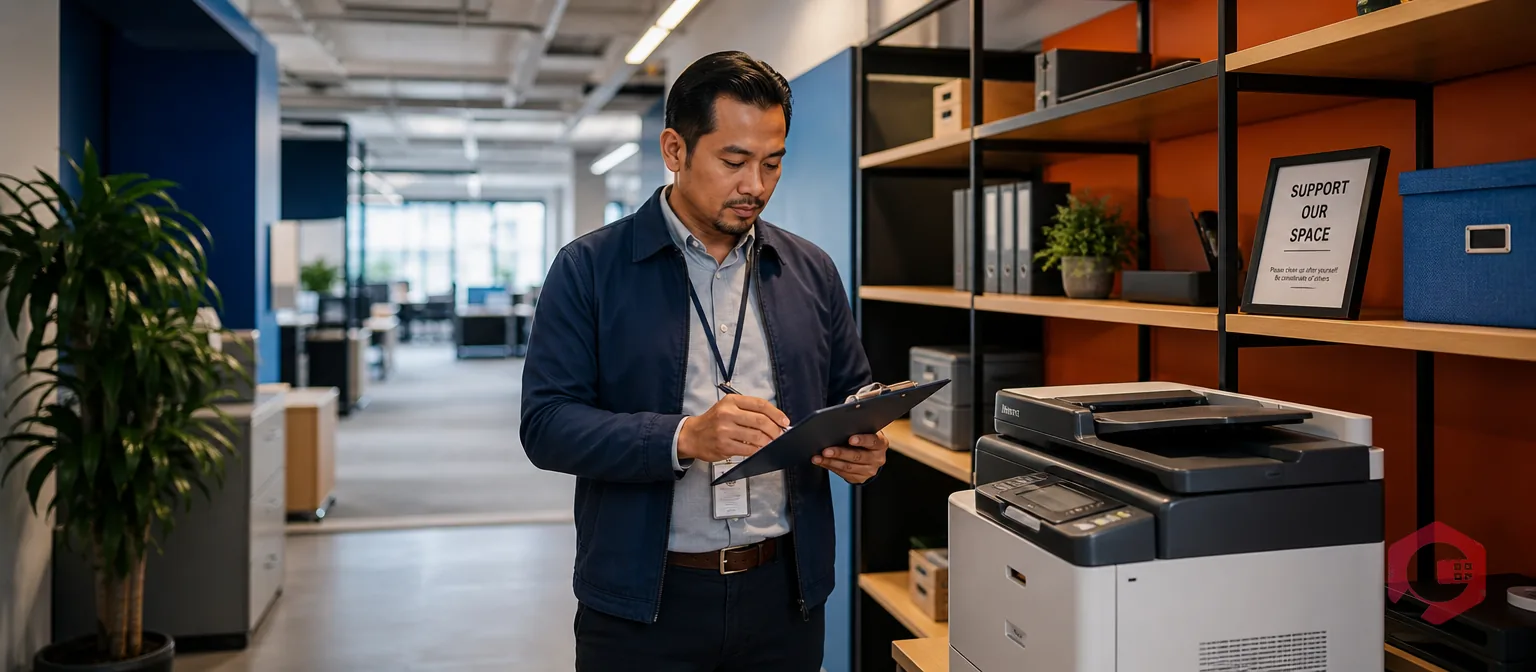
Office TPM applies Total Productive Maintenance's eighth pillar — TPM in Administrative and Support Departments — to non-production work. That means purchasing, scheduling, and facilities requests, not machines. It borrows the same lean maintenance principles a plant uses to cut equipment losses, and it points them at the paperwork and support tickets that slow an office down.
Most maintenance content stops at the shop floor. This guide covers what office TPM means, why the lean wastes on a production line show up in admin work too, and how a facilities or operations lead can start applying office TPM with tools a plant already uses.
Key Takeaways
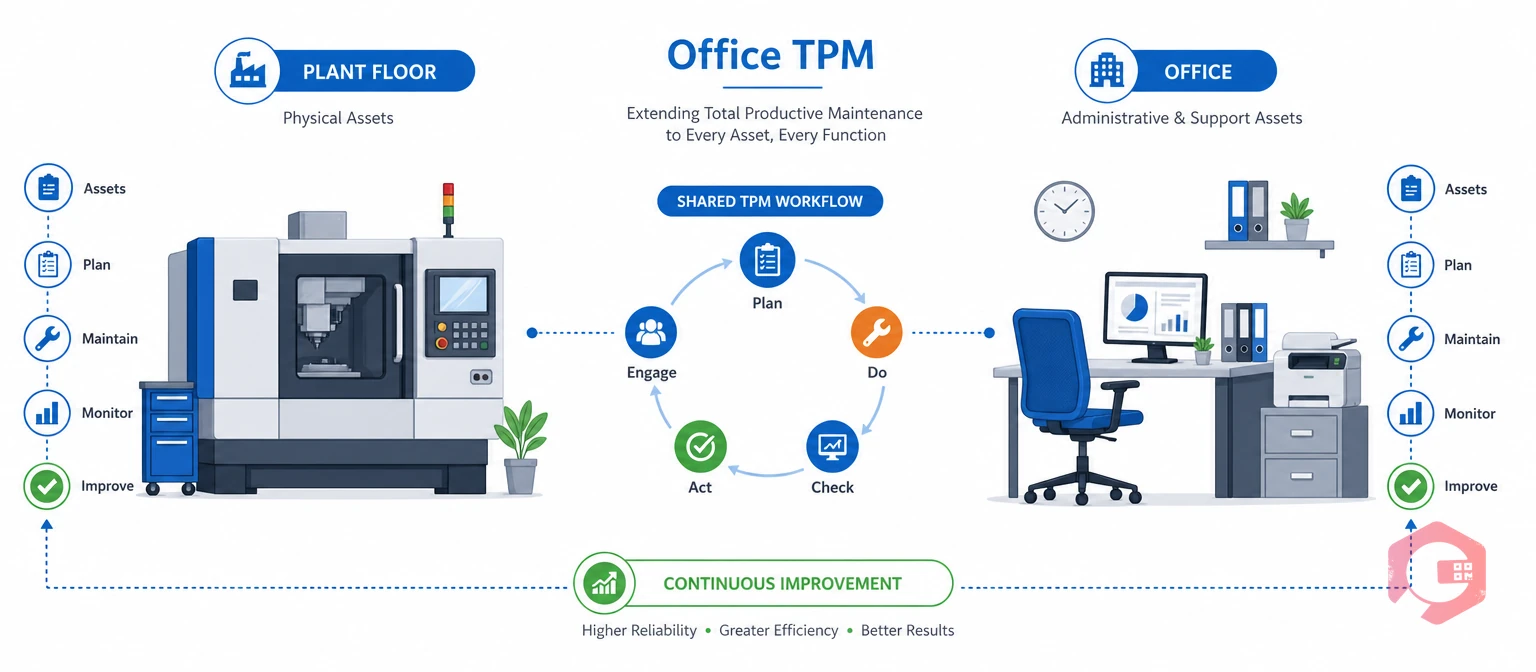
Office TPM is Total Productive Maintenance's pillar for administrative and support functions. Classic TPM pillars target machines. They cut breakdowns, defects, and setup losses. Office TPM targets something different: the paperwork, approvals, and support requests that slow down purchasing, HR, IT, and facilities teams.
The idea is not new. Toyota's original TPM framework always included an eighth pillar for administration. Most companies never got past the first seven, because those pillars were built for equipment, not for processes. A facilities team running a Computerized Maintenance Management System already has what office TPM needs: work requests, checklists, and reporting. It just points them at a different kind of asset.
Take a simple example. A broken office chair and a broken pump follow the same pattern in office TPM: someone reports it, someone tracks it, and someone measures how long the fix took. Office TPM does not replace plant-floor TPM. It runs alongside it, using Total Productive Maintenance's same logic on the support functions that keep a facility running.
Lean maintenance finds waste in a process, and admin work makes the same eight kinds of waste a production line does. The classic lean manufacturing waste list, often remembered by the acronym DOWNTIME, maps onto the friction most office and facilities teams already live with.
Most facilities and admin teams treat these delays as normal. That is the gap office TPM closes. It gives support functions the same waste-elimination habit a maintenance team already uses on equipment. A facilities desk that logs 40 "where is my chair" tickets a month is carrying inventory and motion waste — it just does not have a name for it yet.
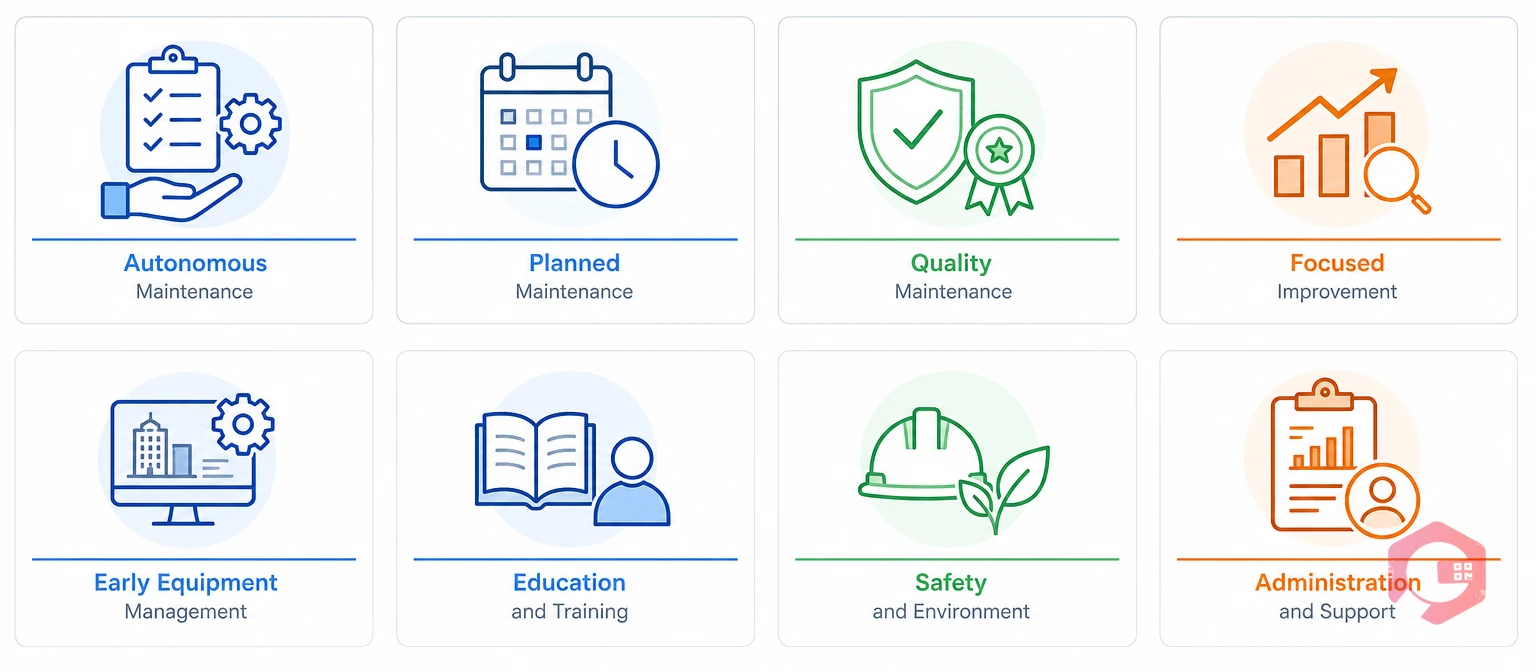
Each of TPM's 8 pillars has a direct match in admin and facilities work. The table below lines up the plant-floor version next to what it looks like in an office setting.
| Pillar | Plant-Floor Meaning | Office/Admin Equivalent | Common Pain Point |
|---|---|---|---|
| Autonomous Maintenance | Operators handle routine upkeep of their own equipment | Staff self-report issues instead of routing through inboxes | No easy way to log a broken chair or AC issue |
| Planned Maintenance | Scheduled servicing based on usage data | Preventive scheduling for HVAC, elevators, shared assets | Servicing only happens after something breaks |
| Quality Maintenance | Error-proofing to prevent defects | Standardized checklists for recurring admin tasks | Inconsistent handling of the same request type |
| Focused Improvement | Small teams fix chronic issues | Root-cause review of recurring complaints | Same complaint resurfaces with no fix |
| Early Equipment Management | Design new assets to be easy to maintain | Tracking new office equipment from day one | No history once an asset starts circulating |
| Education & Training | Skill-building for operators | SOPs and a knowledge base for facilities staff | Tribal knowledge lost when staff turn over |
| Safety, Health & Environment | Safety-first culture on the floor | Compliance checklists for contractor office work | No audit trail for safety-related repairs |
| TPM in Administration | The pillar itself | All the above, applied to admin workflows | Admin functions get no metrics, no system |
No single pillar matters more than the others. The value comes from running all eight at once, the same way a plant does.
Curious what these pillars look like with real numbers behind them? Cryotos's BI dashboard turns office TPM pillars into trackable KPIs instead of good intentions.
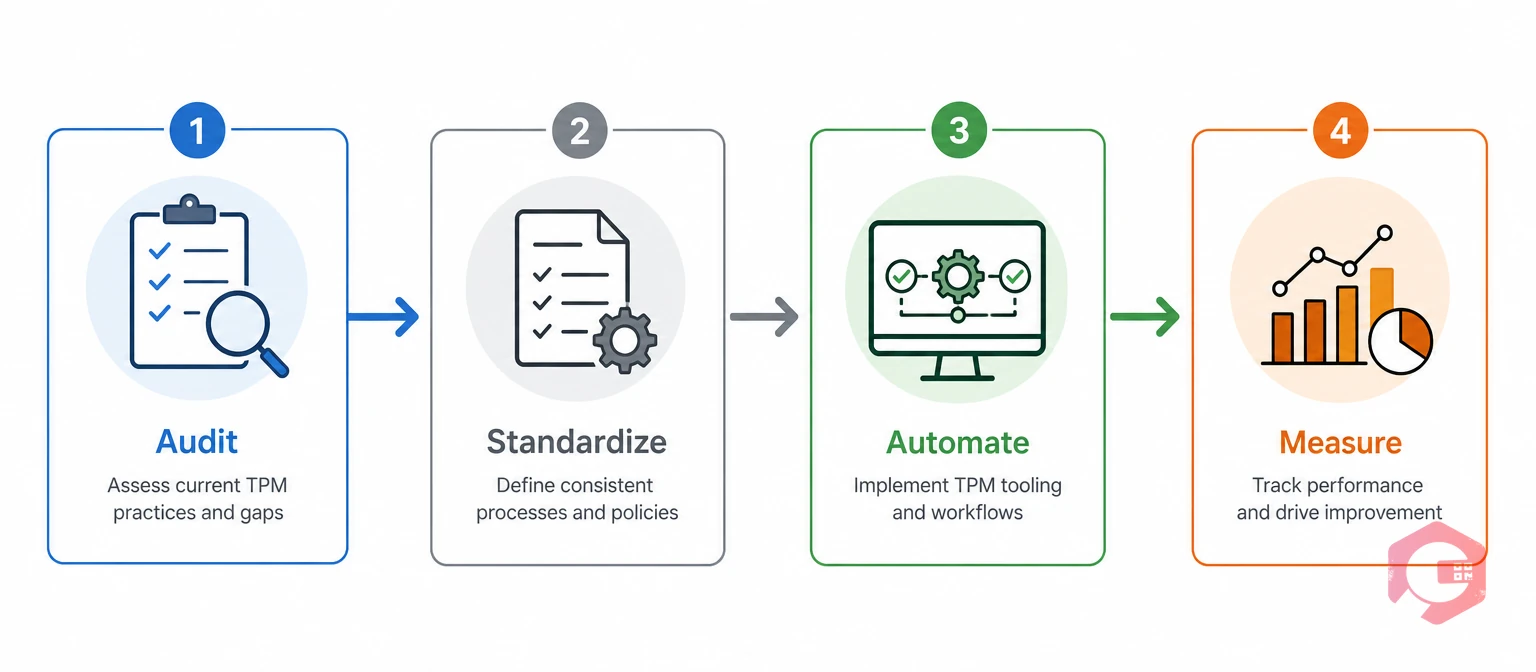
Office TPM does not need a dedicated lean team to get started. A facilities or operations lead can run it in four stages.
The Four-Stage Office TPM Rollout Process:
Most teams stall at the audit stage because nobody owns it full-time. Facilities and operations leads who successfully get through all four stages usually do it by assigning one person to own the rollout, rather than treating it as a side project.

Office TPM only works if someone tracks it. Four simple metrics show whether the program is cutting waste, not just adding process for its own sake.
These numbers come straight out of the same downtime and reporting tools a maintenance team already uses on equipment. A facilities lead does not need a new spreadsheet for this — a CMMS dashboard already tracks all four, the same way it tracks MTTR and MTBF for a machine.
Picture a mid-size office with one facilities coordinator. Before office TPM, requests came in by email, Slack, and hallway conversations, and nobody could say how long a fix actually took. After one quarter of tracking these four numbers, the same coordinator could show leadership exactly which request type ate the most hours — usually something small and recurring, like meeting-room AV setup or badge access resets. That single data point is often enough to justify moving the whole team onto a shared work order system.
Office TPM works best on the same kind of system a maintenance team already trusts for equipment — a facility management software platform, not a spreadsheet. A Computerized Maintenance Management System is the record system that turns office TPM habits into measurable KPIs.
Cryotos customers running the platform for facilities and equipment work report up to 30% less unplanned downtime and 25% faster repair turnaround. The same downtime tracking applies to a stalled admin ticket queue as much as a stalled machine. The American Society for Quality lists administration among TPM's core pillars for exactly this reason — the method was never meant to stop at the machine.
The most common Office TPM mistake is treating it as a one-time project instead of a daily habit. Teams run a single audit, fix the worst offenders, and stop. Then the same waste creeps back within a quarter.
Office TPM only holds when someone owns the measure stage long-term, not just the rollout. Most facilities leads who sustain it assign that step to one person's weekly routine, instead of leaving it to whoever remembers. Without an owner, admin requests drift back to email and verbal hand-offs within a few months, and the audit has to start over from scratch.
Office TPM sounds like more process to a team that already feels stretched thin. The pitch that works is not "let's do lean." It is "let's find out where your team's time actually goes."
Start small. Pick one function first. Facilities requests or IT tickets both work well. Run only the 30-day audit stage. Show the team the repeat-ticket rate and the average wait time before asking for anything else. Real numbers make the case better than a slide about lean maintenance ever could.
Once the pilot function shows a real drop in repeat tickets, a second function gets easier to add. Leaders fund what already worked once. They rarely fund a full rollout on faith alone. A short pilot removes that risk before anyone has to commit budget.
Office TPM applies a structured waste-elimination method to admin work, the same one used for equipment, instead of relying on ad hoc judgment calls. It gives support functions checklists, root-cause analysis, and metrics instead of informal fixes that vary by person.
No. The four-stage rollout — audit, standardize, automate, measure — does not need a certified lean practitioner. A facilities or operations lead can run it with the same tools already used for equipment maintenance.
Facilities requests, procurement, scheduling, and any support process with a high repeat-ticket volume see the fastest results, since they generate the most waiting and rework waste.
Most teams see a measurable drop in repeat requests within one quarter of finishing the audit and standardize stages. The automate and measure stages take longer to fully embed, usually another one to two quarters.
A basic pilot needs only a way to log requests and a simple checklist — a spreadsheet can work for the first 30-day audit. Once the pilot proves out, most teams move the automate and measure stages into a CMMS so the data does not live in someone's inbox. Keeping the pilot this simple also makes it easier to get the buy-in described above, since nobody has to approve new software before the first numbers come in.
Office TPM turns admin waste into the same kind of trackable, fixable problem a maintenance team already solves every day. Schedule a free demo to see how Cryotos brings work orders, preventive scheduling, and dashboards to your facilities and admin functions.



Cryotos AI predicts failures, automates work orders, and simplifies maintenance—before problems slow you down.



