
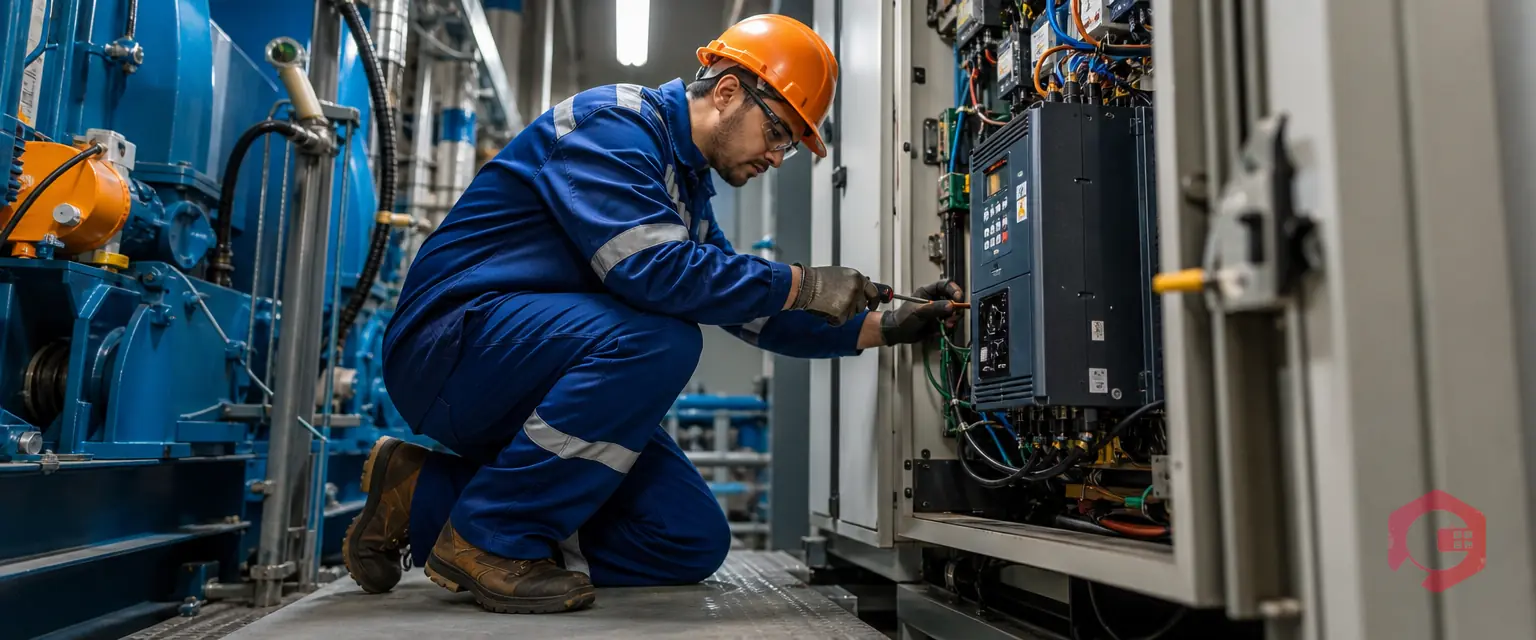
VFD preventive maintenance is the scheduled cleaning, inspection and part replacement that keeps a drive healthy. Three jobs matter most: reforming idle capacitors, keeping the drive cool, and watching the DC bus for early warning signs.
Many drives run for years with no care until one trips and stops a pump or fan. A Computerized Maintenance Management System (CMMS) schedules the work, records the readings and tracks spare drives, so failures become planned jobs.
Key Takeaways
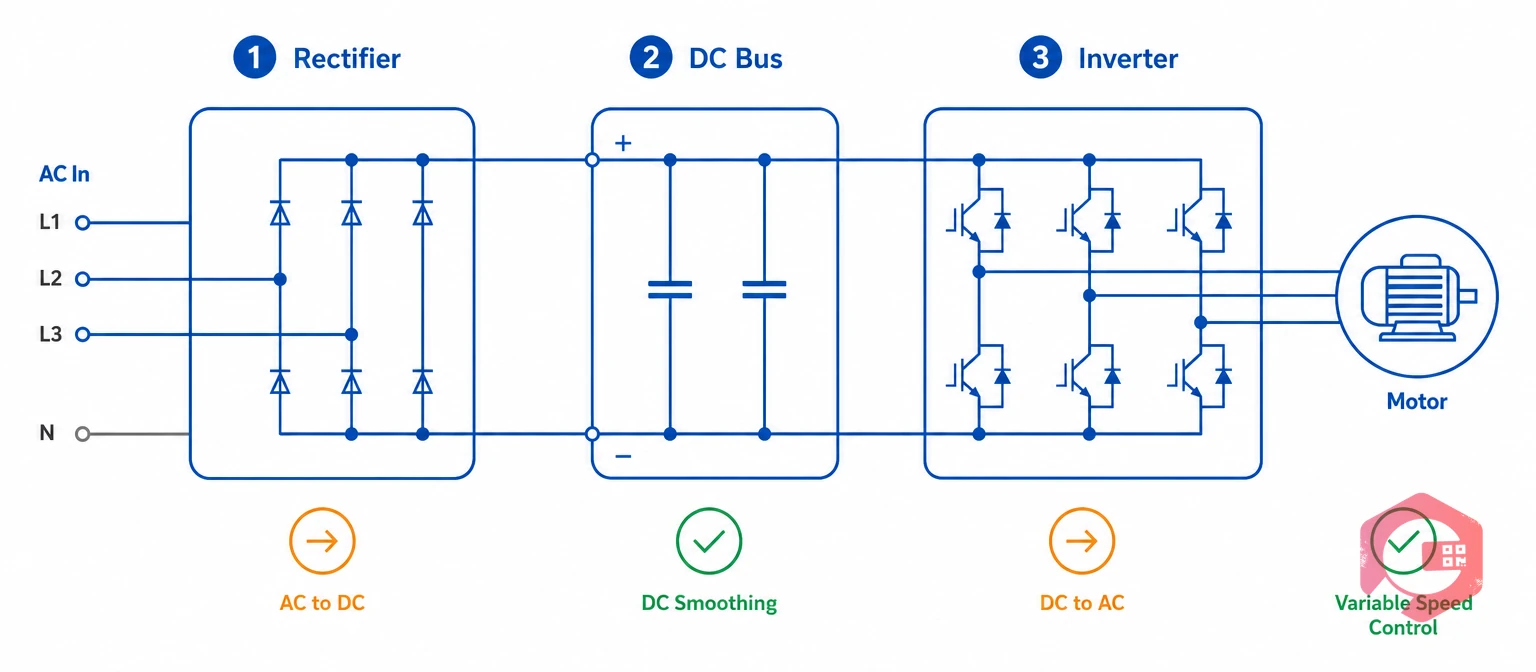
A variable frequency drive converts fixed AC power into variable-speed output in three stages: a rectifier, a DC bus with capacitors, and an inverter. Heat and dust wear the parts that support those stages.
OEM manuals set fan and capacitor life, and NFPA 70B covers electrical equipment maintenance. Maintenance teams that follow both turn surprise trips into planned jobs.
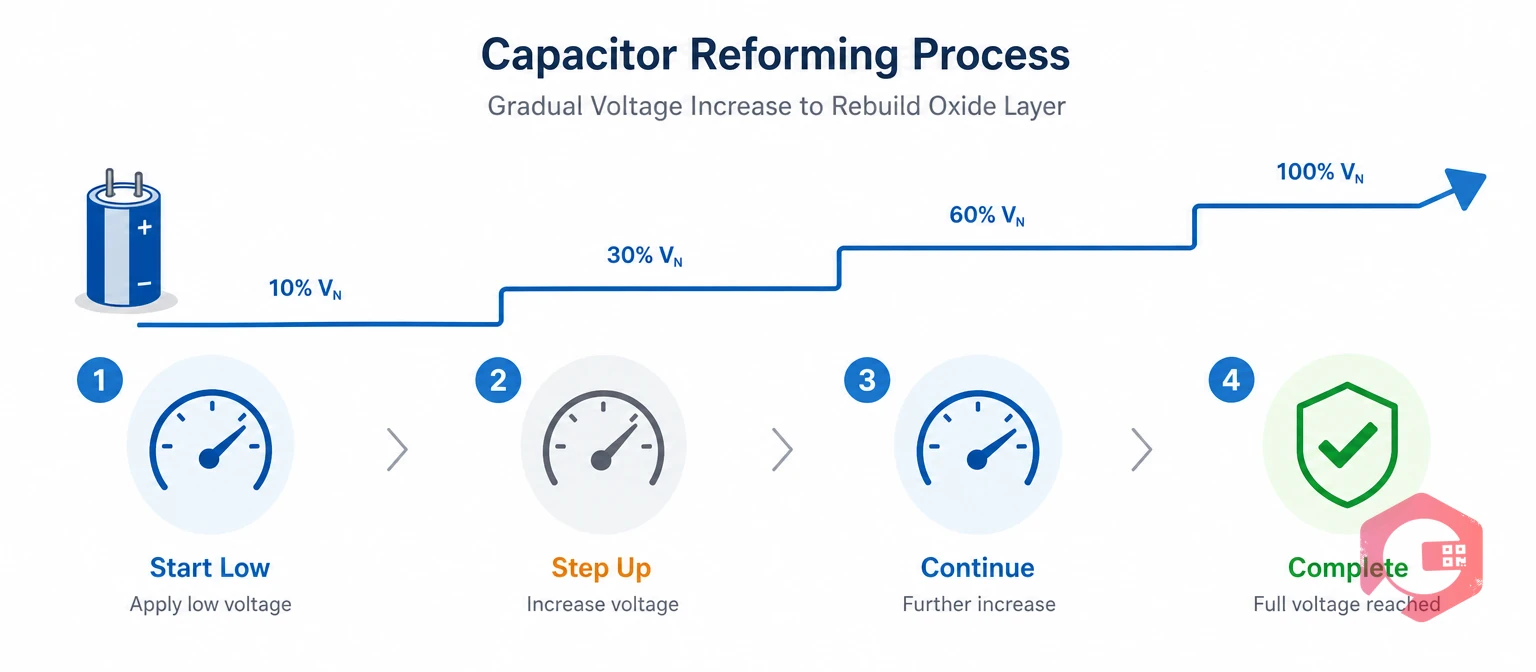
Capacitor reforming is the gradual rebuilding of the oxide layer in electrolytic capacitors left without voltage. Applying full voltage to a long-idle drive can cause high leakage current and damage the electrolytic capacitors or the rectifier.
Reforming follows idle time, not run hours, so it rarely appears on calendar PM lists. Give each spare a reforming due date, and use spare parts management to keep the stock visible.
Build reforming and inspection steps into maintenance checklists so every technician records the same details.
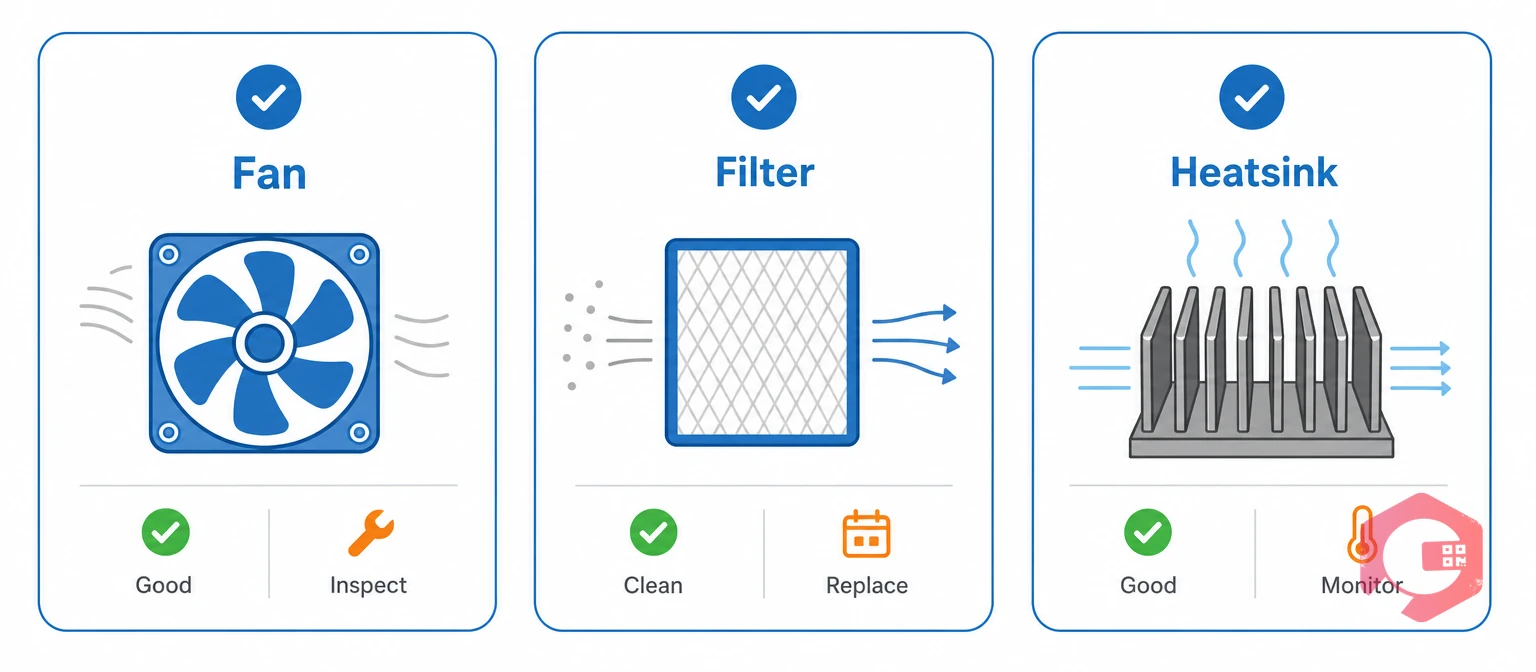
Cooling maintenance keeps air moving and ambient temperature inside the drive's limit. Drives derate above their rated ambient, so every avoidable degree shortens component life. Altitude also forces derating, so check both against the nameplate.
One Plant Engineering guide lists heatsink cleaning, filters, fan checks, load checks and connection tightening as core drive tasks. Add them to every drive's PM.
The DC bus is the direct-current link between a drive's rectifier and inverter. A healthy bus sits near the rectified line voltage, roughly 1.35 to 1.41 times the supply.
DC bus ripple is the small AC variation riding on the DC bus voltage. Rising ripple, frequent overvoltage or undervoltage trips, or a sagging bus can point to capacitor aging, phase loss or supply problems.
A trend matters more than one reading. IoT meter reading can bring drive values in through SCADA, PLC or edge connections, and checklists can capture manual readings.
The bus can hold a dangerous charge after power is removed. Wait the OEM's discharge time, then verify zero voltage with a rated meter before touching anything.
Most drive programs mix quarterly cleaning, annual electrical checks and OEM-driven replacements. The table shows common starting points. OEM manuals and site conditions set the real intervals.
| Task | Typical frequency | What to check | Why it matters |
|---|---|---|---|
| Clean filters and heatsink | Quarterly to annual, by dust level. | Filters, vents, heatsink. | Keeps airflow clear. |
| Check fans | Semiannual to annual. | Noise, rotation, runtime hours. | Prevents overtemperature. |
| Review temperatures | Monthly to quarterly. | Heatsink and cabinet trend. | Shows airflow problems. |
| Torque and thermal scan | Annual. | Terminals, hot spots, discoloration. | Stops connection failures. |
| Check the DC bus | Annual or continuous. | Voltage, ripple, trip history. | Flags capacitor aging. |
| Replace fans and capacitors | Per OEM or condition. | Runtime, bulging, leakage. | Avoids wear-out failure. |
| Reform spare drives | Per OEM, often yearly. | Energized date, procedure record. | Protects spares. |
| Back up parameters | After changes and annually. | Saved file, firmware version. | Speeds recovery. |
Environment changes everything. A drive in a clean, cool room needs far less attention than one near a dusty conveyor. Review the schedule each year, and move drives that trend hot to shorter intervals.
A CMMS turns drive care from memory into scheduled, recorded work. Maintenance teams register each drive once, and the system raises tasks and keeps the history.
Maintenance teams using Cryotos have reported up to 30% reduction in unplanned downtime and 25% faster repair turnaround.
A planner registers VFD-101 under cooling pump P-101 and sets up VFD preventive maintenance with quarterly cleaning, annual torque checks and an hour-based fan check. The technician scans the tag, records heatsink temperature and bus voltage, and signs off on a phone. A rising trend prompts a planned fan swap before the drive trips.
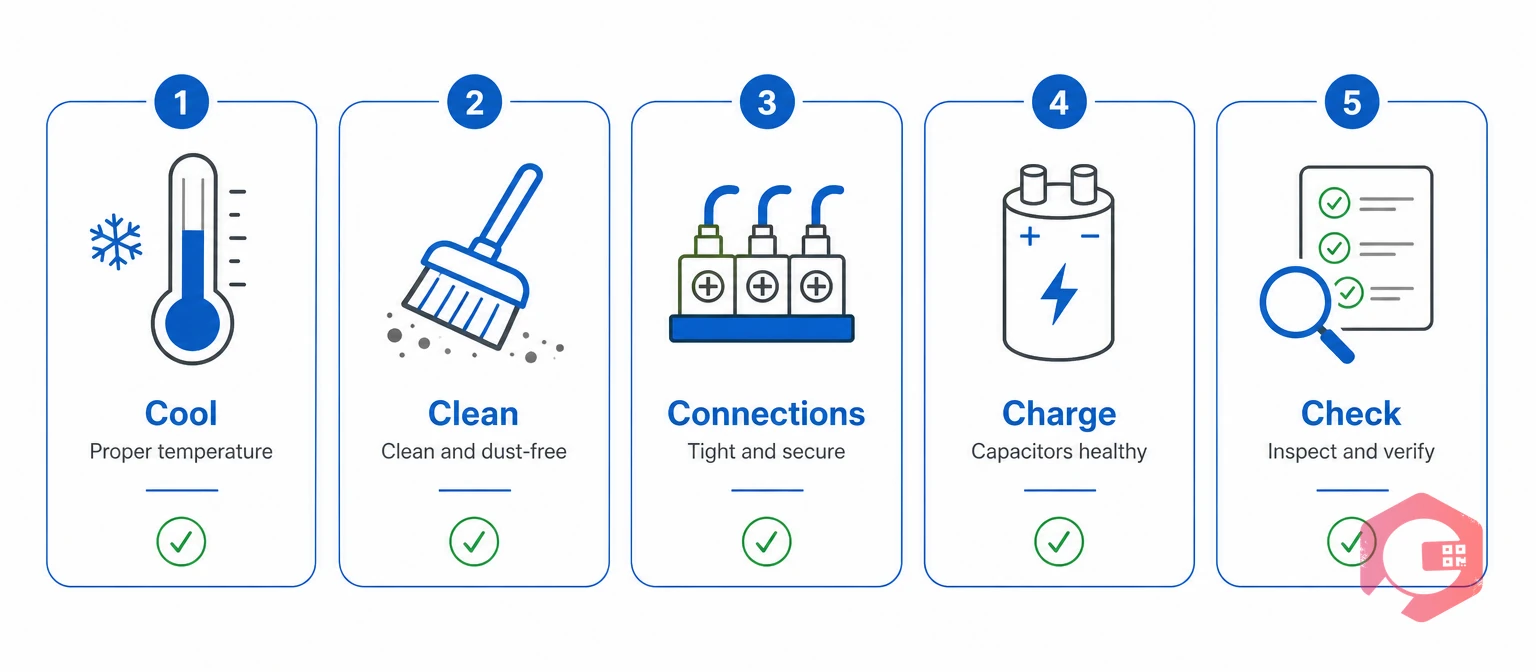
Drive health comes down to five habits. Each one starts with a C.
The Five-C VFD Health Framework:
Track PM compliance, unplanned trips per 100 drives and overdue fan or capacitor replacements. Together they show whether your drive program works.
Most plants clean and inspect drives every three to twelve months and run electrical checks yearly, depending on dust and heat. Follow your OEM manual, and shorten the interval for harsh rooms.
Many OEMs advise reforming after about a year or more without voltage, but limits vary by model. Check the manual for your drive, and follow its procedure exactly.
Many drives run 10 to 15 years in cool, clean conditions, though fans and capacitors usually need replacement sooner. Heat and dust shorten life the most.
Common causes include fast deceleration without a braking resistor, high supply voltage and aging capacitors that no longer smooth the bus. Check ramp times, supply quality and capacitor condition.
No. The DC bus can stay charged for several minutes. Follow lockout procedures, wait the OEM's discharge time, and verify zero voltage with a rated meter.
Yes. A CMMS can schedule hour-based PMs and record readings from checklists. Cryotos also supports IoT meter reading through SCADA, PLC and edge connections.
Yes. Continuous running does not stop heat, dust and aging. Fans, filters, connections and capacitors still need scheduled attention, even when reforming is not needed.
Qualified electrical technicians who know the drive model and your lockout rules. Contractors can help, and a CMMS keeps their work orders and records in one place.
Watch for rising DC bus ripple, bulging or leaking capacitors, repeated bus faults, or a drive-reported life counter nearing its limit. Replace by OEM life or condition.
Drives fail quietly, then all at once. Schedule a free demo to see how Cryotos keeps every drive, spare and permit on schedule.



Cryotos AI predicts failures, automates work orders, and simplifies maintenance—before problems slow you down.



