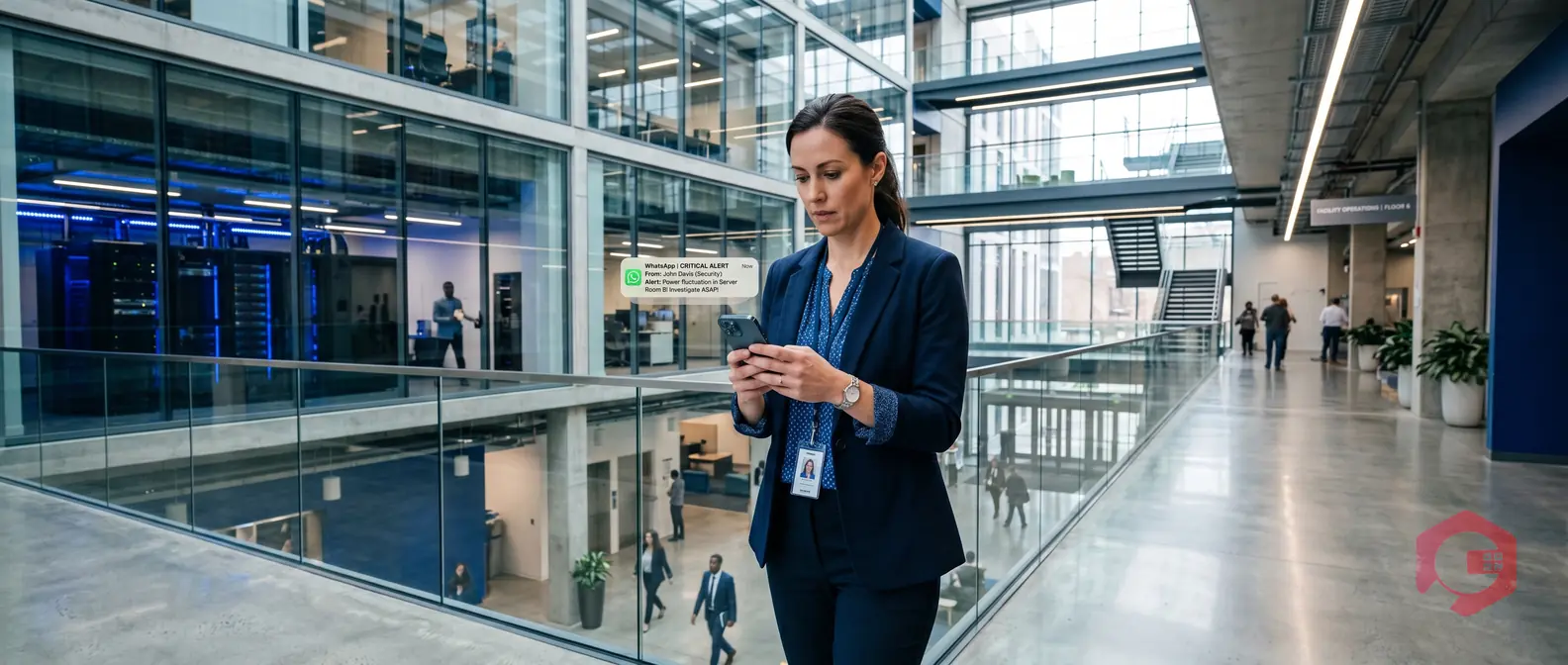
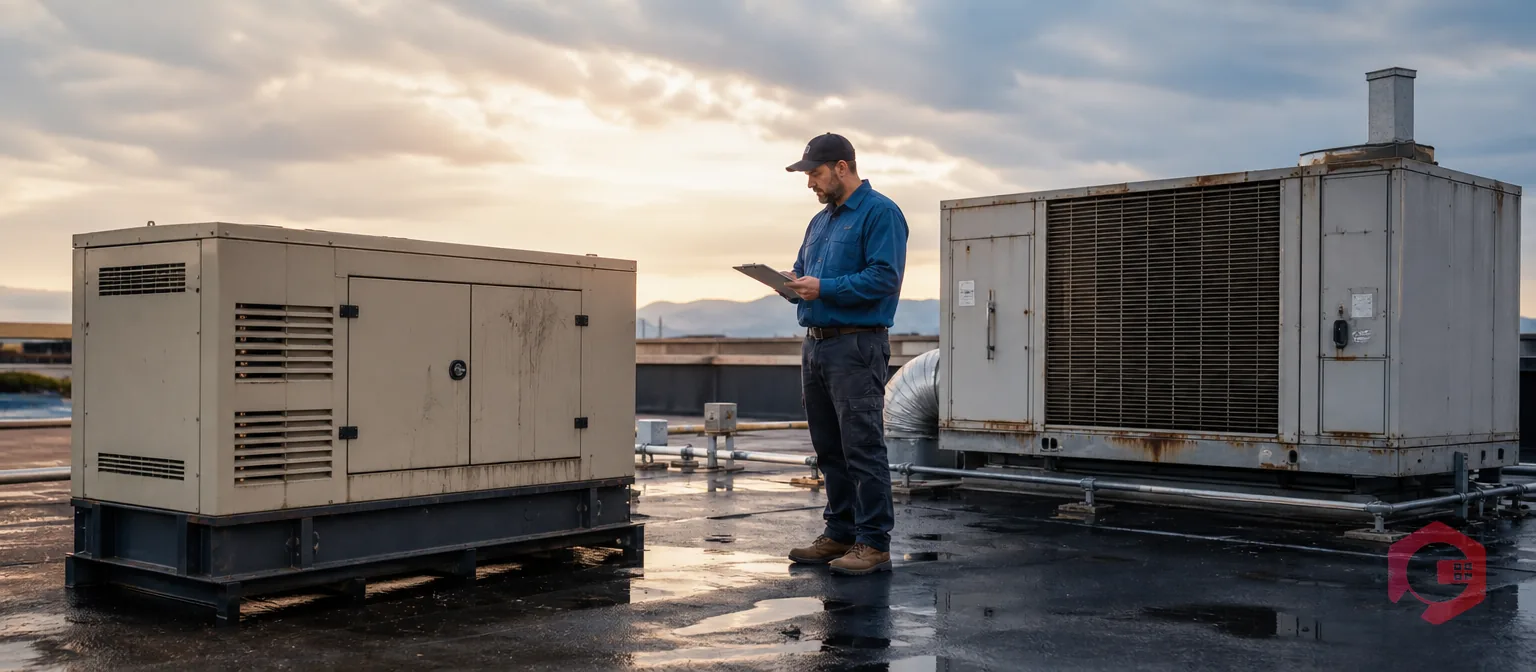
A critical work order sits unacknowledged for 45 minutes. The HVAC unit in a server room is failing. No technician has responded, no supervisor has been notified, and the facility manager finds out only when equipment shuts down. This scenario plays out every day in FM operations that rely on email and phone calls to chase work order responses. WhatsApp work order escalation alerts change this entirely. When integrated with a CMMS, they deliver tiered, real-time notifications directly to the right person at the right time — automatically escalating from technician to supervisor to facility manager if a work order goes unacknowledged. With WhatsApp messages read within three minutes of delivery in 90% of cases, escalation alerts close the gap between a fault occurring and a technician responding — before an SLA breach becomes a financial penalty.
Key Takeaways
WhatsApp has a 98% message read rate vs 20–22% for email: For short SLA windows of 15–60 minutes, email is structurally unreliable — WhatsApp reaches technicians in the channel they already monitor constantly.
Three-tier escalation prevents silent SLA breaches: If Tier 1 (technician) doesn’t acknowledge, the system escalates to Tier 2 (supervisor) and then Tier 3 (facility manager) automatically — no manual follow-up needed.
Two-way communication closes the feedback loop: Technicians can update work order status, attach photos, and flag issues directly from WhatsApp — without logging into a CMMS app.
Every notification and response is timestamped for audit: The full escalation trail is stored in the work order history, providing defensible evidence for SLA reporting and contract reviews.
What Are Work Order Escalation Alerts?
A work order escalation alert is an automated notification triggered when a maintenance work order has not been acknowledged or resolved within a defined time window. Unlike a simple reminder, an escalation alert follows a structured tiered sequence — it doesn’t just remind the assigned technician, it actively escalates responsibility up the chain of command until someone takes ownership.
Escalation alerts are the answer to one of the oldest problems in maintenance management: the gap between a fault being logged and a technician physically attending to it. In a busy FM operation covering multiple floors, buildings, or sites, coordinators cannot manually monitor every open work order and chase every non-response. Automated escalation replaces that manual loop with a system that never sleeps, never forgets, and never misses a SLA window.
How the Three-Tier Escalation Model Works
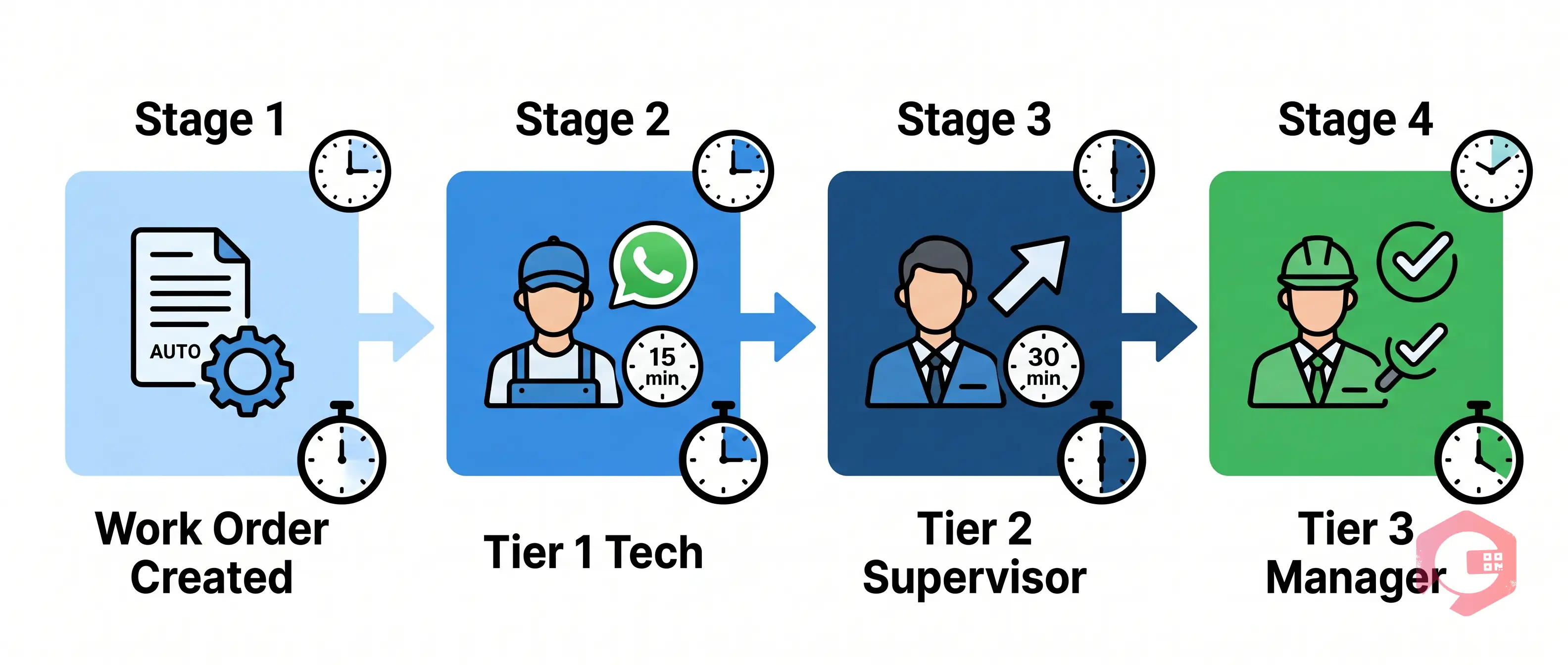
The most effective CMMS implementations follow a three-tier escalation model built around work order management workflows:
Tier 1 — Technician alert: Immediately on work order creation (or at trigger time for scheduled PMs), the assigned technician receives a WhatsApp notification with full work order details: asset name, location, fault description, priority, and a direct link to the work order. The technician is expected to acknowledge within the configured window.
Tier 2 — Supervisor alert: If the Tier 1 window expires without acknowledgement, the system automatically fires a notification to the maintenance supervisor. The supervisor sees both the original alert and the information that the assigned technician has not yet responded — giving context to act immediately.
Tier 3 — Facility manager alert: If the Tier 2 window also expires without resolution, the facility manager is notified. At this point, the escalation has effectively flagged a potential SLA breach in progress — giving the manager the opportunity to intervene, reassign, or escalate to a contractor.
Every notification, timestamp, acknowledgement, and response in the entire escalation chain is logged automatically in the work order history. This creates a complete, audit-ready record for SLA reporting, contract reviews, and performance benchmarking — without any manual documentation.
Why Facility Management Teams Need Escalation Alerts
Most commercial FM contracts specify response times of 15 to 60 minutes for critical assets — and missing these targets carries financial penalties, contractual deductions, and reputational damage with building occupants and clients. Despite these stakes, most FM teams rely on communication methods that cannot guarantee acknowledgement within those windows.
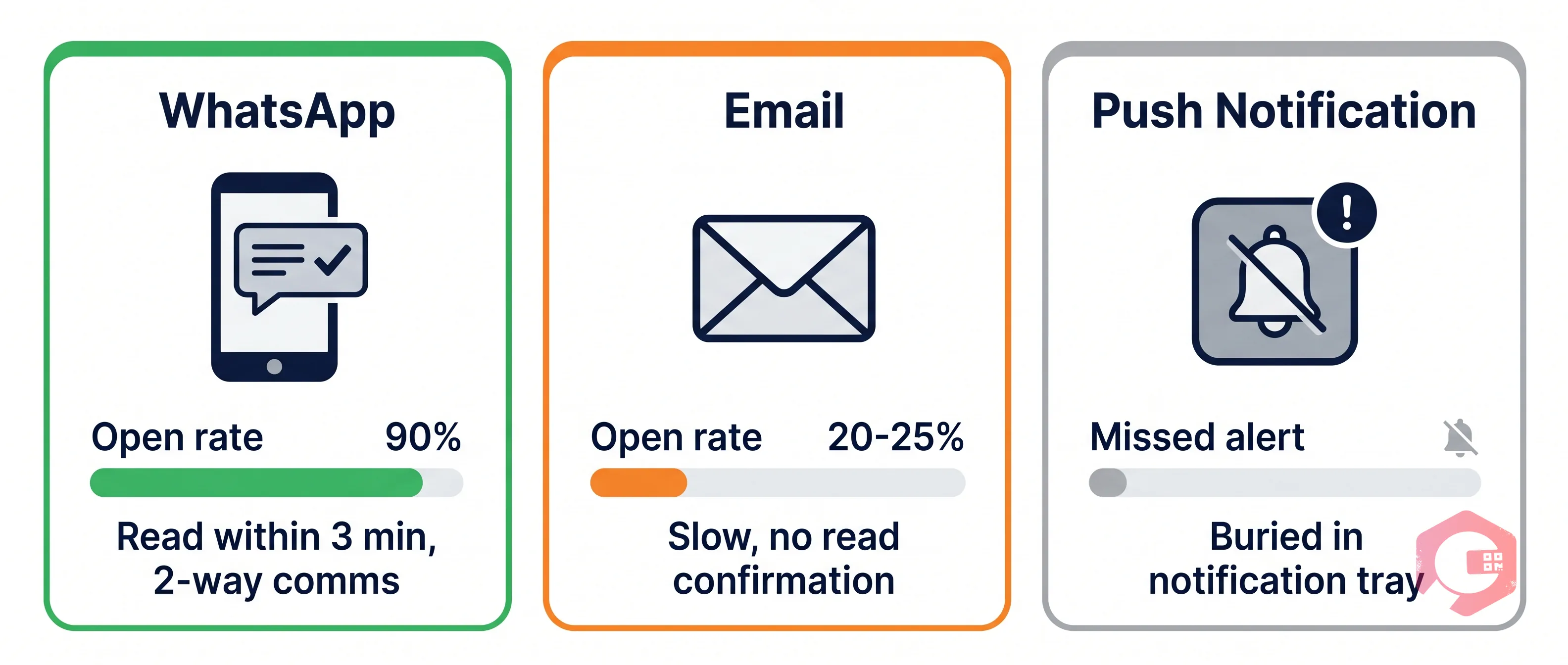
Email averages a 20–22% open rate within the first hour, according to industry email benchmarking research. That means roughly 4 out of 5 emails sent to a technician about a critical fault will not be read within the hour it matters. Phone calls require the recipient to be available and reachable. Push notifications from mobile apps depend on the app being installed, notifications being enabled, and the device not being on silent. None of these channels provides the combination of near-universal reach and near-instant read rate that SLA-driven maintenance demands.
WhatsApp operates differently. With a 90–98% read rate and the majority of messages read within three minutes of delivery, it reaches technicians in a channel they actively monitor throughout the working day — regardless of whether they have the CMMS app open. For facility management teams operating across multiple sites with contractors, sub-contractors, and in-house technicians on mixed device types, WhatsApp is the one common channel that everyone already uses.
The business case is straightforward: according to IWFM guidance on FM contract SLAs, a single SLA penalty on a critical FM contract can run to thousands of pounds or dollars. Preventing one missed SLA per month with automated escalation pays for the integration many times over.
How WhatsApp Escalation Alerts Work in a CMMS
The escalation engine inside Cryotos integrates directly with the WhatsApp Business API via Cryotos’s WhatsApp integration module. Every work order — whether created manually by a coordinator, triggered automatically by a PM schedule, or fired by an IoT sensor threshold breach — immediately initiates the notification sequence.
Here is the full real-time flow from work order creation to resolution:
Work order created: The system captures asset, location, fault type, priority level, and assigned technician. The escalation timer starts immediately based on the priority’s configured window.
Tier 1 WhatsApp sent: The assigned technician receives a WhatsApp message containing the work order number, asset name, building and floor location, fault description, priority badge, SLA deadline, and a deep link to the work order in Cryotos. The message is structured for fast readability — the technician knows what, where, and when without opening the app.
Real-time acknowledgement monitoring: The escalation engine monitors for any response from the technician — an acknowledgement tap in the app, a WhatsApp reply, or a status update. Any of these stops the Tier 1 timer and confirms the work order is being handled.
Tier 2 fire (if Tier 1 expires): The supervisor receives a notification that includes the original fault details plus the information that the assigned technician has not acknowledged within the SLA window. This is not a copy of the Tier 1 message — it is a contextually escalated alert.
Tier 3 fire (if Tier 2 expires): The facility manager is notified. At this stage, the system has evidence of two unanswered escalation tiers. The manager can reassign, call in a contractor, or attend directly.
Two-way update loop: Throughout the process, technicians can reply via WhatsApp to update status, attach photos of defects or completed repairs, flag parts requirements, or request supervisor support — all of which are synced back to the work order record automatically.
Setting Up Escalation Rules in Cryotos CMMS
Configuring WhatsApp escalation alerts in Cryotos requires no development work or custom coding. The setup sequence is completed entirely within the CMMS admin interface and can typically be completed by an FM operations manager in a single working day.
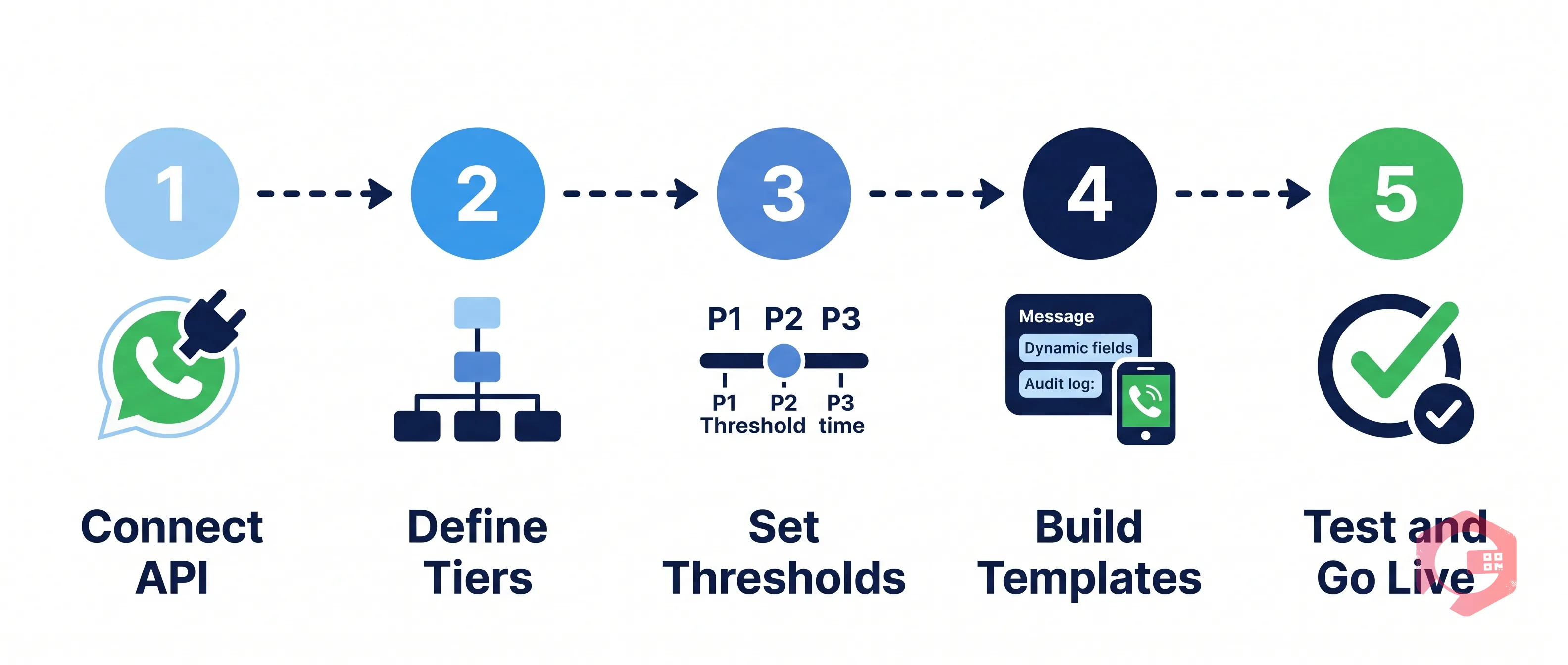
Step 1 — Connect the WhatsApp Business API: Cryotos connects to the WhatsApp Business API via your registered business phone number. This is the official Meta-approved channel — not a workaround or third-party workaround that risks number bans. Your organisation’s WhatsApp Business account is linked once at account level and applies across all sites and contractor groups.
Step 2 — Define escalation tiers: Set up to three escalation recipients per work order category: Tier 1 (individual technician or technician group), Tier 2 (maintenance supervisor), Tier 3 (facility manager or on-call manager). Tiers can be configured differently for different asset categories — a Tier 3 for a fire suppression system may be a senior building manager, while Tier 3 for a lighting fault may be a duty supervisor.
Step 3 — Configure priority thresholds: Map each work order priority to a response window. A typical configuration: P1 Critical = 15 minutes to acknowledge; P2 High = 30 minutes; P3 Medium = 60 minutes; P4 Low = 4 hours. These thresholds should align with the SLA commitments in your FM contract — so the escalation fires before the SLA window closes, not after.
Step 4 — Build message templates: WhatsApp Business API requires pre-approved message templates for outbound notifications. Cryotos provides standard templates as starting points. Each template uses dynamic fields — {asset_name}, {location}, {fault_type}, {priority}, {sla_deadline}, {work_order_link} — so every message is specific to the exact work order, not a generic reminder. Customise templates to include your organisation’s brand name and any specific fields your coordinators or contractors need to act immediately.
Step 5 — Test end-to-end: Run a test work order at each priority level without acknowledging it. Verify that each tier fires at the correct time, the message content is accurate, and responses sync back to the work order record. The workflow automation logs show the full escalation trail for each test run, making it easy to confirm configuration before going live.
Benefits of WhatsApp Escalation Alerts for Facility Managers
WhatsApp escalation alerts deliver operational benefits that go well beyond faster notifications. They change the fundamental dynamic of how maintenance response accountability works in an FM operation.
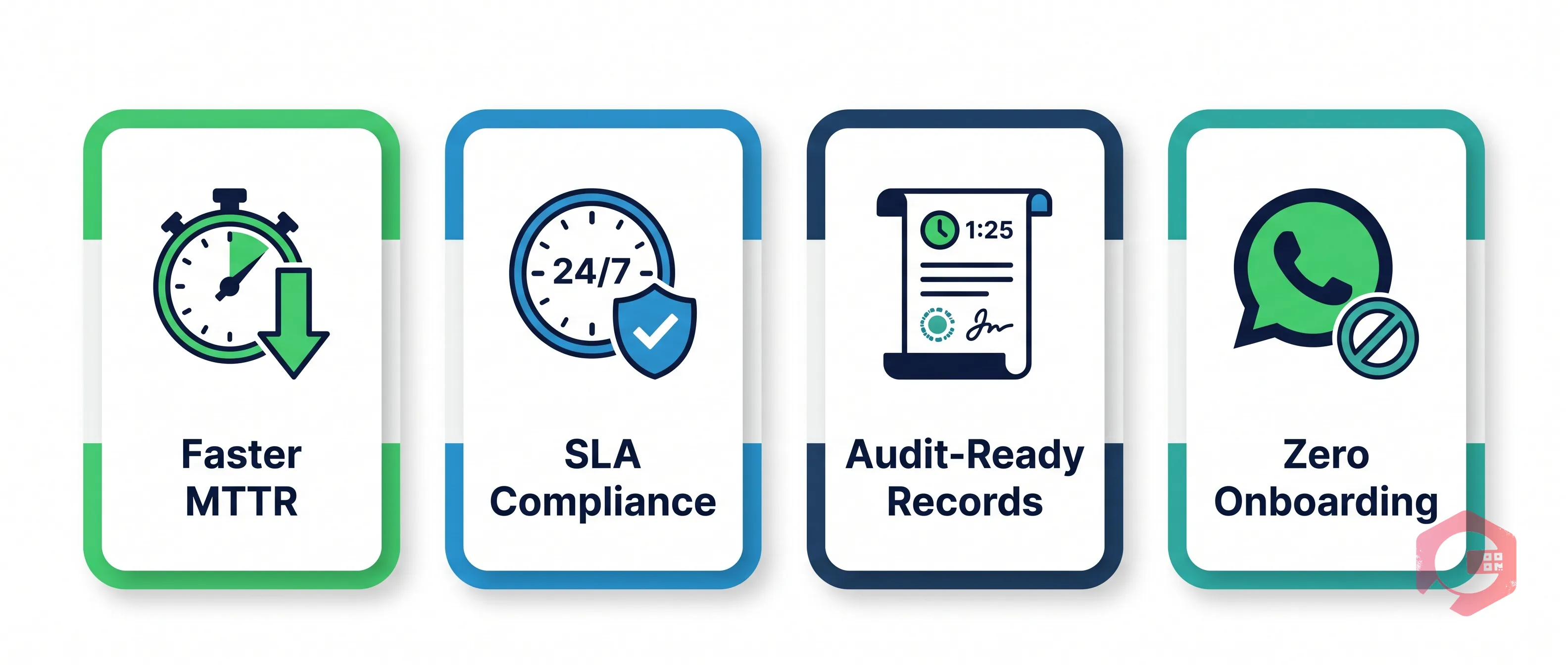
Faster MTTR — typically 30–50% improvement within the first month: The biggest driver of high Mean Time to Respond is the lag between a fault being logged and a technician receiving actionable information. WhatsApp eliminates the lag almost entirely — the technician gets the full work order context on a channel they are actively monitoring, and can respond in seconds. FM teams implementing Cryotos’s WhatsApp escalation see downtime tracking metrics improve significantly as response delays drop out of the data.
24/7 SLA compliance without dashboard monitoring: The escalation engine operates around the clock. Out-of-hours faults on P1 critical assets escalate through the tier structure automatically — reaching the on-call manager if technicians are unavailable. FM coordinators no longer need to monitor dashboards at 2am; the system acts before the SLA window closes regardless of time of day.
Audit-ready work order records for every escalation: Every WhatsApp notification sent, every timestamp, every acknowledgement response, and every escalation tier triggered is stored in the work order history in Cryotos. When a building owner or client asks for evidence of SLA compliance — or challenges a missed response — the full escalation trail is available immediately, with no manual compilation required.
Zero onboarding barrier for technicians and contractors: Unlike a new CMMS mobile app that requires installation, account setup, and training, WhatsApp is already on every technician’s phone. The WhatsApp escalation channel requires no training, no app installation, and no change to how technicians use their personal devices. Adoption is effectively 100% from day one — including contractors and sub-contractors who are not full CMMS users.
Low-connectivity resilience for multi-site FM operations: WhatsApp functions reliably on 2G connectivity and queues messages for delivery when the device temporarily loses signal — critical for technicians working in basements, plant rooms, and building infrastructure areas where cellular coverage is intermittent.
WhatsApp vs Email vs Push Notifications for FM Alerts
Choosing the right notification channel for maintenance escalation is not a preferences decision — it is a reliability decision. When an SLA breach costs real money, the channel must guarantee delivery and readability within the response window.
Factor
WhatsApp
Email
Push Notifications
Read rate within 1 hour
90–98%
20–22%
40–60% (varies by app engagement)
Average time to read
~3 minutes
~6.4 hours
~5 minutes (if device not muted)
Requires app installation
No (pre-installed on most devices)
No
Yes — CMMS app required
Works on low connectivity
Yes — queues on 2G
Partial
No — requires data connection
Two-way communication
Yes — replies sync to work order
Limited
No — push only
Multi-tier escalation support
Yes — native in Cryotos
Possible but unreliable
Limited
Audit trail stored in CMMS
Yes — full history
Partial
Yes
The fundamental issue with email for FM escalation is not that it is a poor communication channel — it is that it is a poor real-time channel. Email is designed for asynchronous communication, and the 20–22% hourly open rate reflects how people actually use it. Push notifications improve on email but introduce a dependency on app installation and notification settings that many contractors and part-time technicians never configure correctly. WhatsApp arrives in a channel that facility technicians monitor personally and consistently — making it uniquely suited to time-critical maintenance communications.
How Cryotos CMMS Handles WhatsApp Escalation
Cryotos’s CAFM software integrates WhatsApp escalation natively into the work order lifecycle — it is not a bolt-on notification service, but a core part of how every work order is managed from creation to close.
Rate library and SLA mapping: Each work order priority maps to a pre-configured escalation threshold. When a P1 critical work order is created, the 15-minute Tier 1 timer starts automatically — no coordinator action required. The thresholds align with whatever SLA commitments are set in your FM contract.
Contractor and multi-party escalation: Cryotos supports escalation across multiple contractor groups, not just in-house teams. A work order assigned to a specialist contractor can have its own escalation sequence — Tier 1 to the contractor technician, Tier 2 to the contractor supervisor, Tier 3 to your in-house FM manager — providing full accountability across the supply chain.
Escalation analytics and reporting: The system tracks every escalation event, records how many Tier 2 and Tier 3 events occurred per week, and reports on which work order types and assets generate the most escalations. This data identifies systemic response problems — understaffed shifts, specific contractors with poor acknowledgement rates, or asset categories with unrealistic SLA windows — so they can be addressed at the process level.
Integration with real-time dashboards: Active escalations appear on the FM manager’s live dashboard alongside open work orders, SLA timers, and technician availability. The manager sees at a glance how many escalations are active, which tier each has reached, and which sites are under pressure — without waiting for a report.
Cryotos customers using WhatsApp escalation consistently report elimination of missed SLA events on critical assets within the first four weeks of deployment. The combination of near-instant read rates and automatic multi-tier escalation means no fault goes unattended because of a missed notification.
Frequently Asked Questions
What is a work order escalation alert?
A work order escalation alert is an automated notification sent when a maintenance work order has not been acknowledged or acted upon within a defined SLA window. It follows a tiered sequence — technician first, then supervisor, then facility manager — ensuring critical maintenance tasks are never silently missed regardless of technician availability.
What happens if a technician doesn’t acknowledge a work order?
If the assigned technician does not acknowledge within the configured window, Cryotos automatically escalates to the maintenance supervisor with a contextual notification showing that Tier 1 went unanswered. If the supervisor also does not respond within their window, the escalation fires to the facility manager. Every unanswered tier is recorded with precise timestamps, creating an audit trail for SLA reporting.
Is WhatsApp secure enough for maintenance communications?
WhatsApp Business API messages are end-to-end encrypted as standard. Cryotos stores all work order data — including maintenance details, asset information, and escalation history — within its own secure, compliant infrastructure. The WhatsApp channel carries only the notification and link; sensitive operational data lives within the CMMS. For most commercial, industrial, and government FM environments, this architecture is appropriate and proportionate.
Can WhatsApp escalation alerts work across multiple sites and contractors?
Yes. Cryotos supports site-specific escalation rules and contractor-group escalation sequences within the same WhatsApp integration. A multi-site FM operation can configure different tier recipients for different buildings, different asset categories, and different contractor relationships — all managed from a single admin interface. Contractors and sub-contractors are included in the escalation chain without needing CMMS logins, since they receive and respond via their existing WhatsApp accounts.
Missed SLA events on critical assets are not a technician problem — they are a notification and accountability problem. Schedule a free demo to see how Cryotos’s WhatsApp escalation alerts automatically route every critical work order to the right person, at the right time, with a full audit trail for every escalation.