

CMMS adoption fails when the software gets installed but the maintenance team never actually changes how it works — logins exist, but work orders still travel by radio, paper, or memory. Most CMMS adoption failures trace back to six recurring root causes: no ownership after go-live, workflows that don't match daily reality, technicians who were never consulted, data no one trusts, one-time training, and no way to measure whether people are actually using the system.
None of these are software problems. A Computerized Maintenance Management System rollout stalls for organizational reasons, and each cause has a specific, repeatable fix. This guide walks through why CMMS adoption fails, section by section, and shows exactly what closes the gap between deployment and real use.
Key Takeaways
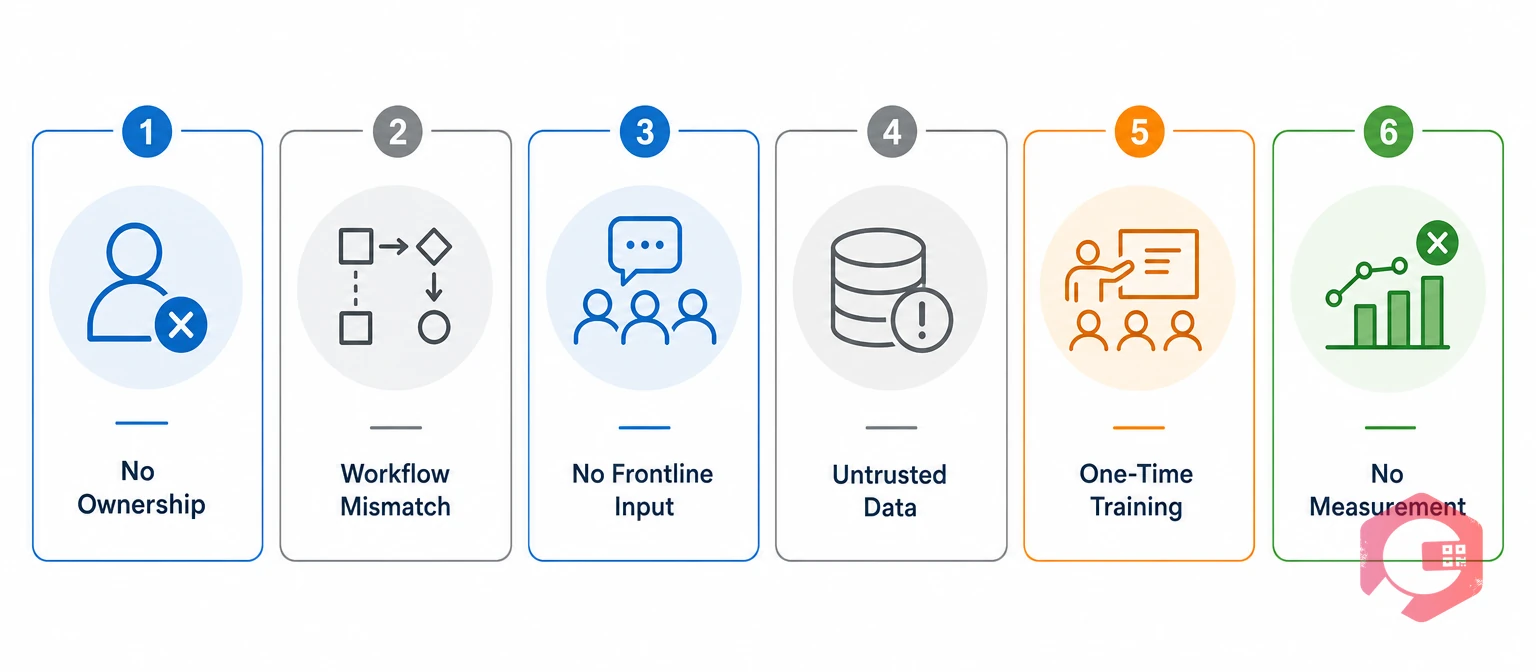
CMMS adoption failure is the gap between a system being installed and a system being used the way it was designed to be used. A facility can have 100% of its technicians logged in and still fail at adoption if work orders get closed verbally, PMs get logged on paper, and the system becomes a reporting exercise instead of the actual workflow.
Most maintenance organizations following SMRP maintenance best practices treat go-live as the finish line. That single assumption sets up most of what follows. The six reasons below aren't independent — they compound. Poor ownership leads to skipped training reinforcement, which leads to bad data, which convinces technicians the system isn't worth trusting in the first place.
Most CMMS projects have a clear owner during implementation — a project manager, a maintenance manager, or an outside consultant driving the timeline. That ownership almost always disappears the day the system goes live, right when it matters most.
Without a named owner, small usage problems never get addressed. A supervisor who reverts to a paper clipboard for one week becomes a supervisor who's back on paper permanently, because no one flagged it or asked why. Maintenance teams that assign a specific adoption owner — someone whose job includes checking work order management data weekly and following up on gaps — catch this drift before it becomes the default.
The fix: name an adoption owner before go-live, not after. Give that person explicit weekly time to review usage data and address gaps directly with the people involved, not through a blanket email reminder.
This role doesn't need to be a new hire. In most facilities, it's a maintenance supervisor or planner who already has visibility into daily operations — the change is giving them explicit accountability and a recurring block of time, rather than adding adoption monitoring as an unstated extra duty that competes with everything else on their plate.
Implementation teams often configure a CMMS around an idealized workflow — the way maintenance is supposed to happen on paper. Real shop floors rarely match that picture. Technicians juggle interruptions, work across multiple assets in one shift, and often can't stop mid-task to fill out a multi-screen form.
When the system adds steps instead of removing them, technicians route around it. That's not laziness — it's a rational response to a tool that makes their job slower. Operations that successfully drive adoption test the actual workflow with real technicians before rollout, not just with managers reviewing a demo.
The fix: map the real workflow — including the shortcuts and workarounds people already use — before configuring the system, not after deployment.
A common example: a technician who currently handles three small work orders in a single walk-through of a production line will resist a system that forces them to open, close, and re-open the app separately for each one. Configuring batch work order handling for that specific pattern, instead of assuming one-task-at-a-time behavior, is often the difference between a workflow technicians adopt and one they quietly avoid.
Schedule a free demo to see how a workflow-first CMMS setup fits real maintenance operations instead of forcing technicians to fit the software.
Software selection and configuration decisions are usually made by managers, not by the technicians who'll use the system every day. When frontline staff first encounter the CMMS at training, they're reacting to decisions made without their input — and that breeds resistance before day one.
This shows up hardest in mobile adoption. Technicians who can't get a fast, reliable experience on their phones or tablets in the field simply won't use the mobile CMMS app, no matter how good the desktop dashboard looks to management.
The fix: involve at least a few frontline technicians in configuration decisions, not just in a post-launch survey.
The payoff compounds beyond the pilot group. Technicians who helped shape the setup tend to become informal advocates on their shift, answering peers' questions and modeling the new workflow without any extra prompting from management. That peer influence often does more to drive adoption across a full team than a second round of formal training ever could.
Data trust is the single biggest predictor of whether technicians keep using a CMMS past the first month. If asset records are incomplete, PM schedules are wrong, or work order history doesn't match reality, technicians quickly learn the system lies to them — and stop relying on it for decisions.
This usually traces back to rushed data migration. Spreadsheets get imported without cleanup, asset hierarchies get flattened incorrectly, and nobody validates the results against the physical plant. The ISO 55000 asset management standard treats accurate asset data as foundational to any maintenance decision — a principle that applies just as directly to CMMS records as to formal asset management programs. A team using asset tracking that doesn't match what's actually on the floor will abandon the system for anything that requires accurate data — inventory checks, warranty lookups, failure history.
The fix: budget real time for data validation before go-live — walking the floor and confirming asset records against physical equipment, not just importing a spreadsheet and calling it done.
Facilities that skip this step often discover the problem the hard way: a technician pulls up an asset's maintenance history to diagnose a repeat failure and finds records that don't match what's actually installed. One bad experience like that is usually enough to convince a whole shift that the system's data can't be trusted for anything beyond basic work order logging.
A single training session at launch teaches people how to click through screens. It doesn't build the habit of using the system under real working pressure, three months later, when the novelty has worn off and old habits are easier.
Maintenance teams that sustain high adoption treat training as ongoing reinforcement, not a one-time event. That means refresher sessions, updated maintenance checklists that reflect what technicians actually encounter, and new-hire onboarding that doesn't rely on tribal knowledge from a coworker.
The fix: schedule a 30-day and 90-day check-in after go-live specifically to reinforce training, not just a single kickoff session.
Adoption decline is gradual, not sudden. Usage drops a little each week, and without anyone tracking it, the first real signal of a problem is a fully collapsed rollout six months in — by which point rebuilding trust in the system is much harder than catching drift early.
Maintenance teams that track adoption weekly — not just at a 90-day project review — respond to problems while they're still small. That means watching login frequency, work order closure rates, and PM compliance by role and by shift, not just as one blended number that hides where the real gaps are.
Adoption drift is the gradual, largely invisible decline in system usage after an initially successful rollout. It's distinct from outright rejection, where technicians never adopt the system at all — drift happens to teams that were using the CMMS correctly for the first few weeks or months before usage quietly eroded. Because drift is slow, it rarely triggers the kind of visible complaint that gets management attention, which is exactly why deliberate measurement matters more than intuition here.
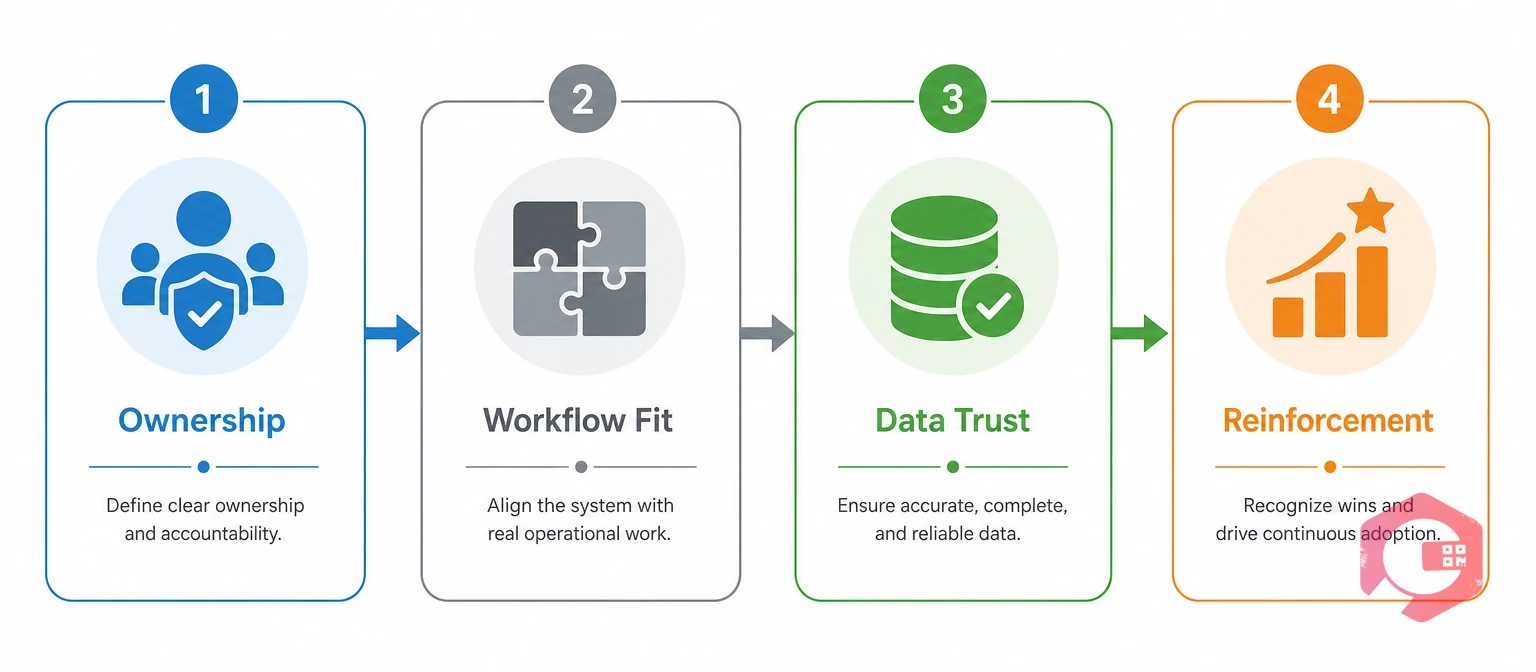
Fixing stalled CMMS adoption doesn't require starting the implementation over. It requires working through four specific levers, in order, because each one depends on the one before it.
The 4-Lever CMMS Adoption Recovery Framework:
Maintenance teams using Cryotos have reported up to 30% reduction in unplanned downtime and 25% faster repair turnaround once adoption stabilizes past these four levers — results that depend entirely on the system actually being used, not just installed.
These four levers work in sequence because each depends on the one before it. Assigning ownership without fixing workflow fit just gives someone accountability for a system people still avoid. Fixing workflow fit without addressing data trust produces a smoother process built on numbers nobody believes. Skipping straight to reinforcement, without first fixing the underlying friction, just means retraining people to work around the same problems more consistently.
A mid-size manufacturing plant that stalled at roughly 40% daily active usage worked through the levers over one quarter: a planner took ownership in week one, workflow fixes for batch work orders shipped in week three, a full asset data audit finished by week six, and 30-day reinforcement check-ins started immediately after. Daily active usage climbed past 80% by the end of the quarter — not because the software changed, but because the four organizational gaps around it closed one at a time.
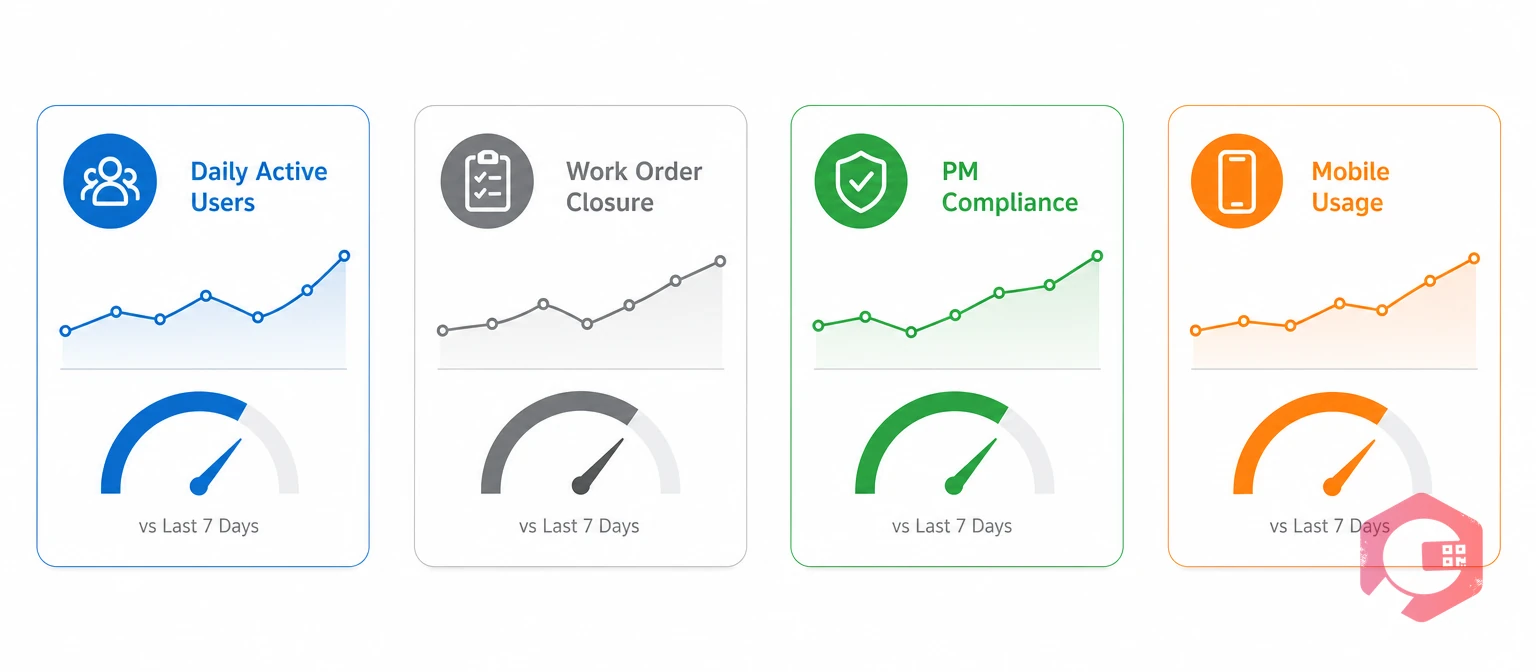
Recovery from poor adoption should show up in leading indicators within two to four weeks, well before it shows up in downtime or cost numbers. Watching only lagging outcomes means waiting months to confirm whether the fix actually worked.
A BI dashboard that surfaces these four metrics by role and shift — rather than one blended fleet-wide average — is what actually reveals whether the fix is closing the gap or just moving it somewhere else.
A fleet-wide average of 75% daily active usage can hide a night shift running at 30%. Segmenting every metric by shift and role is what surfaces that gap — a blended number alone would suggest the fix is working when, for a third of the team, it isn't working at all.
Usage typically drops because early workflow friction, untrustworthy data, or a lack of follow-up training pushes technicians back to their old paper or verbal habits. Without an adoption owner tracking the decline, it goes unnoticed until it's severe.
Exact figures vary by study, but industry sources consistently describe under-adoption — not technical failure — as the dominant cause when CMMS projects underperform. The software itself rarely breaks; the organizational habits around it do. Most facilities that call their CMMS a "failure" are describing a system that works exactly as configured but never became part of daily behavior.
Most maintenance teams see measurable improvement in leading indicators like daily active users within 30 days of applying the ownership and reinforcement fixes, with fuller recovery across all four levers typically taking 60 to 90 days.
Yes, in most cases. Since adoption failure is almost always organizational rather than technical, working through the ownership, workflow, data, and reinforcement levers on the existing system is usually far faster than a full re-implementation. Re-platforming to a new vendor without fixing those underlying gaps typically just resets the clock on the same problem.
The role fits best with someone who already has regular visibility into daily operations — often a maintenance supervisor or planner — rather than an IT administrator disconnected from the shop floor. What matters most is dedicated, recurring time on the calendar to review usage data and follow up directly with technicians, not seniority or title.
Rarely on its own. If the same organizational gaps — no ownership, no workflow fit, no reinforcement — carry over to the new system, adoption stalls again regardless of which computerized maintenance management system is chosen.
CMMS adoption doesn't fail because the software is wrong — it fails when the organization around it never adjusts to use it. Schedule a free demo to see how Cryotos is built around real technician workflows from day one, so adoption doesn't depend on fixing it after the fact.
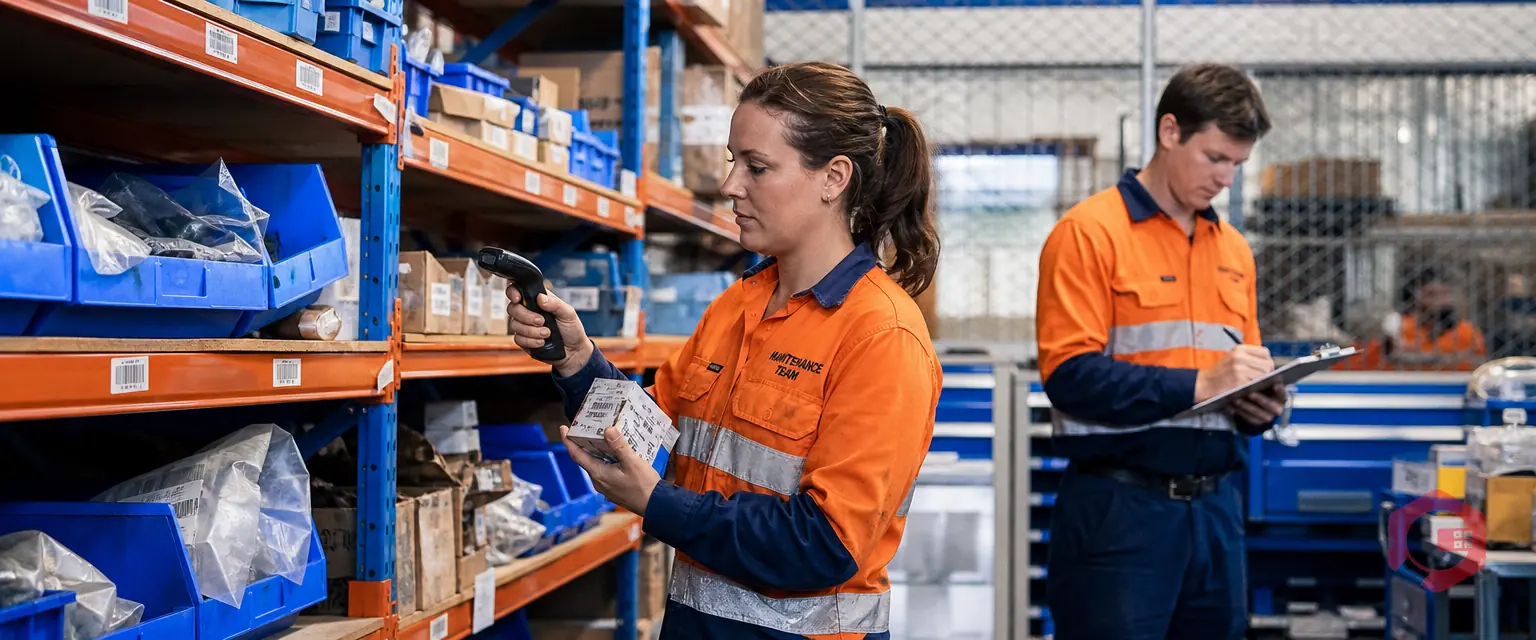


Cryotos AI predicts failures, automates work orders, and simplifies maintenance—before problems slow you down.



