

Key Takeaways
Asset commissioning is the formal process of receiving new equipment, verifying it meets specifications, and registering it fully in your CMMS before it enters active service. It's the starting point of an asset's maintenance lifecycle — and what you capture (or miss) at commissioning follows that asset for its entire working life. A well-commissioned asset has a complete record from its first day: nameplate data, warranty details, baseline performance readings, initial PM schedules, and a QR code or barcode linked to its digital record. A poorly commissioned asset starts with gaps that maintenance teams spend years trying to fill. This checklist covers all three phases — pre-commissioning, physical commissioning, and CMMS setup — so nothing gets missed when new equipment arrives on your floor.
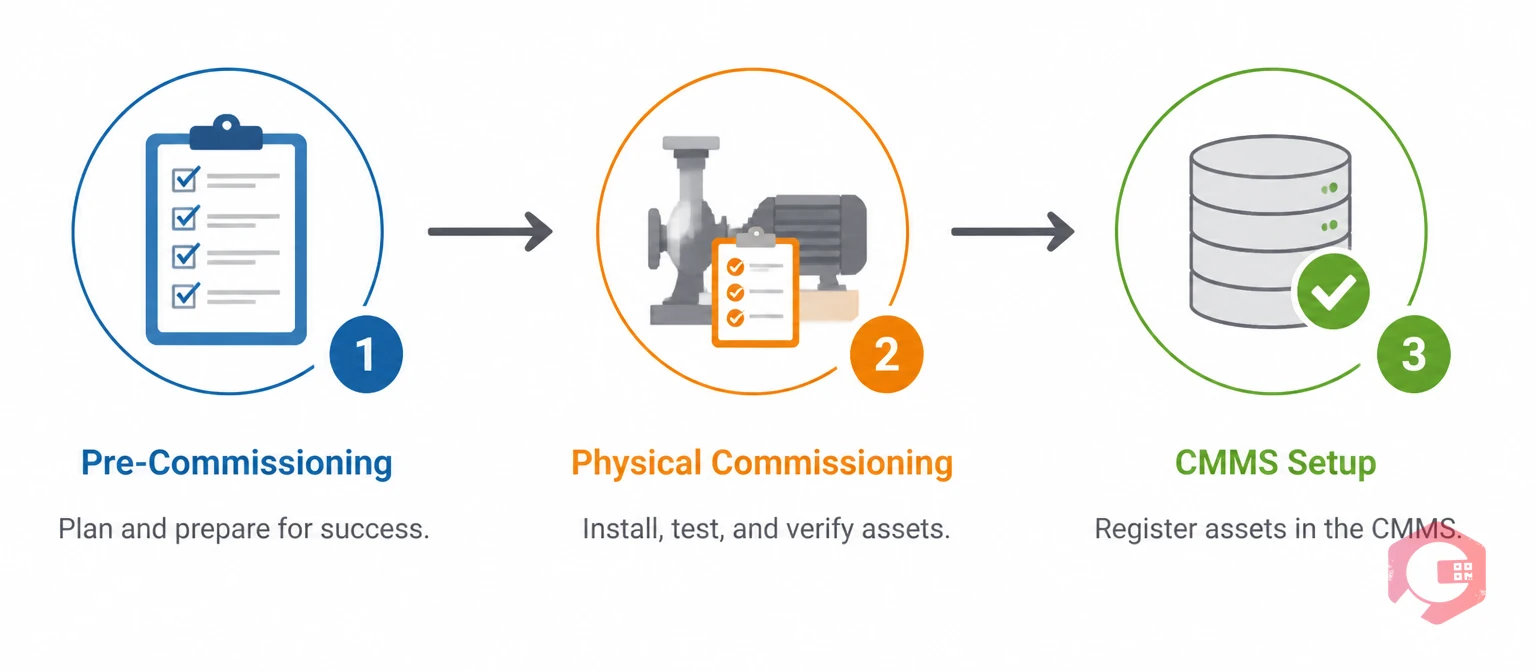
Asset commissioning is the end-to-end process of receiving, verifying, documenting, and activating new equipment for operational use. It begins before the equipment arrives and ends when the asset is fully registered in your maintenance management system with its first PM schedules active and its documentation complete.
Commissioning is distinct from simply installing equipment. Installation is the physical act of putting something in place and connecting it. Commissioning confirms it works as specified, captures the data needed to maintain it properly, and hands it over to the operations and maintenance team in a controlled, documented way.
| Aspect | Asset Installation | Asset Commissioning |
|---|---|---|
| Scope | Physical placement and connection of equipment | Full verification, documentation, and system registration |
| Who does it | Contractor or facilities team | Maintenance team, often with contractor involvement |
| Output | Equipment is physically in place and connected | Asset is verified, documented, and live in CMMS |
| Documentation | Completion sign-off | Full commissioning record, baseline data, PM schedules |
| Timing | One step within commissioning | Begins before installation, ends after CMMS setup |
Installation is a subset of commissioning — not a substitute for it. Treating them as the same thing is one of the most common reasons maintenance teams inherit assets with incomplete records.
| Aspect | Commissioning | Decommissioning |
|---|---|---|
| When | Start of asset lifecycle — before entering service | End of asset lifecycle — retiring from service |
| Goal | Activate, verify, and register the asset | Safely retire, salvage, and close the asset record |
| CMMS action | Create asset record, set PM schedules | Close asset record, cancel PMs, archive history |
| Documentation | Nameplate data, warranties, baselines, manuals | Disposal records, LOTO sign-off, salvage log |
Commissioning and decommissioning are the bookends of an asset's service life. The quality of the commissioning record directly determines how smooth decommissioning will be — complete data at the start means no gaps to fill at the end.
The case for a rigorous commissioning process comes down to what happens downstream when you skip it. Every gap in the commissioning record creates a problem that compounds across the asset's entire service life.
Missing nameplate data means technicians waste time searching for serial numbers, model references, and torque specifications during every future repair. No baseline performance readings means you have no reference point for detecting gradual degradation — you won't know the asset is declining until it fails. Absent warranty information means repairs that should be covered under warranty get paid for out of the maintenance budget. PM schedules not set from day one means the asset runs for weeks or months without any scheduled maintenance, starting its service life already behind.
Beyond the day-to-day operational impact, commissioning has compliance implications. According to ISO 55000 asset management standards, organisations are required to document the initial state of an asset at the point of acquisition. This baseline record is essential for lifecycle cost analysis, replacement decisions, and regulatory audit readiness. OSHA equipment safety requirements also mandate that equipment is verified as safe before workers operate it — commissioning is the documented evidence that this verification happened.
For teams using asset maintenance management software, commissioning is also where the quality of your data originates. Accurate asset records in your CMMS depend on accurate data entry at commissioning. Garbage in, garbage out — and the garbage accumulates interest every year the asset runs.
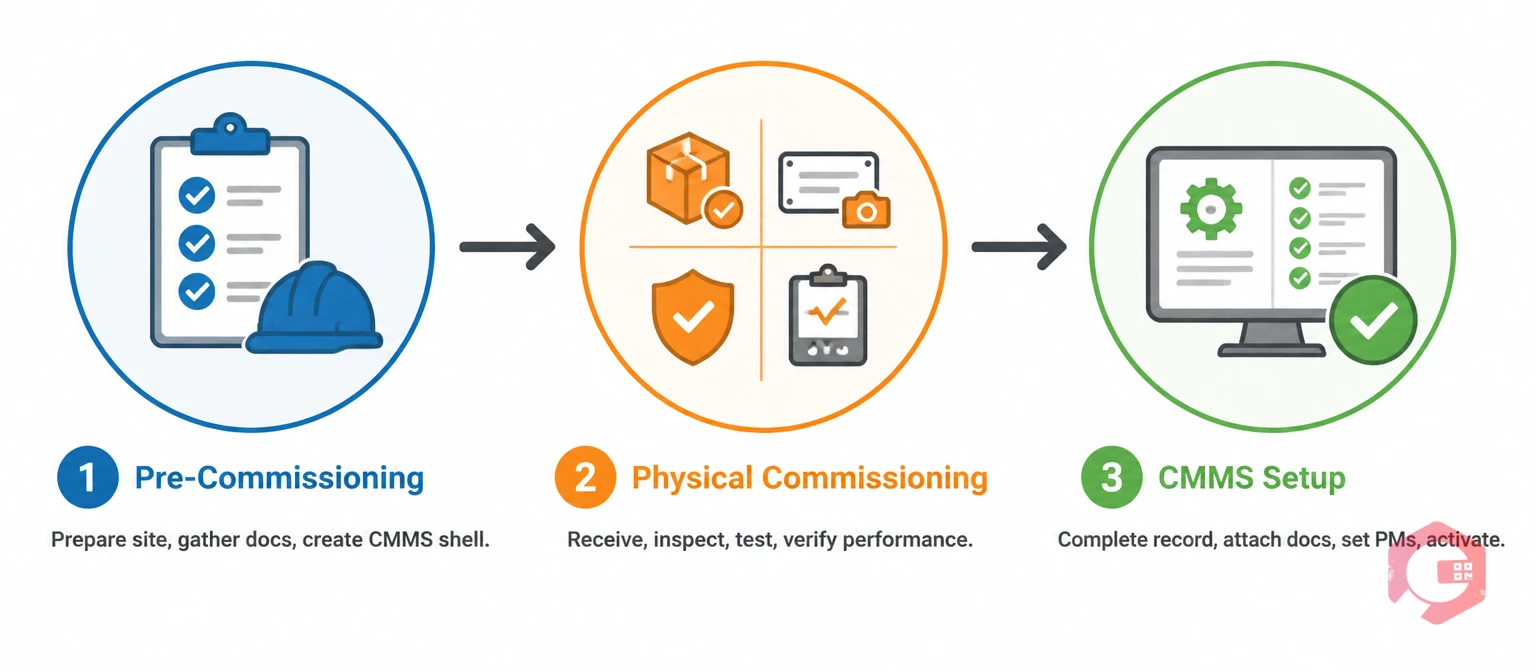
A complete commissioning process runs across three phases. Each builds on the last — skipping Phase 1 creates problems in Phase 2, and skipping Phase 2 creates problems in Phase 3. Work through them in order.
Pre-commissioning is the preparation work that happens before the equipment reaches your facility. Teams that skip this phase spend the first week of a new asset's life in reactive mode — chasing documentation, waiting for missing parts, or discovering the installation site isn't ready.
Physical commissioning covers everything from receipt of the equipment through to verified first-run. This is the phase where the asset goes from "delivered" to "confirmed operational."
Phase 3 is where commissioning most commonly fails. Physical installation gets done and signed off, and then the CMMS record is either filled in hastily, filled in incompletely, or not updated at all. This is the phase that determines whether your CMMS is a useful tool or an inaccurate filing system.
The quality of your CMMS data depends almost entirely on what gets captured at commissioning. Here's a complete reference of the data fields that matter and why each one earns its place in the record.
Identity data — asset name, asset ID/tag number, manufacturer, model number, serial number, purchase order number. This data identifies the asset uniquely across every system it appears in. Missing or incorrect serial numbers mean warranty claims get rejected and OEM support calls go in circles.
Location data — site, building, floor, room/area, exact position within the room (bay number, line number, equipment pad reference). Location data determines how quickly a technician can find the asset, and it's essential for regulatory compliance reporting that maps asset inventories to physical locations.
Financial data — purchase price, installation cost, total commissioning cost, replacement value, depreciation schedule, cost centre. This data feeds lifecycle cost analysis, insurance valuations, capital budgeting, and the eventual write-off calculation when the asset is decommissioned.
Technical specifications — rated capacity, operating parameters (speed, pressure, temperature, flow), power rating, weight, dimensions, applicable standards. Specifications are what technicians need when they're troubleshooting deviations from normal performance — they need to know what "normal" looks like to diagnose what "abnormal" means.
Date data — manufacture date, purchase date, delivery date, installation date, commissioning date, warranty start date, warranty end date, next scheduled service date. Date accuracy matters for warranty claims, regulatory compliance (many certifications are date-stamped), and lifecycle age calculations.
Baseline condition data — first-run vibration readings, operating temperature, current draw, pressure readings, flow rates. Baseline readings are the comparison point for all future condition monitoring. Without them, you're measuring degradation against a reference that doesn't exist.
Documentation references — links or attachments to OEM manual, commissioning report, warranty certificate, installation drawings, electrical single-line diagram. Documentation attached at commissioning is available to every technician who ever works on the asset — it removes the need to search for manuals during a breakdown at 2am.
Most commissioning failures aren't dramatic — they're small omissions that accumulate quietly and surface as expensive problems months or years later.

A well-configured EAM software platform doesn't just store commissioning data — it makes the commissioning process faster, more consistent, and less dependent on individual memory.
Commissioning templates. Rather than starting from scratch for every new asset, your CMMS can hold asset-type templates that pre-populate the most common fields, attach the standard documentation checklist, and load the default PM schedule for that asset class. A new pump arrives; you apply the "centrifugal pump" template and the record is 70% complete before you've entered a single piece of asset-specific data.
Mobile data capture at the asset. Technicians can open a commissioning work order on their mobile device at the equipment, scan the asset tag, and enter nameplate data, baseline readings, and installation notes directly at the source — rather than writing on paper and re-entering later. This eliminates transcription errors and the common problem of paper commissioning sheets being lost or filed without ever reaching the CMMS.
Mandatory field enforcement. Configure your CMMS to require certain fields before an asset can be moved to "active" status. This creates a commissioning completeness gate — no shortcuts, no partial records getting activated. The system enforces the standard even under time pressure.
Automatic PM schedule generation. Once an asset type is identified and the commissioning date is confirmed, your CMMS can automatically generate the first PM work orders based on pre-configured templates — time-based schedules from the commissioning date, meter-based schedules from the opening meter reading. The first service is already scheduled before the handover meeting is over.
Document management. Manuals, commissioning reports, warranty certificates, and wiring diagrams attached to the asset record are immediately searchable by any authorised user, accessible from a mobile device at the equipment, and version-controlled so the most current document is always what gets retrieved. Compare this to the alternative — paper manuals in a site office filing cabinet that may or may not be in the right folder.
Integrated asset lifecycle management. When commissioning data is entered accurately into a CMMS, every downstream lifecycle function runs from that foundation: maintenance history builds on the commissioning baseline, KPI calculations use the commissioning date as the asset age reference, and eventually the decommissioning record closes the loop that commissioning opened. The return on investment from commissioning discipline compounds across the entire service life of every asset in your fleet.
According to SMRP best practice metrics, world-class maintenance organisations maintain asset register completeness above 95% — meaning more than 95% of active assets have complete, accurate records in their CMMS. Commissioning discipline is the primary driver of that metric. It's not achievable through retrospective data cleanup; it has to be built in at the point of asset activation.
Use the asset and equipment inspections checklist alongside your commissioning record to ensure physical verification is as thorough as your data capture.
Installation is the physical act of placing and connecting equipment. Commissioning is the broader process that includes installation plus verification that the equipment works as specified, capture of baseline performance data, documentation of all asset information, and registration in your CMMS with PM schedules activated. Installation is one step inside commissioning — completing installation without commissioning leaves an asset without a maintenance record, without scheduled servicing, and without baseline condition data.
A complete commissioning record should include: identity data (asset name, ID, manufacturer, model, serial number), location data (site, building, exact position), financial data (purchase price, replacement value, warranty terms), technical specifications (rated capacity, operating parameters, power rating), commissioning date and warranty dates, baseline performance readings from first-run, links to all documentation (OEM manual, commissioning report, wiring diagrams), PM schedules activated from commissioning date, and assigned custodians (asset owner, maintenance lead, operations contact).
PM schedules should be activated on the day of commissioning sign-off — not days or weeks later. OEM maintenance intervals begin from the date of first operation. An asset that runs for 30 days without an active PM schedule has already missed its first service window. If the CMMS setup isn't complete before the asset goes live, at minimum create a placeholder PM task from the commissioning date and complete the full schedule setup within 24–48 hours.
A named commissioning lead — typically the maintenance manager, reliability engineer, or senior maintenance technician — should own the entire commissioning process from pre-commissioning preparation through CMMS record completion. Physical installation may involve contractors, and operations should be involved in sign-off, but the CMMS setup and documentation completeness are maintenance team responsibilities. Distributing commissioning responsibility without a clear owner is one of the most reliable ways to end up with incomplete records.
The three-phase structure (pre-commissioning, physical commissioning, CMMS setup) applies to all asset types. The specific items within Phase 2 will differ by asset type — commissioning a centrifugal pump involves different physical checks than commissioning an HVAC air handling unit or a conveyor system. Your CMMS can hold asset-type-specific commissioning templates that carry the correct Phase 2 checklist for each category, while the Phase 1 preparation and Phase 3 CMMS setup remain largely consistent across all asset types.
Every hour invested in thorough commissioning pays dividends across the full service life of every asset you bring into operation. Cryotos CMMS gives maintenance teams the asset templates, mobile data capture, mandatory field enforcement, and automatic PM generation to make commissioning consistent, complete, and fast — regardless of how many new assets arrive at once. Schedule a free demo to see how Cryotos supports the full asset lifecycle from first commissioning to final decommissioning.




Cryotos AI predicts failures, automates work orders, and simplifies maintenance—before problems slow you down.



