

Digital work instructions are step-by-step, media-rich repair procedures delivered to a technician's phone or tablet at the exact point of work. They replace paper manuals and tribal knowledge with a guided, verified sequence. For complex repairs, they combine ordered steps, photos or short videos, conditional branching, and mandatory safety checks so every technician follows the same proven process, not just the one senior technician's memory.
Key Takeaways
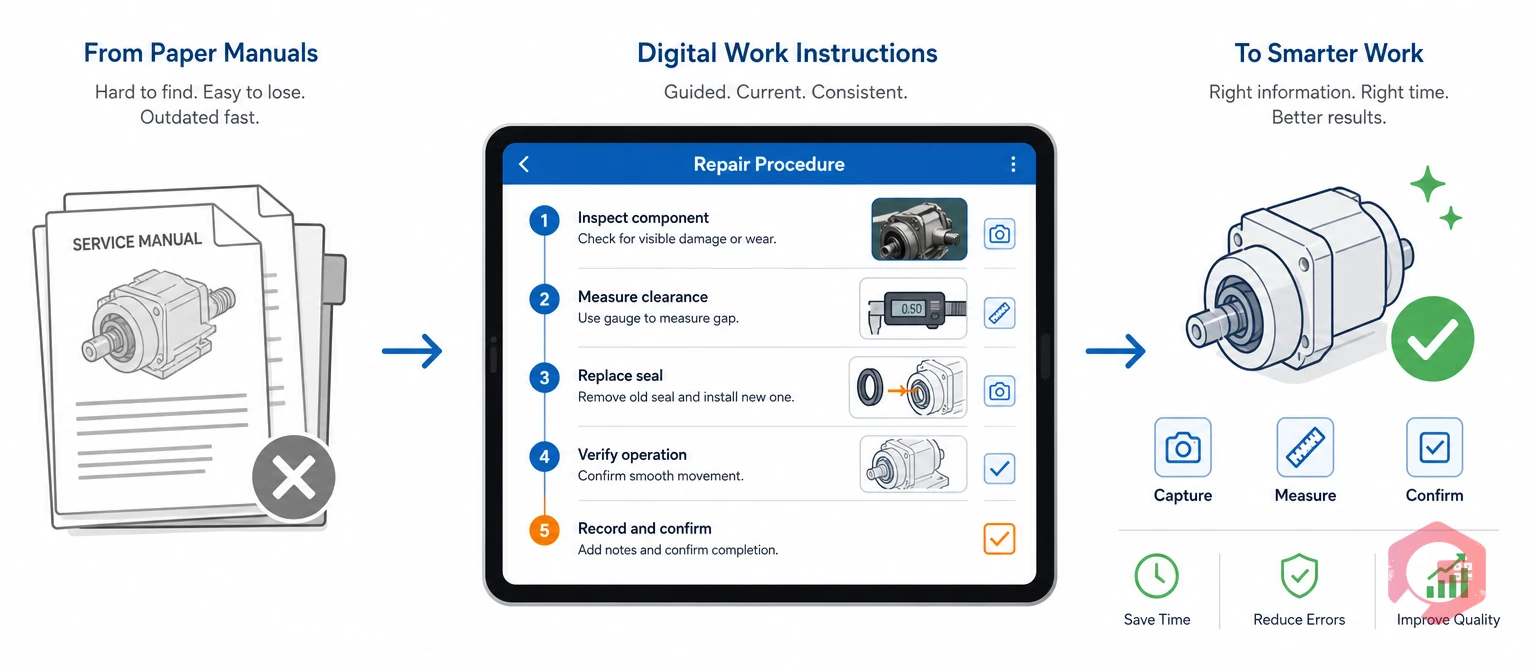
Digital work instructions are interactive, step-by-step repair guides delivered on a phone, tablet, or handheld device at the exact moment a technician needs them. Unlike a printed sheet, each step can require a photo, a measurement, or a signed confirmation before the technician can move to the next one. This keeps the sequence honest, even under time pressure.
They are not the same thing as a standard operating procedure. Standard operating procedures define the rule a repair must meet. Digital work instructions turn that rule into the exact steps a technician follows on the job.
Most maintenance teams face the same issue on complex repairs. One senior technician knows the right sequence. Everyone else guesses, asks around, or improvises. A Computerized Maintenance Management System closes that gap. It attaches the same verified instruction set to every technician's work order, no matter how experienced they are.
This matters most on repairs with many steps, tight tolerances, or safety risk. A missed torque spec or a skipped isolation step can turn a routine fix into a comeback job or a safety incident.
Picture a hydraulic pump rebuild with 22 steps, three torque checks, and one lockout point. On paper, a new technician might skip the second torque check because the binder page is smudged or missing. On a digital work instruction, that step cannot be skipped. The app requires a logged reading before the next step unlocks, and the whole sequence stays identical no matter who is holding the wrench that day.
Paper-based repair instructions fail on complex jobs because they cannot adapt, confirm, or update in real time. A printed sheet cannot tell a technician that a torque reading is out of range. It cannot stop someone from skipping a lockout step either.
Most facilities only notice this gap after a repeat failure. An audit finding traces back to a step nobody can prove was followed, and by then the cost has already been paid.
This is not a knock on paper checklists themselves. They worked fine for simple, single-path tasks. The trouble starts once a repair branches into multiple possible causes, needs a measured value instead of a checkbox, or carries real safety consequences if a step gets skipped. That is exactly the gap digital work instructions were built to close.
Want to see where your own repair times stand today? Calculate your average repair time before and after moving to guided digital instructions.
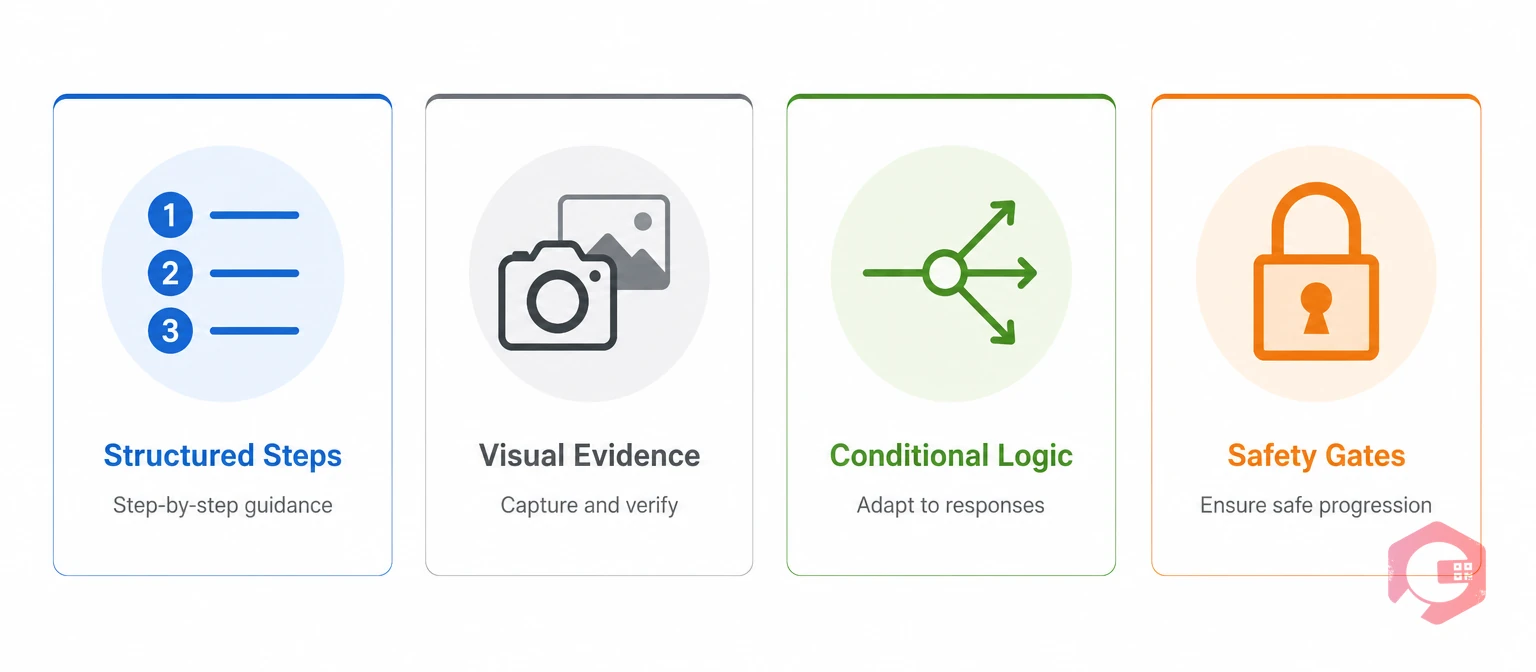
A complex repair needs more than a checklist. It needs a structure that adapts to what the technician finds. It also needs to prove what was done and block unsafe shortcuts along the way.
The Four-Layer Guided Repair Stack:
A safety gate is a mandatory checkpoint that blocks a repair step. It will not release the next step until the technician confirms something like a lockout/tagout check. For electrical or high-energy repairs, this mirrors the intent of OSHA's lockout/tagout standard, which requires verified isolation of hazardous energy before service work begins.
In Cryotos, this authoring layer runs through digital maintenance checklists. Teams build these from an Excel import or by scanning an existing paper procedure with OCR, so nobody has to rebuild every SOP from scratch. The same four layers apply whether the repair is a five-minute filter swap or a full pump rebuild — only the number of steps and the strictness of the gates changes.
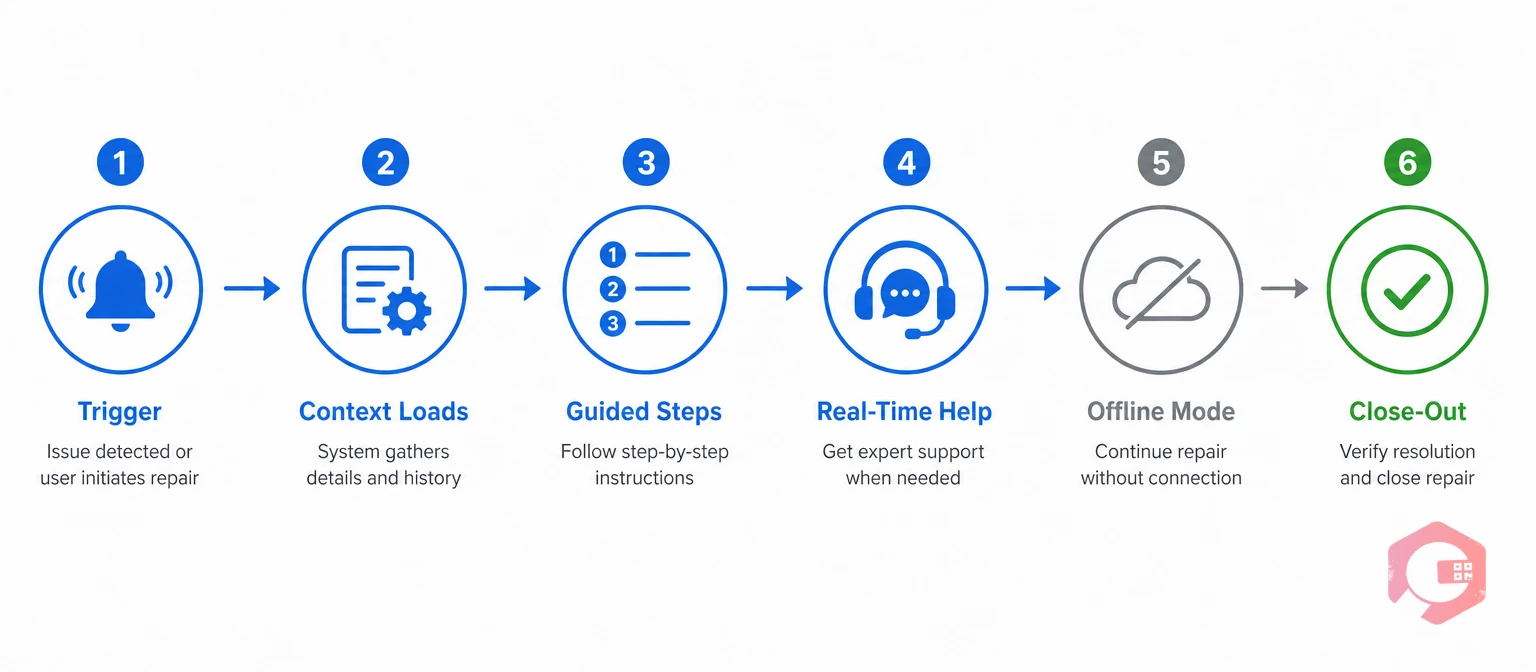
A guided repair in Cryotos starts before the technician even picks up a tool. It ends with a closed, auditable record that any supervisor can review later. Each stage below maps to a specific part of the platform.
Every stage of that flow runs through work order management. That is what keeps the instructions, the asset history, and the sign-off tied to one traceable record instead of scattered across separate apps and spreadsheets.
A guided repair that ends at sign-off only delivers half its value. The bigger payoff comes from capturing what the technician learned and feeding it back into the next repair.
A knowledge feedback loop turns one technician's discovery into a permanent update. That update becomes part of the standard repair procedure for the whole team. When a repair traces back to a failure, most teams pair the close-out with a quick 5 Whys or root cause prompt right inside the work order, instead of filing it somewhere separate.
Operations that build this loop successfully treat every finished repair as a chance to improve the instructions, not just a closed ticket. That habit is exactly what a maintenance audit checklist is built to catch: gaps between what the procedure says and what technicians actually had to do to finish the job.
Over time, this turns a fixed set of instructions into a living document. It gets a little better every time a technician uses it and reports back.
Some teams add one extra question to the close-out: "Did anything about this repair not match the instructions?" That single question surfaces outdated torque specs, missing steps, and parts that have quietly changed since the procedure was first written. Reviewing those answers once a month is usually enough to keep the instruction library accurate without turning it into a full-time job.
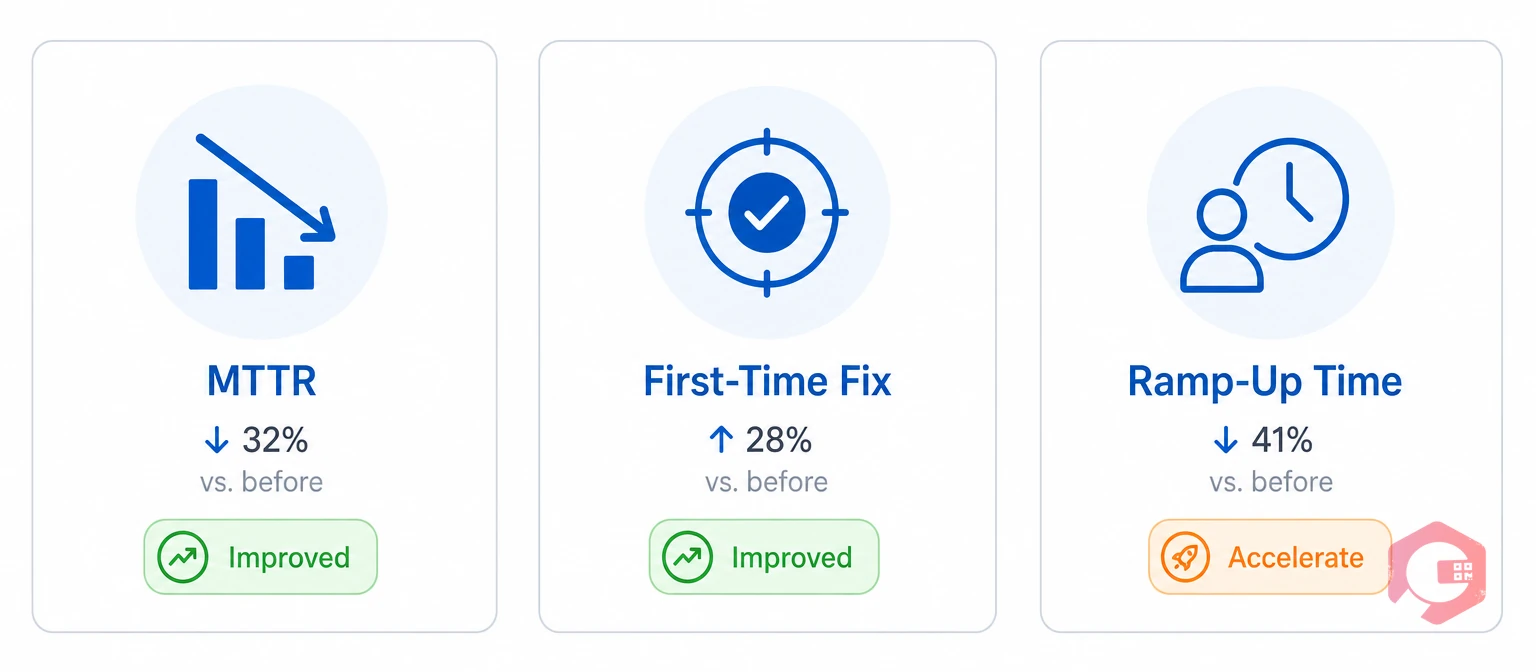
The clearest way to measure impact is to track how long repairs take and how often they need to be redone. Mean time to repair (MTTR) is the standard metric here. It tends to drop once technicians stop guessing at the correct sequence and start following a guided instruction set instead.
Maintenance teams using Cryotos have reported up to 30% reduction in unplanned downtime and 25% faster repair turnaround after moving from paper-based processes to guided digital instructions. Those numbers come from removing guesswork, not from working faster under pressure.
Most facilities find the strongest signal is not the average repair time itself. It is how much narrower the gap becomes between the fastest and slowest technician doing the same job. That narrowing is usually the first thing a maintenance manager notices after rolling out guided instructions plant-wide.
Yes. Most platforms, including Cryotos, let you scan an existing paper SOP with OCR or import it from Excel. Teams do not have to rebuild every procedure by hand before going digital, which is usually the biggest blocker teams expect going in.
Yes, as long as the platform includes a real offline mobile mode. A technician can complete the full instruction set in a basement or a remote plant, and the record syncs automatically once a connection comes back. Nothing is lost if a signal drops mid-repair.
They enforce safety gates, such as lockout/tagout confirmation or a PPE check, as steps a technician cannot skip. Each gate logs the timestamp and the technician who confirmed it, so there is a clear compliance record.
A standard operating procedure defines the rule or standard a process must meet. A digital work instruction turns that standard into the exact steps a technician follows for one specific repair.
No. They reduce how much a team depends on any one person's memory. Experienced technicians still handle judgment calls, while the instructions keep everyone else consistent on the routine parts of the job.
Guided, step-by-step repairs cut down on comebacks, ramp-up time, and unrecorded shortcuts. Schedule a free demo to see how Cryotos turns your existing repair procedures into digital work instructions your technicians can actually follow.




Cryotos AI predicts failures, automates work orders, and simplifies maintenance—before problems slow you down.



