

Equipment troubleshooting is faster when technicians read an asset's work order history before they open the panel. Past work orders show what failed, what was tried, which parts were used, and how long the repair took. In a Computerized Maintenance Management System (CMMS), that record stays with the asset, not with the technician who happened to fix it last.
This guide shows how maintenance teams turn work order history into a practical troubleshooting tool. It also walks through a realistic example of the problem teams face and how Cryotos CMMS solves it.
Key Takeaways

Work order history is the time-ordered record of every repair, inspection, and request logged against an asset. It answers the three questions every technician asks first.
Asset management standards support this approach. ISO 55000 treats reliable asset information as the base for sound maintenance decisions. Methods such as reliability-centered maintenance and failure mode and effects analysis (FMEA) also depend on knowing how an asset has failed before.
Equipment troubleshooting is the structured process of finding why an asset failed and fixing the cause, not just the symptom. History gives every breakdown a starting hypothesis instead of a blank page. On many breakdowns, finding the cause takes longer than the repair itself, so a good starting hypothesis saves the most time during diagnosis.
The main challenge most maintenance teams face is that repair history exists but cannot be used when a machine stops. Records sit in paper logbooks, spreadsheets, and the memory of senior technicians.
Consider an illustrative scenario, a composite of patterns common in food packaging plants rather than a named customer. A filling line stops several times a quarter with the same "sensor fault" alarm.
The sensor was never the cause. A bracket that drifted out of alignment after changeovers kept tripping it, but nobody could see that pattern in scattered, vague records.
The cost shows up in three places, and none of them appear on a single invoice.
Equipment troubleshooting without usable history means paying for the same repair again.
Capture the exact asset, the symptom, and the operating condition at the moment a request is raised. Details recalled hours later are usually vague or wrong.
With Cryotos, operators raise work requests by scanning a QR code, and AI-powered work order creation accepts voice or photo input. The request lands on the right asset with the symptom attached. Clear intake is the cheapest way to improve every future round of equipment troubleshooting.
See how digital work orders keep every repair attached to its asset.

Before opening the machine, review recent work orders on that asset. Six to twelve months is a practical window for most equipment, and slow-failing assets need longer. Look for the same symptom, the same part, or the same time of failure.
The History-First Troubleshooting Method:
Here is the same illustrative filling line, read before the next breakdown.
Read together, the four entries show an alarm that follows changeovers, not a sensor that keeps failing. That is the evidence a technician needs before ordering another sensor. Pattern review is where root cause analysis becomes practical, because a repeat failure is a request for root cause analysis, not for another quick repair.
A closure template makes every finished work order useful to the next technician. Keep it short enough to complete at the machine, on a phone, in about two minutes.
| Field | What to record | Example entry | Why it helps |
|---|---|---|---|
| Failure code | Pick from a fixed list | MECH-04 Misalignment | Groups similar breakdowns |
| Cause found | The reason, not the part | Bracket loose after changeover | Separates cause from symptom |
| Action taken | What was done and tested | Re-aligned bracket, checked torque | Shows which fixes held |
| Parts used | Part number and quantity | Proximity sensor x1 | Reveals repeat part swaps |
| Time spent | Active repair hours | 1.5 hours | Supports repair time tracking |
A failure code is a standard label that describes how an asset failed. Keep the list to ten or twenty codes, so technicians can choose one quickly.
Three simple rules keep the template useful.
Consistent closure data turns completed jobs into a troubleshooting library.
Cryotos solves the history problem by attaching every request, cause, and repair to the asset it belongs to.
| Task | Without usable history | With Cryotos work order history |
|---|---|---|
| Find past repairs | Ask around and search logbooks | Open the asset's work order record |
| Spot the pattern | Each breakdown looks new | Repeat symptoms and failure codes stand out |
| Find the root cause | Guess from memory | Run a 5 Whys review inside the work order |
| Hand over between shifts | Verbal and easily lost | Notes and photos stay on the work order |
| Prevent a repeat | Fix is rarely shared | Add the finding to a preventive maintenance checklist |
In the illustrative filling line example, the team set up QR code work requests, a fixed failure code list, and a required cause field at closure. Once the history was clean, the sensor alarm showed a clear link to changeovers. A 5 Whys review traced it to the drifting bracket, and the team added a bracket alignment check to the changeover checklist.
Three Cryotos capabilities carry most of this workflow.
Maintenance teams using Cryotos have reported up to 30% reduction in unplanned downtime and 25% faster repair turnaround. Results vary by site, asset mix, and how consistently technicians record closure data.
Most work order history fails for the same few reasons, and all of them are habits rather than software problems.
Fixing these habits costs little and improves the data immediately. Clean records improve equipment troubleshooting more than any single feature.
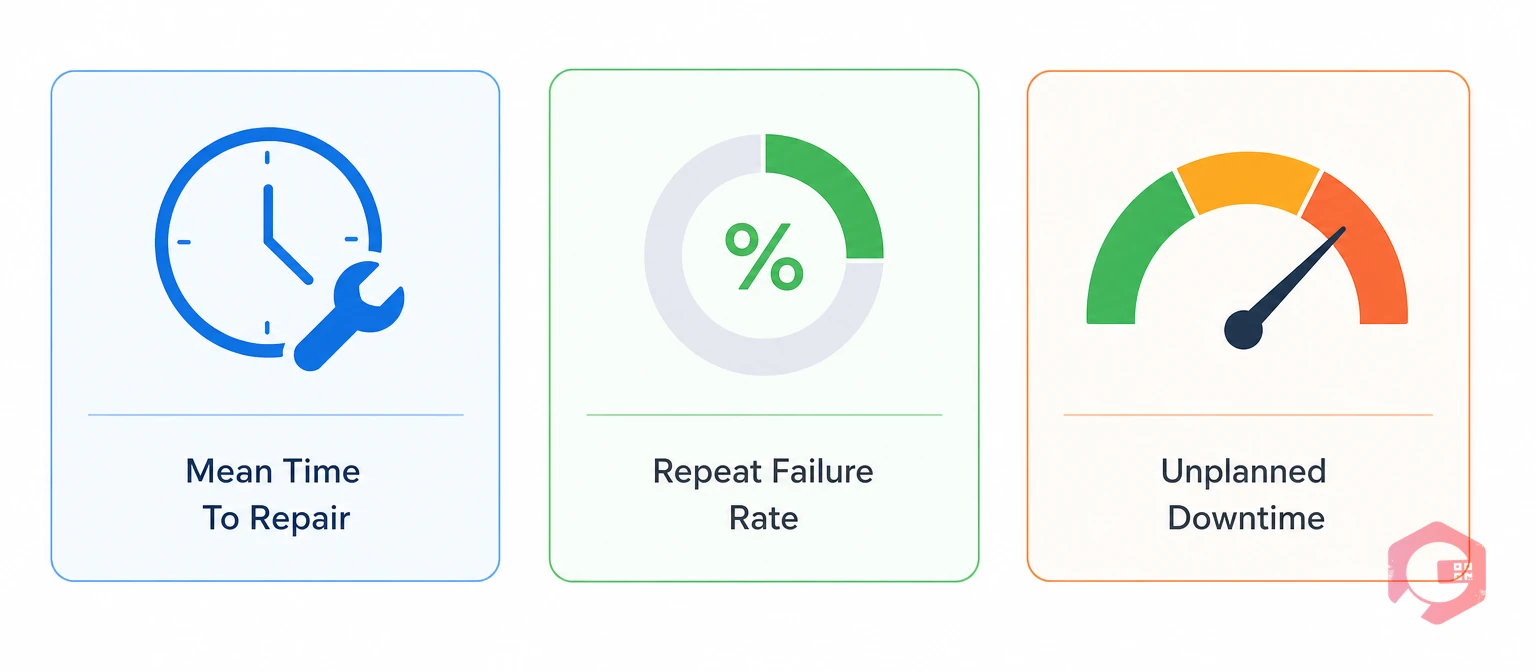
Track three numbers to confirm that equipment troubleshooting is improving.
Cryotos downtime tracking reports MTTR and MTBF by asset, plant, and department, so teams can see whether repeat failures fall once history reviews begin. Review the numbers monthly and adjust the failure code list as patterns change.
It shows technicians what failed before, which fixes worked, and which did not hold. That narrows the likely causes before anyone opens the machine. It also exposes repeat failures that point to a deeper root cause.
Record the symptom, a failure code, the cause found, the action taken, parts used, and time spent. Photos of alarm screens or damaged parts add useful context. Keep the form short enough to finish at the machine.
Six to twelve months is a practical starting point for most assets. Assets with slow failure cycles, such as large motors or gearboxes, may need two or three years. Look for the same symptom, failure code, or part replacement.
Check an asset's recent history before every non-routine repair, and review the most failure-prone assets as a group each month. Monthly reviews catch slow patterns that individual repairs hide.
Yes. Old records may be thin, but every well-recorded work order from today builds a more useful history. Many teams start with their most failure-prone assets and use a standard closure form from day one.
Faster equipment troubleshooting starts with records technicians can trust. Schedule a free demo to see how Cryotos keeps work order history, root cause notes, and downtime data attached to every asset.


Cryotos AI predicts failures, automates work orders, and simplifies maintenance—before problems slow you down.



