

A PM compliance rate drops when equipment usage spikes because fixed calendar intervals were never built to absorb variable duty cycles. A calendar schedule assumes every asset works at roughly the same pace every month. That assumption breaks the moment reality changes. A line runs extra shifts. A fleet logs extra mileage. The calendar keeps firing PM at the old pace anyway.
Equipment wears out faster than the plan expects. Work orders start missing their due date, one after another. The compliance score falls even though the team hasn't changed a thing. Most planners assume this means the crew fell behind. Often, the real problem is the schedule itself.
Key Takeaways
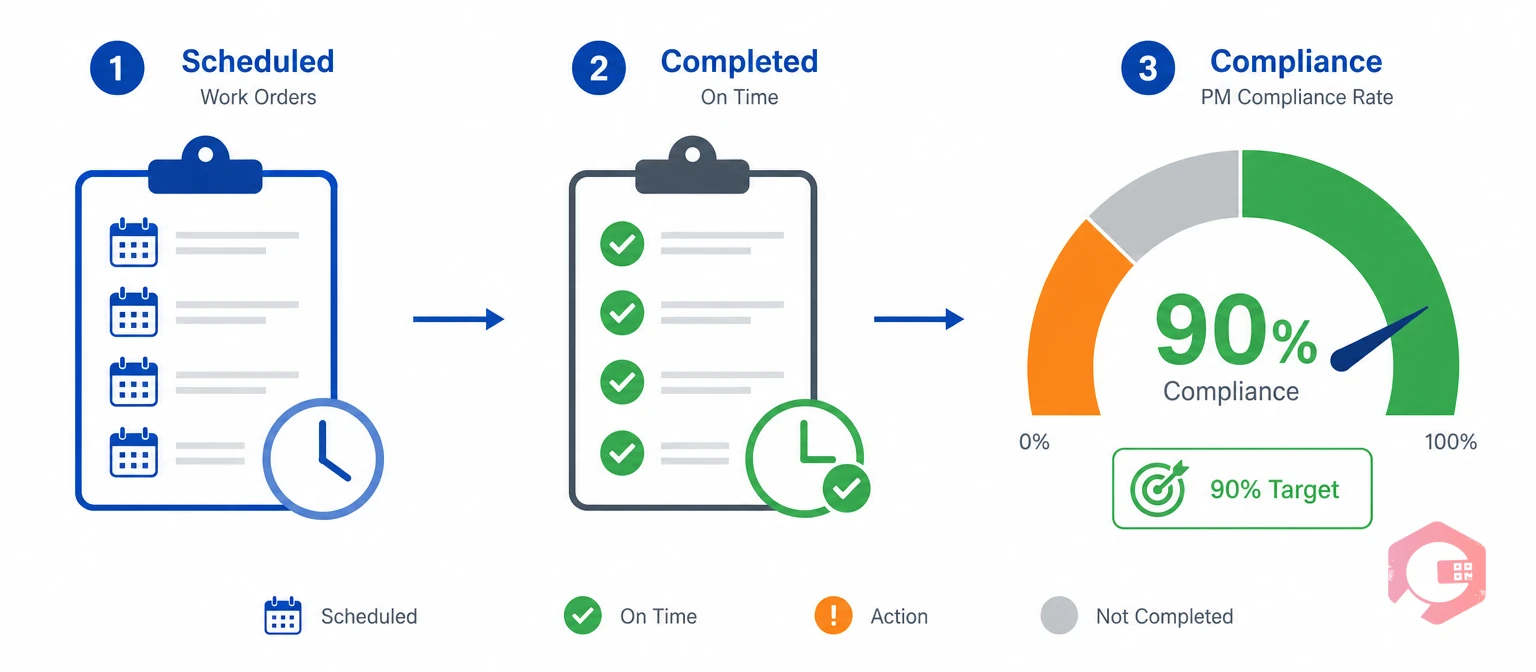
A PM compliance rate is the share of scheduled PM work orders finished on time. Most reliability programs, including benchmarks published by the Society for Maintenance and Reliability Professionals, treat 90% or higher as the target for a healthy program. A rate below 80% usually means something structural is wrong, not just that the crew is behind on a given week.
Maintenance teams often assume a falling compliance rate means technicians are undisciplined. In practice, it usually means the schedule no longer matches how hard the equipment runs. A PM tied only to planned downtime windows on a fixed calendar has no way to track that shift on its own. The number itself is just a symptom. The real question is always what's driving it.
Picture a bottling line. It normally runs one shift a day. During a seasonal order spike, it runs three shifts. That lasts for six weeks straight. The PM calendar still schedules the belt and motor inspection once a month, exactly as before. Nothing about the schedule changed. But the line itself changed a lot.
By the time the next PM date arrives, the line has already logged three months of normal wear in one month of calendar time. The belt and motor are overdue for service in every sense except the one the calendar tracks. This is how a compliance rate quietly starts to slip, weeks before anyone notices a real problem.
Calendar-based PM assumes a steady link between elapsed time and asset wear. A usage spike breaks that link right away. Picture a compressor that suddenly runs 50% more hours in a month. It reaches its wear limit long before the next calendar-triggered visit. The calendar has no way to know that anything changed.
Meter-based maintenance is a PM trigger based on runtime, cycles, or mileage, not a fixed date. Read the full breakdown of meter-based maintenance to see how the trigger mechanism actually works.
PM backlog is the count of open preventive maintenance work orders past their scheduled due date. A rising backlog is usually the first visible sign that a compliance drop is coming. Reliability-centered approaches such as reliability-centered maintenance exist to match maintenance strategy to how an asset actually fails. That is exactly the mismatch a pure calendar schedule can't fix on its own.

Most compliance drops trace back to one of four specific mechanisms. Rarely does just one of these show up alone during a busy season; usually two or three compound at once. The table below breaks down each cause, what it looks like on the floor, and the fix that addresses it directly.
| Cause | What Happens on the Floor | Compliance Impact | Fix |
|---|---|---|---|
| Seasonal or order-driven demand spikes | A line runs extra shifts with no change to the PM calendar | Assets exceed OEM wear limits before the next scheduled visit | Runtime-triggered PM fires a work order the moment usage crosses the threshold |
| Fleet and mobile equipment overuse | Vehicles or forklifts log double the normal mileage in a busy period | Service due dates cluster together and overwhelm the crew | Meter data tracks mileage and hours per asset instead of a shared date |
| Understaffed teams during peak load | More work orders open at once than the crew can close on time | Completed-on-time percentage falls even though the PM itself was scheduled correctly | Auto-generated work orders plus leave-aware assignment keep scheduling realistic |
| No visibility into actual asset usage | Planners set every interval by date because no meter data exists | The hardest-working assets get the least accurate service timing | Connected meter capture feeds live runtime data into the schedule automatically |
Two of these causes usually show up together. A demand spike drives up usage. The extra volume of overdue work then overwhelms a crew that was sized for normal conditions. Fixing only the staffing side without fixing the scheduling side rarely holds for long. It treats the result, not the reason behind it. Attaching a maintenance checklist to each PM type also keeps completed work consistent once the schedule itself is fixed.
See how preventive maintenance software handles both static and dynamic scheduling in one module.

Fixing a compliance drop after a usage spike takes more than adding staff. Adding people treats the symptom, not the cause. What actually works is a plan that matches the schedule to real asset behavior. The PM Recovery Stack:
Maintenance teams that work through all four steps in order typically see compliance stabilize within one or two PM cycles. The schedule stops fighting the equipment's real usage pattern. The backlog that built up during the spike starts to clear on its own. No extra headcount is required for this part of the fix.

Dynamic PM scheduling is a method that fires a work order once an asset crosses a set usage threshold. Neither scheduling type is wrong on its own. Each one fits a different category of asset. Some equipment genuinely belongs on a calendar. Other equipment needs a trigger tied to real wear. The comparison below shows where each approach holds up, and where it quietly breaks down.
| Dimension | Static (Calendar) PM | Dynamic (Runtime/Meter) PM |
|---|---|---|
| Trigger | Fixed date interval | Runtime hours, cycles, or mileage crossing a threshold |
| Best fit | Compliance inspections, shelf-life items, calibration dates | Engines, compressors, fleet vehicles, production lines |
| Compliance risk during usage spikes | High — schedule doesn't adjust to added load | Low — trigger reflects actual accumulated wear |
| Data requirement | None beyond a date | Meter capture, either manual entry or IoT meter reading |
Most reliability programs run both models side by side instead of replacing one with the other. They assign each trigger type asset by asset, not program-wide, so a single usage spike never forces a full redesign.
Cryotos runs static and dynamic PM schedules in the same Preventive Maintenance module. A usage spike on one asset category doesn't force a redesign of the entire program. Only the affected assets need to switch trigger types.
Meter Readings capture runtime data through mobile entry or direct IoT and SCADA feeds. Technicians can log a reading from the field in seconds, even without a connected sensor. Work Order Auto-Generation fires the job the moment a threshold is crossed. The schedule reacts in real time instead of waiting for the next calendar date.
Maintenance teams using Cryotos have reported up to 30% reduction in unplanned downtime and 25% faster repair turnaround. Much of that gain comes from schedules that stop lagging behind real asset usage. Compliance stays steady because the trigger moves with the asset, not against it.
The ISO 55000 asset management standard frames this same idea at a program level. Maintenance decisions should reflect the actual condition and use of the asset. They should not depend on an arbitrary date on a calendar.
Most reliability programs target 90% or higher for scheduled PM completed on time. Rates below 80% usually point to a scheduling design issue rather than a staffing shortfall alone.
If equipment usage increased without a matching change to the PM schedule, assets build up wear faster than the calendar accounts for. That causes backlogs and overdue work orders, which lower the compliance percentage. The team's effort hasn't dropped. The schedule just fell out of sync with reality.
In most cases, yes. Converting variable-duty assets to runtime or meter-based triggers cuts unnecessary visits on low-usage equipment. That frees up crew time for the assets that actually need attention. Many teams find they didn't have a staffing gap at all, just a scheduling one.
No. Mobile-first manual meter entry works fine for teams without connected sensors. IoT integration simply automates the data capture for teams that want continuous, hands-free threshold tracking.
Most teams see measurable improvement within one to two PM cycles after switching high-usage assets to a runtime-based trigger. The backlog that caused the drop stops growing right away, and it clears steadily from there.
A dropping PM compliance rate is a signal to fix the schedule, not just the staffing plan. The fix doesn't have to be complicated. It starts with matching each asset to the trigger it actually needs. Schedule a free demo to see how Cryotos keeps PM compliance stable even when equipment usage spikes.


Cryotos AI predicts failures, automates work orders, and simplifies maintenance—before problems slow you down.



