
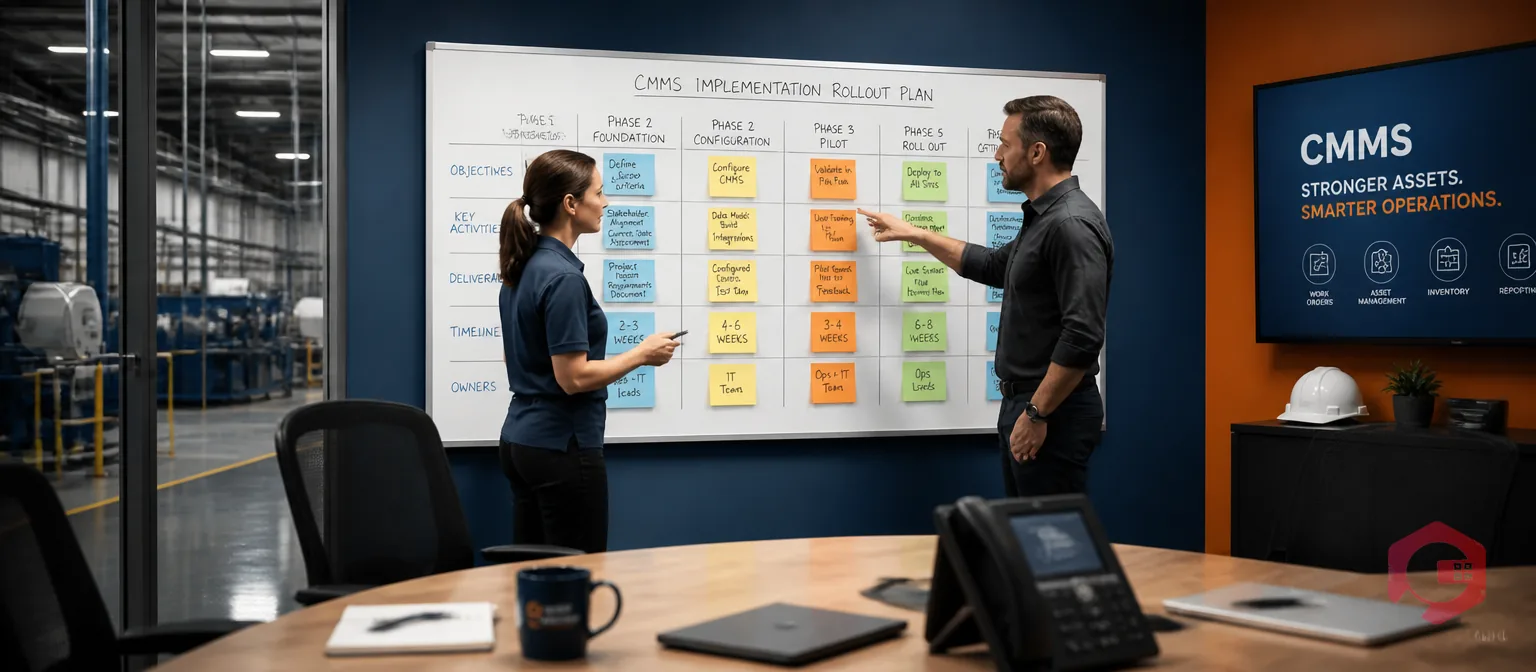
A successful CMMS implementation is one where 80%+ of your maintenance technicians log into the system within the first 90 days and stay logged in. Buying the software is the easy part. Getting your team to actually use it — work order by work order, asset by asset — is where most rollouts quietly stall. The plants that get it right follow a structured five-step approach: plan deliberately, clean their data before it touches the system, build the preventive maintenance program around real failure history, train role-by-role rather than all-at-once, and treat go-live as the start of the project, not the end.
According to a 2023 Plant Engineering maintenance study, organisations that follow a documented implementation methodology see CMMS user adoption rates 2.3x higher than those that wing it — and they recover the cost of their software within 8 months instead of 18. This guide walks through the five steps that consistently produce that result, with concrete checklists, a comparison of the three go-live strategies, and the practical pitfalls to avoid at each stage.
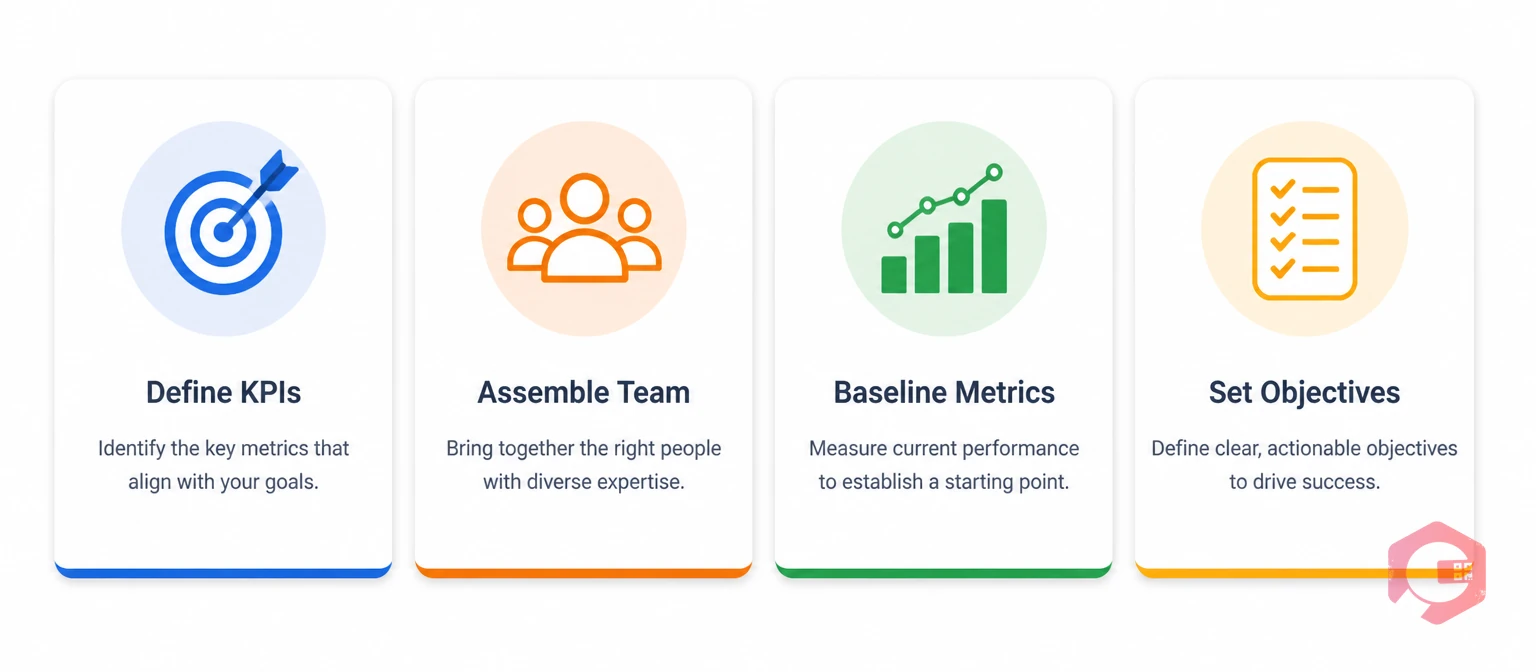
Most failed CMMS implementations were doomed before the software was even installed — because nobody defined what success would look like. The planning phase is where you fix that. Three deliverables come out of this step: a written objective, a cross-functional team with named owners, and a baseline of where you stand today.
Vague goals like “improve maintenance” produce vague results. Tie your implementation to specific, measurable targets that map to business outcomes:
Write these numbers down before you start. They become the benchmark every later decision is judged against.
CMMS implementation is not an IT project — it is a maintenance project that IT supports. Build a team that reflects that:
You cannot prove improvement without knowing where you started. Before configuring anything, capture these metrics for the last 12 months: total work orders completed, percentage that were reactive vs preventive, average MTTR by asset class, top 10 assets by downtime hours, and total spare parts spend. Store this baseline somewhere everyone on the team can see it. Twelve months from go-live, it becomes the evidence that the CMMS paid for itself.
Garbage in, garbage out. A CMMS loaded with dirty data — duplicate asset records, missing serial numbers, expired warranties, half-finished PM schedules — produces dashboards nobody trusts. This step is where most implementations underestimate the effort. Budget 30-40% of your total project hours for data work alone.
Every asset that will ever generate a work order needs a record. The minimum data set per asset:
The asset tracking module in Cryotos automates this through QR code labels — technicians scan an asset on the floor and the full record pulls up on their phone, no manual lookup required.
Do not import everything. Import what is useful. The right cutoff is usually the last 24 months of failure data, work order history, and PM completion records. Older data inflates the database without adding decision value. Clean each record before import: standardise asset names, fix date formats, remove duplicate entries, and reconcile maintenance costs against your finance system. If your old records are paper or spreadsheet, this is the right moment to digitise them — not after go-live.
The out-of-the-box CMMS settings rarely match how your team actually works. Configure these before any user touches the system:

A CMMS without a real preventive maintenance program is just a digital work order logbook. The whole point is to shift the ratio from reactive to proactive work — which only happens if the PM schedule is built on real failure data, not generic OEM intervals.
You do not need a PM schedule for every asset on day one. Cover the critical few first and expand from there. According to Reliable Plant, the Pareto principle holds: the 20% of assets driving 80% of downtime should anchor your initial PM program. For those assets, build schedules around:
The PM that nobody completes correctly is worse than no PM at all — it generates false confidence. Each PM procedure in your CMMS should include step-by-step task instructions in plain language, the exact tools and parts required (with part numbers linked to inventory), safety procedures and lockout/tagout steps, expected time to complete, and a sign-off field per critical task. The digital checklist feature in Cryotos turns these into mobile-first forms with photo capture and timestamped completion — making compliance verifiable rather than self-reported.
A PM is only as good as the parts available to complete it. Link every PM task to the parts it consumes, set minimum stock levels for critical parts, and configure automatic reorder triggers. The spare parts inventory module tracks consumption against PM and reactive work separately — so you can see exactly where your inventory dollars are going.
The single biggest predictor of CMMS failure is poor user adoption. The software is rarely the problem. The transition is the problem. Treat training and change management as a multi-month workstream, not a one-day event.
A generic “here is the CMMS” training fails because different roles use the system for different reasons. Build separate tracks:
Some of your most experienced technicians will resist the new system. They are not being difficult — they are protecting a workflow they have refined for fifteen years. Address it directly:
According to McKinsey research on change management, technology rollouts that explicitly address user concerns are 30% more likely to deliver their projected ROI than those that focus on training alone.
The go-live date is a milestone, not a finish line. The first 90 days after launch determine whether the CMMS becomes an operational backbone or another shelfware purchase. Choose the right go-live approach for your facility and resource it properly.
Three rollout strategies dominate CMMS implementations, each with distinct tradeoffs. Choose based on risk tolerance, organisational complexity, and resource availability:
The takeaway: for most mid-sized maintenance teams, phased rollout offers the best balance of risk and timeline. Parallel operation is appropriate only when the cost of downtime is catastrophic. Direct cutover suits small, well-trained teams with simple asset bases.
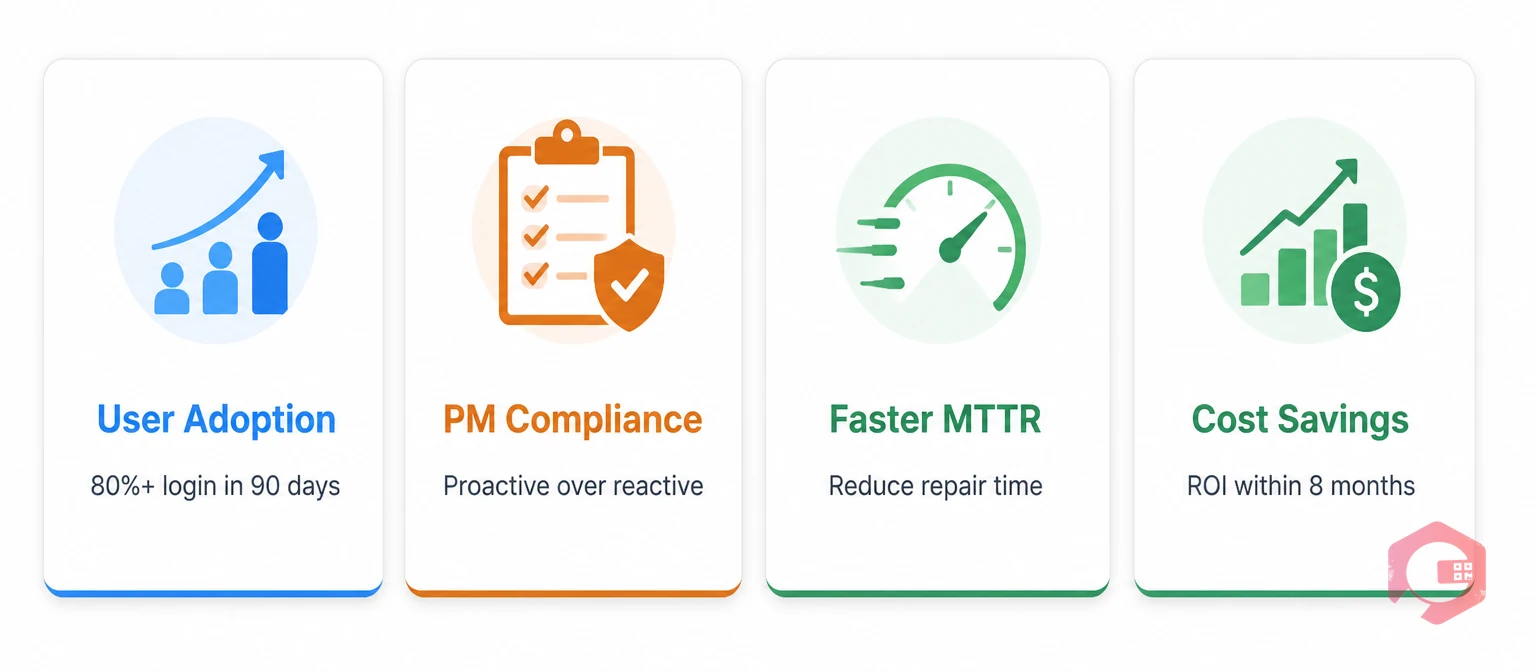
Adoption is the leading indicator. ROI is the lagging indicator. Track both:
The BI Dashboard in Cryotos surfaces all five of these in real time, so weekly performance reviews are anchored in data rather than anecdotes.
The first version of your CMMS configuration will be wrong somewhere. Plan for it. Schedule a 30-day, 90-day, and 180-day review with your implementation team to audit which workflows are working, which PMs are being skipped, and which reports nobody opens. According to ISO 55000 asset management standards, mature maintenance operations review their CMMS configuration at least annually against changing operational priorities. Treat your CMMS configuration as a living system, not a finished product.
The same mistakes show up across implementations regardless of industry. Watch for these five before they derail your project:
A focused implementation for a single mid-sized facility (50-500 assets) typically runs 8-12 weeks from kickoff to go-live. Multi-site rollouts using a phased approach span 4-9 months. The variable that drives the timeline most is data readiness — facilities with clean asset registers and digital maintenance history complete in half the time of those starting from paper or spreadsheets.
Low user adoption — not software limitations. When technicians do not consistently use the CMMS to log work, the data degrades, dashboards become unreliable, and the system loses credibility with leadership. Adoption issues trace back to insufficient role-specific training, poor mobile experience, or treating implementation as an IT project rather than an operations one.
Yes — and the cleanup is more work than most teams expect. Standardise asset naming conventions, remove duplicate records, fix inconsistent date formats, and validate critical fields like serial numbers and locations before any data touches the new system. Importing dirty data and trying to clean it inside the CMMS afterwards typically takes 3-4x longer than cleaning up front.
Focus on five metrics: daily active users (adoption), work order completion rate (throughput), PM compliance rate (proactive discipline), Mean Time To Repair (reliability), and the ratio of preventive to reactive work (maturity). Compare each against your pre-implementation baseline at 30, 90, and 180 days to verify the system is delivering value.
Yes, if a senior maintenance manager takes 20-30% of their time for the implementation duration and the CMMS vendor provides hands-on onboarding support. Below that level of dedicated ownership, projects drift and adoption suffers. Cryotos provides guided onboarding that compresses the timeline for small teams without requiring a full-time project manager.
A successful CMMS implementation is not a software project — it is a structured change in how your maintenance team works, supported by software. The five steps above produce results because they sequence the work correctly: plan before you configure, clean data before you migrate, prioritise critical assets in your PM program, train role by role, and treat go-live as the start of an improvement loop rather than the end of a project.
If your team is ready to move from reactive maintenance to a measurable, data-driven operation, Cryotos CMMS provides the platform and the onboarding support to get you there in weeks rather than months. Book a free demo today and see how our team supports your implementation from kickoff through 90-day review.




Cryotos AI predicts failures, automates work orders, and simplifies maintenance—before problems slow you down.



