
Asset maintenance software typically pays for itself within 6 to 14 months, depending on facility size and asset criticality. The plants that get the strongest ROI are not the ones with the most expensive software — they are the ones that pick the right category of tool for their asset base, configure it around real failure data instead of generic intervals, and measure cost savings against a documented pre-implementation baseline. Done right, asset maintenance software cuts unplanned downtime 20-30%, reduces maintenance labour costs 15-25%, and extends equipment life by years.
This guide is for maintenance and operations leaders evaluating whether to invest in asset maintenance software — not the broader discipline of asset maintenance management. For a complete program-building framework, see the Asset Maintenance Management 2026 Guide. Here, the focus is narrower: what the software actually does, what ROI to expect, what features to demand from a vendor, how it compares to CMMS and EAM products, and how to calculate the business case for your facility. According to Deloitte research on predictive maintenance, organisations that implement asset maintenance software see equipment uptime improvements of 10-20% within the first year of deployment.
Asset maintenance software is the system of record for every physical asset your organisation owns and the work performed on it. It replaces the spreadsheets, paper logs, and informal knowledge that most maintenance teams still rely on with a single source of truth — accessible from the office, the shop floor, or a phone in the field.
At its core, asset maintenance software performs four functions that no spreadsheet can match at scale:
The category covers software ranging from lightweight tools designed for single facilities to enterprise platforms that connect maintenance across global asset portfolios. The right product depends on your asset count, regulatory burden, and integration requirements — which is why understanding the category boundaries (covered below) matters before talking to any vendor.
The return on asset maintenance software comes from five recurring sources of cost reduction. Every implementation that delivers payback in under 18 months can usually trace it to at least three of these:
The size of each saving depends on your facility, but the pattern is consistent: asset-intensive operations recover software cost within a year; less asset-heavy operations within 18-24 months. According to Plant Engineering's annual maintenance benchmarking research, facilities tracking maintenance KPIs through software achieve 35% better cost performance than facilities relying on manual record-keeping.
The general benefits of asset maintenance software are well-known. What is less well-known is the typical magnitude of each. These are the numbers you should expect to see in your first 12-18 months — and the numbers to challenge any vendor to commit to in a pilot:
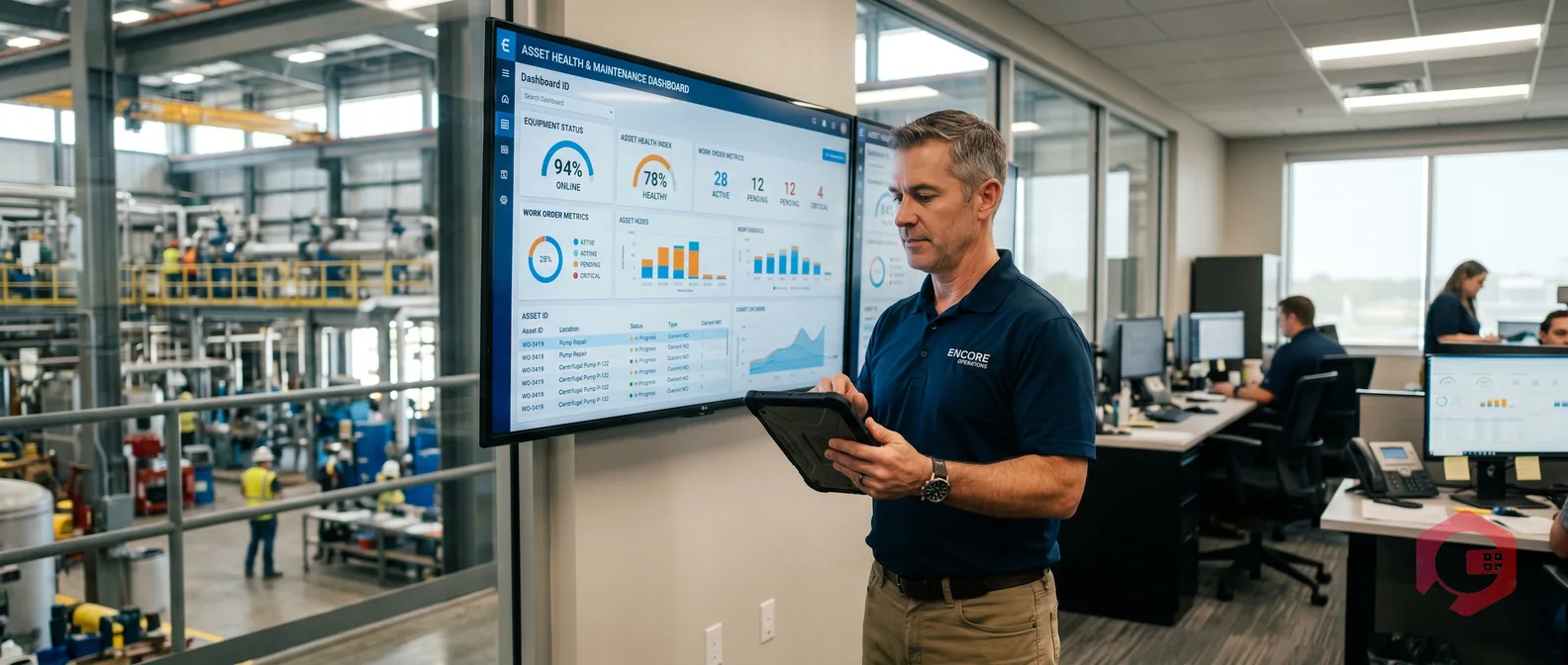
The BI Dashboard in Cryotos tracks every one of these metrics in real time, so a maintenance manager can prove the software is working without building reports manually.
The market for asset maintenance software is crowded, and feature lists from vendors all look similar on a comparison sheet. The features that actually matter — the ones that separate software that delivers ROI from software that becomes shelfware — are the ones a vendor's salesperson will not always volunteer.
These are non-negotiable for any serious deployment:
These determine whether the software becomes the operational backbone or just another data silo:
These are what turns operational data into decision-making capability:
The three terms overlap heavily and vendors use them interchangeably to confuse comparisons. The practical distinction matters because choosing the wrong category for your facility leads to either over-paying for enterprise complexity you do not need, or under-investing in a tool that cannot grow with your operation:
| Capability | Asset Maintenance Software | CMMS | EAM |
|---|---|---|---|
| Primary focus | Asset health and reliability | Maintenance operations and work orders | Full asset lifecycle (plan to dispose) |
| Asset lifecycle coverage | ✅ Operate and maintain phases | ⚠️ Operate phase only | ✅ Full lifecycle |
| Work order management | ✅ Core feature | ✅ Core feature | ✅ Core feature |
| Preventive and predictive maintenance | ✅ Core feature | ✅ Core feature | ✅ Core feature |
| Capital project planning | ⚠️ Limited | ❌ Not included | ✅ Core feature |
| Financial and depreciation tracking | ⚠️ Basic | ❌ Not included | ✅ Core feature |
| ERP integration | ✅ Common | ⚠️ Optional | ✅ Core capability |
| Implementation time | 8-12 weeks | 4-8 weeks | 6-18 months |
| Typical cost | $30-$200 per user/month | $30-$150 per user/month | $100k-$1M+ enterprise license |
| Best for | Asset-heavy operations needing reliability focus | Maintenance teams needing work order discipline | Large enterprises managing global asset portfolios |
The takeaway: for most mid-sized industrial, facilities, and manufacturing operations, the right starting point is asset maintenance software or a CMMS with strong asset features — the two categories now overlap heavily in modern products. EAM is appropriate only when you need formal capital lifecycle planning and global multi-site rollup. Modern platforms like Cryotos asset maintenance management software bridge the asset and CMMS categories in one product.
Most vendor ROI calculators are designed to make their product look good. A real ROI calculation for your facility takes 30 minutes with five inputs you already have:
Apply conservative improvement estimates against each line: 15% downtime reduction, 15% labour reduction, 15% parts reduction, 60% audit cost reduction, 20% replacement deferral. Sum the savings. Compare against the annual software license plus a one-time implementation cost (typically 30-50% of the first-year license). A facility with $500k annual unplanned downtime cost and $300k annual maintenance labour will usually see payback in under 12 months at conservative assumptions.
For a more detailed framework, the custom report builder in Cryotos includes a pre-built ROI tracking dashboard that compares pre-implementation baseline to post-implementation performance on every line above.
They overlap heavily in modern products. Traditional CMMS focused narrowly on work order management and PM scheduling; traditional asset maintenance software emphasised asset health, lifecycle, and reliability metrics. Today most leading platforms in either category cover both feature sets. The label matters less than evaluating whether the specific product handles your asset base, integration needs, and reporting requirements.
A focused implementation for a single mid-sized facility (50-500 assets) typically runs 8-12 weeks from kickoff to go-live. The variable that drives the timeline most is data readiness — facilities with clean asset registers complete in half the time of those starting from paper or spreadsheets. Enterprise EAM implementations take significantly longer (6-18 months), which is one reason most non-enterprise buyers should start with asset maintenance software or CMMS instead.
Most facilities recover the cost of the software within 6-14 months. Asset-intensive operations (manufacturing, utilities, fleet, facilities with high downtime cost) tend toward the shorter end. Operations with lower asset criticality but heavy compliance burden tend toward the longer end. ROI past month 12 typically comes from extended equipment life rather than direct cost savings.
Spreadsheets work up to roughly 50 assets and one technician. Past that, the cost of maintaining accurate records manually exceeds the cost of software. Beyond 200 assets, spreadsheet-based maintenance is no longer functional — work orders go missing, PM schedules drift, and audit trails become unreliable. Small teams running asset-critical operations should adopt software earlier than that.
For most mid-sized operations the four highest-impact features are: mobile-first work order completion, flexible PM scheduling supporting calendar and runtime triggers, spare parts inventory linked to work orders, and ERP integration. Reporting and IoT features matter, but only after the operational foundation is solid. Test the mobile experience with a real technician before signing — that is where most evaluations should be won or lost.
Asset maintenance software is one of the few operational technology investments where the payback math is unambiguous and the implementation risk is manageable. The teams that get the strongest ROI pick a product matched to their asset base and team size, configure it around their real failure history, and measure savings against a documented baseline. The wrong move is buying enterprise-scale software for a single-facility problem, or running asset-critical operations on spreadsheets past the point where they break.
If your operation is ready to move from reactive maintenance to a measurable, data-driven program, Cryotos asset maintenance management software covers the full feature set — mobile work orders, flexible PM scheduling, asset hierarchy, spare parts integration, ERP connectors, and IoT data ingestion — in a single platform sized for mid-market industrial and facilities operations. Book a free demo today and see how Cryotos compares against your current maintenance reality.



Cryotos AI predicts failures, automates work orders, and simplifies maintenance—before problems slow you down.



