Imagine paying insurance premiums on equipment you sold years ago or fixing machines that don't technically exist on your books. These "Ghost" and "Zombie" assets are an invisible leak in your budget, silently draining resources and leaving you with an asset register that is often more fiction than fact.
The reality is that most asset registers are obsolete at the moment they are saved in a static spreadsheet. To achieve true reliability, organizations must shift away from these "dead" lists and embrace a dynamic system that can track real-time movement, condition, and depreciation as it happens on the floor.
This is the promise of the Cryotos "Living Asset Register"-a system that breathes and updates itself through your team's daily maintenance activities. We transform your register from a dusty digital archive into a central nervous system that evolves every time a technician touches a machine.
The Pillars: The Foundation of Reliability
The Single Source of Truth
Your assets register is not merely a list, but it is the nervous system of your facility's reliability program. It is a guessing game to your maintenance team without it. A solid register links the dots between maintenance expenses, downtime, inventory and procurement, thus ensuring that every decision is data-driven and not an intuitive one.
The Cost of Inaccuracy
An inaccurate register isn't just an administrative annoyance; it's a significant financial risk.
- Audit Failures: Inaccurate records are a major red flag during compliance audits (ISO, FDA, etc.).
- Unnecessary CapEx: You might purchase a new spare motor simply because you didn't know you had a perfectly good one sitting in a "Zombie" state in another warehouse.
- Inflated Premiums: You are likely paying taxes and insurance on assets you no longer own or operate.
Static vs. Dynamic
- Static (The Old Way): A spreadsheet, which needs to be audited manually after every one year (which is rarely done in good time).
- Dynamic (The New Way): A CMMS-integrated register that evolves. When a technician fixes an AC unit, the register updates its condition. When a part is replaced, the cost history is automatically logged.
Step-by-Step Implementation Guide
It seems like an overwhelming task to start a register (or repair one) but it is manageable when you divide it into a systematic process.
Step 1: The Physical Audit & Tagging
You have to walk to the floor. There is no shortcut.
- Action: Physically verify every asset to confirm its existence and condition.
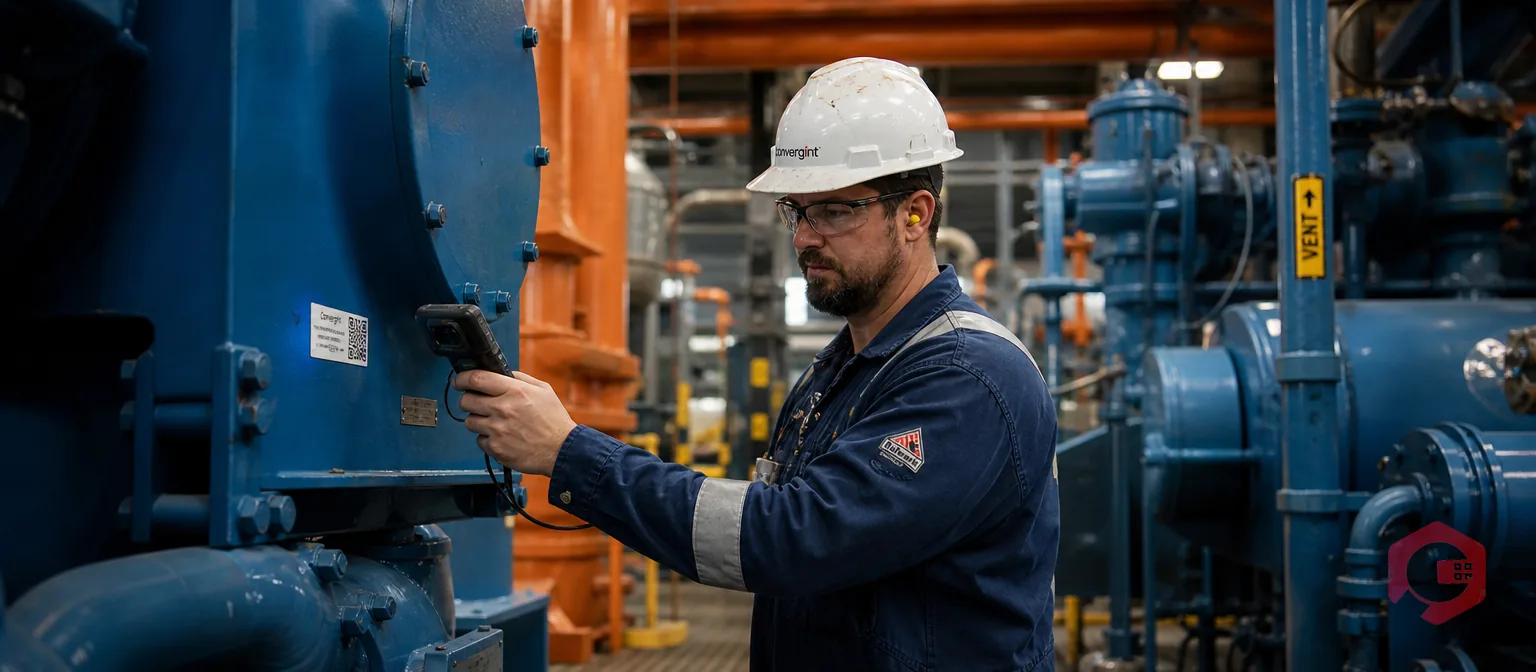
- Best Practice: Tag as you go. Use QR Codes, Barcodes, or NFC/RFID tags. This is an online license plate that will connect the real items with your online system.
Step 2: Defining the Hierarchy
Never simply stuff a list of 5,000 things into a database. Create an effective family tree.
- Structure: Establish clear Parent-Child relationships.
- Level 1: Build effective Parent-Child relationships.
- Level 2: Facility (e.g., Texas Plant)
- Level 3: Parent Asset (e.g. HVAC System 01)
- Level 4: Child (e.g. Compressor Motor, Fan Belt) Asset.
Step 3: Standardization of Nomenclature
Garbage in, garbage out. When a single technician refers to it as AC Unit 1 and the other one refers to it as Air Con 01, then you will still have duplicated records.
- Action: Develop a standard naming scheme (e.g., Category-Location-ID).
- Example: HVAC-FL2-001 (Hvac Unit, floor 2, asset 001).
Step 4: Data Enrichment
A name isn't enough. Provide context for your assets to aid in making decisions in the future.
- Critical Attributes: the Manufacturer of input, the model, the serial number, the date of installation, and the expiry of the warranty.
- Pro Tip: Have a Criticality Rating (High, Medium, Low). This aids in establishing assets to improve preventive care in the future.
Step 5: Digitization
Move from paper/Excel to the cloud.
- Action: Clean your data before importing it into your software. This ensures your new system starts with 100% accuracy.
The "Maintenance" Phase: Keeping Data Alive
This is where most organizations fail. They build a perfect register and let it rot. Here is how to keep your data living.
The "Touch-it, Update-it" Rule
Turn every work order into a mini audit.
- The Rule: Whenever a technician touches an asset to fix it, they must verify the basic data on their mobile app. Is the serial number correct? Is the location, right?
- Result: Your register is being audited thousands of times a year without it being a scheduled specific and expensive audit event.
Handling Asset Swaps
In industrial environments, parts move. You might swap a broken motor with a refurbished one.
- The Workflow: Your system must track "Rotatable Spares." When Asset A is removed and sent to the workshop, and Asset B is installed, the history must track that movement, so the maintenance data stays with the component, not just the location.
Automated Lifecycle Status
Don't rely on memory to retire assets.
- Automation: Set up your system to flag assets for "Decommissioning" based on condition scores or age. When an asset is scrapped in the system, it should automatically stop triggering PMs (Preventive Maintenance) and fall off the active insurance list.
You do not need to do this manually. Cryotos is developed to perform hard work so that your data is clean, and you work very little.
- Mobile Capture: Say goodbye to clipboards. With Cryotos Mobile App, technicians can take pictures, scan QR codes, and modify asset information when standing in front of the machine.
- Bulk Import/Export: Retirement of a legacy system? We have bulk tools to move thousands of assets, along with their convoluted hierarchies, in a few minutes, not in months.
- Asset History Tracking: Requires knowing how much you have spent on that particular conveyor belt within the past 5 years. One button will reveal all its history: all the repairs, all the parts, and all the dollars.
- Custom Fields: A factory does not require the same type of data that a hospital requires. Cryotos lets you build Unlimited Custom Fields which means that you can make your register meet your business's needs, not a template.
Conclusion
Precision is not a single undertaking, but a discipline. An asset register that is very accurate is that one which is preventing fires strategically and not fighting them all the time.
Are you willing to organize your disorganized list into a strategic asset? Stop letting Ghost Assets haunt your budget. Try Cryotos CMMS for free today and see how easy it is to achieve (and maintain) 100% asset visibility.